
One bad reminder is not a bad queue
Suppose a museum discovers that a membership renewal reminder was scheduled for one visitor who already opted out. Other reminders in the same Cloud Tasks queue are valid. Deleting the queue, or purging all tasks, would create unnecessary loss and recovery work. Google Cloud Tasks exposes a task-specific delete operation for this narrower problem. The aim is to prevent an unneeded future delivery while documenting what may already have happened. This article describes a hypothetical incident and a conservative operational playbook; it does not claim that a message was actually canceled or that an email provider recalled anything.
Know what the API can and cannot stop
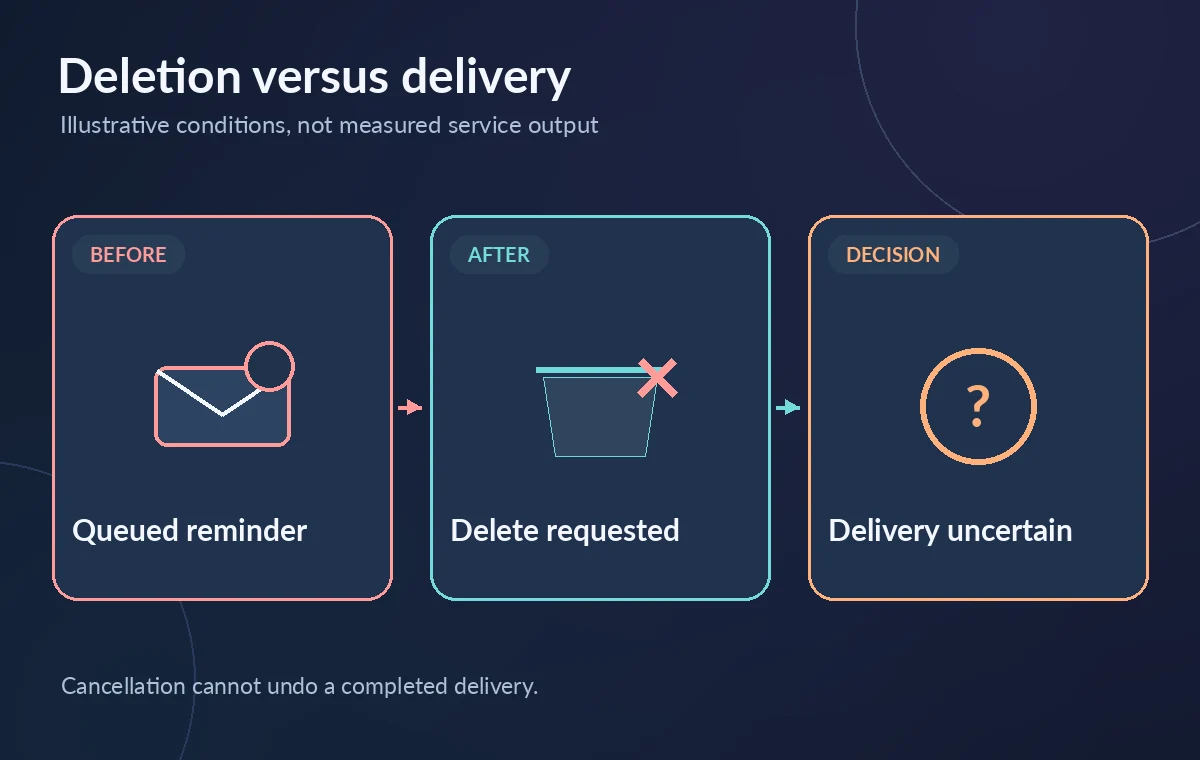
The Cloud Tasks `projects.locations.queues.tasks.delete` method targets one task using its full resource name. Google documents deletion for tasks that are scheduled or dispatched, but not for tasks already executed successfully or permanently failed. That distinction matters because the queued task and the downstream side effect are not the same thing. A successful API deletion is not a reversal of an email, payment, export, or HTTP request that already completed. When dispatch is underway, the worker may have received the request before cancellation. Design the incident procedure to recognize that race instead of promising a delivery guarantee.
Identify the exact queue and task name
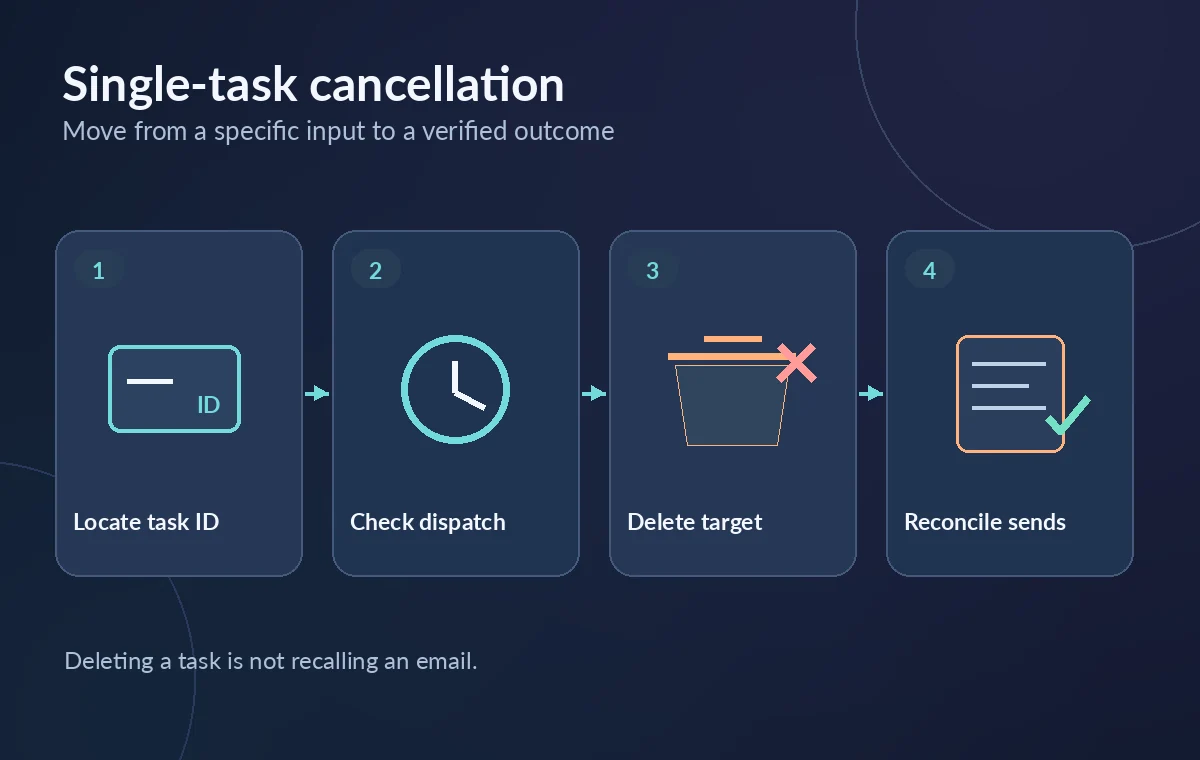
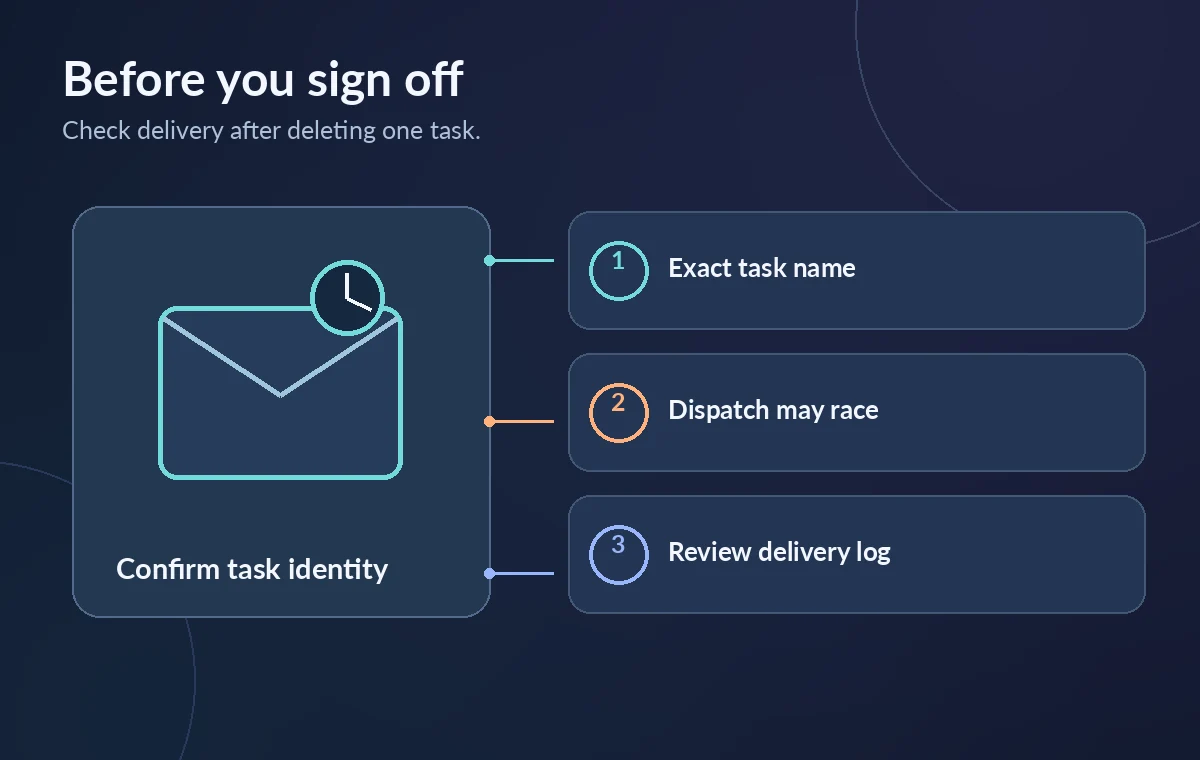
Begin with the full form `projects/PROJECT_ID/locations/LOCATION_ID/queues/QUEUE_ID/tasks/TASK_ID`. Verify the project, region, queue, and task identifier against the application’s own audit ledger. Many queues reuse similar task names for different campaigns, so a shortened ID copied from a screenshot can be misleading. Check that the task belongs to the affected reminder, not a legitimate renewal notice with a similar timestamp. If the task ID is unknown, consult saved creation responses and approved operational logs rather than scanning sensitive payloads unnecessarily. One deletion should be one explicitly authorized target.
Check the delivery system before requesting deletion
Look at current task state if available, queue activity, worker idempotency records, and the messaging provider’s accepted or sent records. A task may be absent from a list because it executed or because the queue changed while you inspected it. Do not interpret a missing list row as proof that no message left the system. If the notice is high impact, consider a separately authorized application-level suppression rule so a worker that already received the task cannot perform the unwanted side effect. Such a rule must be tested and should not interfere with lawful delivery or record retention.
Make the narrow delete request
Google documents `DELETE /v2/{name=projects/*/locations/*/queues/*/tasks/*}` for this operation. It requires the `cloudtasks.tasks.delete` permission and an authorized access token; the request body is empty. The Cloud Console and the documented `gcloud tasks delete TASK_NAME –queue=QUEUE_ID –location=LOCATION` workflow are alternatives when aligned with local approval. Issue the deletion only for the verified full resource name. Do not bulk delete neighboring tasks based on search text or a campaign prefix. A non-success response should remain an explicit failure, not an invitation to try less precise destructive commands.
Record success without overclaiming cancellation
A successful delete response indicates that Cloud Tasks accepted deletion of that resource. It does not mean the receiver never ran, especially if a dispatch was in progress. Update the incident ledger with the attempted task name, request time, authorization, response code, and any correlated downstream delivery evidence. If the task disappeared between inspection and deletion, investigate whether it completed, expired, or was removed elsewhere. Never silently convert an ambiguous HTTP timeout into an affirmative cancellation status. This is where application-level idempotency and independent delivery logs make the difference between a plausible story and a documented outcome.
Use purge only for a genuinely broader incident
A queue purge is designed for removing all tasks from a queue and belongs to a different approval process. For one erroneous membership notice, purging would also remove legitimate queued messages, potentially triggering missing confirmations or manual rework. Deleting the queue itself is more disruptive still and may involve a name tombstone. Keep these operations separate in runbooks, access roles, and UI labels. If multiple recipients were affected, write an explicit incident scope and enumerate candidates before considering any batch operation. The principle is proportional action: use the narrowest safe control and keep a recovery ledger.
Plan for retry and dispatch races
Cloud Tasks may retry HTTP deliveries under queue retry configuration, while downstream systems may have their own queues. A task-specific delete does not unwind an HTTP request already accepted by the receiver. Compare the cloud task identifier with a business-level idempotency key in the worker, and implement suppression rules where appropriate. If monitoring reports transient errors, do not repeatedly send ambiguous delete requests while also allowing an operator to resume delivery manually. Reconcile the state first. The organization should retain enough evidence to answer whether a customer-facing message was attempted, accepted, sent, bounced, or deliberately suppressed.
Verify the unaffected tasks remain healthy
After handling the targeted reminder, inspect the unaffected queue and a small approved sample of normal work. Check that queue dispatch has not been inadvertently paused, that rate limits and retry settings were not edited, and that legitimate renewal messages remain scheduled. For audit purposes, record the number of tasks expected in the local campaign ledger rather than relying on a single moving list view. If an application used a scheduled batch, confirm the rest of that batch still has valid routing and consent. A safe cancellation protects both the opted-out visitor and the recipients who are still waiting for authorized updates.
Document the outcome and limits
Close the incident only after the team records the delete outcome, reviews downstream delivery evidence, and states any remaining uncertainty. Use neutral language such as “task removed from Cloud Tasks; downstream delivery checked separately,” rather than “message guaranteed unsent.” Store only the minimum personal data needed for the reconciliation and apply appropriate retention limits. The example is conceptual and should be rehearsed in a nonproduction queue before being incorporated into emergency procedures. The documented API can cancel a task resource; it cannot substitute for opt-out enforcement, safe worker design, or a complete communications audit.
How We Research
We consulted the official Cloud Tasks delete method and Manage queues and tasks. We compared the documented request or environment fields with their response and authorization limits, then created a hypothetical museum workflow and original conceptual illustrations. We did not access a live organization, deploy a workflow, perform vendor-side tests, inspect real customer records, or measure performance or security outcomes. Features, availability, pricing, and required permissions can change; confirm the current vendor documentation and your own policies before implementing these steps.
Frequently Asked Questions
No. It deletes a Cloud Tasks resource under eligible states, not a downstream email already delivered or accepted.
No. Task deletion targets one full resource name; purge targets all tasks in a queue.
The documented REST method requires `cloudtasks.tasks.delete` on the specified resource.
A dispatch race is possible. Check independent worker and provider records rather than assuming the receiver did nothing.
No. Reconcile the task and downstream action first, since the request outcome may be ambiguous.