
A community venue has a recorded staff orientation about emergency exits, visitor assistance, and incident reporting. New employees want to ask specific questions without replaying the full session. Vimeo Ask AI can answer questions on eligible videos and link viewers to relevant moments, according to Vimeo’s help center. However, a useful answer about last year’s orientation may not match the building’s current safety policy. This article demonstrates a hypothetical content-governance workflow. No real Vimeo account, enterprise video, or emergency procedure was tested, and the training details shown in the diagrams are illustrative rather than instructions for an actual building.
Establish one approved policy source
Start by finding the facility’s currently effective safety manual and the person responsible for updates. Record a version identifier, approval date, and a stable staff-only link. Identify sections that could change between video recording and use, such as exit routes, accessibility accommodations, fire-alarm reporting, or assembly points. A training recording is evidence of what a presenter said at the time; it is not necessarily the latest operational instruction. Give the manual and its owner priority over an automated answer. If no current written instruction exists, flag the gap to the safety officer instead of treating an AI-generated summary as an authorized procedure.
Verify whether Ask AI is enabled
Vimeo’s help center says activation is available to account owners on selected Vimeo Enterprise plans. On eligible videos, viewers can recognize the feature from a Vimeo AI button below the player or inside the player. If the button is absent, do not promise that viewers can ask questions. Check the host account’s entitlement, eligible video settings, and internal-sharing permissions before designing an onboarding process around the feature. Ask AI may also appear in supported embedded players, but the exact experience depends on configuration. Provide a fallback: an accessible transcript with chapter headings and a link to the current policy manual.

Ask narrow, testable questions
Train employees to ask questions such as “Where does the presenter explain how to report an incident?” rather than “What should I do in any emergency?” The first query asks the system to locate material in a recording; the second could imply authoritative and universal advice. Vimeo documents entering a question and receiving an answer with links to relevant playback moments. Treat each linked moment as a navigation hint. Ask no question that discloses private visitor details or confidential incident information in a venue where the data handling has not been approved. Encourage staff to identify the video title and recording date along with the answer.
Play the cited clip and examine its context
Open the linked portion of the video and watch enough footage before and after to understand qualifications and exceptions. A presenter might say, “This east exit is normally open, except during construction,” and an isolated response may omit the exception. Inspect any slides or signs shown on screen, but do not assume an AI description of a visual is perfectly accurate. Vimeo says viewers can ask about video content beyond transcript text on eligible experiences; that makes visual verification more important, not less. Record the timestamp where the relevant instruction starts and note where caveats appear. If the exact answer is absent, say so instead of inventing a timestamp.
Compare spoken guidance with the manual
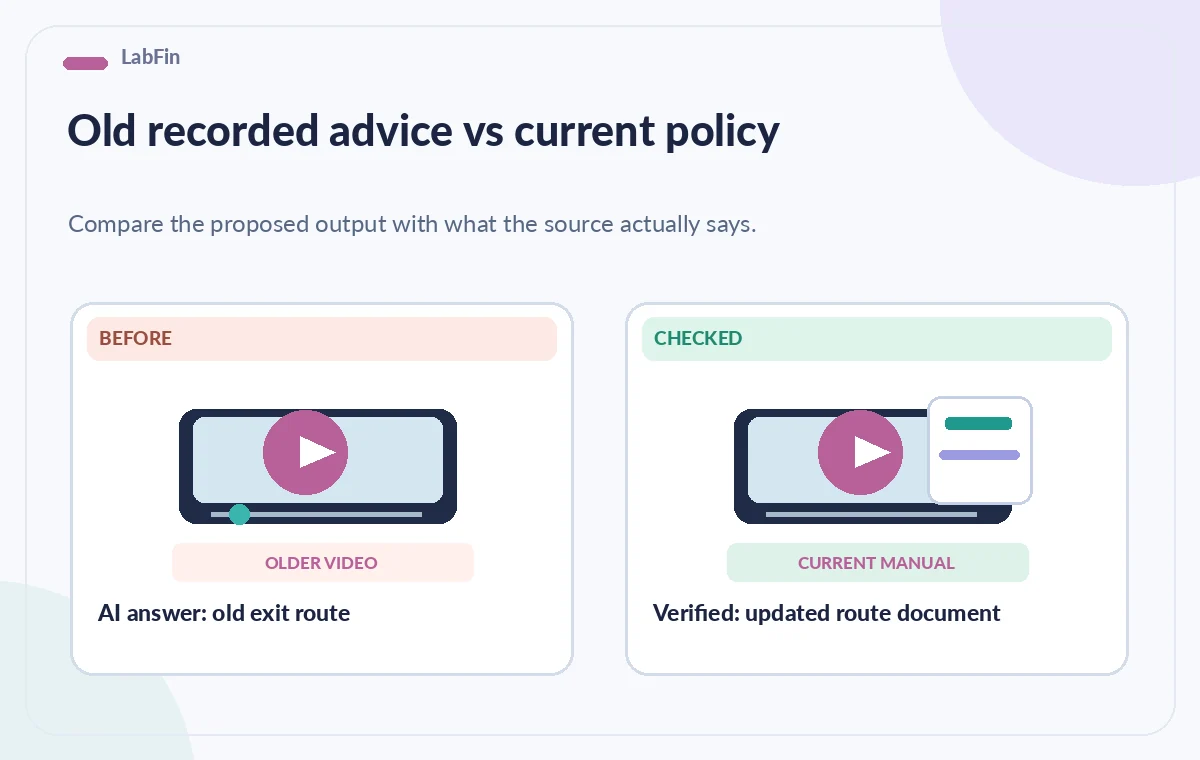
Create a three-column review: video statement, current written policy, and result. Mark each finding as aligned, outdated, ambiguous, or needs owner confirmation. For example, a hypothetical older recording may mention a north-side check-in door while a new site map identifies the accessible entrance on the east. The correct resolution is to ask the venue owner to verify the map and update training, not to let the AI pick a direction. Staff should be able to click directly to the current manual beside the video. If the recording contains retired instructions, add a prominent correction or replace the training material in accordance with internal policy.
Make the training accessible without overclaiming
AI question answering does not replace captions, transcripts, audio description, or a straightforward document outline. Check caption quality for equipment names, room numbers, and potentially confusing words. People should be able to find a safety instruction without conversational search, especially when technology or connectivity fails. If using an embedded player, verify keyboard interaction and that important links remain visible at the intended screen size. Do not design the only route to emergency information through a chat interface. A current printed or locally accessible written procedure remains essential where staff safety depends on immediate action.
Review audience access and questions
An uploaded training video may contain employee names, visitor images, access arrangements, or security-sensitive building details. Confirm who can view it and whether the audience is authorized to use Ask AI on that asset. Do not assume that turning on a question-answer feature changes existing confidentiality obligations. When embedding video on another page, review the embed settings, domain controls, and any player behavior that could expose the recording outside staff channels. Test with a regular authorized viewer rather than only with an administrator account. If a viewer can locate restricted footage from a public embed, correct access controls before adding explanatory text around the player.
Use an answer audit to catch version drift
Select a small set of high-consequence questions, including a revised instruction and an item not mentioned in the recording. For each, document the expected authority, the video moment if present, and the result of comparing it to the manual. An unsupported answer should be labeled unverified, not silently inserted into a staff FAQ. Repeat the audit when a policy changes or a video is replaced. Ask the facility’s subject expert to approve any public-facing summary. This approach makes the tool useful for navigation while avoiding the dangerous assumption that a confident automated sentence reflects the latest approved procedure.

Publish a clear boundary for staff
Place a short note near the player explaining that Ask AI can help locate material in the recorded session, while current official instructions are in the linked manual. Include an owner, version date, and route for reporting a mismatch. Archive obsolete recordings or label them clearly to prevent accidental re-use. We reviewed Vimeo’s official documentation for feature behavior and eligibility; we did not perform accuracy testing, verify actual Enterprise access, or certify any emergency response process. The visual examples here illustrate review decisions and are not player screenshots or observed search results.
How We Research
The documented product capabilities and access limitations in this article are based on first-party instructions, checked for this editorial draft: Vimeo Help Center — How to use Vimeo AI to ask questions and Vimeo Help Center — Player parameters and Ask AI eligibility. We used these pages to distinguish described features from suggested editorial safeguards. We did not use a customer account, produce a real output, run an accuracy benchmark, verify a particular license in practice, or promise a safety, privacy, commercial-rights, or compliance outcome. The scenario, pictured examples, and comparisons are conceptual instructional artwork, not authentic screenshots, generated tool results, signal measurements, or evidence of real-world testing. Recheck documentation, access permissions, current source versions, and organizational policies before implementation; an authorized human must review every consequential decision.
Frequently Asked Questions
Only on an AI-eligible video with the feature activated. Vimeo says activation is for owners on select Enterprise plans.
No. Follow the latest approved written policy and have the policy owner resolve any conflict.
A short generated answer can omit context, conditions, or exceptions stated before or after the cited moment.
Vimeo documents supported embedded-player use for eligible videos. Verify the specific embed configuration and permissions.
Label or replace it, link the current manual, and avoid directing staff to obsolete guidance.