
A 38-minute repair workshop is valuable but difficult to revisit when a viewer only needs the moment where the instructor checks tire pressure. Vimeo AI can propose chapter titles, thumbnails, and durations, but chapter boundaries should reflect the video, not just the transcript’s vocabulary. A poorly positioned chapter can skip a safety warning or drop the viewer into the middle of an unfinished demonstration. This guide reviews a fictional bicycle workshop, explains how to generate and refine chapters in Vimeo, and provides a practical timestamp audit. Illustrations are original navigation diagrams rather than screenshots or measured AI performance.
Write a chapter outline from the actual recording
Before triggering AI, watch the full 38-minute replay and list its real demonstrations. In this fictional workshop, the useful milestones are a safety introduction, wheel removal, tube repair, inflation, and a final on-bike test. Mark approximate start points in a working log but do not present those rough notes as verified timecodes. A chapter heading such as “Fix a Flat Tire” is only helpful if it begins before the relevant tools are introduced. Viewers should not have to rewind two minutes to learn why the mechanic removed a retaining nut. Keep safety instructions attached to the appropriate task, especially where the bike’s braking or wheel attachment is discussed.
Confirm plan and editor access
Vimeo’s official help article documents Vimeo AI chapters in the video settings experience and mentions plan and role requirements. Its headline eligibility language covers Free and certain higher plans, while the detailed text describes additional paid roles; account UI and permissions should therefore be verified rather than generalized across every organization. Open the eligible video as an authorized owner or team editor. If the Vimeo AI button is absent, check the subscription, permission level, and team AI settings before implying an outage. A workshop recording may contain attendee names or private discussion: obtain rights and consent for any automated transcript processing and for the final audience receiving the replay.

Generate the first proposal and preserve the existing state
From the video settings page, select Vimeo AI and Generate Chapters where the option is available. Vimeo describes generating chapter titles, thumbnails, and durations. If the video already has manually created chapters, copy the existing structure before replacing it with a new proposal. Use Save only after comparing the result with the workshop outline. Avoid importing a different video or copying chapter metadata from a similar class: the procedural sequence could be similar while the actual times differ. A generated title is a navigation suggestion, not confirmation that the demonstration starts at that moment. Never imply that an illustrative label in this guide came from a tested Vimeo account.
Inspect the first seconds of every chapter boundary
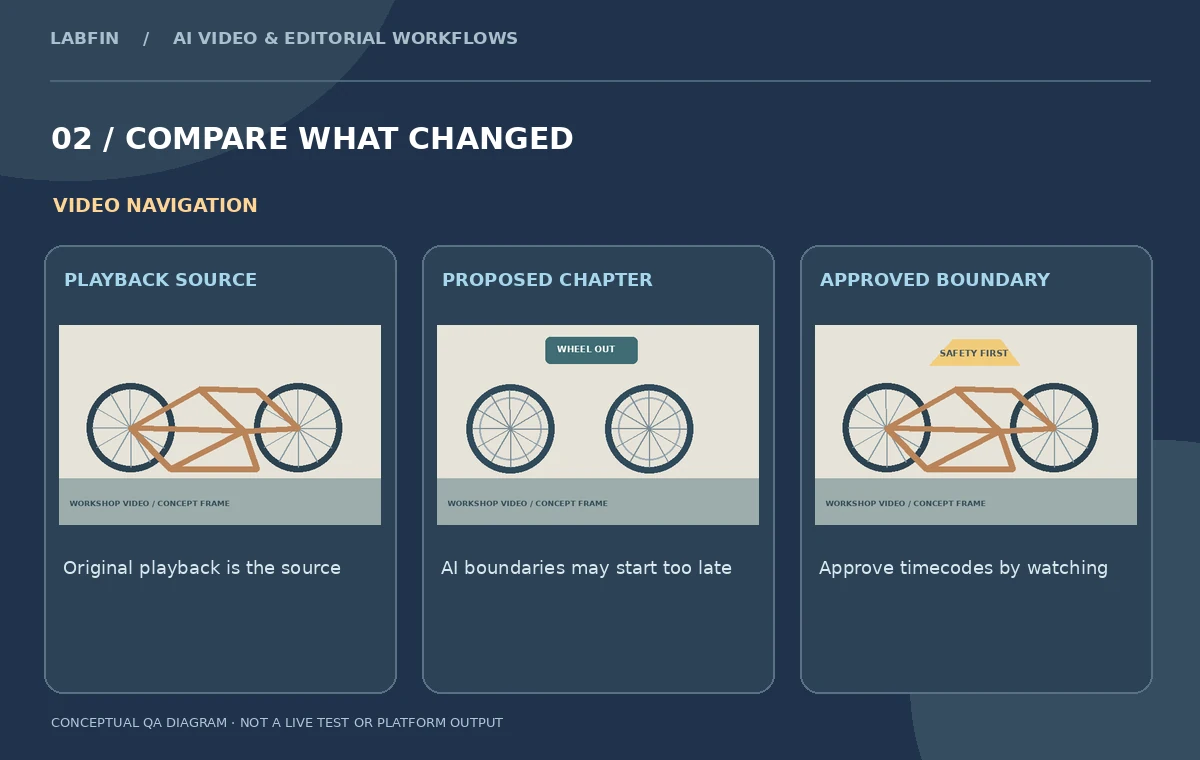
Scrub across each proposed start point, viewing ten to twenty seconds before and after it. A useful chapter starts where the instructor introduces or begins the related action. If “Remove the Rear Wheel” starts after the axle is already loose, move it earlier. If “Patch the Tube” begins during an unrelated story about shop scheduling, shift it to the moment when tools or damage inspection appears. Vimeo’s help instructions say you can edit chapter boundaries manually through the Interactive controls. Use that capability to align both title and content. Verify that chapters remain in chronological order and cover the portions of the video the audience is likely to navigate.
Edit titles for accuracy, not search bait
Choose headings that state the actual learning outcome. “Safe wheel removal” is more useful than “Amazing bicycle secrets.” Use clear, parallel grammar for each chapter and avoid claiming a repair works for every bike model if the instructor demonstrates one configuration. Confirm all numerical information, tool names and cautions against the recording. For public educational content, preserve terms a learner can search or recognize; for private team training, avoid leaking internal customer or employee names into public metadata. Vimeo AI may extract themes from a transcript, so off-topic banter can appear as a false chapter. The editor should remove irrelevant suggestions rather than inflating the chapter count.
Treat thumbnails as navigation cues
A thumbnail for the tube-repair chapter should show the tube or patch kit, not a finished bicycle that appears much later. Vimeo’s AI-generated chapters include thumbnails from the video according to its documentation; inspect those frames for visibility, privacy, and proper identification. Choose a frame where the hands and relevant part are unobscured. Avoid frames that reveal an attendee’s phone screen, whiteboard credentials, or injury. At small player sizes, a clean close-up usually communicates more than a wide room shot. If suitable images are unavailable, the chapter title still needs to make sense without relying on a visually perfect preview.
Test chapter navigation as a viewer
Open the saved replay in the player a learner would actually use, not only in the editor’s configuration screen. Jump to each chapter on desktop and mobile, if those devices are supported in the delivery environment. Check whether the playback begins with enough context and whether captions remain synchronized. If the replay is restricted to a training group, verify that access permissions and sharing settings persist after editing chapters. The chapter list should not be mistaken for an automatically generated transcript or written manual: a viewer still needs to watch demonstrations and respect the instructor’s safety warnings. Record any chapter that required manual repositioning.

Maintain a timestamp review sheet
Create five columns: chapter title, proposed start, final start, visual confirmation, and editor note. Do not fill it with fictional numerical timecodes presented as system output. In a real project, populate the fields only after watching the file. Keep the edited chapter list together with the video version and workshop handout; otherwise a later trim could shift boundaries while the chapter labels remain stale. Vimeo AI is useful because it shortens the first navigation pass, but the handoff is only reliable after human review. Retest the chapter links if the organization replaces the video, modifies captions, or changes sharing access.
How We Research
This Vimeo AI Chapters guide is independent editorial guidance grounded in official documentation: Vimeo Help: generate chapters for video; Vimeo Help: technical FAQs for Vimeo AI. The illustrated scenario is a fictional 38-minute bicycle-repair workshop covering safety, removing a wheel, repairing a tube, inflating a tire, and testing the bike. We checked the vendor-described capabilities and important eligibility conditions, then mapped a sequence of editorial reviews that readers can repeat with their own authorized media. The images are original teaching diagrams, not product UI screenshots, generated exports, results of a live account test, or measured benchmarks. We did not upload private recordings, access a paid vendor account, run a real A/B experiment, measure performance, or verify hypothetical timecodes. Retain source assets, check current plan availability and privacy settings, and review exported media and metadata before publication.
Frequently Asked Questions
Yes. Its help describes proposed chapter titles, thumbnails and durations for eligible videos.
No. Compare each boundary against the actual footage and move it where necessary.
Vimeo documents editing chapter start and end points through its Interactive controls.
Availability depends on the account, role and applicable plan or team settings. Check the current UI.
Titles, proposed and approved start points, visual confirmation, and any manual adjustment notes.