
An archive holds a short low-resolution clip of a passenger ferry approaching an old terminal. The terminal’s painted sign is too blurry to read reliably. Topaz Video includes Starlight Sharp, a diffusion-based enhancement model designed for difficult footage. Sharper-looking results can help a modern audience see the boat, but they cannot certify what the original sign said. This hypothetical workflow is designed for archive staff who want a viewable reference copy while preserving historical uncertainty, source provenance, and the ability to compare individual frames with the original film transfer.
Treat the source transfer as a primary record
Record the transfer format, frame rate, original pixel dimensions, aspect ratio, interlacing status, audio source, and any preservation notes. Make a read-only master and work only from a derivative. Choose a short representative interval showing hull edges, terminal lettering, moving water, and at least one face if people appear. Do not crop the source sign out just because it is inconvenient for evaluation: the ambiguous text is an explicit test case for authenticity.
Separate three different goals: technical stabilization, aesthetic enhancement, and historical interpretation. An upscaled video may be easier to present without improving the evidentiary status of its details. Keep the date, vessel name, and route history in a separate catalog record supported by actual archival sources. Avoid making a final caption from text that first became readable only after a generative restoration pass.
Check the Starlight Sharp hardware and plan constraints
Topaz’s Starlight Sharp documentation describes a model variant within the Starlight AI family. It states that local rendering requires at least a Pro account and, at the documented time, supported Windows systems with NVIDIA GPUs, at least 16 GB of VRAM, and recommended 32 GB of RAM. The model is demanding and renders slowly. Its cloud and local capabilities are not interchangeable; the official documentation mentions a cloud output limitation. Confirm current platform, plan, GPU drivers, and processing availability before scheduling a preservation project.
The model is a standalone enhancement and cannot be combined with other filters in the same model pass, according to Topaz. It is not wise to assume that a brief project can be processed in real time. Make an explicit resource decision before uploading private or restricted archive footage to any cloud service. If permissions or equipment are unsuitable, keep the source and choose a simpler presentation method or a nondiffusion workflow.
Prepare a short controlled comparison
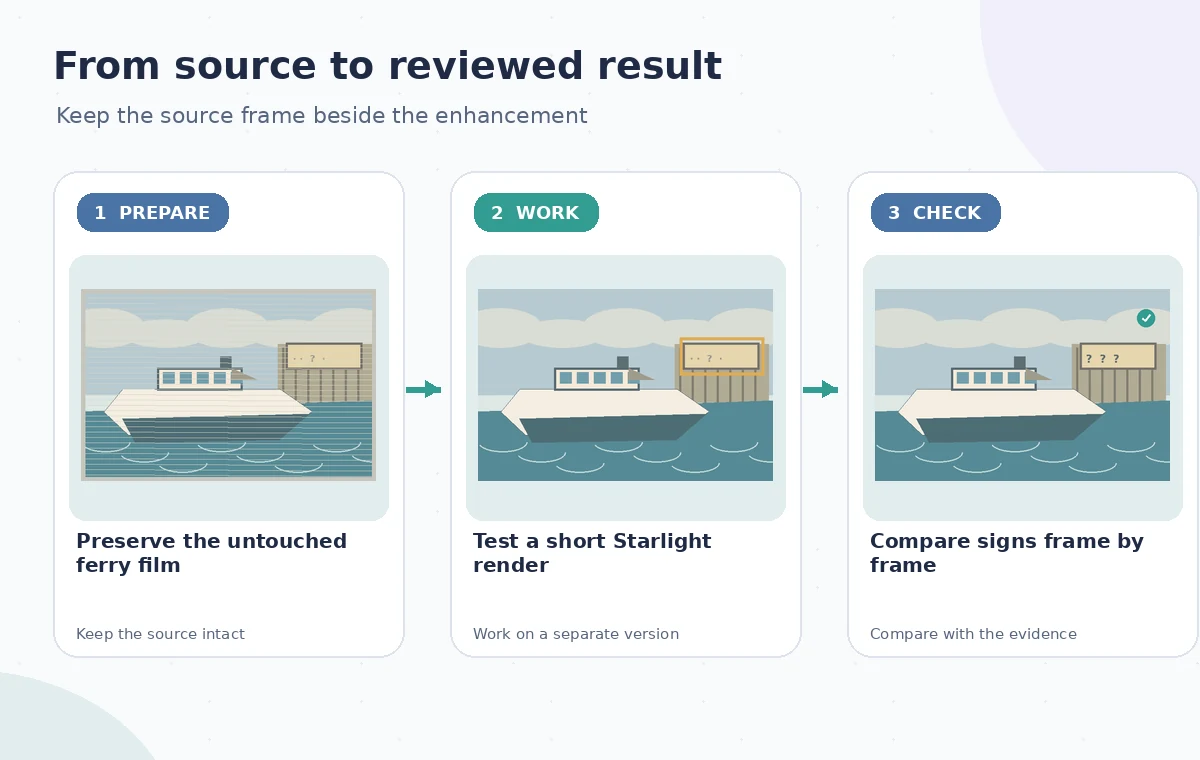
Topaz recommends deinterlacing interlaced footage before using Starlight Sharp and using appropriate square-pixel source settings. The documentation also notes that the model is not suited to the normal Preview or Frame Preview workflow; export a few seconds for inspection instead. Select a modest segment spanning both calm and fast movement. Save the exact start and end timecodes so reviewers can match each processed frame to its untreated counterpart.
The source in this example is a fictional frame with a ferry, ramp, and a blurred sign. For the comparison, do not hand-label the unreadable sign with an imagined town name. Set up a review grid with original frame, short enhanced render, and a written note about what remains unknowable. Even if the enhanced surface texture looks convincing, it is not an independent historical source.
Use the AI tool selection checklist
Inspect invented detail instead of grading only sharpness
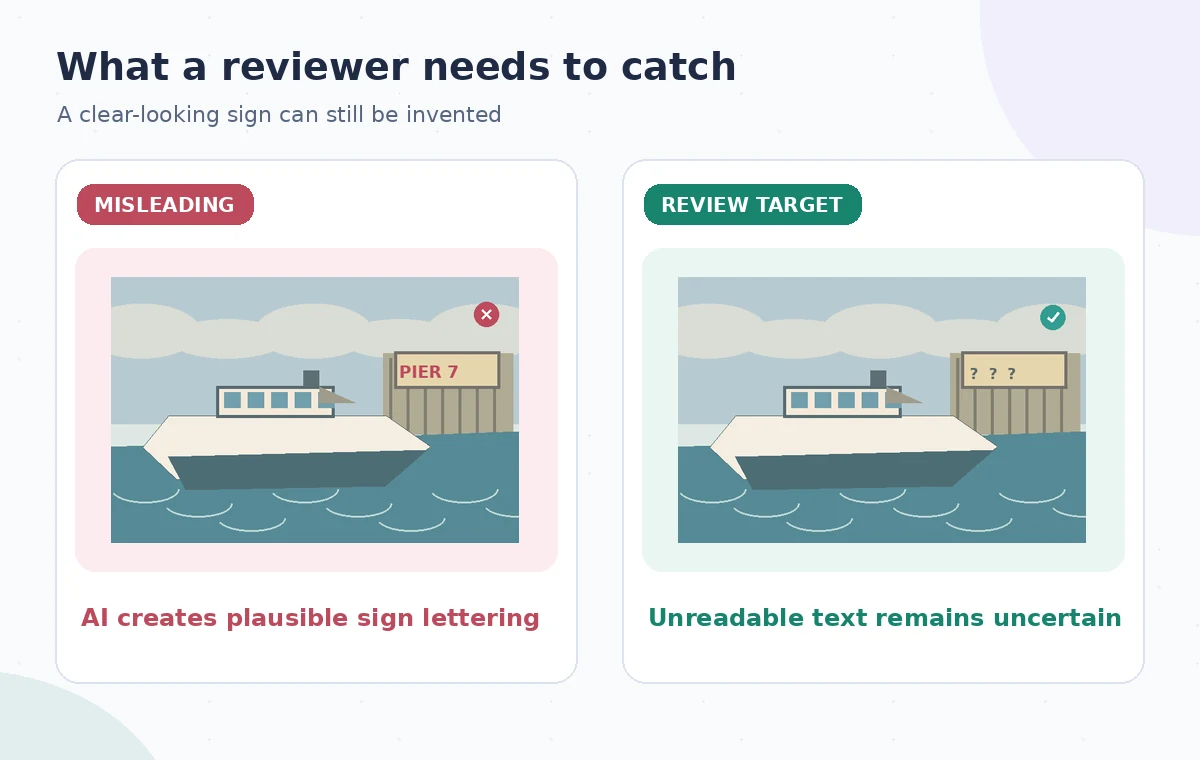
Look at the terminal sign, painted hull number, mooring rope, wake texture, narrow railing, and any faces. A diffusion model can create plausible shapes where the original pixel data contains insufficient information. Topaz specifically warns that small, blurry, or inconsistent text can be interpreted as texture or pattern. That makes the sign central to the acceptance test, not a minor corner artifact. If new characters seem to appear, do not transcribe them into the archive’s catalog.
The risk illustration deliberately displays confident-looking but invented lettering, contrasted with a version explicitly marked as unreadable. Both are schematic educational images and not outputs from Starlight Sharp. A historically defensible presentation may preserve an unreadable sign while improving contrast elsewhere. Keep an original/enhanced toggle for staff who need to judge what can and cannot be supported by the recording.
Check temporal continuity and geometry
Move frame by frame across the ferry’s bow, passengers’ hands, railings, and the waterline. Check whether a rope disappears, a face changes features from frame to frame, or a vertical post bends as the vessel moves. Artificial detail can be most obvious during motion rather than in one attractive still. Compare consecutive frames against the source at the same timestamp and check the whole export for crop changes or aspect-ratio distortions.
A visual review list should include edges, repeated structural details, any overprinted film date, and moving objects. If the transfer is interlaced, investigate the source deinterlacing process separately before attributing combing or motion artifacts to enhancement. Review at normal playback speed as well as paused. Do not erase authentic film grain or movement merely because a smooth output looks more contemporary.
Plan a safer multi-tool workflow
Deliver an accessibility-friendly version with provenance
Keep the unprocessed master separately from an edited viewing copy. Identify the latter as an AI-enhanced interpretation in its description or accompanying metadata, and record the software/model variant, general processing settings, and the date of creation. If the old sign is uncertain, write ‘sign text not legible in source transfer’ instead of repeating any generated letters. A transcript or contextual caption should rely on independently verified archive notes, not enhanced pixels.
For an exhibition display, show both the restored moving image and a readily accessible way to compare the original. Include an explanation of why the restoration was made and what it cannot establish. Open the actual final video file to check sound synchronization, duration, export dimensions, and legibility of any editorial captions. The review scheme emphasizes source reference, vulnerable features, and version records.

Know when Starlight Sharp is not appropriate
For footage with extensive unreadable inscriptions or evidentiary uses, an unenhanced display may be the ethical choice. A modest conventional rescale or carefully documented color correction can convey the source with fewer interpretive additions. Starlight Sharp may also be unsuitable when the available machine, plan, render time, or privacy constraints do not meet the vendor’s requirements. A new release may alter hardware support, so recheck the documentation rather than applying historical settings blindly.
No archival ferry footage was uploaded or enhanced to create this article. The figures are drawn teaching examples, not frame captures or measured model comparisons. Vendor documentation supports the named workflow and hardware caveats; claims about historical detail require separate source evidence. The desired result is not maximum crispness at any cost, but a viewable copy whose uncertainty is clearly documented.
How We Research
We checked the named vendor documentation: Topaz Docs: Starlight Sharp model and limits and Topaz Docs: Starlight Series overview and Topaz Docs: System requirements. We compared its stated user controls, availability warnings, workflow stages and limitations against the concrete scenario described here. We then developed original educational diagrams and a separate human-review procedure for the materials that need independent evidence. The scenario is hypothetical: we did not sign into a paid account, upload a real customer asset, operate the feature on the example, or measure output quality. The figures are schematic, not actual interface captures or recorded processing results. Product menus, permissions and plans can change; verify the current installed edition and applicable policies before relying on this method.
Frequently Asked Questions
Topaz describes it as a diffusion-based Starlight variant for challenging, low-resolution footage, with increased sharpness and detailed enhancement.
Topaz currently documents local Starlight Sharp support for compatible Windows and NVIDIA GPU systems, not local Mac processing; check current cloud options.
No. Topaz warns that small or inconsistent lettering may be interpreted as texture. Verify historical text from independent records.
Topaz describes Starlight Sharp as a standalone enhancement, so do not plan a combined filter pass as though it were supported.
Keep the unchanged master, the processing notes, the exported derivative, and a record of unresolved visual uncertainties.