
A volunteer coordinator returns after several days away to find dozens of messages about a weekend food-distribution event. A daily Slack AI recap can condense the noise, but an upbeat suggestion about moving the pickup time is not a binding scheduling decision. Slack’s recap feature helps readers review selected channels and links back to underlying messages. This fictional example shows how to use it for catch-up while tracing dates, disagreements, and final authorization. The article deliberately avoids presenting AI prose as the official event record and keeps decision-making with the channel’s responsible human owner.
Separate channel awareness from operational authority
Start by listing the decisions that can affect people: confirmed pickup time, volunteer roster, vehicle assignments, and weather fallback. For each, name an accountable source such as the event coordinator or approved schedule. A recap may be useful for discovering discussions, but it should not replace that source. Imagine a message saying ‘Could we start at nine instead of ten?’ followed by several reactions and unrelated updates. A summarizer might elevate the proposal because it was discussed frequently. Without a subsequent approval, the schedule remains unchanged. Write down what evidence would count as an actual decision before opening the recap.
Check Slack availability and configure the recap
Slack documents recaps as a feature of eligible paid plans, with plan differences and possible administrator restrictions. In the desktop interface, select Recap in the sidebar, manage the channels to include, and save the selection. Mobile offers a similar Recap entry. Recaps normally provide a daily digest of missed updates from selected channels, rather than a complete compliance log of every message. Choose channels that contain essential but non-confidential event logistics; a private personnel discussion might not belong in the same morning summary. If the Recap control is unavailable, verify the subscription and workspace settings instead of assuming the feature has moved.
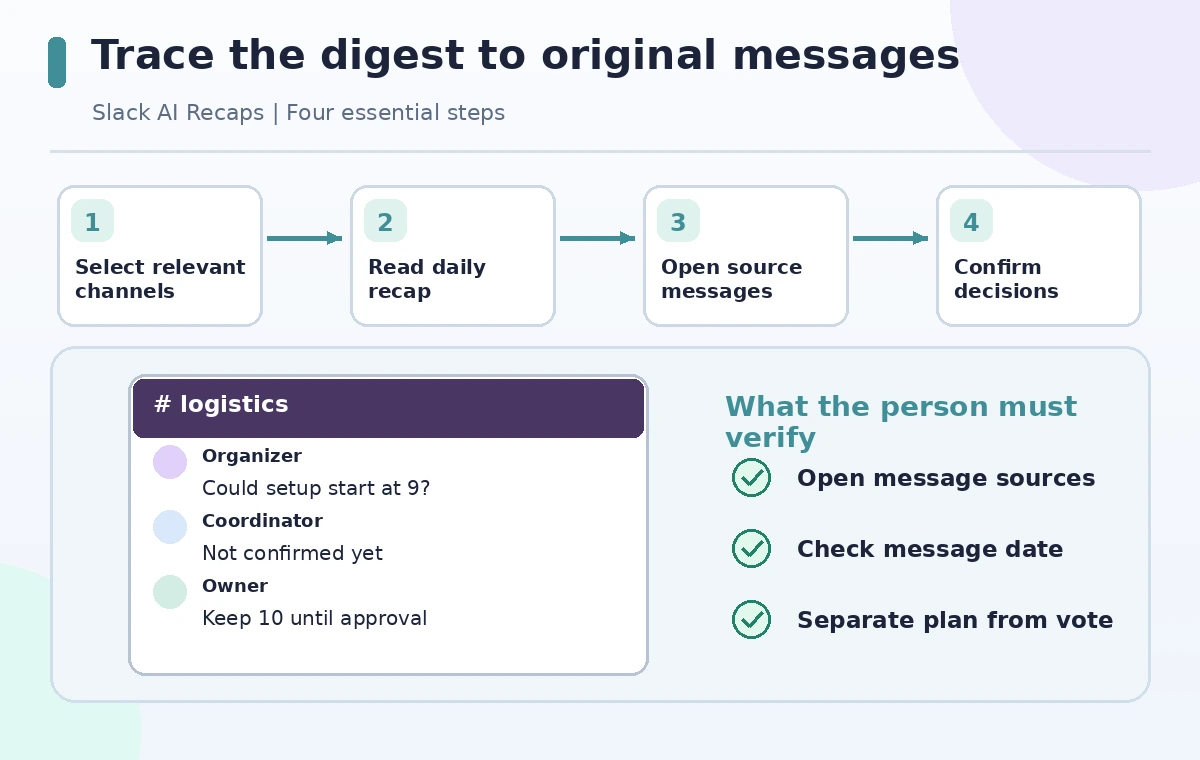
Use the recap as a map to source messages
Read the digest to identify a handful of candidate changes, then open More details to inspect the linked messages. Slack explicitly provides these source references. Verify the time, author, channel, and exact wording for each important assertion. A recap might say ‘parking moved to the south entrance’ even though a late reply says ‘hold until facilities confirms.’ The source chain matters more than the concise summary sentence. Do not copy a paraphrase into an official notice before following its citations. If the underlying message has been edited or is ambiguous, ask the decision owner for a direct confirmation.
Distinguish proposals, objections, and decisions
Create a small decision log with columns for item, current status, verifying source, owner, and notification state. Keep ‘Proposed’ separate from ‘Approved’ and ‘Announced.’ Reactions, vote-like emojis, and repeated suggestions are not necessarily formal consent, especially when the team has established another approval method. An example logistics thread may include a suggestion to deliver boxes early and a later objection that the building opens too late. The digest can draw attention to both, but the human coordinator must resolve the conflict. Do not silently suppress minority concerns to produce a neat consensus paragraph.
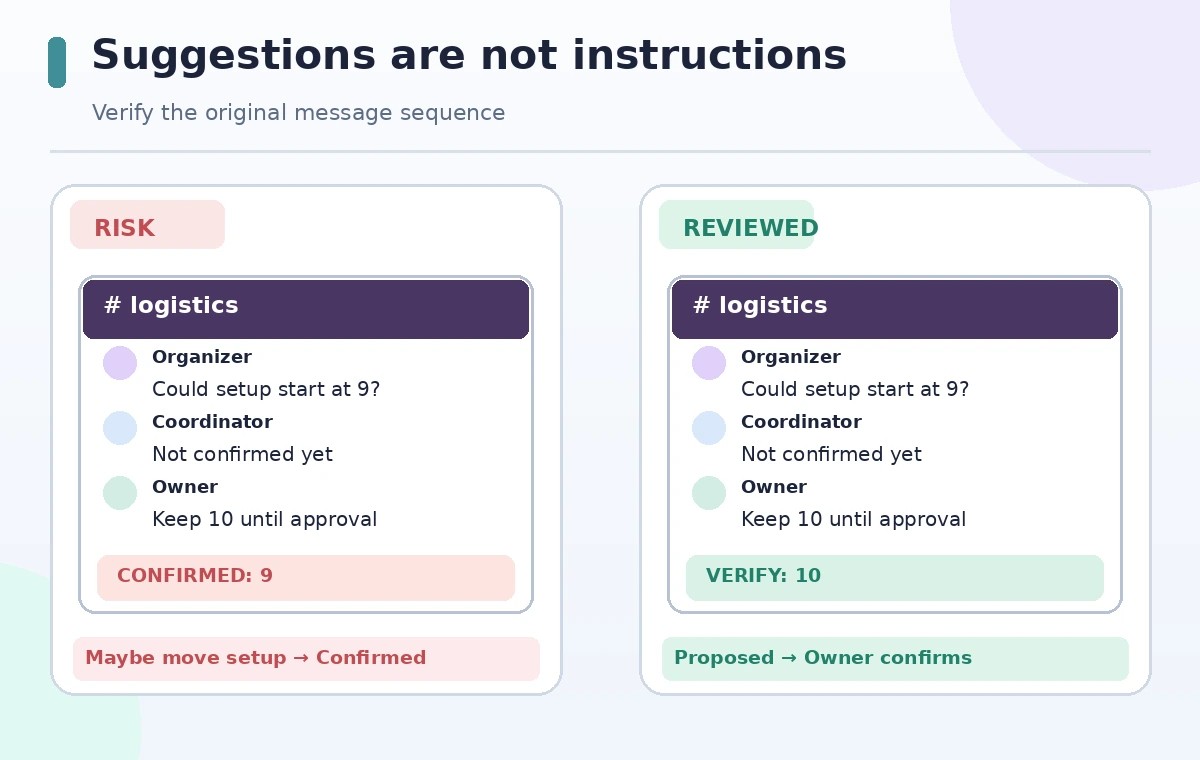
Compare a misleading digest with a verified handoff
The comparison diagram uses an invented message thread: one person proposes moving setup and another says the change is unconfirmed. In the risky path, the proposal is immediately labelled a finalized schedule; the reviewed path links back to the actual messages and waits for the owner’s decision. It is a teaching illustration, not a screenshot of real Slack AI output. Look for specific words that conceal uncertainty: ‘will,’ ‘approved,’ and ‘everyone agreed’ should be supported by an explicit source. A good digest is a starting point for checking, not proof by repetition.
Confirm the current status with the appropriate person
Ask a short, concrete follow-up in the right channel: ‘Is the pickup start time approved as nine, or is ten still current?’ Include the source message and a response deadline when practical. Do not automatically notify dozens of volunteers while the answer is pending. For immediate safety issues, follow the organization’s established urgent communication channel rather than waiting for the next daily recap. Once a real decision is confirmed, add it to the controlled schedule and note who approved it. Keep the AI recap separate from the authoritative log so later readers can see what was summarized and what was decided.
Handle privacy, coverage, and missed context
Slack summarizes conversations available to the user and feature; it does not imply complete knowledge of every channel, private message, or off-platform phone call. Avoid inserting personal phone numbers, medical concerns, or participant details into a public summary simply because they appear in a private thread. Check whether included channels have appropriate permissions and whether the final handoff reaches people who do not use Slack. When decisions span several channels, inspect all relevant original sources instead of assuming one digest captures the whole story. Date ranges and time zones matter when discussing an early-morning event.
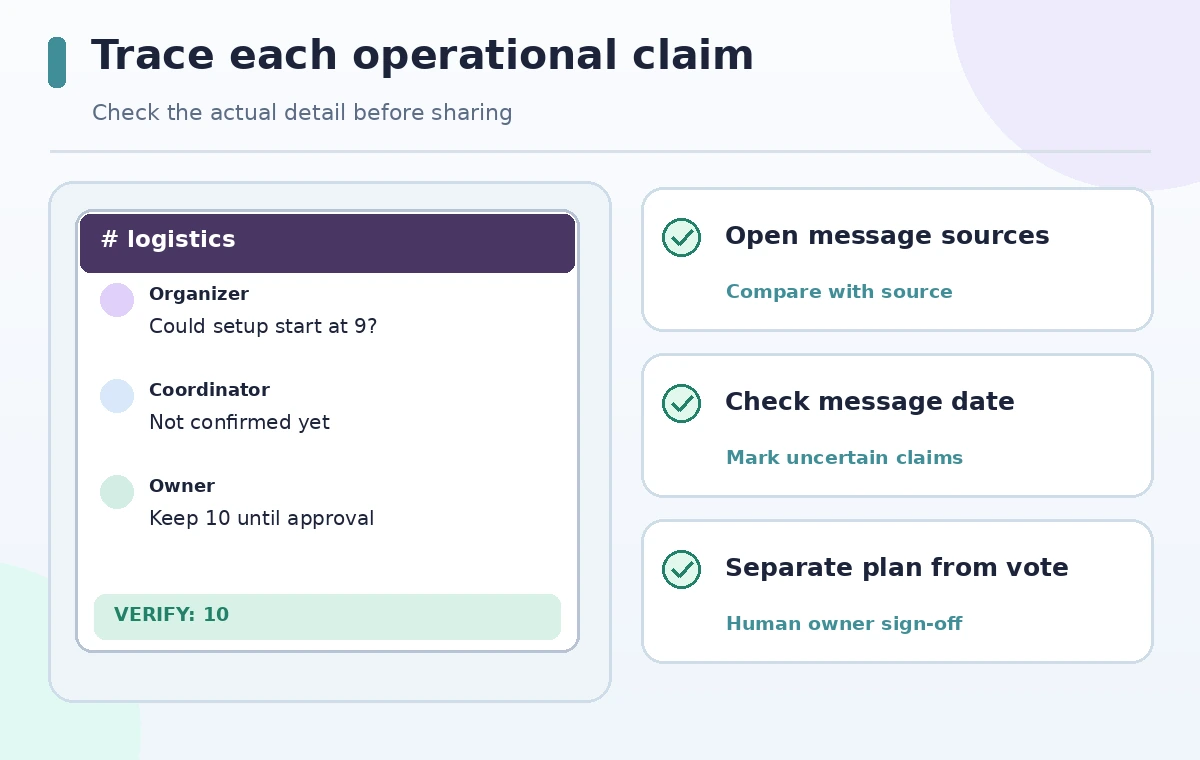
Publish a concise, source-checked event update
Write a short announcement with confirmed logistics only: location, time, contact point, accessibility arrangements, and what remains pending. Link to the approved schedule where readers can access it. Before sending, ask a second person to compare each line against the decision log. Never say ‘Slack AI confirmed’ in place of naming an accountable owner. Save the final announcement and the supporting sources under the organization’s records policy. A useful recap helps humans find important material quickly; a trustworthy update emerges when a person checks evidence and takes responsibility for the final message.
How We Research
We checked Slack’s official Guide to AI features for recap setup, source details, plan restrictions, and channel management, together with its AI analytics documentation to distinguish feature usage from operational outcomes. All example conversations and decisions are fictional. We did not inspect a real workspace, generate a recap, or confirm an actual volunteer schedule.
Frequently Asked Questions
No. Recaps provide a digest of selected channels; search answers respond to queries and have separate plan availability.
Yes. Slack documents More details links from recap entries to the messages used as sources.
No. Slack lists Recaps among higher-tier AI features, with account and admin restrictions.
No. Verify the relevant messages and obtain confirmation from the designated owner.
Update the authoritative schedule from the verified external decision; the recap may not include off-platform context.