
Imagine a short museum welcome hosted by a fictional illustrated fox. The performer records the gestures and narration, while the fox artwork supplies the character design. Runway Act-Two can transfer the recorded performance into character animation, but it cannot decide whether the voice, physical motion, and character identity are acceptable for publication. This guide builds a traceable approval workflow from a performer release through an animatable reference, a driving take, and a frame-by-frame quality review. The sample fox is an editorial drawing, not an output generated or tested in Runway.
Map performance video and character reference to separate roles
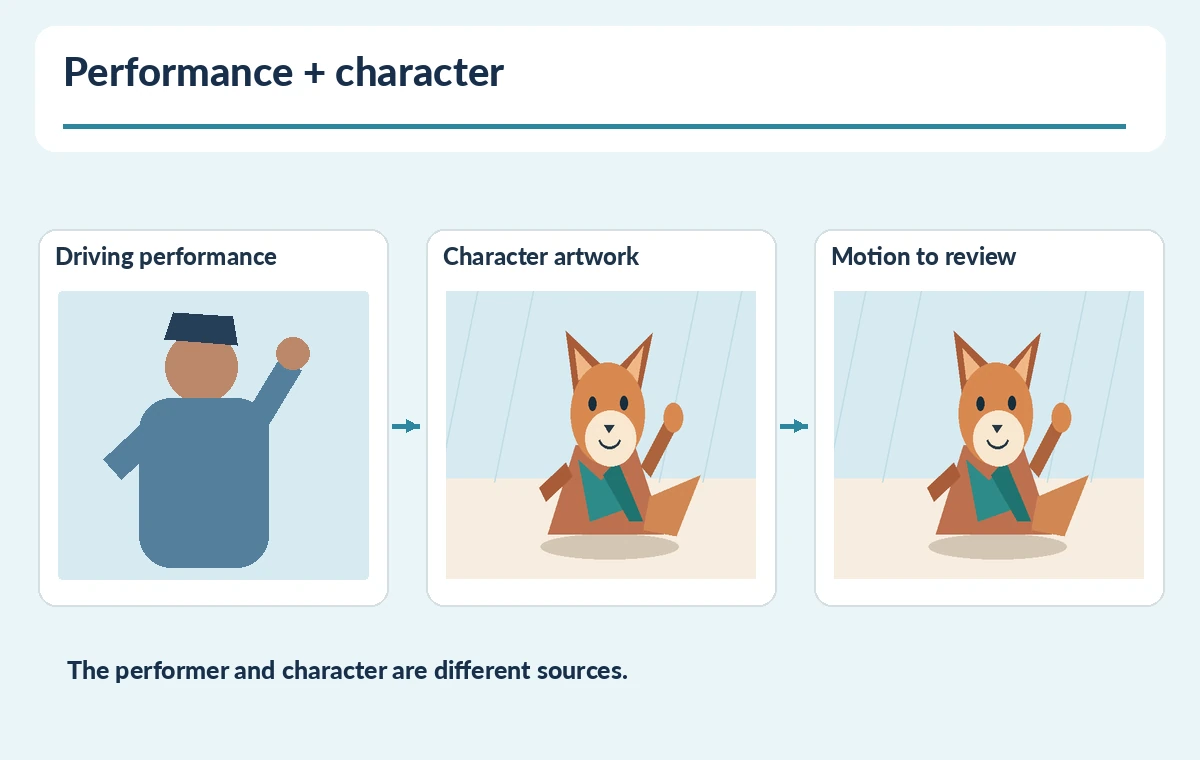
The official Act-Two guide describes two required inputs: a driving performance video and a character image or video. The first supplies facial movement, speech, and possible gestures; the second defines what appears on screen. Build a small shot card that identifies the actual authorized performer, who owns the fox artwork, and the approved narration. Resist using an unrelated public figure’s face or voice as driving footage. For the museum example, draw one fox with a clear muzzle and visible hands; plan one greeting rather than an elaborate multi-scene show. A source performance should be a genuine recording by a person who agreed to this use. This separation makes errors easier to diagnose later.
Choose still artwork or character footage intentionally
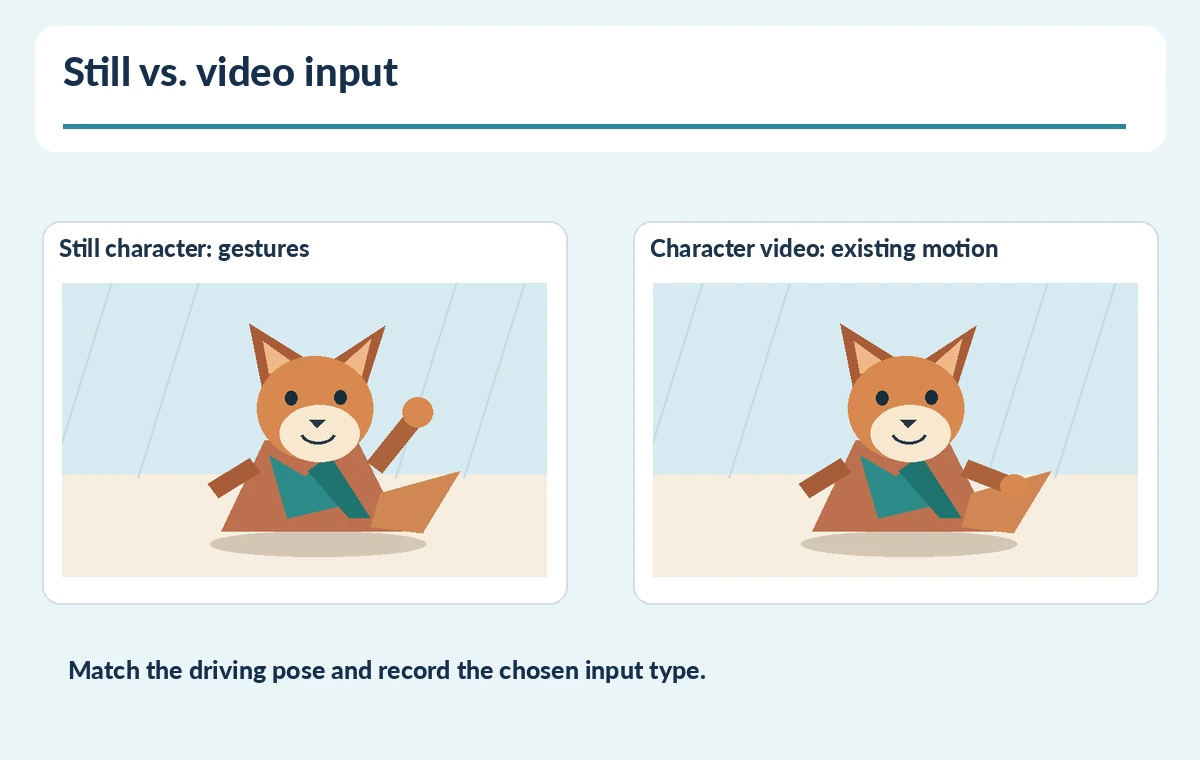
Runway documents an important choice. When the character input is an image, Act-Two can add environmental motion and supports its gesture control. With a character video, the generated performance uses that clip’s existing body, environment, and camera motion, and gesture control is not available. For a waving fox that follows a performer’s hands, start with a clearly drawn still. For a locked-off existing animated scene, a character video may better preserve the intended camera movement. Do not claim either path is automatically more realistic; the right choice depends on which movements the producer must keep. Record the chosen input type on the review card before rendering.
Record a clean, permissioned driving performance
The Runway best-practices section recommends one visible subject, stable framing no farther away than the waist, clear facial features, consistent lighting, and no interrupting cuts. Show the performer’s hands at the beginning when gestures matter. For our 12-second welcome, the actor begins facing camera, raises one palm, says the line, and ends neutrally. Capture clean original audio with no borrowed music or unapproved voices in the room. Ask the performer to approve the permitted distribution and future reuse separately; technical feasibility is not consent. Archive the signed or recorded authorization outside the generation project, using your organization’s privacy procedures.
Prepare the character so movement can be inspected
Make a reference illustration with the fox front-facing and both arms within the crop. Give it a distinct teal scarf, a single tail, and consistent dark ear tips so reviewers can notice identity drift. The mouth should have a readable location and the eyes should not be hidden behind hair or props. Use a plain background that separates the paws from nearby objects. The workflow drawing in this guide places performance and character inputs side by side, not in a simulated Runway interface. If the first test looks wrong, check mismatched starting pose before adding more instructions or changing every input. Keep the approved source artwork untouched for side-by-side checking.
Set gesture behavior and minimize avoidable rerenders
When starting from an image, enable gesture control only if physical hand and body motion are part of the approved creative. The Act-Two documentation notes that this setting is not available with character video inputs. Match the starting pose in the actor take to the reference pose. Review the current subscription and the provider’s usage rules before budgeting; do not assume an old credit table or a published maximum is guaranteed indefinitely. Give the reviewer only one variable per iteration, such as actor gesture size or reference crop, so the next comparison has a clear purpose. A small purposeful change is easier to approve than an untracked stack of edits.
Review lip sync, hand anatomy, voice, and identity
Scrub the rendered clip at the beginning, at the wave, during the longest spoken phrase, and at the end. Watch for doubled paws, missing scarf ends, distorted muzzle shape, or a tail that suddenly changes sides. Listen separately for pronunciation, audio clipping, and whether the generated voice still resembles the approved performance without unexpectedly changing accent. The company notes a separate Change Voice option; treat that as another consent and approval decision, not a default improvement. Capture a frame ledger with timestamps and a yes/no correction note. No numeric accuracy score appears in our illustrations because we did not run the model or measure a sample.

Deliver an approved animation package
Hand off the original drawing, driving take, rights record, settings snapshot, selected render, transcript, caption file, and a short defect ledger. Assign one person to approve performance identity and another to check accessible captions and final export dimensions. If a gesture reads poorly, prefer a newly recorded take to fabricating a performer’s action. Store sensitive raw footage only as long as necessary and respect the performer’s removal or reuse terms. For an educational museum animation, success means an understandable short welcome with consistent character details and authorized human performance, not an unsupported promise of perfect transfer. Maintain a human sign-off before a public display.
How We Research
On October 28, 2026, we read Runway’s official Act-Two guide for required performance and character inputs, gesture availability, framing recommendations, and optional voice changes. We did not access an account, produce a clip, or test lip-sync accuracy. The fox drawing, release workflow, and QA markers are original explanatory examples; availability and credit rules should be rechecked before purchase.
Frequently Asked Questions
A driving performance video and an image or video of the intended character.
Runway says gesture control applies to image-based character inputs, not character videos.
Do not use an identifiable performer’s face, voice, or performance without appropriate authorization.
No; proof the spoken words, mouth motion, and audio across the full clip.
Reference artwork, consent, driving take, clip, transcript, settings, and timestamped review notes.