
A Small Label Can Change an Entire Catalog Entry
A museum takes a photograph of a pottery vessel with a small accession card at the edge of the frame. An AI assistant can describe the vessel correctly while misreading a tiny letter or a four-digit acquisition number. The cataloger wants to know whether selecting a more detailed image input helps preserve the small text. The important question is not which setting sounds most advanced, but whether the original source remains available for comparison.
OpenAI’s API documents a detail parameter for images supplied to vision-capable models. The available values and preprocessing rules depend on the model. This example uses a fictional label and a schematic ceramic object, not a photograph of an actual artifact or results from a vision API call. The article does not claim a measured text-recognition improvement from any particular setting.
Learn What the detail Parameter Actually Controls
For supported image inputs, the API accepts settings such as low, high, original and auto, with available choices depending on the selected model. The Images and vision guide explains that detail controls image preprocessing, including resizing and image-token use. The documented default when the parameter is omitted is auto. A higher-sounding setting does not by itself validate a transcription or guarantee retention of every source pixel.
Choose the model and its supported detail levels together. Some model families do not support original, while current families can apply different pixel limits or patch budgets for high and original. Check the model-specific sizing table instead of copying a setting from an example for a different model. If a request is rejected due to image limits, resize deliberately and preserve the dimensions used for the resulting analysis.
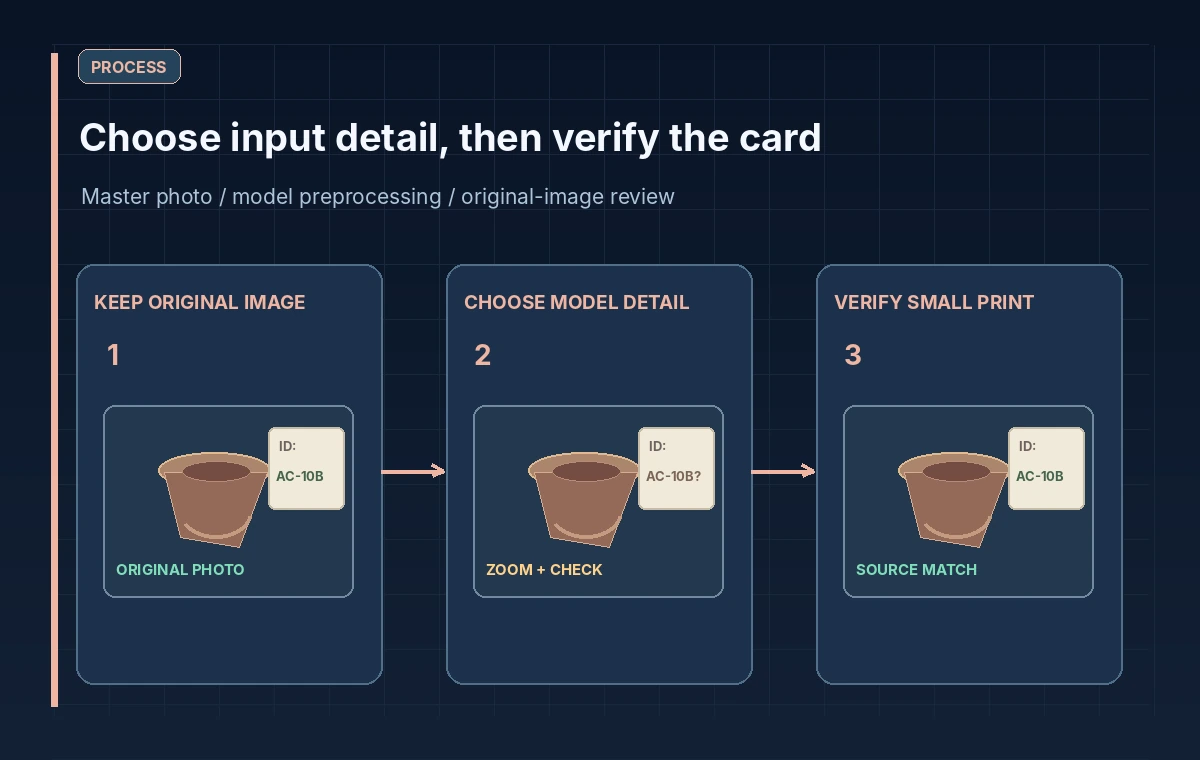
Keep a Permanent Reference to the Actual Source
Store the master scan or photograph in the collection system before creating processing variants. Record image identifier, crop coordinates, dimensions, orientation and permitted access level. If the model receives only a small central crop, its answer cannot verify a label located outside that crop. If the original contains confidential donor annotations, use an approved redacted derivative where necessary and record the redaction.
The request can supply images through supported URLs, data URLs or file IDs, depending on the endpoint and model. The source method does not establish reliability. Keep a chain linking each submitted image back to the immutable master file so a reviewer can inspect the same region. Avoid putting private collection material into example prompts, public screenshots or unprotected logs.
Compare Low, High, Original and Auto Carefully
OpenAI’s current guide says low is useful for coarse image understanding, high for standard high-fidelity work, and original for large or spatially sensitive images when supported. Auto follows model-specific default sizing. It also cautions that low does not necessarily use fewer tokens than high for every model, and even original can resize images or reject inputs above limits. These choices affect resource use as well as what visual information is available.
Build a simple test matrix of invented label images at several sizes and orientations. Document which request is valid for each model and setting, and how the input dimensions change. Do not describe a processed low-resolution mockup as an actual OpenAI result. The illustrative comparison should make the quality risk visible without claiming a universal accuracy advantage or a fixed cost savings.
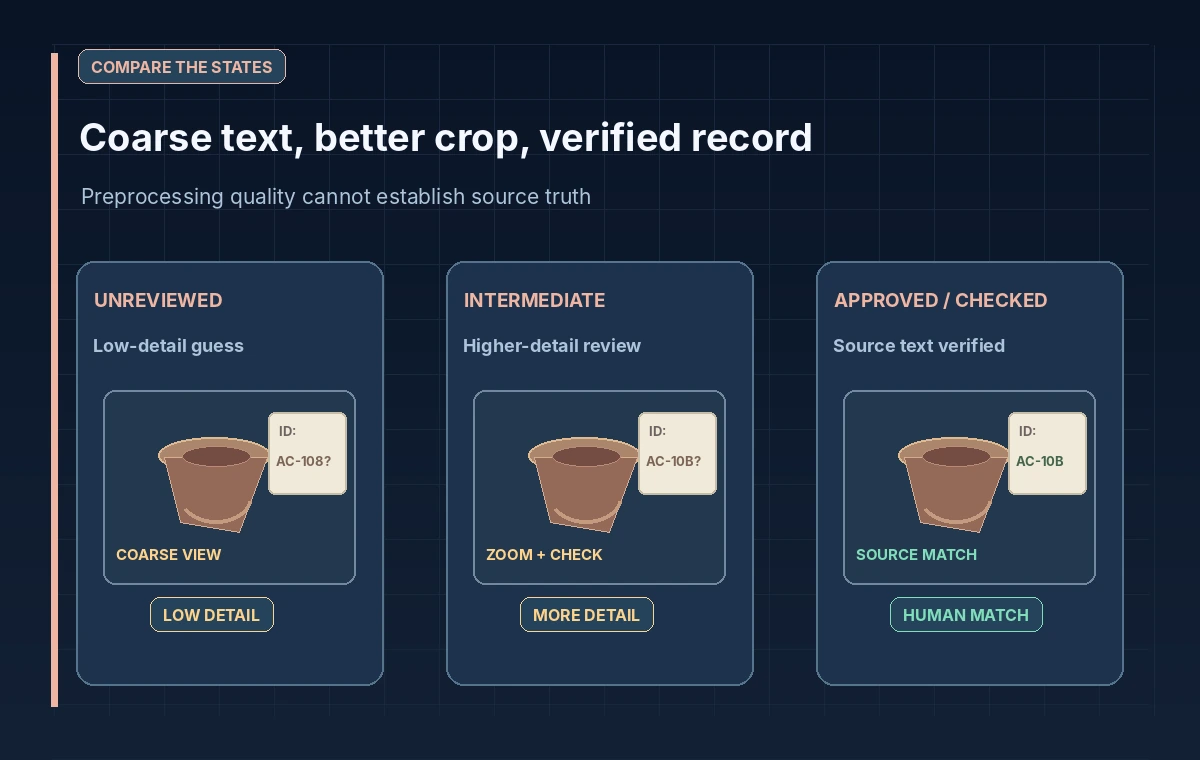
Show Three Distinct Evidence States
The first conceptual panel shows a label whose accession number is hard to read after coarse processing. The middle panel preserves more visual detail but still leaves one uncertain character. The third adds a human check against the original high-resolution photograph and the accession register. The improvement comes from the evidence workflow, not just a switch from low to original.
If a model says an accession number is AC-108 when the source could say AC-10B, the system must not silently choose a plausible inventory entry. Display the uncertain character, require a reviewer to zoom into the image and cross-reference the object record. When the label cannot be read, record unknown rather than asking the model to infer a likely value from nearby objects.
Understand Token Budgets and Image Constraints
Images count toward input tokens, and some model families use patch-based calculations while others use tile-based rules. The OpenAI guide publishes sizing tables and an image input calculator, but those are estimates based on model rules. Input tokens must fit request and model limits, and actual billing may depend on more than a single image. Avoid publishing a supposedly universal per-image price or resizing threshold.
When working with large detailed scans, test request validity with safe synthetic images first and inspect the model family documentation. Break a very large source into labeled crops only if doing so preserves the important context, such as the complete object and the label’s location. A crop may make letters easier to inspect but remove information about which artifact the card belongs to.
Review Vision Limitations That Affect Collections
OpenAI documents that vision models can misread small text, rotated images, diagrams and spatial relationships. They can also make mistakes when counting objects or producing descriptions. Dense labels, old typefaces, low contrast and glare create further practical reasons for checking the original record. Do not equate a confident-sounding answer with verified object identification.
Protect rights and privacy as well as accuracy. Determine whether the photograph can be processed with the chosen service and whether any visible donor or visitor information needs masking. Use artificial examples for training and internal review. Save human corrections separately from model descriptions, and do not overwrite an authoritative accession record until an authorized collections specialist approves the exact change.
Release Descriptions Only With Source Verification
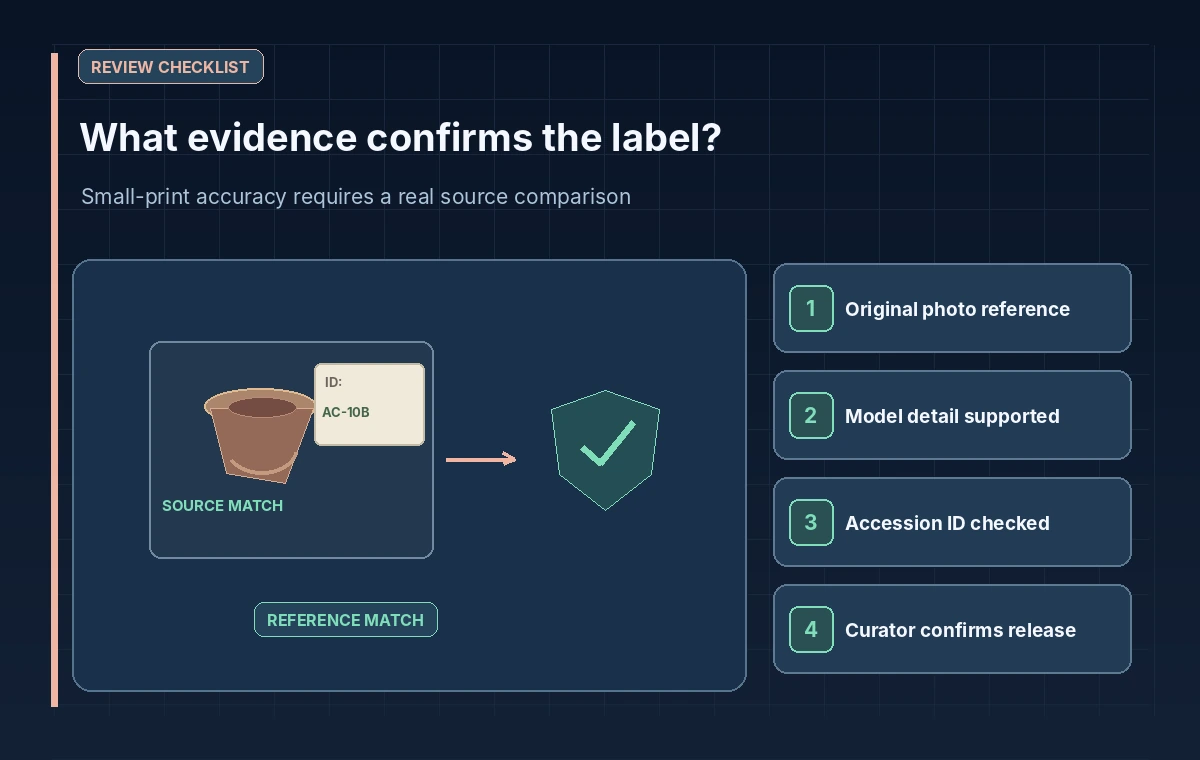
A good publishing gate includes the source asset ID, selected model and detail setting, any crop or rotation, detected uncertainty and a human sign-off for accession numbers, ownership statements and object labels. The final catalog description should link to its verified record rather than cite an AI-generated transcription as sole evidence. If the team cannot read the label even in the source photograph, preserve that limitation in the description.
The detail parameter is a useful engineering control, especially for dense or spatially sensitive inputs. It is not a substitute for a museum’s evidence standards. Use it to choose an appropriate preprocessing path, then rely on original image review and authoritative collection records to decide what may be stated publicly.
How We Research
We consulted the following official developer documentation on November 8, 2026: OpenAI API: Images and vision guide; OpenAI API: Image input calculator; OpenAI API: Responses create reference. We compared the documented parameters, data flow and stated limitations with this hypothetical editorial scenario. The diagrams are original instructional illustrations, not real vendor screenshots or outputs. We did not submit private archive material, run a production API evaluation, measure tool accuracy, obtain legal consent, or test a live service configuration. Product behavior, access rules, quotas and supported settings may change; confirm the latest documentation and your organization’s policies before deployment.
Frequently Asked Questions
No. The OpenAI guide describes model-specific resizing and rejection limits even for original detail.
No. Supported detail values depend on the selected model family.
No. OpenAI warns that model-specific resizing rules can reverse that expectation.
No. Verify small text against the original image and the authoritative catalog.
No. They are hypothetical training illustrations without live tests or measured accuracy.