
A community archive stores collections with different handling rules. Staff ask whether a volunteer may open a newly donated box, but policy guidance is scattered across a Notion workspace and a connected drive. Notion Enterprise Search can retrieve answers with citations from connected material. The risk is treating a fluent summary as the rule when an older draft, a restricted folder, or a similarly named collection may be involved. This hypothetical workflow shows how to narrow the search, open the cited source, confirm approval and effective dates, and give the volunteer a narrow, defensible instruction instead of a confident unsupported answer.
Formulate a question that names the actual collection
Do not begin with the generic query “How should we handle archive boxes?” Identify the collection code, the task, and the relevant date. Ask something like, “Which approved instruction governs opening newly donated paper records for volunteers this month?” This makes it easier to spot an answer drawn from an unrelated collection. Write down the answer you need: who may open the container, whether protective equipment is required, and who authorizes access. Do not ask the assistant to infer policy from a chat conversation alone. When the work involves hazards or sensitive records, a human manager must remain the final authority.
Understand the feature and plan boundary
Notion documents Enterprise Search as an AI feature available on Business and Enterprise plans. It can search the Notion workspace and connected applications, including services such as Google Drive, Slack, and Jira, when the relevant connections have been configured. Results should cite sources that the user can open. Search capability does not grant permission to every file in an organization, nor does it guarantee that an index is current. Confirm the team’s plan, connector permissions, and organization settings before assuming a particular repository is available. If you lack authorized access to a policy, ask its owner; do not attempt to bypass controls through another user’s search.
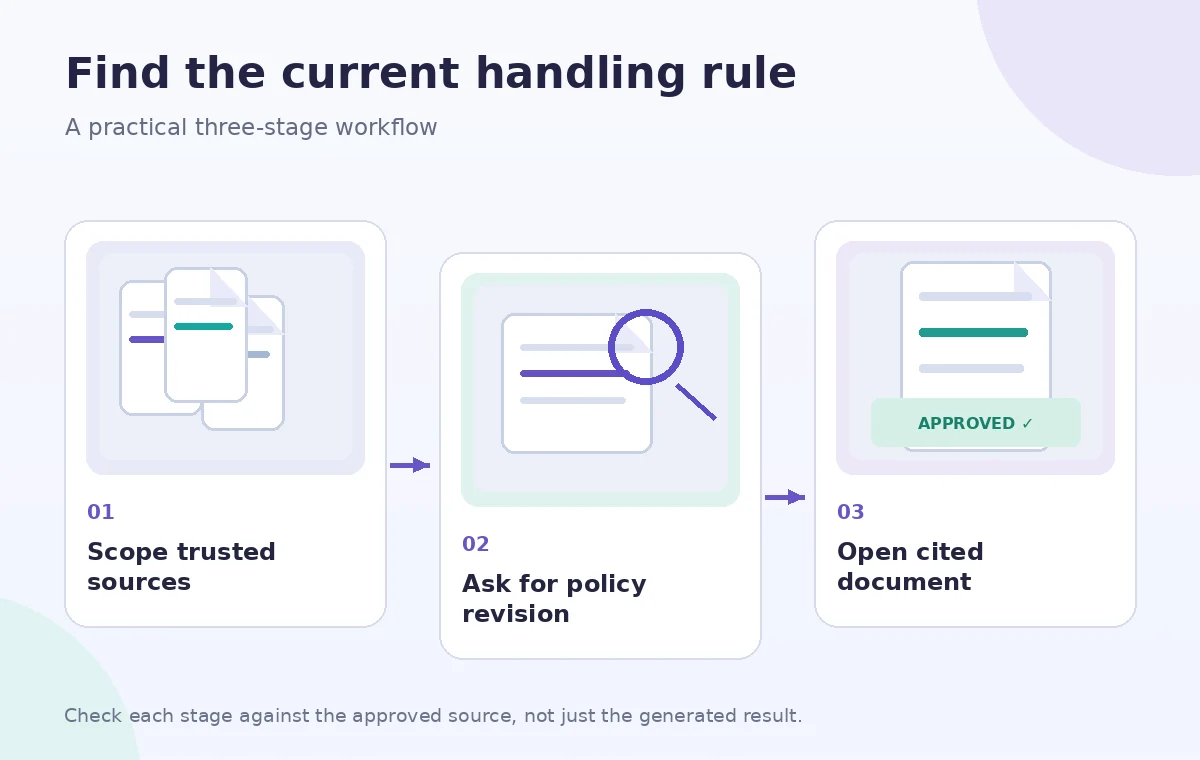
Limit search scope before collecting answers
Notion’s guidance describes a source selector in the Home search interface that can restrict searches to a workspace, selected connected apps, or the web. For internal policy, exclude general web results and select the official policy area if possible. Mention an approved page or teamspace in the question when that helps provide context. A broad query may return a helpful informal conversation that is nevertheless superseded by a signed procedure. Record the active source filters with your review notes. Search results are navigation aids, not an automatic hierarchy of authority; the policy owner and revision control establish which document has force.
Open each citation and read its surrounding context
An answer with citations is still an answer written by a model. Follow the citation link and inspect the actual paragraph, nearby exceptions, file title, document owner, and last approved revision. A sentence such as “staff may examine boxes” may appear in a draft that explicitly excludes volunteers. Verify that the passage addresses the same material, location, and task. If a cited Slack message links to a newer document, use the newer approved document rather than the snippet. Build a short evidence table with one claim per row and a direct source passage. Never claim that citations prove accuracy without checking what they contain.
Compare revisions instead of blending conflicting rules
Suppose one source calls for gloves and another says bare, clean hands are appropriate for some paper materials. Do not combine them into a false universal requirement. Identify which document applies to the specific collection and which person approved the latest change. Record both revision dates and any archive-specific exception. Ask the responsible archivist to settle unresolved conflicts and pause the volunteer task until guidance is confirmed. AI can summarize competing snippets, but it cannot establish organizational authority when metadata is missing. The clear output is sometimes “No approved instruction found for this collection,” not a convenient invented policy.
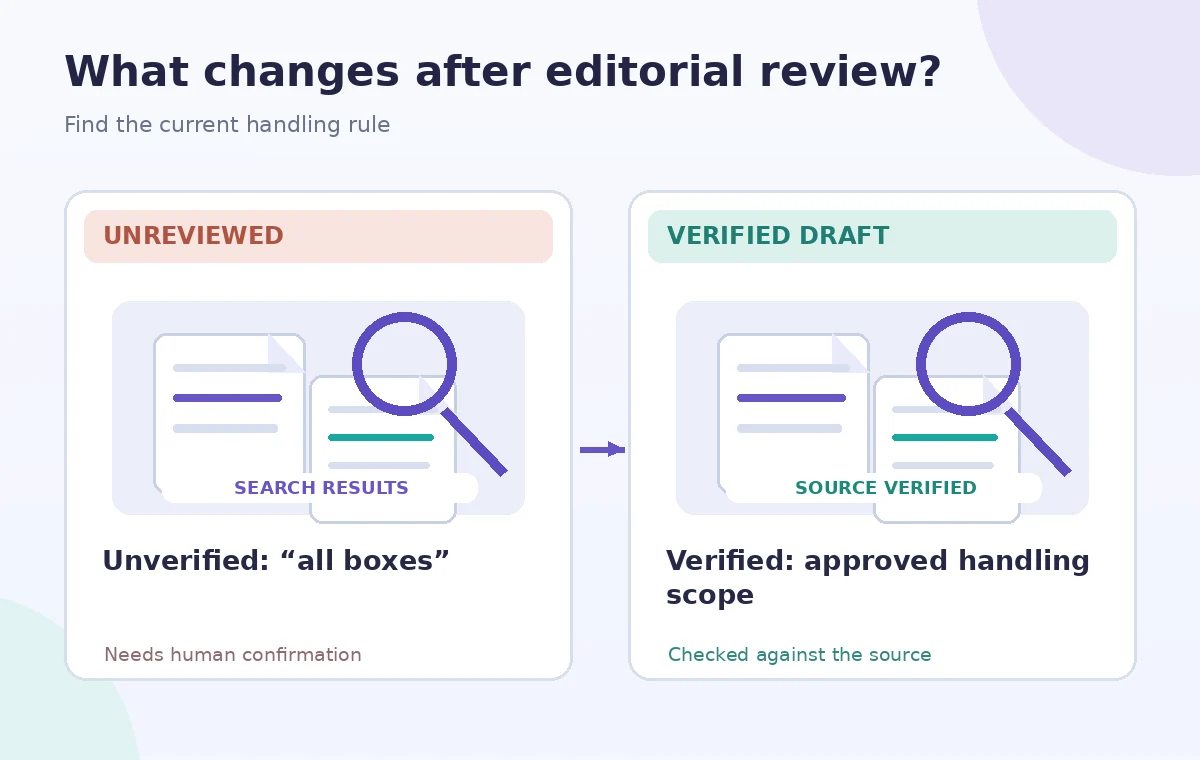
Check access and connector privacy
A connected search index can expose sensitive snippets to people who have permission to search them. Confirm who can view the source document, whether the connector follows expected access rules, and whether result sharing would reveal donor data, staff details, or internal security notes. Do not paste whole search responses into a public volunteer channel simply because the answer seems practical. Link to the approved reader-accessible version where possible. If a staff member cannot access the citation, give them an authorized summary approved by the policy owner, not a screenshot of material they are not entitled to receive.
Review model and web-search settings
The Notion help page describes a model selector and notes that some selected models may not access workspace context in the same way. If a response unexpectedly quotes broad internet advice instead of the current local policy, inspect the search scope and the actual citations before proceeding. An assistant can supply a useful explanation of why a policy might exist, but general archival practice is not a substitute for the organization’s local rule. Keep public web sources separate from internal controlling documents. Record what the tool actually returned rather than assuming every model option has identical retrieval behavior.
Write a narrow volunteer-facing answer
Once the archivist verifies the correct document, create a concise instruction that names the collection, permitted action, effective date, and escalation contact. Include a link to the approved source and an explicit reminder to stop if a damaged seal, mold-like growth, or unexpected restricted content appears. Do not turn an AI search result into a new policy or claim permission that the source does not give. Ask the policy owner to approve the summary before posting it. The best answer is often shorter than the search transcript, because the volunteer needs a bounded instruction rather than every historical discussion of storage conditions.
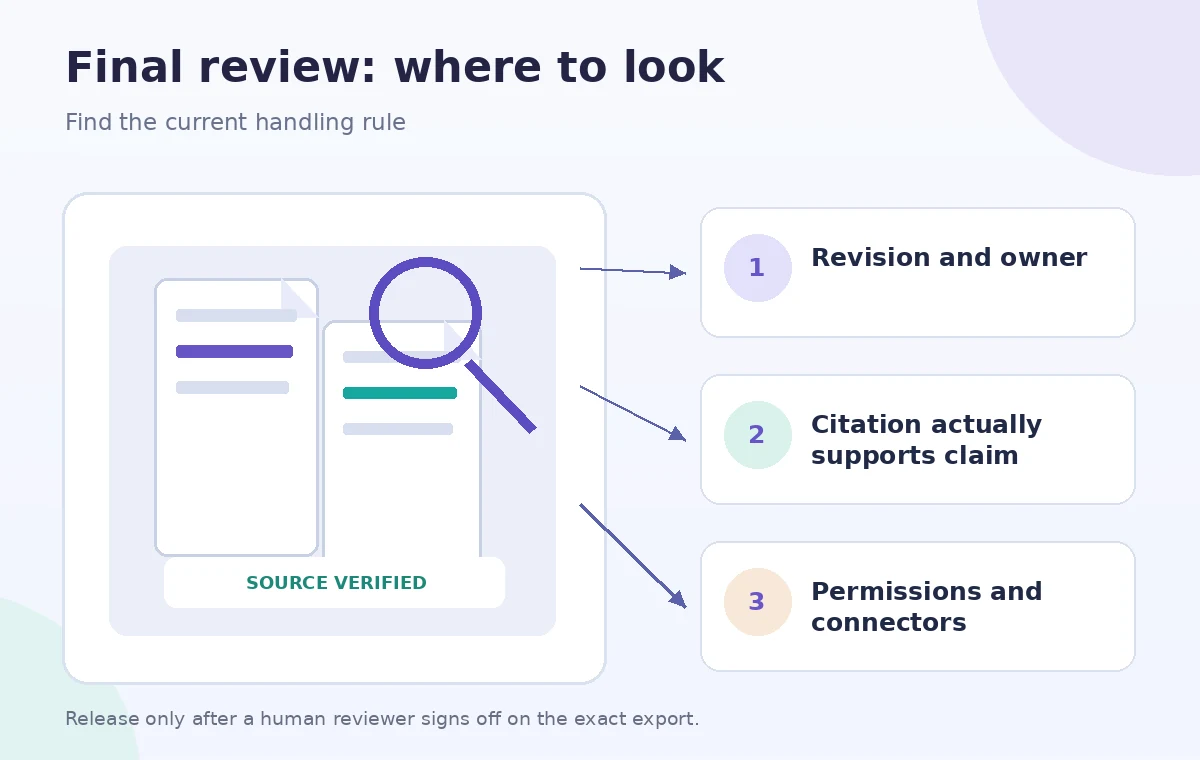
Keep an audit trail and a recheck date
Store the query, selected source scope, cited document titles, verified revision dates, and approving person in the team’s normal records. Recheck when the collection changes location or the policy receives a new revision. Remove obsolete summary copies so they do not compete with the canonical source. No private Notion workspace or connector was accessed to create this article, and the example collection is fictional. Illustrations show a suggested verification path rather than a screenshot or benchmark. Readers should confirm their plan and the current product interface before adopting the process.
How We Research
This guide is grounded in first-party product documentation: Notion Help — Enterprise Search. We checked the vendor’s named capability, interface guidance and eligibility notes as described in its official help material, and constructed a separate fictional teaching example to show where editing judgment is needed. The checklists and drawings are conceptual editorial illustrations, not screenshots or outcomes from a live user account. We did not operate this service, process private customer content, measure AI quality, or certify the example’s safety or accuracy. Our source review checked Business and Enterprise availability, cited answers, source filters, connected search, and model-selection cautions. Our editorial method separates retrieval evidence from the organization’s approval authority and restricted-source permissions. Because interfaces, plan entitlements and rules can change, reconfirm availability with the vendor and obtain appropriate subject-matter approval before using the workflow for real people.
Frequently Asked Questions
No. Notion lists it for Business and Enterprise, subject to account configuration and connected sources.
No. Open each cited document and verify approval, effective date, ownership, and applicability.
Do not assume it can or should. Connector access and permissions control what information is available; follow organizational sharing rules.
Usually limit search to authoritative internal material first. General web information is not your organization’s approved procedure.
Pause the affected action and ask the responsible policy owner to resolve the versions. Do not synthesize a new compromise policy.