
A museum receives dozens of small requests to correct exhibit labels: spelling fixes, suggested dates, and proposed name changes. Staff want a daily digest that groups requests and cites the underlying evidence, not an autonomous system that edits public labels. Notion Custom Agents can run on defined database events or schedules, but the access and actions granted to an agent determine its real risk. This hypothetical workflow shows how to build a narrow review queue with a human curator as the approval point. It does not describe any actual museum account or tested agent activity.
Separate submissions from approved label text
Create two distinct places in Notion: a change-request database and an approved label inventory. The intake table can contain exhibit identifier, proposed text, reason, source link, requester, and status. The approved inventory should not be writable by the automation. Establish a status vocabulary such as New, Evidence Needed, Under Review, Approved, and Rejected, with clear ownership for transitions. A request to change a date is not a routine typo if the new date lacks documentation. Record current authoritative text before any experiment so a curator can compare a proposal with the wording visitors already see.
Check Custom Agent plan and access boundaries
Notion’s documentation places Custom Agents on eligible Business and Enterprise plans and describes building agents from the Agents area on web or desktop. These agents can use schedules or database events and act within explicitly configured page, database, and external app permissions. Confirm your workspace’s controls before creating a shared agent. Do not grant full workspace access merely because it makes configuration easier. Give the agent only the intake database and a read-only source reference if the workflow allows it. Web browsing and external integrations should remain disabled unless they are necessary and approved by the organization.
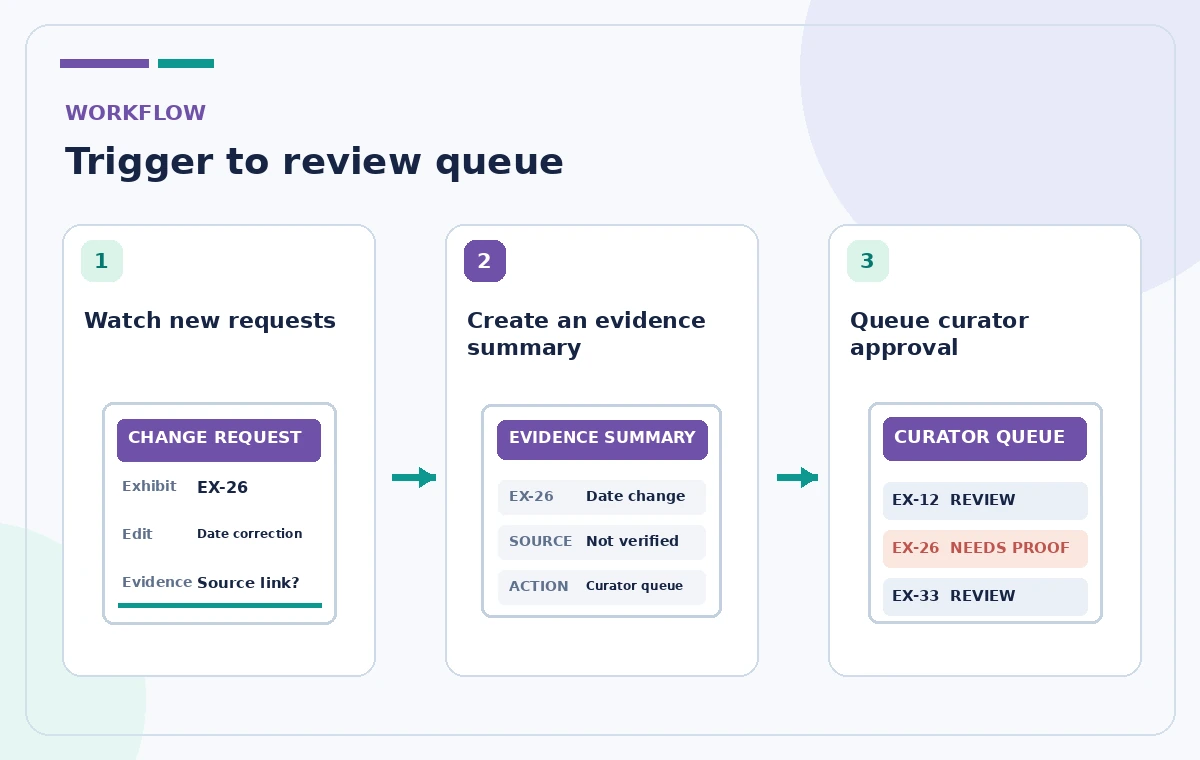
Draft narrow instructions with a stop condition
From the Agents area, create a Custom Agent and specify that its purpose is to summarize new change requests for human review. Require it to copy the exhibit ID, quote the current approved label from the authorized source, list the proposed difference, and cite the evidence link supplied by the requester. It must flag missing or conflicting evidence and must not infer new historical facts from its general knowledge. Explicitly prohibit publishing, modifying the approved label inventory, emailing visitors, and changing a request status to Approved. Ask for a concise digest format that can be scanned during a curator’s weekly review meeting.
Choose a trigger that avoids repeated digests
An event trigger for a new database page may be appropriate if requests are low volume; a scheduled review may reduce noise for busy collections. Notion also supports filters on some triggers. Define whether a request should enter the digest only once or after a material change, and add a visible ‘reviewed’ marker controlled by staff. Avoid a trigger that re-runs whenever the agent writes its own summary back to the watched record. Confirm the timezone and next scheduled run in settings. A bot that duplicates entries or sends daily reminders to every staff member can create more confusion than the original manual process.
Use evidence quality rather than confident wording
The agent should classify a request as citation present, citation missing, or citation disputed—not as historically true or false. For a date correction, a source link might refer to an old catalog or a scan of a handwritten note; the curator still needs to determine authority. A generated digest can accidentally conflate two exhibits with similar titles or omit qualifying words such as ‘possibly attributed to.’ Add examples of these cases to the instructions. Request a small quote or exact location from the supplied source when available, and keep conflicting records visible instead of merging them into a clean but unsupported statement.
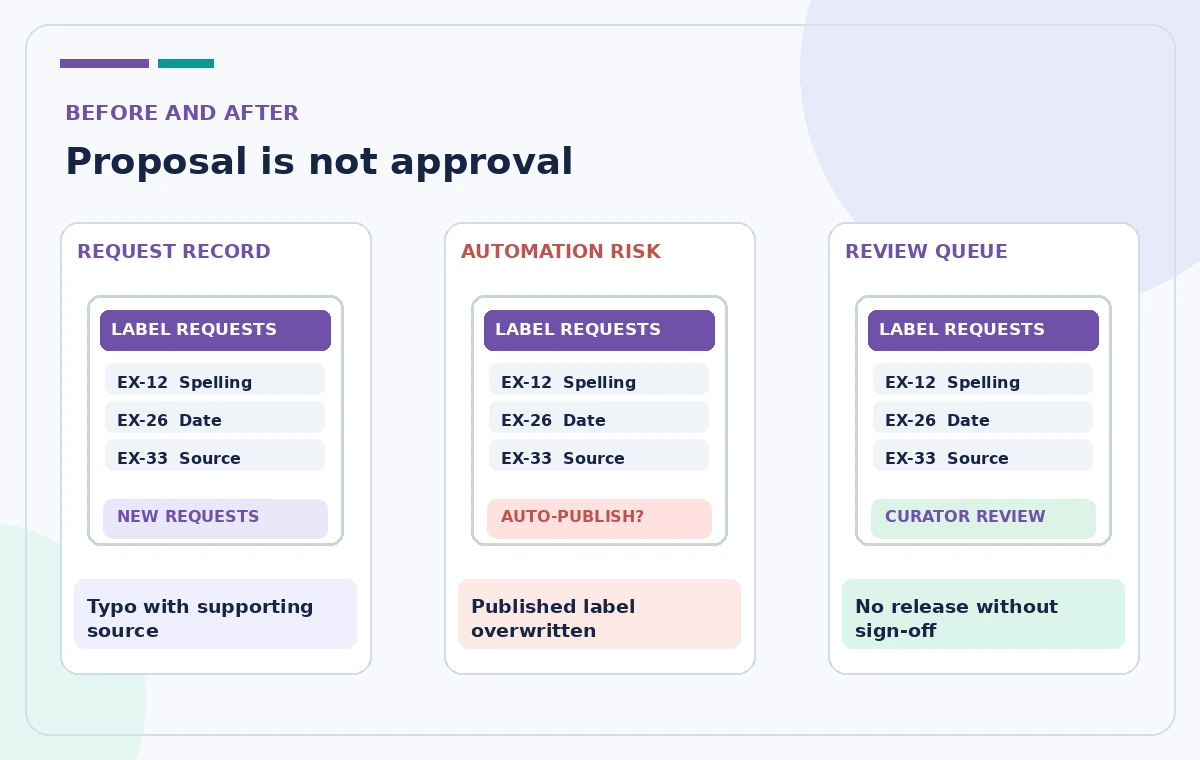
Test actions with harmless fictional records
Before enabling the schedule, add synthetic requests: one obvious spelling correction, one proposed date without evidence, one duplicate request, and one request that refers to a nonexistent exhibit ID. Inspect the draft output in the agent’s Chat or Activity area as documented by Notion. Confirm that the agent writes only to the intended review destination and does not post into unrelated Slack channels or external systems. Keep a copy of the original approved labels and compare them before and after testing. If the agent modifies authoritative text or escalates a fictional item as approved, stop the trigger and reduce permissions before trying again.
Require a curator decision for every change
The review digest should be a worklist, not a batch update command. A curator opens each request, follows the cited material, checks the collection record, and chooses an explicit outcome with a reason. Any accepted wording goes through the museum’s ordinary editorial release process, including accessibility and translation considerations where relevant. Keep the request’s history available so later corrections can be traced. If an emergency correction is needed, staff should use the documented escalation path rather than relying on an agent schedule. A human decision must remain visible even when most requests seem obvious.
Monitor activity, cost, and permissions over time
Notion documents Activity logs, access controls, version history, and usage credits for Custom Agents. Review failed and unexpected runs at an agreed interval. Check that an agent which was originally given access to one database has not accumulated additional connections through later edits. If instructions change, record the new version and re-test representative cases. Configure who may edit an agent separately from who may interact with it. A person who can trigger a summary should not automatically have permission to change its tool access. Treat new integrations or hand-offs to other agents as a separate security and cost decision.
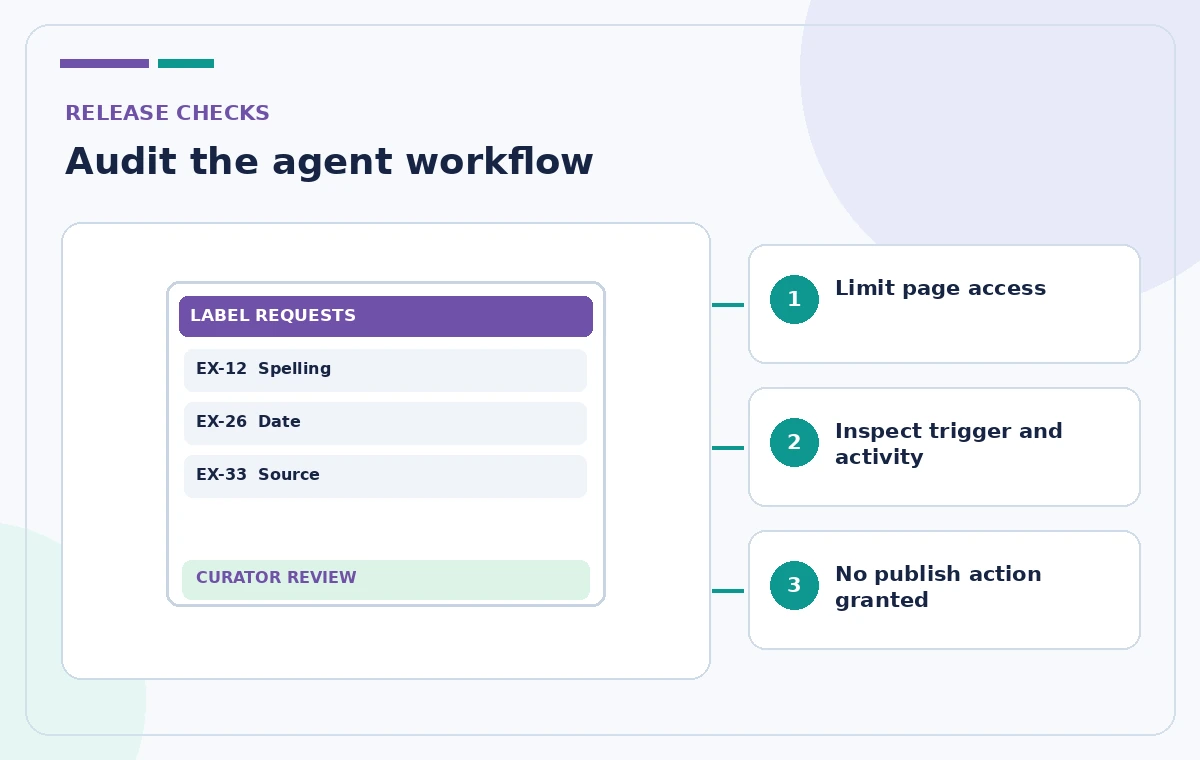
Know what autonomous triage cannot decide
Custom Agents are useful for repeatable information-handling work, but they do not replace historical research, copyright assessment, curatorial judgment, or formal sign-off. The illustration in this article is conceptual rather than a real Notion screen, and no real agent ran against sensitive museum records. Feature names, models, charges, and permissions can change; consult Notion’s current guidance and administrative controls. Good automation ends with a cleaner, attributable queue that is easy to review and reverse. It does not silently convert every well-written suggestion into visitor-facing fact.
How We Research
We checked the following official product documentation for this tutorial: Notion Help — Custom Agents in Notion; Notion Help — Custom Agents FAQ. We compared feature names, workflow steps, potential plan and permission restrictions, and points where generated suggestions must be verified. We designed a hypothetical editorial scenario based on those supported capabilities; we did not run an account-specific product test, analyze real visitor or member data, obtain real third-party permissions, or measure model accuracy. All four images are original educational illustrations, not product screenshots or actual AI-generated results. Since interfaces and terms change, check the latest controls and prices in your own account. Any public directions, privacy decisions, operational authorization, or safety requirements need confirmation from their responsible human owner.
Frequently Asked Questions
Yes. It can use scheduled or workspace event triggers when configured and permitted.
No, not by default. Grant only the pages and integrations required for the task.
It could be granted actions, but this workflow deliberately prohibits approval and publication; a curator signs off.
Inspect the agent Activity view and check its actions, configured tools, and trigger conditions.
Notion counts agent usage in credits, and extra runs or hand-offs may increase usage.