
A community organization keeps an evacuation procedure in Notion and needs a second-language version for volunteers. Notion AI can translate page content, but a polished translation can still misunderstand terms such as ‘Exit 2,’ alarm instructions, or which door is locked during an event. This hypothetical guide uses Notion’s documented Translate page workflow as a drafting aid rather than as a safety sign-off. The source page and its revision date remain authoritative until a qualified reviewer approves the localized version. The example uses fictional exit labels; it does not assert a real building layout. The method matters for any operational procedure where a single digit, direction, or exception changes what people should do.
Identify authoritative instructions before translation
Start with the facilities or safety officer who owns the approved evacuation page. Record its revision date, effective date, building zone, and the next planned review. Make a short glossary of controlled terms such as assembly point, stairwell, accessible exit, alarm panel, and staff-only corridor. The glossary should also name literal identifiers that must never be paraphrased: Exit 2, Room B4, emergency contact extensions, and any map legend keys. Ensure that every detail comes from an approved building plan rather than a colleague’s memory. If a diagram, sign, or door number is not confirmed, mark the source incomplete and resolve it before translating. A model cannot make an inaccurate English page safe by converting it into another language.
Duplicate the page and preserve a source link
Copy the approved Notion page into a separate translation workspace or draft section, with an explicit ‘Unapproved translation’ label in page properties. Keep a direct link to the source version and do not replace the canonical English content. Choose permissions that allow a multilingual reviewer to see the draft without accidentally allowing all volunteers to follow it. Check whether embedded databases, linked pages, images, and callout blocks contain text that will require separate translation. A translated main paragraph is insufficient if the illustrated exit map still uses untranslated labels. Record the editor who created the draft and the date so a second reviewer can trace what content was presented to Notion AI.

Use Notion AI Translate on the draft page
Notion’s current help describes opening the page’s three-dot menu, choosing More, then Translate, or asking the Notion Agent to ‘Translate this page.’ Use only the option available to the authorized account and select the intended target language. Notion AI also supports inline edits and accept-or-discard controls in other writing workflows, but page translation should be reviewed in the resulting document rather than assumed complete. Plan and product access can differ; do not tell a volunteer on a basic account that they automatically have every agent capability. If the page contains sensitive phone numbers or restricted building details, obtain organizational approval before using AI processing.
Compare actions and exceptions line by line
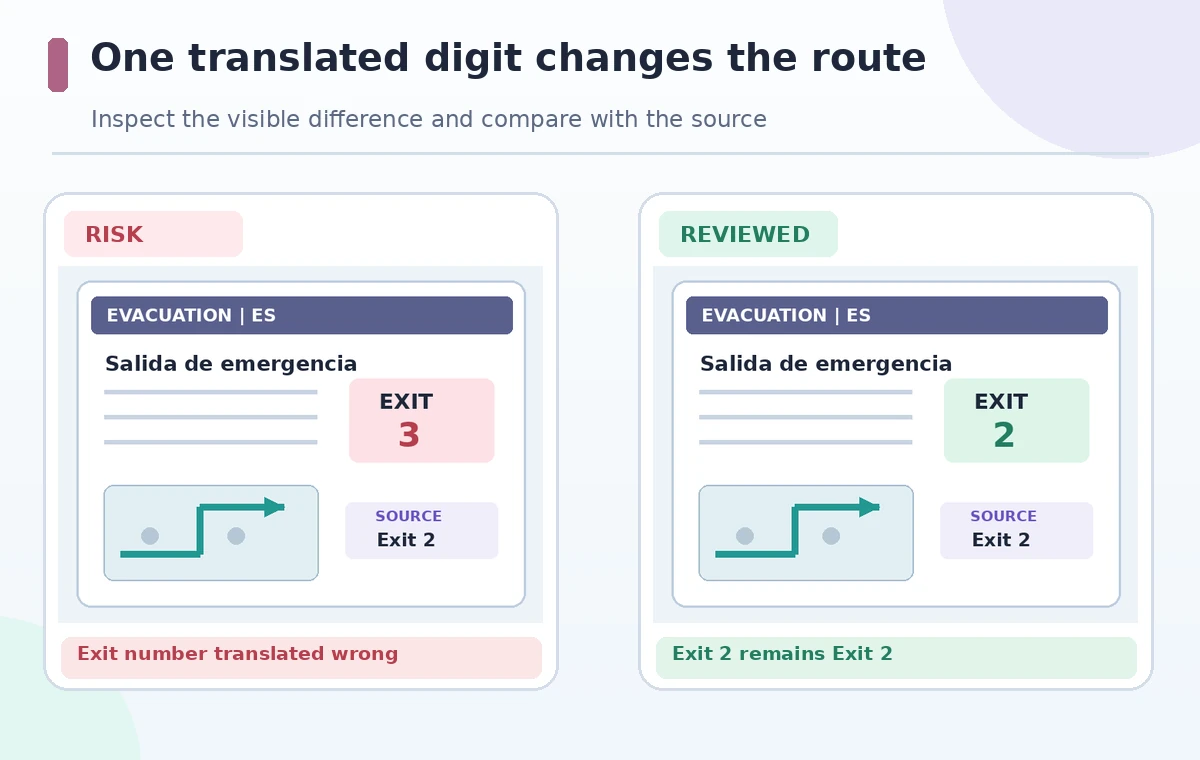
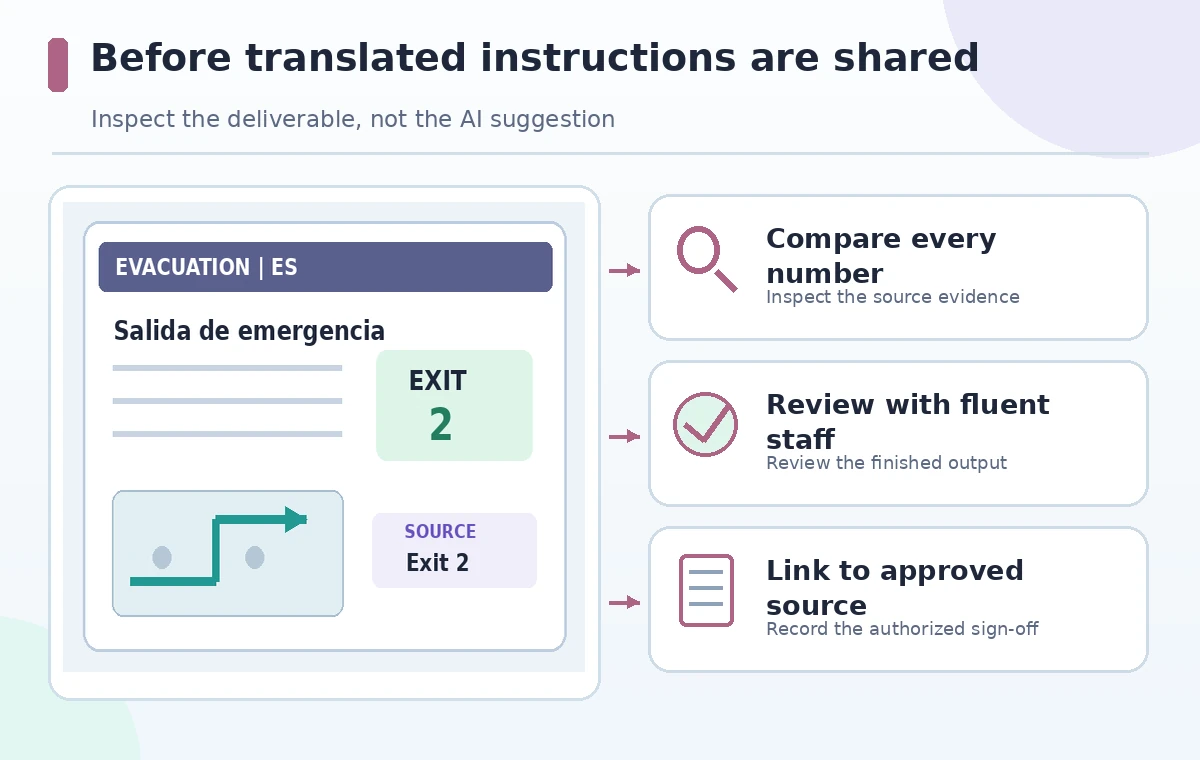
The reviewer should compare each numbered instruction in the source with its translated counterpart. Check not just nouns but the direction of the command: ‘do not use the elevator’ and ‘use the elevator’ are opposites. Conditional phrases such as ‘unless directed by the incident lead’ must not disappear. Ensure the translated instructions preserve the order for alarming, evacuating, assisting visitors, and reporting at the assembly point. In the fictional example, a generated version that says Exit 3 where the approved plan says Exit 2 must be rejected outright, even if the surrounding text reads fluently. Keep a two-column verification table containing the source sentence, target sentence, reviewer name, and resolution.
Keep digits, names, and map keys invariant
Review every number, date, room code, and proper noun against the canonical version. This includes telephone numbers, floor numbers, emergency extension numbers, assembly-point letters, and identifiers printed on doors. Some languages change the visual arrangement of numbers or direction words, so ask the reviewer to read the actual printed form a visitor would see. Compare translated callout labels to the map legend. If a photo of a door contains English lettering, the translation may need an accompanying explanation; do not assume Notion will translate the lettering inside the image. For multilingual pages, test links to external emergency contact details instead of copying a number from an old page without checking whether it is current.
Ask a fluent reviewer to test practical comprehension
An accurate bilingual dictionary match does not guarantee that an instruction can be understood under stress. Ask a qualified reviewer who knows the organization and target language to work through a short hypothetical walkthrough: where would a first-time visitor go from the west meeting room? Which door is accessible? Whom should they alert if the passage is blocked? Do not run a real evacuation drill based on an unapproved AI draft. The review should check terminology, readability, and cultural ambiguity without altering the approved policy. Keep the original sentence available when discussing a mismatch so the revision does not drift from source meaning through repeated paraphrasing. A second reviewer can focus on safety-critical instructions.
Publish a named, versioned language pair
Once the safety owner signs off, put the language and revision date near the page title and link to the canonical procedure. If the organization’s policy gives one language legal primacy, describe that accurately without implying the translation is independent authority. Remove the draft-only badge only after approval; preserve the change log and reviewer comments. Restrict editing so casual suggestions cannot silently change a phone extension or exit number after sign-off. Provide an accessible text equivalent for diagrams and test the actual page on mobile, where long words or right-to-left layouts may create misleading line breaks. Do not hide instructions behind a collapsed block that a first-time reader might miss while scrolling.
Set up ongoing review, not a one-time translation
Emergency procedures change after renovations, staff changes, and updated accessibility arrangements. Establish a simple rule: every revision to the authoritative page triggers review of every published language version. Track source version, language, approver, and last verification date in a small database. If a new number is added, mark older translations stale until checked; do not rely on agents to synchronize safety-critical content autonomously. Audit page permissions and links at regular intervals, especially if translated pages are shared with temporary volunteers. This tutorial offers a defensible content workflow, not confirmation that Notion generated an accurate evacuation document or that its translation quality has been measured on real safety material.
How We Research
We used Notion’s current Notion AI FAQ for the Translate page entry point and Autofill documentation to distinguish page translation from translation in database properties. The source text, exit identifiers, and review process are hypothetical, not actual test results. We did not operate a real Notion workspace, review a real safety plan, or independently measure translation accuracy. A qualified safety owner must approve any real operational instructions.
Frequently Asked Questions
The Notion AI help describes the page menu, More, then Translate; an Agent prompt can also request translation.
Keep the original authoritative and perform translation in a separate draft or approved workflow; verify your own workspace setup.
No. Verify every identifier, route, and contact number against an approved building plan.
Yes for safety-critical instructions. Correct grammar alone does not establish operational clarity.
Treat the old translation as needing review, track its source version, and publish an approved update before reuse.