
Murf AI is a cloud-based text-to-speech and voiceover editor for teams that need narration without producing a recording from scratch. Its strongest documented proposition is workflow control: script blocks, pauses, pronunciations, media tracks and exports. This review considers fit for actual production needs and current plan boundaries. It is not a claim that LabFin made comparative listening recordings.
Verdict: best fit for structured narrated content
Murf is worth shortlisting when your work consists of repeatable explainers, training materials, product demonstrations or marketing videos that need script revisions. The Murf Studio guide presents a text editor and timeline that combine voice blocks with media and background tracks. This is substantially different from a voice-only API used inside a developer application. An editor can inspect a script change, preview the affected block and synchronize audio with the visual sequence.
The trade-off is that the service still generates synthesized delivery. Unusual names, jokes, strong performances and emotionally delicate announcements require close human review. Choose Murf for an editable workflow, not because any vendor claim of realism proves that every accent will sound right to every listener.
What Murf Studio actually contains
The provider’s Studio help describes a voice-and-language selector, script blocks, a media library, settings for pauses and pronunciation, and timeline editing. The timeline can arrange audio and visuals so reviewers judge the entire piece, rather than a detached voice sample. This is useful for course authors who change one slide and need the voice track to keep pace with it, or for teams that must correct a product name across several segments.
Build your first project with an approved short script. Split it where an editor might revise a sentence, import a placeholder image or slide, and test a pronunciation library entry. Check whether collaborators can comment or edit under the plan you are considering; access and role limits vary and are not interchangeable with an unlimited number of projects.

Voice selection and pronunciation controls
Murf markets a large voice library with filters for language, accent and style. Its help center documents adjustments to tone, speed, pitch, pauses and emphasis. The number of voices displayed on different marketing pages varies, so treat the current in-product selector as the authoritative available selection for your plan rather than promising a static library count. A voice with the right accent and consistent consonants often matters more than a long list of styles.
Test each shortlisted voice with the same script: an acronym, a date, a product name, a paragraph and a question. Correct pronunciation in the library when supported, then check that corrections persist through export. Avoid bending the entire pronunciation system around one sentence if recording that sentence with a human narrator is cheaper and more reliable.
Free, Creator, Business and Enterprise plans
Murf’s pricing page lists Free at $0 with a limited trial experience and no commercial rights; Creator from $19 per month when billed annually and Business from $66 per month on the same billing basis. The provider lists annual generation allowances of 24 hours for Creator and 96 hours for Business. Enterprise uses custom terms and may add wider controls. These are displayed prices and allowances as checked October 27, 2026, not an assurance about a future checkout page.
The free trial is useful for testing voices, but its lack of downloadable commercial output is a meaningful decision gate. Do not compare a ten-minute trial allotment directly with a paid yearly generation allowance and call them equivalent. Count the number of editors you need, how often scripts change and what output formats are required before picking the least expensive tier.

Commercial use and permissions
Murf’s plan grid distinguishes Free from paid tiers for commercial rights, and separates standard commercial permissions from business or enterprise arrangements. For client work, retain the license description from the plan active at export and confirm the permitted advertising channels and retention needs. Murf’s own voice library is not permission to clone an unrelated person’s unique voice or falsely suggest a human endorsement.
If a company needs a custom cloned corporate spokesperson voice, treat consent, control and contract terms as a separate procurement exercise. The standard Studio editor may be suitable for stock AI voices while Enterprise handles negotiated capabilities. Legal clearance should be assessed for the content and context, not assumed from the ‘AI voice’ label.
How Murf compares with ElevenLabs and Descript
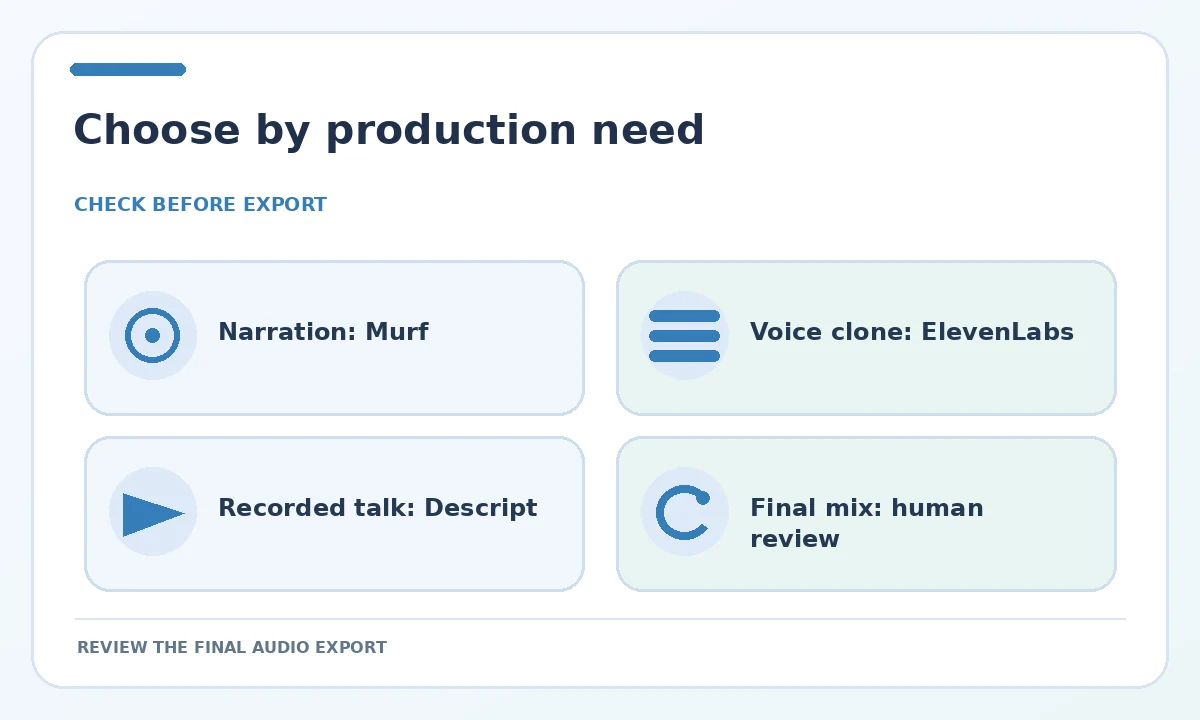
Murf’s advantage on paper is an integrated text-to-speech editing workflow with script blocks and visual alignment. ElevenLabs emphasizes a broad creative audio platform including voice cloning, dubbing and music; those capabilities may be more central when voice identity or multiformat generation is the goal. Descript approaches audio and video through transcript-based editing and recorded media workflows. A team should compare what needs to be edited: generated speech, a real interview, or an entire finished video.
For example, converting a completed written training manual to a slide-based narration leans toward Murf. Repairing a podcast recorded by three guests leans toward a transcript and multitrack editor. Building an application that speaks live may require an API with quite different latency and billing trade-offs. These are feature-fit observations, not measured performance rankings.
Weaknesses and practical cautions
Expect limitations when the script changes rapidly, an uncommon accent is required, or a speaker’s emotional identity matters. Synthesis can misread numbers and proper names, and sentence-by-sentence edits may produce inconsistent pauses when joined. Review the final export after all segments are assembled. A pronunciation preview that sounds correct in isolation may still be awkward inside a video with background music.
Also check the current plan’s language selection, editor seats, generation-hour pool, exports and cancellation behavior. Do not assume ‘unlimited downloads’ equals unlimited synthesis; Murf lists generation-hour allowances separately. Budget for revisions, translation review and quality assurance rather than only the final number of audio hours delivered.
A seven-step pilot before buying seats
Draft a two-minute script with known difficult phrases. Preview three appropriate voices. Place the script in editing blocks, fix two pronunciation cases, add a visual sequence, create one intentional pause and export a review version. Ask a human editor to check naturalness, word accuracy and how easily corrections can be made. Then repeat one change after a simulated stakeholder comment to see whether the workflow is genuinely convenient.
Record the time spent and whether a paid license would cover your distribution. This small pilot is more informative than claiming that Murf’s voice is ‘ninety-nine percent natural’ without a disclosed measurement. Buy the team tier only after you have confirmed the operational roles, approval flow and the number of annual generation hours you actually need.
How We Research
We consulted the official Murf pricing table, Studio workflow guide, voice selection documentation, and the text-to-speech product description. Comparative positioning uses documented features of ElevenLabs, not self-performed sound tests. Fees and displayed limits checked October 27, 2026.
Frequently Asked Questions
Yes. Murf lists a Free option for trial use, with limited generation and no commercial rights. Check export availability before beginning a client project.
The plan grid describes commercial rights on paid tiers. Confirm the terms applicable to your specific distribution, content and contract.
No. Murf separately publishes generation-hour allowances and project or seat limits, so export flexibility is not unlimited synthesis.
For generating narration from a script, Murf is a logical candidate. For editing real recorded conversations, a transcript-oriented audio editor may fit better.
Its Studio documentation describes media tracks and a timeline for arranging voice blocks with visuals, but final timing and pronunciation still need human review.