
A nonprofit maintains a CRM record for a community workshop sponsor. A staff member verified the sponsor’s billing address in a signed contract, while an enrichment source proposes a different office address from a public company profile. Merging the two without context could redirect financial paperwork even if the new address is technically valid for some corporate purpose.
HubSpot documents data enrichment options for company and contact records, including automatic and continuous enrichment, per-property mapping, and overwrite controls. But HubSpot also warns that conversational enrichment and workflow enrichment actions can bypass mapping overwrite rules. This guide focuses on the governing decision: a verified billing address must not become a guessed mailing address because an enrichment option is enabled.
Classify CRM fields by evidence and impact
Create a field register before changing settings. For a sponsor, separate public company description, headquarters location, website, event contact, and verified billing address. A company profile may be a reasonable source for public business information; it is not automatically authoritative for an invoice destination. Mark each field as verified, inferred, imported, or unresolved and record who made the last verified change.
Keep signed contract evidence in an access-controlled document store, not in a casual note that every marketing user can edit. Add a review timestamp and an owner for high-impact fields. The sample sponsor, Cedar Works, and its two address cards are invented so the illustrations do not imply a real organization supplied its data.
Check which HubSpot plan and credits apply
HubSpot’s current help lists data enrichment across specified Hub subscriptions, with seat and HubSpot Credit requirements for some capabilities. Access to a particular setting should be checked in the actual portal. Do not assume that a feature in a demo screenshot is present in a free account or that a monthly enrichment operation costs nothing.
Identify the portal administrator and document the existing enrichment toggles before changing them. A small pilot should use a deliberately permissioned sample with testable property values, not all contacts in the CRM. Record the product tier, current availability, and who can change settings. This avoids an article becoming an unqualified claim about every account.

Configure automatic and continuous enrichment deliberately
In HubSpot’s Data Enrichment settings, administrators can control whether newly created records are enriched and whether existing records receive ongoing enrichment. Continuous enrichment can introduce later changes after initial import. Treat it as a recurring data pipeline, not a one-time tool that quietly finishes. Set a review cadence for properties whose accuracy affects people or money.
For sensitive or contract-controlled fields, start conservatively. Consider retaining explicit human verification as the deciding authority, even if another property records a suggested enriched value. If the organization cannot monitor changes, minimize the number of fields it enriches automatically. Keep a snapshot of test records and the settings state for audit purposes.
Use property mapping instead of a global trust assumption
HubSpot documents three mapping behaviors: fill empty values only, fill empty and overwrite existing values, and do not fill. Choose intentionally per property. A public industry category may be a candidate for enrichment; a staff-verified billing destination should normally be excluded from automatic replacement. Mapping choices apply to future enrichment and do not retroactively repair old records.
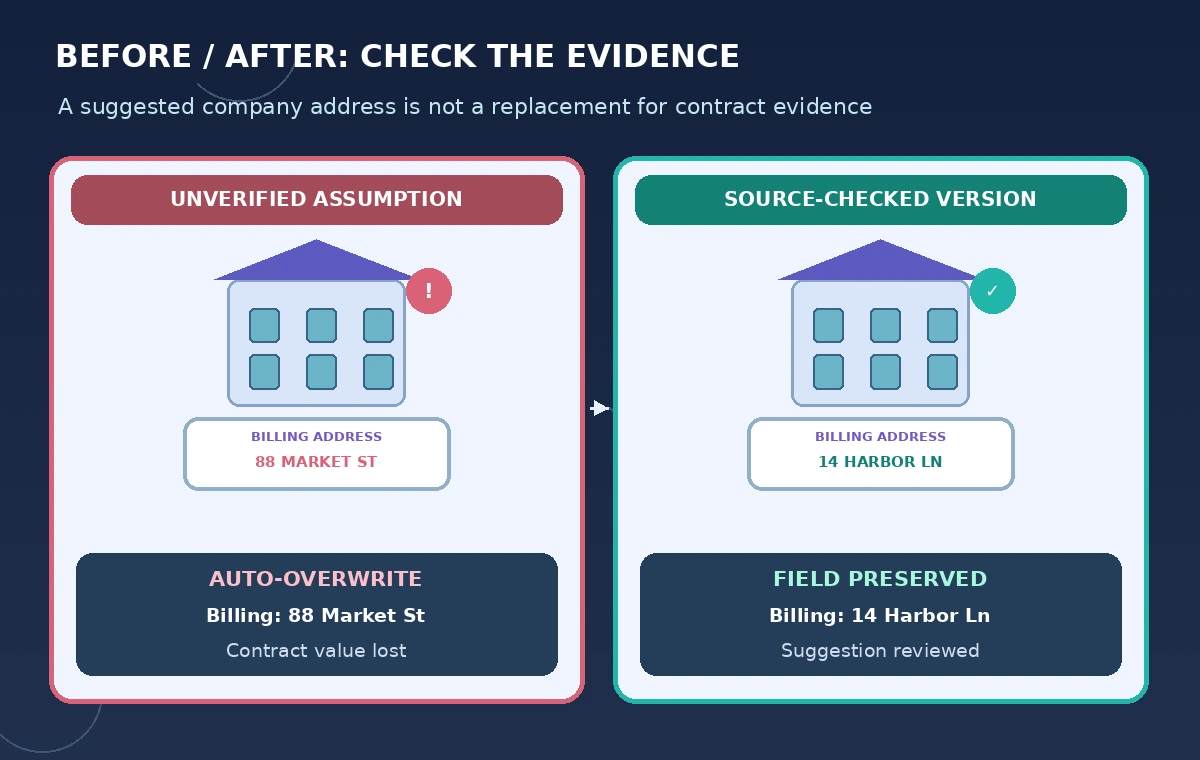
In a conceptual comparison, the risky configuration overwrites a verified “14 Harbor Lane” billing entry with “88 Market Street” from a company profile. A safer workflow stores the suggestion in a reviewable context field while the contract-backed billing address remains unchanged. These are fictional addresses and not a documented HubSpot behavior observed in an account.
Audit the exception for enrichment workflow actions
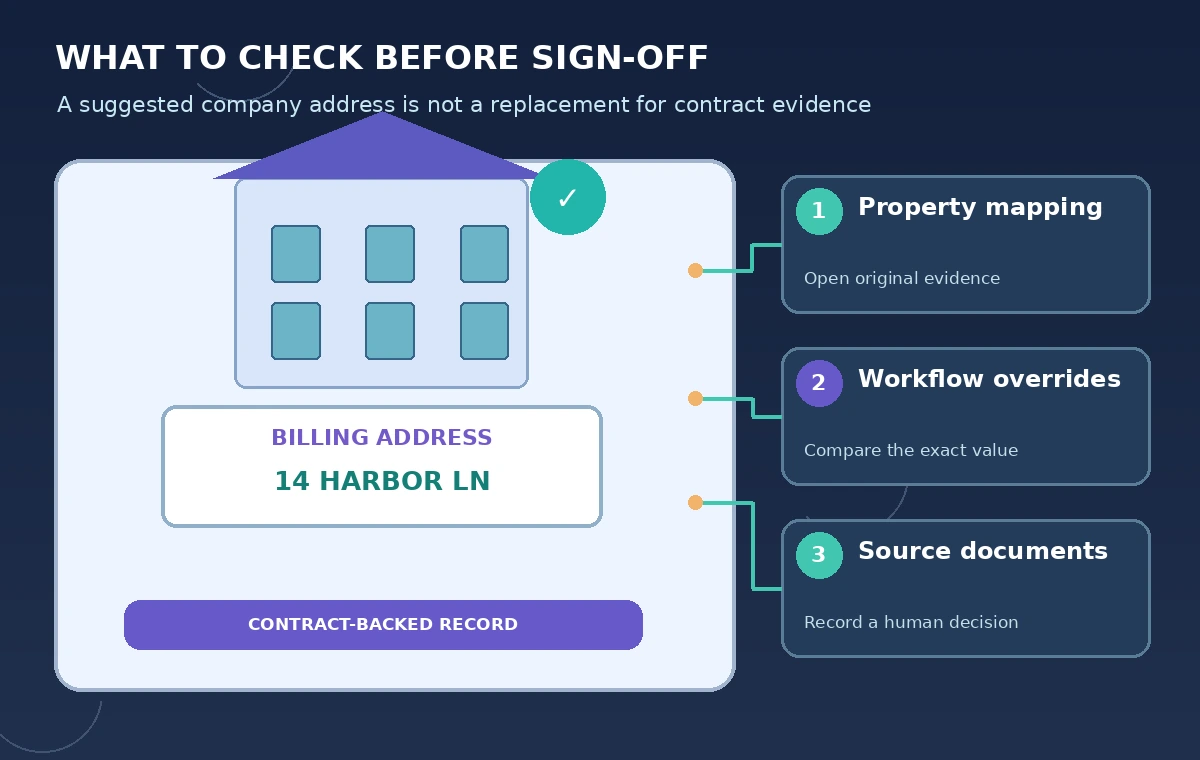
HubSpot’s documentation explicitly notes that a workflow Enrich record action can overwrite existing properties regardless of the mapping overwrite rule if its action is configured to do so. This is the crucial exception: setting “fill empty only” in the mapping table does not automatically mean every automation respects that preference.
Review all active workflows that enroll sponsor companies and contacts. Inspect Enrich record action settings, then cross-check property history for test records. Make a two-column matrix: global mapping rule and workflow action behavior. If a workflow is intended to overwrite a field, require an accountable owner and a documented reason; otherwise narrow its scope.
Reconcile conflicting addresses using human evidence
For each detected difference, show the verified original, enriched suggestion, evidence type, last updated time, and owner. Do not choose a winner based only on which value is newer. A headquarters address, shipping address, tax address, and event contact location may all differ legitimately. Ask the sponsoring organization to confirm the particular business purpose when required.
If the source document is stale or the company has relocated, update the verified record only after documenting the new confirmation. Preserve the old value in change history where appropriate. The final workflow should make it obvious who approved the field and why rather than displaying a clean address with no provenance.
Test a limited sample with three distinct outcomes
Create fictional pilot records for an empty public industry field, an unchanged contract-backed billing address, and an intentionally corrected company website. Verify each result against its approved rule and the record history. Use a spreadsheet to record before value, proposed value, resulting value, action source, and human decision. A sample result table is an audit artifact, not an accuracy score for HubSpot.
Repeat the test after enabling any workflow that can enrich records, because mapped properties and workflow actions are different paths. If the outcome disagrees with policy, stop expansion and restore from recorded values as approved by the CRM administrator. Never assume the mapping UI is a complete view of all automations.
Set privacy, ownership, and review limits
Only enrich records that the organization is permitted to process under its privacy notice and internal policies. Review what kinds of personal data are involved and whether staff have a valid business reason to ingest additional fields. Avoid enriching private volunteers merely because the system can suggest details. Respect suppression, deletion, and access requirements.
Our method was to review HubSpot’s official settings, onboarding, and workflow help, especially the exception where workflow actions can override mapping rules. We did not connect a HubSpot portal or test an enrichment vendor’s accuracy. The sponsor, address values, screenshots-free drawings, and review outcomes are hypothetical. Validate specific portal behavior before any bulk change.
How We Research
On November 5, 2026, we reviewed these named official resources: HubSpot: Manage data enrichment settings; HubSpot: Get started with data enrichment; HubSpot: Choose workflow actions. We compared the product instructions with the control requirements in this hypothetical tutorial, checked access and feature caveats, and avoided assuming results from a live account. No real customer data, object records, vendor quotes, or model output was processed; the diagrams are original instructional illustrations, not interface screenshots. Settings, credits, prices, and availability may change. Readers should check the current product documentation before applying this to production.
Frequently Asked Questions
No. HubSpot documents cases where a workflow Enrich record action can overwrite values despite the mapping rule.
No. HubSpot says mapping changes apply to future enrichment; investigate older record history separately.
Not without checking the purpose and authoritative billing evidence. Keep those concepts distinct.
Availability and credit requirements depend on subscription and feature; check the current portal and pricing information.
No. Every sponsor and address in the example is fictional; no live CRM data was processed.