
A company selling archival display cases sees a museum organization among company-level website visitors to a product page. Someone on the sales team proposes an email saying, “Thanks for choosing our display cases.” A company-level page view does not establish which employee browsed, nor prove the museum placed an order, approved a budget, or even wants a call. A Prospecting Agent can organize outreach candidates, but its output must not turn weak engagement into invented commercial commitments.
HubSpot documents a Prospecting Agent that monitors signals, recommends contacts, and drafts outreach through configurable plays, with permissions, HubSpot Credits, and choices around automation. This article uses a fictional conservation-supply seller. It does not claim to have seen HubSpot’s actual predictions or generated real sales emails.
Define the signal, decision, and disallowed claim
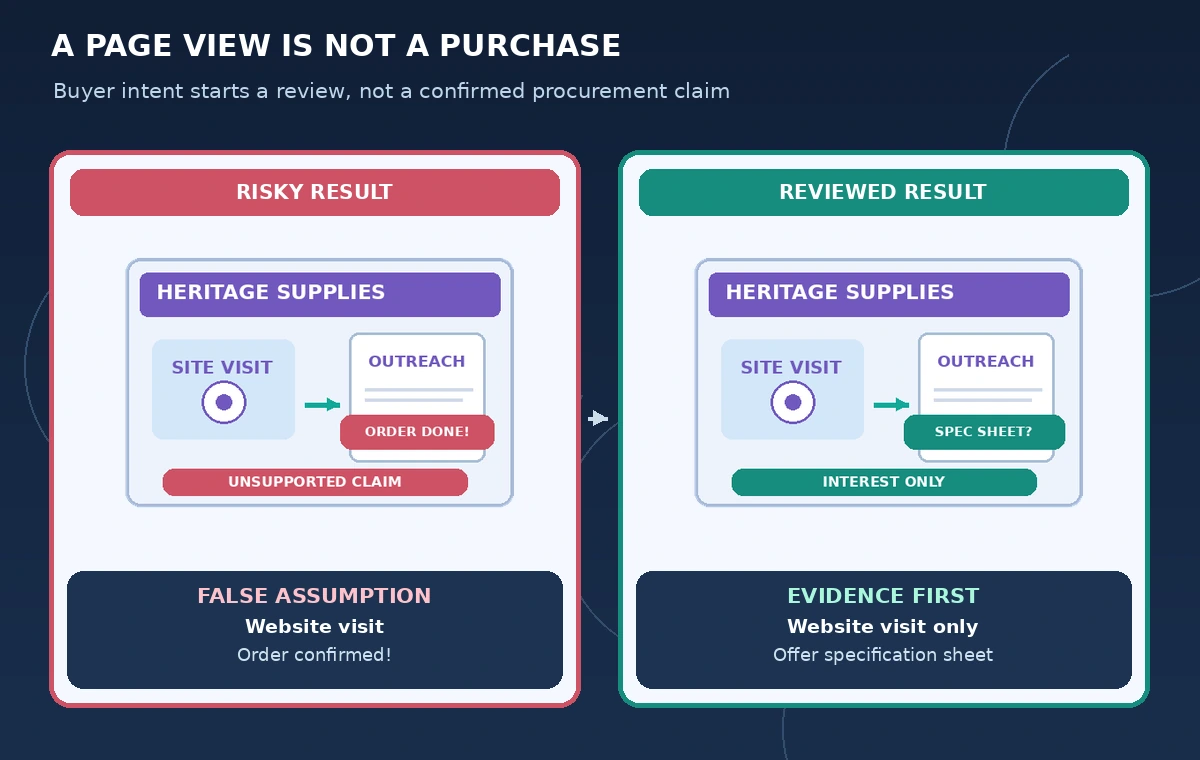
Write down what the record actually shows: a company-level website interaction, a conference conversation, or a contact’s written request. Distinguish a page view from a reply, a reply from a quotation request, and a quotation request from a signed purchase order. The agent should never promote one level into the next when composing an email. Ask your sales owner to approve those distinctions before setting any outreach automation.
For the display-case scenario, an acceptable opening is a cautious, useful offer such as “We can share product specifications if relevant.” A false opening says the museum has approved procurement or selected a case model. Store the approved buyer-intent taxonomy in the sales brief and update it when business definitions change.
Check permissions and credits before making a play
HubSpot’s September 2026 guide lists agent configuration and assignment permissions, AI-feature data settings, eligible subscription requirements, and credit consumption for personalized outreach. Verify them inside the account. A teammate who may edit normal CRM notes does not automatically have permission to configure a prospecting play or enroll contacts.
Create a narrow pilot instead of enrolling the whole CRM. Decide which team owns the play, who may approve email content, which data the AI can read, and how many credits the pilot can consume. Avoid sending sensitive museum security drawings or private curatorial notes into an outreach brief; they are not required to qualify a business conversation.
Build a play around verifiable needs
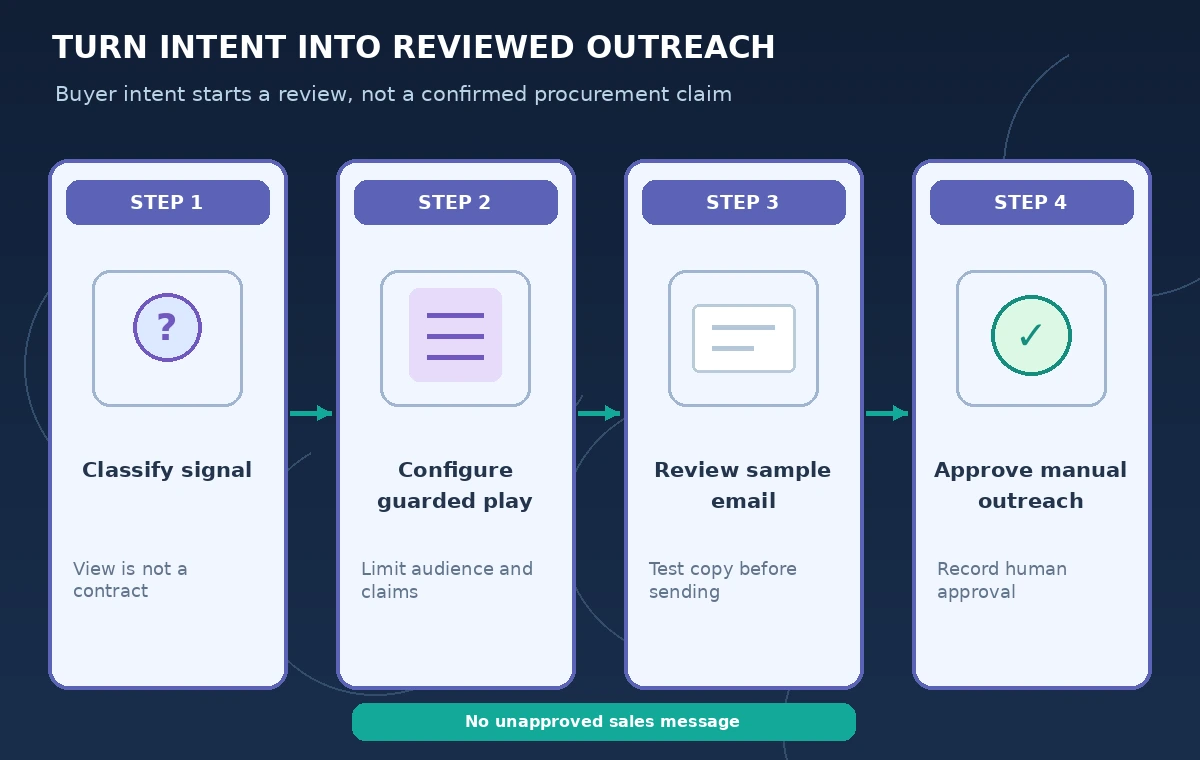
HubSpot describes play setup fields for audience, selling context, outreach, guardrails, and automation. Limit the target audience to organizations potentially responsible for conservation storage, not everyone who visited a broad history blog. Describe the actual products and authorized claims: case dimensions, published warranty terms, and where a prospective customer can request a specification sheet.
Exclude language implying a museum has a budget, a collection condition, or an approved procurement unless a source record explicitly supports it. Include a prohibition on fabricated familiarity such as “I enjoyed our meeting” when no meeting occurred. These written constraints should be checked in the generated sample, not assumed effective because they exist in the play settings.
Use the test preview before any enrollment
HubSpot documents testing a play with a selected contact and reviewing sample email steps before turning it on. Use a fictional or approved internal test contact with known CRM facts. Inspect company name, role, product reference, source of interest, and requested action. Do not send the test into the public outreach queue; review it in an authorized preview context.
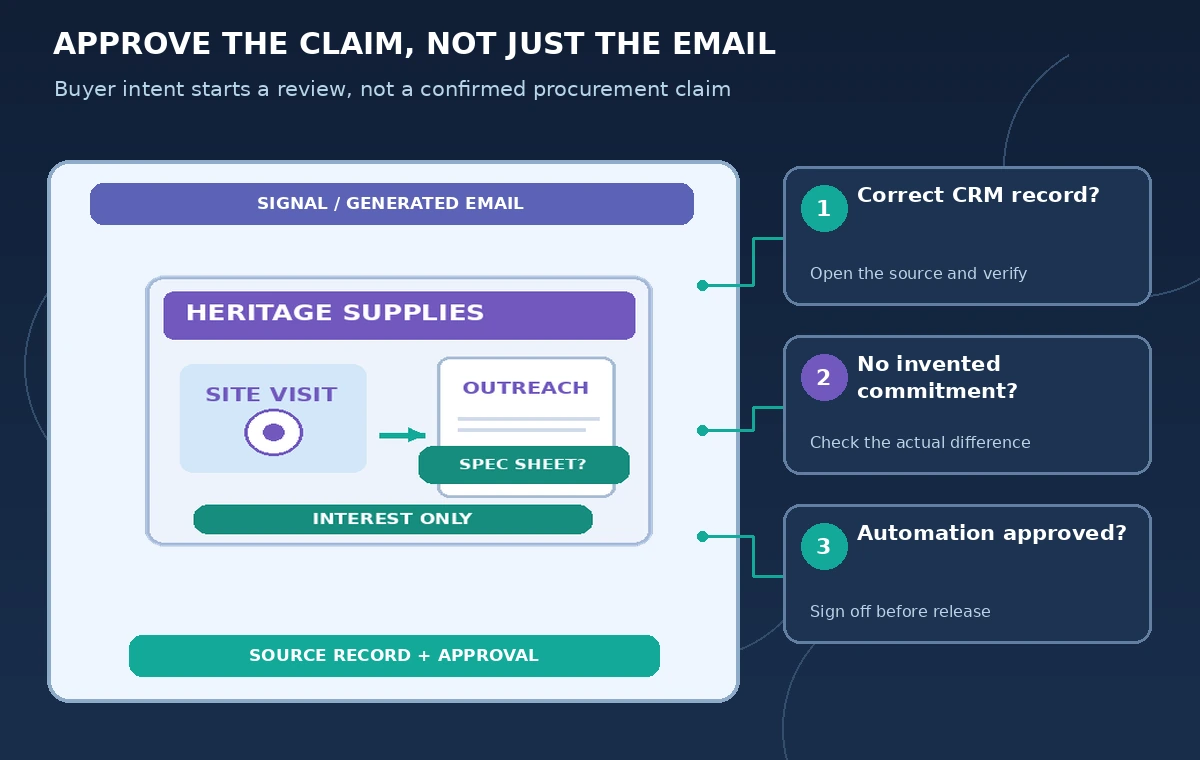
Keep an evidence table: known CRM value, claimed email fact, underlying source, and disposition. For example, “visited archive case page” may be known, “has selected model A” is not supported, and “would you like the spec sheet?” is a reasonable invitation. This makes reviewers focus on actual claims rather than the polished tone of a sales email.
Compare signal detection with a genuine purchase decision
The diagram contrasts a misleading email that says “Your purchase is confirmed” with a safer invitation to review specifications. Both examples are hypothetical and are not captured HubSpot output. A browsing signal can guide who to research, but cannot substitute for a buyer’s written authorization, order number, payment terms, or contract.
If a CRM field is outdated, correct it through your normal approved process before relying on personalization. Avoid asking the agent to infer private contacts from unrelated public posts. In business outreach, accuracy about what the prospective customer has done is as important as accuracy about the product being sold.
Turn on automation only with explicit control points
HubSpot documents manual enrollment and options to automate enrollment from site activity, forms, engagement gaps, and lists. Those triggers can launch outreach at scale. Before enabling any, verify consent, the organization’s contact policy, suppression lists, regional anti-spam rules, and whether the chosen play can send without a person reviewing every message.
In the first pilot, favor manual enrollment and human review of the generated emails. Define stop conditions for a customer who declines contact, an existing open opportunity, a record marked do not contact, or a buyer who has already placed an order. A useful agent should not send a second speculative “welcome” email when a sales rep is already handling the relationship.
Monitor performance without inventing causality
Use HubSpot’s recommendations as prioritization leads, not verified measurements of purchasing intent. Record the number of manually reviewed suggestions, corrected claims, approved messages, replies, and opt-outs. Do not claim an uplift or conversion rate unless the team has run a proper measurement with a clear denominator and comparable period.
Check whether the credit spend and review burden justify the workflow. A play that produces fluent but frequently misleading statements may consume more time in checking than it saves in writing. The important comparison is with a simple manual prospecting process using the same approved CRM evidence.
Archive outreach decisions and change rules carefully
Keep the approved play version, its audience definition, who tested it, the sample-review findings, and the final allowed message format. When product specifications or terms change, update both the source record and the play’s selling context. Do not assume old AI-generated drafts correct themselves just because the CRM received an update.
Before expanding the pilot, have a sales lead and privacy reviewer sign off on the claims and enrollment logic. The operational release should state explicitly which actions are automated and which need approval. That preserves a defensible distinction between the agent finding a possible lead and the business asserting a commercial fact.
How We Research
For the November 5, 2026 documentation review, we consulted named official sources: HubSpot: Set up and use the prospecting agent; HubSpot: Use buyer intent data to identify companies. We compared stated feature capabilities, plan and permission limits, and user review steps with the hypothetical scenario above. We did not log in to, benchmark, or run the named service on live customer data. All characters, media, outputs, and figures in this guide are illustrations rather than observed results. Recheck vendor documentation, organization policy, and local requirements before using the workflow on a real project.
Frequently Asked Questions
No. Website activity or other intent signals are leads for research, not customer orders or confirmed budgets.
HubSpot documents manual and automated enrollment options; review your play configuration and compliance requirements before enabling them.
HubSpot says prospecting-agent personalized outreach consumes credits, with plan and permission requirements.
The official setup instructions include a Test flow using a selected contact and sample outreach review.
No. The example describes a fictional supplier and uses no real CRM account or performance test.