
A fictional ceramics instructor films a short lesson on attaching a handle to a clay mug. The raw video contains cuts between preparation, scoring the clay, joining the handle, and smoothing the seam. A video editor wants machine-generated shot boundaries to speed up navigation. Google Cloud Video Intelligence can detect abrupt changes in shots, but it cannot prove that the steps are correct or that the finished mug is safe to fire. Shot boundaries are an index, not an instructional verdict.
Define the exact instructional sequence
Write a shot list before asking an API to analyze the footage. For the example, the approved sequence is prepare surfaces, score both joining areas, apply appropriate slip, attach the handle, and smooth the seam. This is a hypothetical editing plan, not a general ceramics safety standard. The actual instructor must verify the method for the clay body and workshop. A shot that looks attractive is not sufficient reason to move it earlier.
Mark which close-ups show critical actions and which are only illustrative cutaways. An overhead shot may repeat the attachment step from a different angle; it should not be mistaken for a second independent instruction. Keep the original footage available, including audio and timecode, so the editor can recheck whether a spoken caution belongs before or after the action it describes.
Know what the API returns
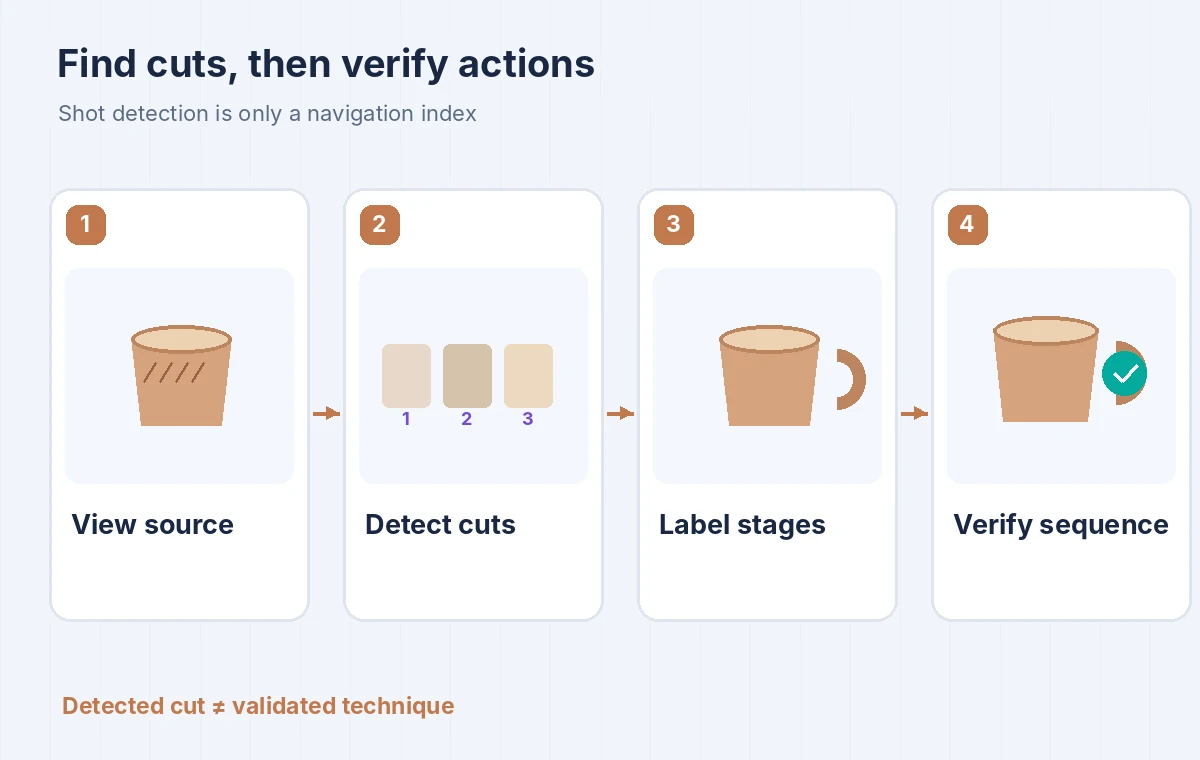
Google documents the SHOT_CHANGE_DETECTION feature for annotate_video requests. It identifies abrupt visual transitions and reports video segments. Responses may contain shotAnnotations with startTimeOffset and endTimeOffset values. These timestamps describe detected segments of the video, not the semantic names of actions such as ‘score clay’ or ‘join handle.’ An editor still needs to assign meaningful step labels after viewing the actual segments.
The response is associated with a long-running operation, so an operation identifier or progress state should not be treated as finished analysis. Wait for completion before using the results. A video with dissolves, rapid hand movement, or camera repositioning may not align neatly with pedagogical sections. Compare segment boundaries against the source video instead of turning every returned range into an automatic chapter.
Submit an appropriate source video and inspect segments
Check the Google Cloud project, API permissions, region, and storage policy before analyzing any client footage. The documentation shows requesting SHOT_CHANGE_DETECTION and reading timestamp ranges from the returned annotation data. Work on an authorized export rather than a cloud copy you cannot trace to the original. Record the file version and frame rate so subsequent review notes point to the correct edit.
Create a timeline strip that displays detected boundaries alongside representative frames chosen by a human. In the teaching diagram, four illustrated thumbnails correspond to preparation, scoring, attachment, and smoothing. Those thumbnails were drawn, not extracted from a real API call. Have the instructor label each range and identify where a single action extends across multiple camera angles.
Do not equate cut order with instruction order
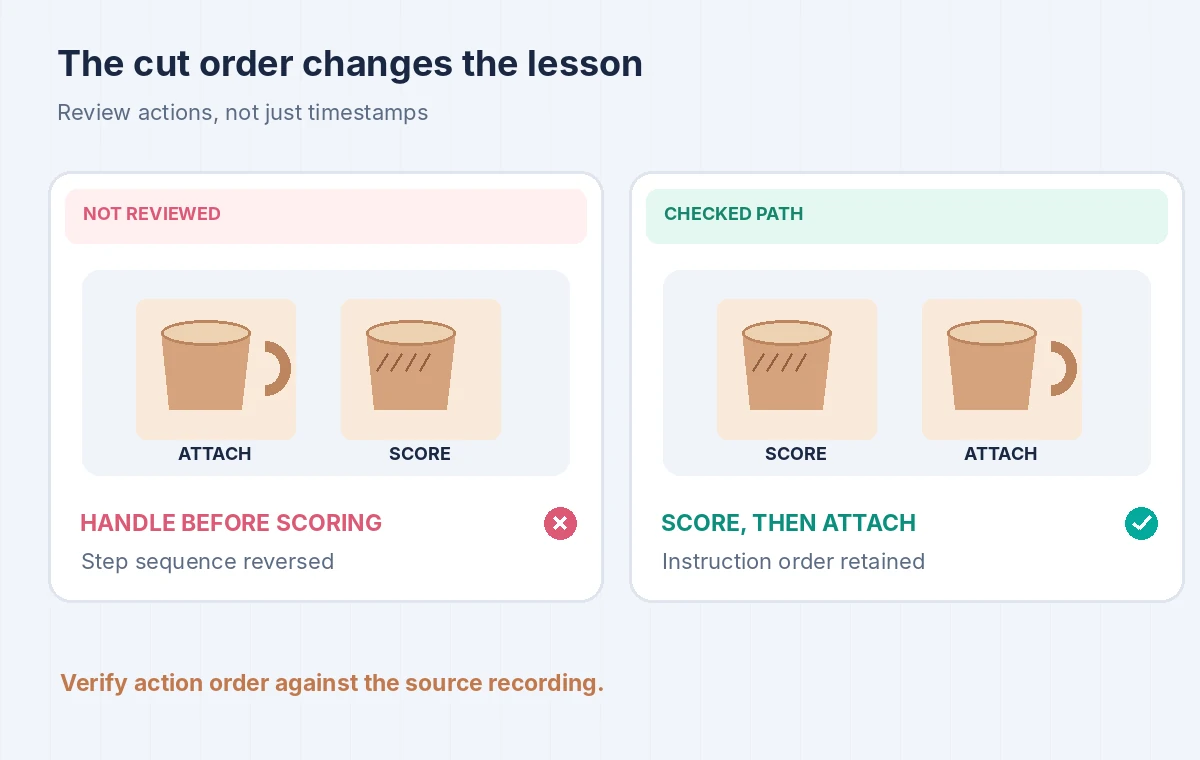
A montage may contain the same shot content twice, a close-up from a later take, or a cutaway recorded before the demonstration. A detector can locate the cuts but does not check whether scoring occurred before the handle was attached. The wrong comparison deliberately places the completed handle before the scoring shot; the corrected comparison preserves the validated action order. Neither column is presented as a real measured output.
Review the underlying motion across each cut. Hands can jump in position, a handle may switch sides, and a tool can disappear. These are continuity problems that a timestamp list alone does not resolve. If a step is missing, record the gap and arrange a legitimate pickup shot or an explicit explanatory card, rather than generating fictional footage and presenting it as documentation.
Keep audio instructions attached to the right images
The instructor may say ‘do not force the handle’ over a close-up that shifts from one angle to another. Preserve the spoken caution with the relevant action, and avoid moving a visually convenient clip so the warning plays too late. For accessibility, captions must include the full instruction; machine-detected boundaries do not automatically generate accurate speech captions or meaningful visual descriptions.
Compare the edited sequence with a simple step ledger: source time range, action label, audio sentence, approval status, and known missing angles. Check the lesson once with sound off for visual order, once with sound on for caution timing, and once with captions to ensure no key word disappears. A readable sequence matters more than a sophisticated but unexamined segmentation file.
Review boundaries and quality failures
Look for both false splits and missed cuts. A rapid movement in a static shot can resemble a transition, while a gradual dissolve may not be flagged like an abrupt cut. Treat these as editorial observations to validate, not proof of a particular detector error rate. Build a tiny manually labeled reference set before deciding whether automation saves work on your footage library.
Store annotations as supplemental metadata, not replacements for the video. If a clip is transcoded or trimmed, offsets may no longer match the latest edit. Re-run the analysis or transform offsets with a documented edit decision list, then spot-check manually. Do not report precision, recall, processing time, or model confidence without actually measuring them using a known reference.
Use a human release gate on three critical shots
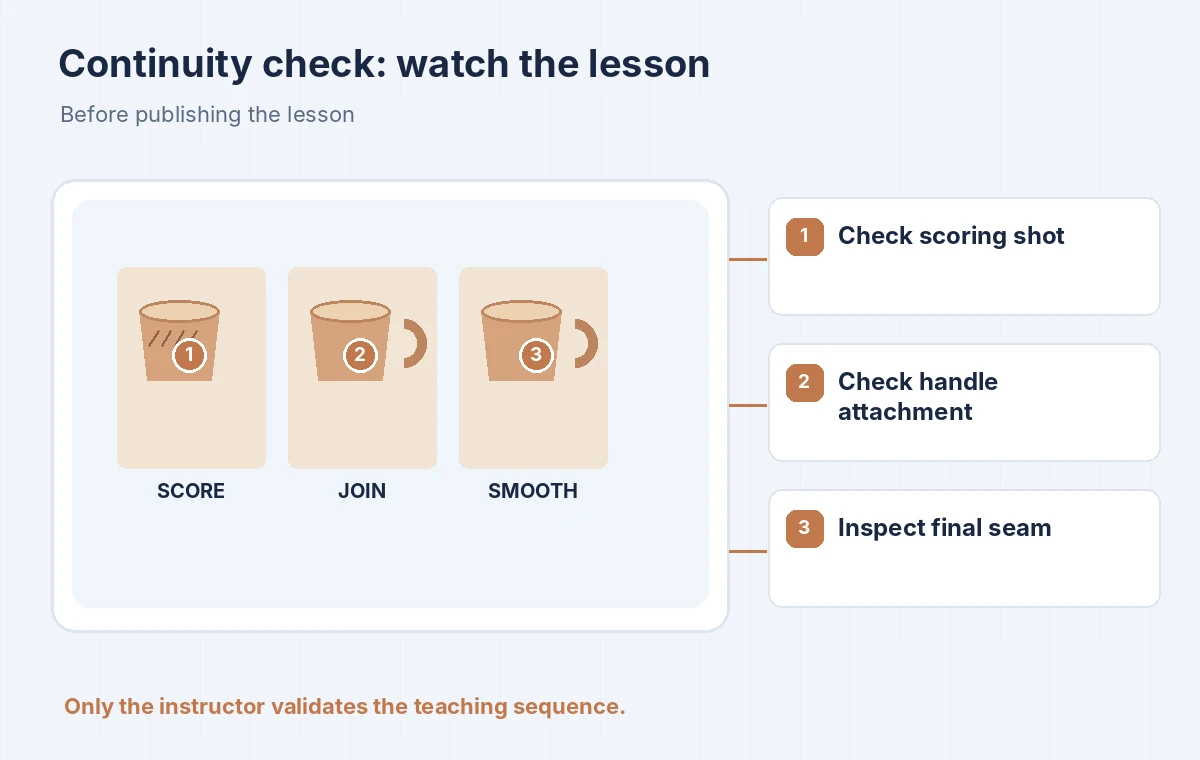
The final scheme highlights the scoring close-up, the handle-attachment join, and the finished seam. Check that the tool and clay orientation are consistent from cut to cut. If the approved method requires a safety instruction, ensure it appears before the risky motion. Keep visible labels short and avoid fictional captions that make the step appear to have happened when the original camera never captured it.
Have the instructor sign off on the complete sequence, not merely the detected segmentation. If the footage is instructional evidence for a real public program, label any reenacted or illustrative inserts. Retain the source, timestamp index, and editorial decisions so another teacher can audit what was shown. The objective is correct teaching order, with shot detection functioning as a navigation aid.
Know when a manual timeline is simpler
For a two-minute lesson with four obvious cuts, scrubbing the timeline manually can be faster than setting up permissions, storage, and a cloud operation. Shot change detection helps when a library has many long videos and editors need a first-pass index. It becomes less useful if staff treat timestamp boundaries as chapter titles without watching the content. Choose the lighter workflow when it gives clearer evidence.
Before scaling, compare the actual time saved against cloud cost, data handling, editorial corrections, and the effort of keeping annotation versions synchronized with video exports. Keep generated segment labels modest: ‘shot 3’ is a safe machine-derived label; ‘correctly attached handle’ needs human confirmation. Editing assistance should not manufacture instructional certainty.
How We Research
For this November 2026 article, we studied vendor-maintained primary documentation: Google Cloud: Shot change detection, Google Cloud: Detect shot changes, Google Cloud: Shot change detection tutorial. We translated the documented workflow and caveats into the fictional, limited-scope example above. We did not execute a paid cloud request, inspect private records, measure model accuracy, interview customers, or reproduce the provider UI. Any values shown in the diagrams are invented teaching labels, not benchmark results. Review release notes, account permissions, regional availability, processing terms, and pricing before using this process on production data.
Frequently Asked Questions
No. It detects changes between video shots and returns time segments. A person must interpret what each segment depicts and confirm instructional order.
Video annotation results can contain shotAnnotations with startTimeOffset and endTimeOffset fields. Wait until the long-running operation finishes before using the ranges.
Not necessarily. The feature is documented for abrupt shot changes; gradual effects and motion can require manual boundary review.
No. It does not check craft safety, clay compatibility, whether a step was omitted, or whether a spoken caution aligns with an action.
It is most useful as a first-pass index of longer or numerous videos. For a tiny clip with a few obvious cuts, manual editing may be simpler and easier to audit.