
A people-operations team needs a short onboarding brief covering laptop pickup, equipment returns and first-week access. The available documents are a current welcome checklist, an older equipment policy and a department-specific note. An AI summary might sound decisive even where the source documents disagree. Google NotebookLM’s source-based chat and citations can help a reviewer navigate those materials, but citations still require inspection. This hypothetical workflow is designed for a non-sensitive example set, not for uploading real employee personal information. The drawn documents, quotes and highlighted fields are illustrative, not snapshots of a real notebook or independently checked company policy.
Separate the question from a preferred answer
Write a question the brief needs to answer: ‘Where does a new hire obtain equipment, who approves access, and what remains unresolved?’ Avoid starting with ‘Prove our policy requires pickup on Monday,’ because that phrasing encourages confirmation rather than investigation. Identify the readers: new hires need instructions, while the operations owner needs a list of decisions. Specify that the summary must distinguish documented obligations, informal advice and gaps. Make a simple provenance register with source title, owner, date, status and intended audience. A polished paragraph without those details is not yet usable guidance. For sensitive employee policies, verify your organization’s data-handling rules before adding any document to a cloud service.
Choose a controlled set of documents
Begin with an approved, minimal set of files that relate directly to the question. For the teaching example, imagine a current onboarding checklist, a retired equipment sheet clearly marked superseded, and a team-specific first-week note. Google documents adding sources to a notebook and selecting which sources participate in a chat. Use meaningful source names so a citation is recognizable. If an imported Drive document synchronizes or is revised later, a previous claim may no longer point to the same wording; record the version of each source used for the decision. Avoid uploading a broad shared folder without reviewing permissions and personal data. More material is not necessarily more reliable evidence when it mixes historical and current rules.
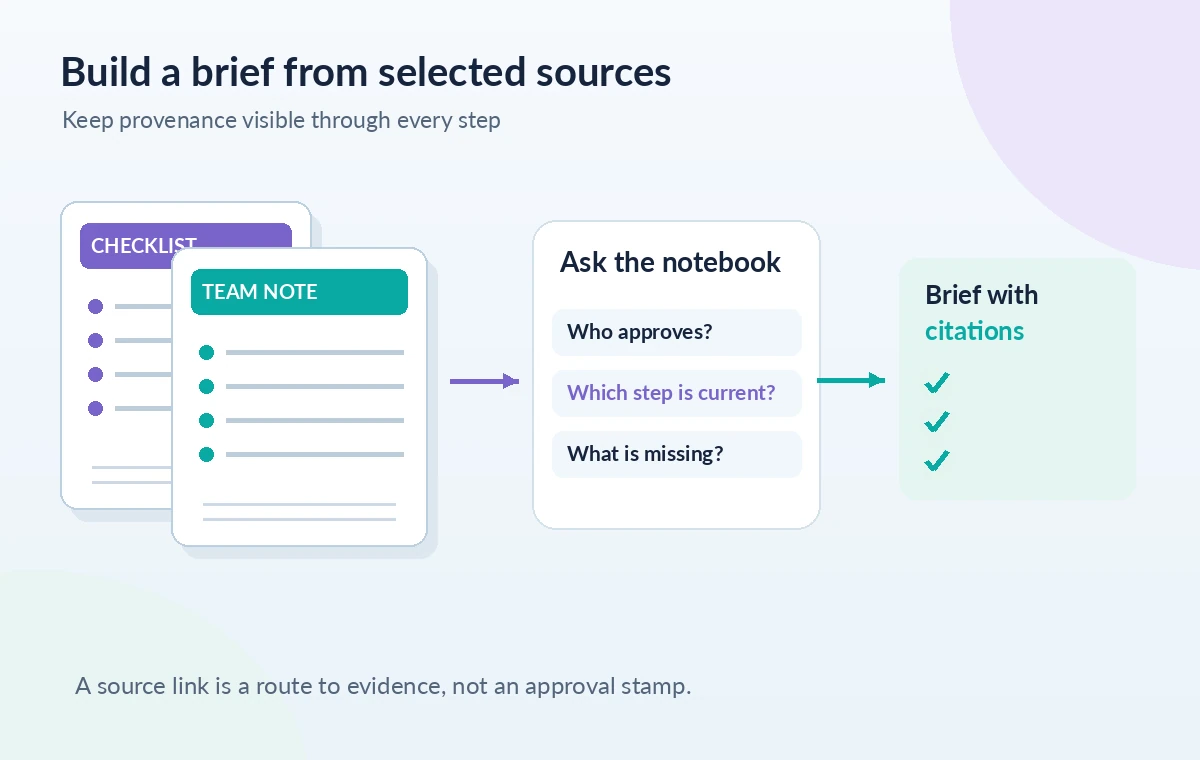
Ask for a claim-by-claim answer with citations
With the chosen documents selected, ask NotebookLM to list each action, the document supporting it and any unanswered question. Rather than a free-form narrative, request a short matrix containing ‘claim,’ ‘source,’ ‘owner,’ and ‘needs verification.’ Google says source-grounded chat answers can include citations that lead to quotes and surrounding context. Treat those citations as navigational aids, not automatic fact-check badges. Ask a separate question for exceptions such as remote employees, late starters or equipment delays. If the source never defines the approval owner, the brief should say ‘not specified in the selected sources’ instead of inventing a title. Preserve the original answer long enough to audit it before rewriting the tone.
Open each cited passage and read its context
Click each citation and inspect the quote in its surrounding source passage. Does the cited line describe a requirement, a suggestion, a past practice or an example? A paragraph may say ‘managers usually arrange devices,’ which is not the same as a formal policy that every manager must do so. Check headings, effective dates, exclusions, and nearby exceptions. If the answer refers to an equipment return window, locate the exact sentence and confirm it still applies to new hires rather than departing contractors. The illustration depicts a citation pointing into a source document; it does not imply that any actual company document was inspected. Save your evidence notes separately so the final brief can survive a later regeneration of the chat answer.
Handle conflicting source versions explicitly
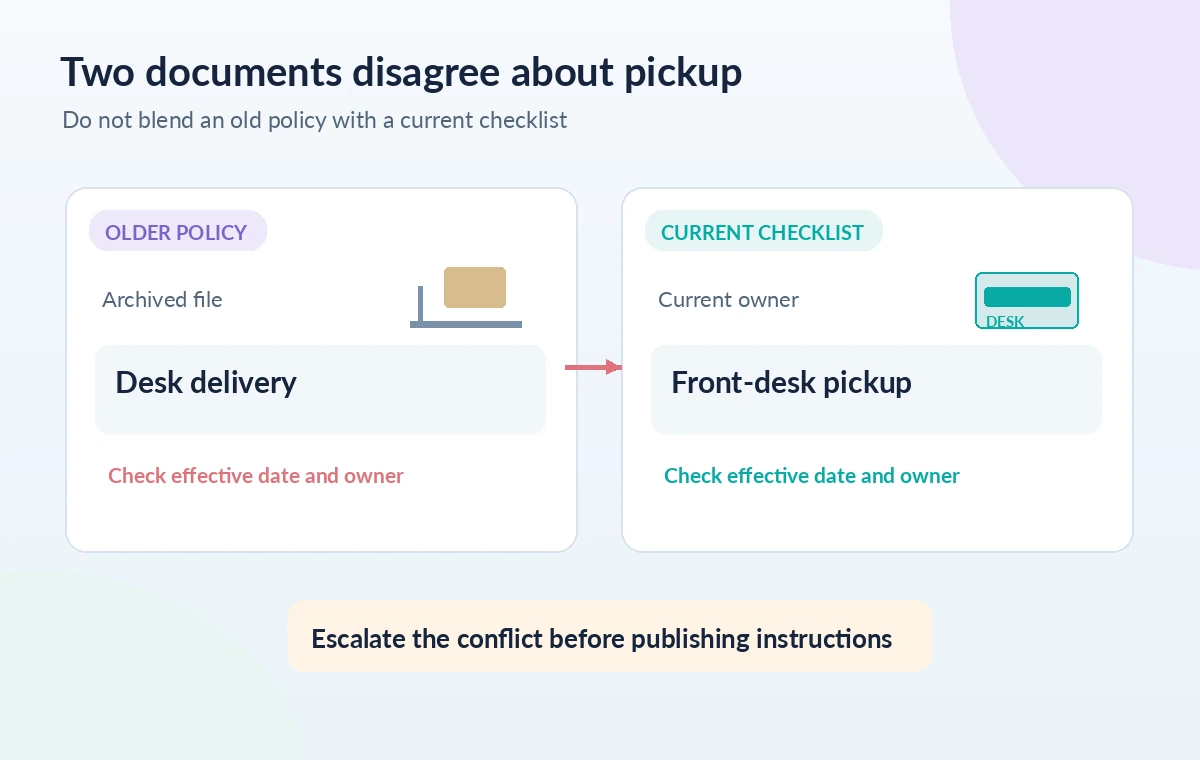
Suppose the old policy says equipment arrives at a desk while the current checklist instructs a front-desk pickup. Do not merge the two into a convenient hybrid process. Put the conflict side by side with document dates and owners. If the current checklist is authoritative, request confirmation from the current owner rather than allowing the model to decide precedence by confidence. A citation proves where a statement came from, not whether that source remains in force. Google lets you select or deselect sources; use that feature to compare what a summary says with and without the superseded file, while preserving a visible record of the conflict. Never delete conflicting evidence solely because it complicates the narrative.
Convert supported claims into an actionable brief
Draft the page with three sections: ‘Before day one,’ ‘First week,’ and ‘Open questions.’ For each confirmed action, include the responsible role, when it occurs and a link or source reference an employee can follow. Put assumptions and unresolved requests into a separate reviewer-only note. Keep practical text concise and choose precise verbs such as ‘request,’ ‘confirm’ and ‘collect’ rather than vague phrases like ‘coordinate access.’ An AI-assisted brief may be rewritten for readability, but every procedural obligation should still map to a checked source. If no source supplies a deadline, do not insert a plausible-sounding number. Invite the policy owner to edit the finished draft before it reaches a new hire.
Perform a negative-evidence and privacy review
Search for claims that appear in the draft but not in any selected material. Common examples are an invented support email, a mandatory badge appointment, a new hire’s personal phone number or a delivery promise that the supplier never made. Remove or label unsupported details. Review references for private staff information and avoid publishing internal URLs in a public article or open folder. NotebookLM’s citation interface can help follow references, but it is not a substitute for legal, HR or security approval. Run a deliberately adversarial check: ‘Which claims here are unverified, contradict a source or depend on an outdated document?’ Independently inspect the answer because the second pass can also miss errors.

Approve, date and maintain the human-owned result
Send the brief to its named owner along with a short list of unresolved decisions, not just the AI’s fluent summary. Stamp the approved document with a revision date and links to authoritative living policies. Decide how it will be refreshed when the onboarding checklist changes or a process owner leaves. Retain the source register and citation audit, following company retention requirements. The aim is to reduce navigation time while making accountability more visible. We did not upload workplace files, validate a live NotebookLM answer or certify a real HR policy; readers should reproduce the process only with approved data and verify current Google product access and terms. The example document graphics make the review logic visible rather than claiming tested accuracy.
How We Research
We reviewed Google’s current notebook help for source selection, citation navigation, import options and possible synchronization of Drive materials. Google’s help currently uses the name Gemini Notebook in some documentation; readers may still know the product as NotebookLM. We did not create a notebook, upload corporate policies, run a chat prompt or assess a real compliance outcome. Example policy excerpts in the illustrations are fictional placeholders, not authoritative HR rules. Official documentation reviewed: Google: Use chat in Gemini Notebook; Google: Add or discover notebook sources. Recheck the live docs before proceeding because interfaces, availability and model support can change.
Frequently Asked Questions
No. They help you reach supporting source text; you must still check the passage, source status and any exceptions.
You may retain them for comparison, but mark their status and exclude them from current instructions unless a policy owner confirms relevance.
Record both statements, dates and owners, then escalate to the authoritative policy owner rather than synthesizing an invented rule.
Only if reliable selected sources explain it. Do not infer an approver from job titles or common workplace practice.
Check confidentiality, permissions, retention and employer policy first. Use a non-sensitive approved subset rather than assuming a cloud tool is authorized.