
A small library committee meets online to decide whether to extend weekend opening hours. Members discuss costs, a pilot period and who will gather volunteer availability. Someone says, “I support trying it,” but the chair never calls a formal vote. If the AI notes say that extended hours were approved, the circulated minutes would be misleading. Google Meet’s Take notes for me feature can generate a Google Docs recap, yet it is not a substitute for a secretary’s decision record. This fictional walkthrough reconciles the AI summary with what the committee actually decided and protects participants before notes are collected.
Clarify whether AI notes may be used
Before the call, confirm the organization’s recording and note-taking policy, participant notice obligations and whether confidential matters should be excluded. Google’s support documentation says the Meet organizer needs an eligible Workspace edition and some administrators can require explicit participant consent to features including notes, recording and transcription. Tell guests what the note-taking feature does, who can access the output and how to object before starting. A consent indicator does not by itself resolve local or organizational obligations. Do not presume that meeting recording is the same as notes. If a participant needs a no-capture discussion, stop the feature and use an approved alternative for that segment.
Start note taking in the appropriate account
Google documents enabling Take notes for me from Google Calendar, before joining Meet or inside the call, depending on settings and permissions. When Host Management is enabled, the host controls may restrict who can start or stop capture. Choose the language actually spoken during the meeting: Google lists eight supported languages but currently supports one language per meeting for this feature. Avoid relying on an English recap of rapid bilingual cross-talk. Confirm the indicator that note taking is on, and make sure late joiners know the feature is active. The help page recommends meetings from 15 minutes to eight hours; very short calls may not produce useful notes.
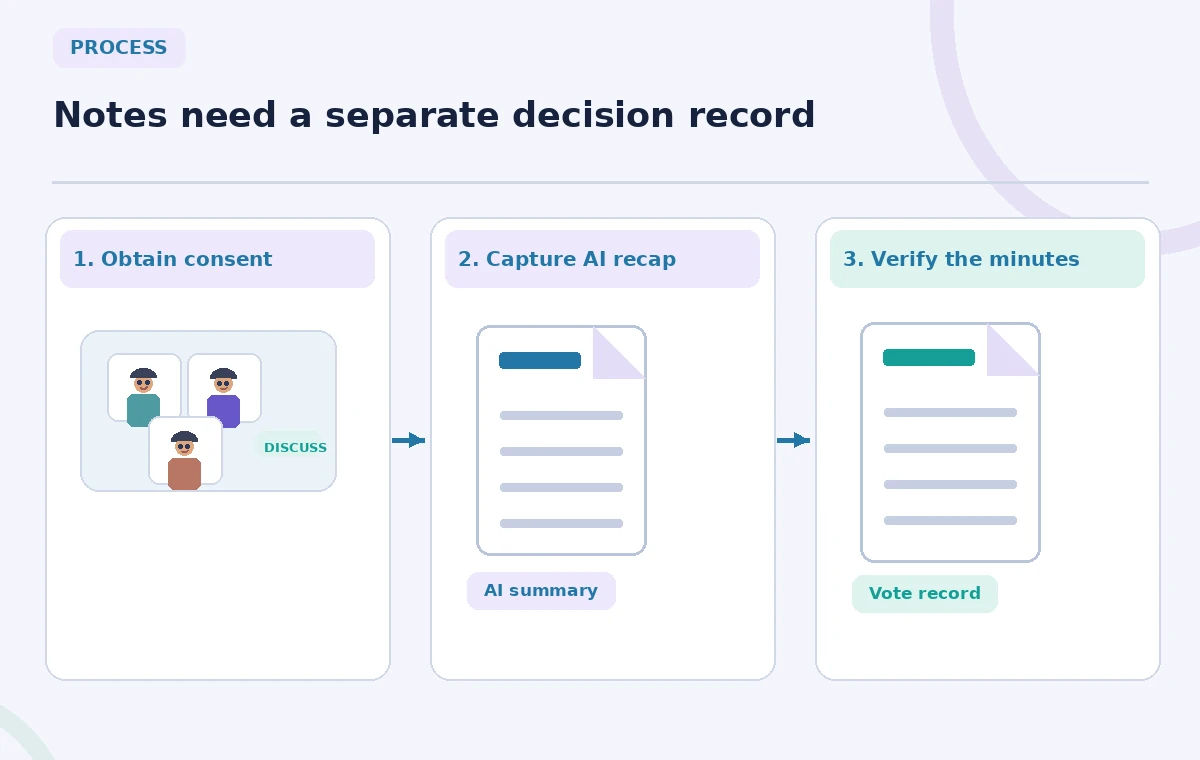
Keep a human decision ledger during the meeting
The secretary should capture motions, the name of the mover, whether a vote occurred, the result and the exact follow-up owner when the committee’s procedures require them. Note separate items such as “Treasurer to calculate staffing cost” and “Weekend-hours pilot approved.” The first can be action without approval; the second is a governance decision only if the recorded meeting supports it. Write down the agenda item and approximate time of any decisive exchange. Never substitute an AI completion label for a formal vote. The process image shows a parallel human ledger feeding the eventual minutes, rather than depicting the model as a chair or parliamentary authority.
Open the recap and distinguish summary levels
Google says the notes document includes Quick notes with important takeaways and Full notes with more detailed decisions and action items. The organizer may receive an email link and the document is managed in Google Drive under relevant policies. Read both sections before distributing anything. A short summary may omit the qualifier “pending budget review,” while a long summary may include background conversation that is not suitable for public minutes. When a statement seems definite, consult the secretary’s decision ledger and available approved records. Google warns that summaries may be incomplete or inaccurate; a neat document layout does not change that limitation.
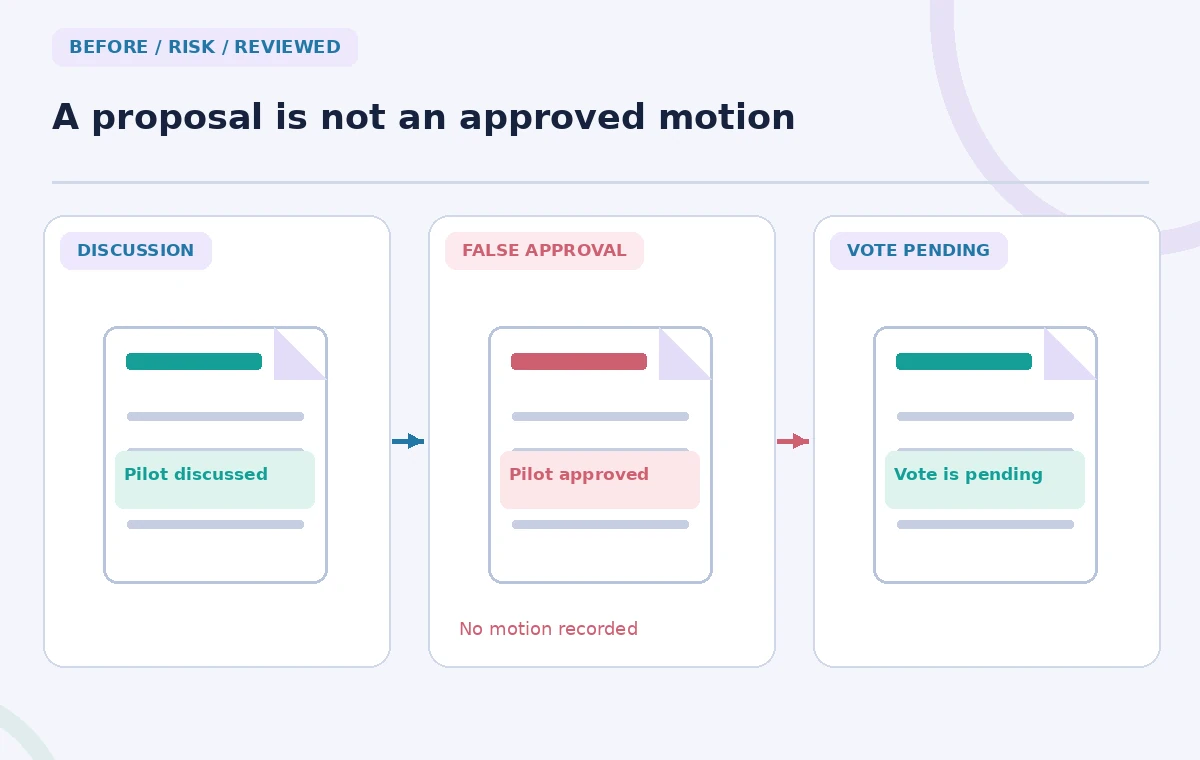
Rewrite a suggested pilot as an unresolved proposal
Consider three hypothetical lines: a member suggests a six-week pilot, another asks for cost estimates, and the chair closes without a motion. A risky AI recap might say “Committee approved a six-week pilot.” The reviewed statement should be “A six-week pilot was discussed; a decision remains pending cost review and a formal vote.” This is not an actual model output; it is a teaching contrast. Treat each word indicating approval, consensus, assigned ownership or deadline as a factual claim that needs support. If the meeting record is unclear, ask the chair and secretary rather than interpreting the loudest or final speaker as the decision maker.
Validate action owners and deadlines
Meeting notes may present “staff will prepare a budget” even though no staff member agreed to do it. For every action, identify who accepted it, the deliverable and the date stated in the meeting. Distinguish a requested task from an accepted commitment and a proposed deadline from one adopted by the group. If nobody accepted ownership, write “Owner to be assigned” instead of inserting a plausible person’s name. Use a short action register alongside the minutes and ask assignees to confirm where policy requires it. The comparison diagram emphasizes that a highlighted owner name must originate in the discussion, not in the editor’s guess.
Review the distribution audience and retention
A document that lives in Drive is not automatically suitable to share with all invitees. Check the organizer’s sharing settings, retention policy and any private personnel or patron matters discussed. Separate formal minutes from a working AI summary containing quotations or sensitive detail. Do not assume every invited attendee should have permanent access to the complete generated document. If the meeting included a guest, confirm whether the guest is entitled to the final minutes. Keep an audit note on what was corrected, such as the unsupported assertion of a vote, without circulating unnecessary personal information. The reviewer remains responsible for deciding what the official record contains.
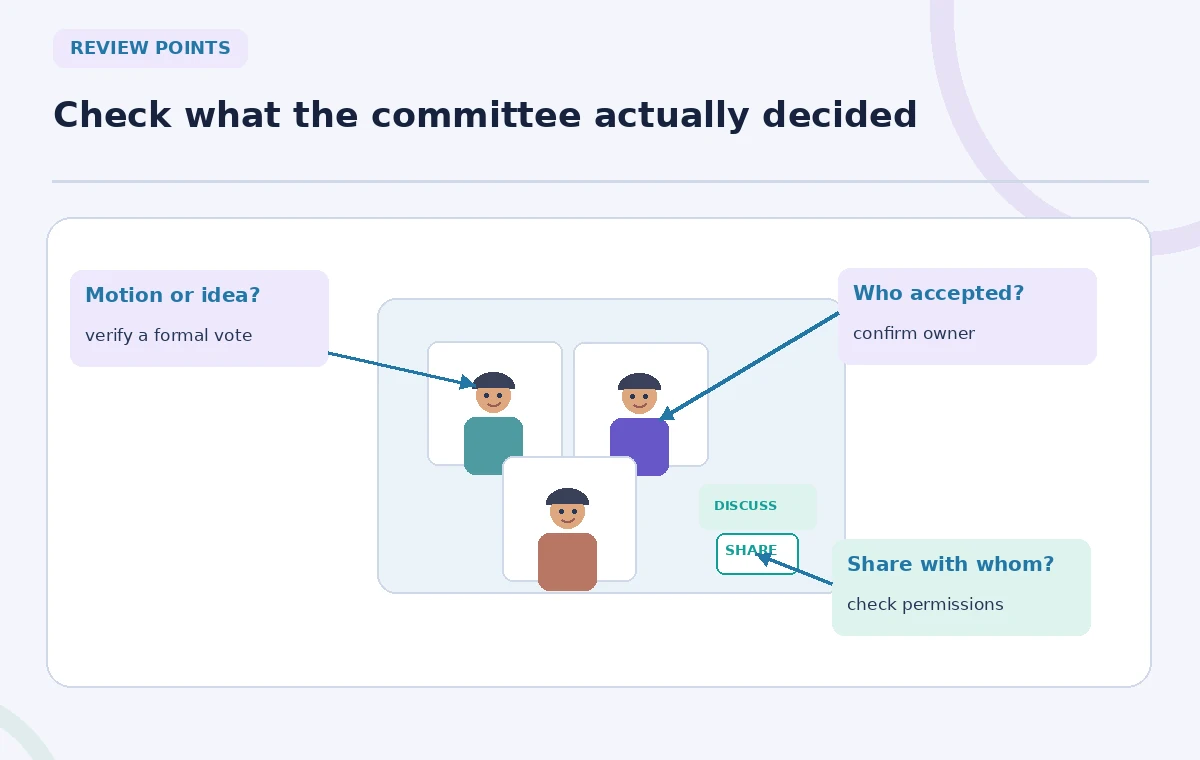
Approve and circulate a dated minutes draft
Publish only after the chair or assigned secretary confirms motions, votes, actions and any required corrections under the committee’s procedures. Label the document “Draft minutes” until the organization formally adopts it; include the meeting date and next scheduled review point. Where the committee maintains an approved minute book, store the final approved version there, not merely in an AI notes folder. If the recap is unusable because of language, duration or audio quality, build minutes from the human ledger and explain the gap internally. The feature reduces note-taking friction, but governance authority remains with the people authorized to run the meeting.
How We Research
We reviewed Google’s official Take notes for me help for eligibility, languages, participant consent, document delivery, summary tabs and inaccuracy warnings, plus its Calendar and Meet settings guidance. All committee dialogue and notes shown here are constructed examples. We did not access a meeting, recording, transcript or real committee minutes.
Frequently Asked Questions
No. Google lists eligible Workspace editions or Google AI plans, subject to administrative settings and organizer eligibility.
Google currently lists eight languages but states the feature supports only one language per meeting.
No. Confirm the motion and outcome with the secretary or other authorized meeting record.
Yes. Google documents an administrator setting that can require explicit participant consent for meeting capture features.
Google provides a Google Docs recap, with organizer email and Calendar links depending on setup, subject to Drive sharing and retention rules.