
A museum maintains a public information kiosk whose code displays opening hours, accessibility directions and exhibit notices. A passing unit test is useful, but a mislabeled or untrusted check should not let an unsafe change merge. GitHub repository rulesets can require named status checks and, where supported, specify the expected application that reports them. This hypothetical release workflow focuses on branch integrity, not on a real security test or a claim that a ruleset alone makes software safe.
Identify the branch and decisions to protect
Begin with the branches and tags that feed the deployed kiosk, rather than enabling controls indiscriminately. A main branch rule may need accessibility tests, a content-schema validation check and a safe build result; preview branches may follow a different process. Document which change requires curator review, because automated checks cannot determine whether a display caption is historically accurate or approved for the public.
Draft a small merge policy stating the branch target, required check names, owners and a responsible reviewer. Keep release approval distinct from merging: a commit can satisfy CI and still be held because it changes a safety warning or includes private patron data. Test your targeting patterns against real repository branch names before activating a rule that could accidentally block maintenance.
Create a ruleset with deliberate enforcement
GitHub documents branch and tag rulesets under repository Settings. Define the target branch and select the requirement to pass named status checks before merging. Enforcement state matters: a disabled or evaluation-only policy should not be described to colleagues as an active block. Review plan and permission requirements for private repositories and for any bypass settings.
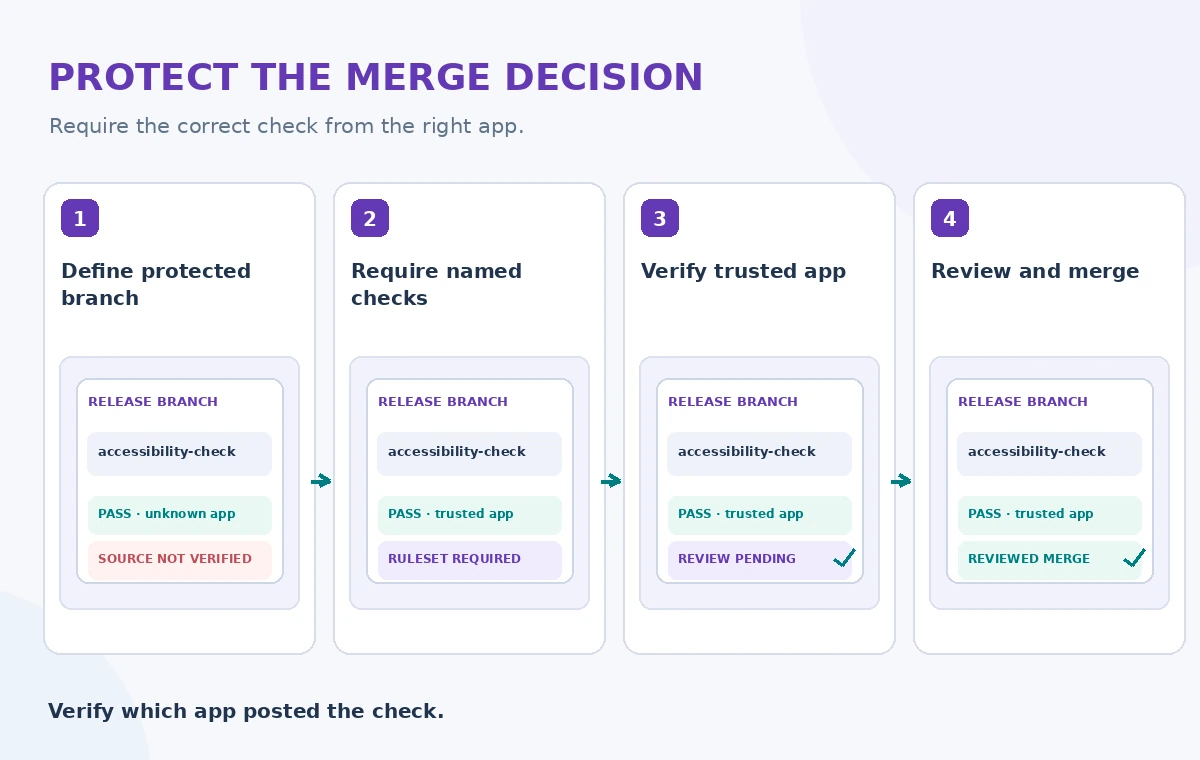
When choosing a branch pattern, be careful about wildcard behavior and excluded targets. Keep screenshots of settings out of production instructions if the UI changes; write down the rule name and intended effect instead. A successful configuration review checks the actual repository settings and an attempted failing merge, not merely the presence of a green test badge on a pull request.
Bind required checks to reliable publishers
GitHub allows a required status check to specify an expected source app in applicable configurations. That prevents a differently sourced check with the same name from satisfying the protected rule. Name your tests unambiguously and verify which GitHub App is issuing each result. Remember that a passing check is only as trustworthy as its workflow, code and permissions.
For a kiosk, distinguish tests for user-facing safety copy from a generic build check. A malicious or buggy workflow may report success while skipping important validations. Protect workflow definitions, keep job permissions narrow, and prevent untrusted pull-request code from obtaining deployment credentials. Status-check provenance is one layer in the release process, not a replacement for reviewing how the check is computed.
Choose strict versus loose checks intentionally
GitHub distinguishes strict required checks, which expect the branch to be current with its target, from looser settings that may reduce repeated builds. Strict checks can require rerunning tests after the base branch moves, which is valuable when several contributors change shared kiosk code. Looser settings may be appropriate elsewhere, but create a risk of merging combinations that have not been tested together.
Explain the choice to contributors and make required checks fast enough to be usable. Avoid a setup where maintainers regularly bypass blocked merges because the build is unreliable. If a check is renamed, update the rule intentionally and verify the new exact name; a stale requirement can block every valid contribution. Record that change in the release log.
Compare the badge, origin and review outcome
The comparison diagram shows a green badge from an untrusted source, an enforced check from a trusted source, and a reviewed merge candidate. These represent different levels of assurance, not performance measurements. The distinguishing feature is the provenance and current commit associated with a check, not simply a color change. A reviewer should be able to identify which test result corresponds to which commit.
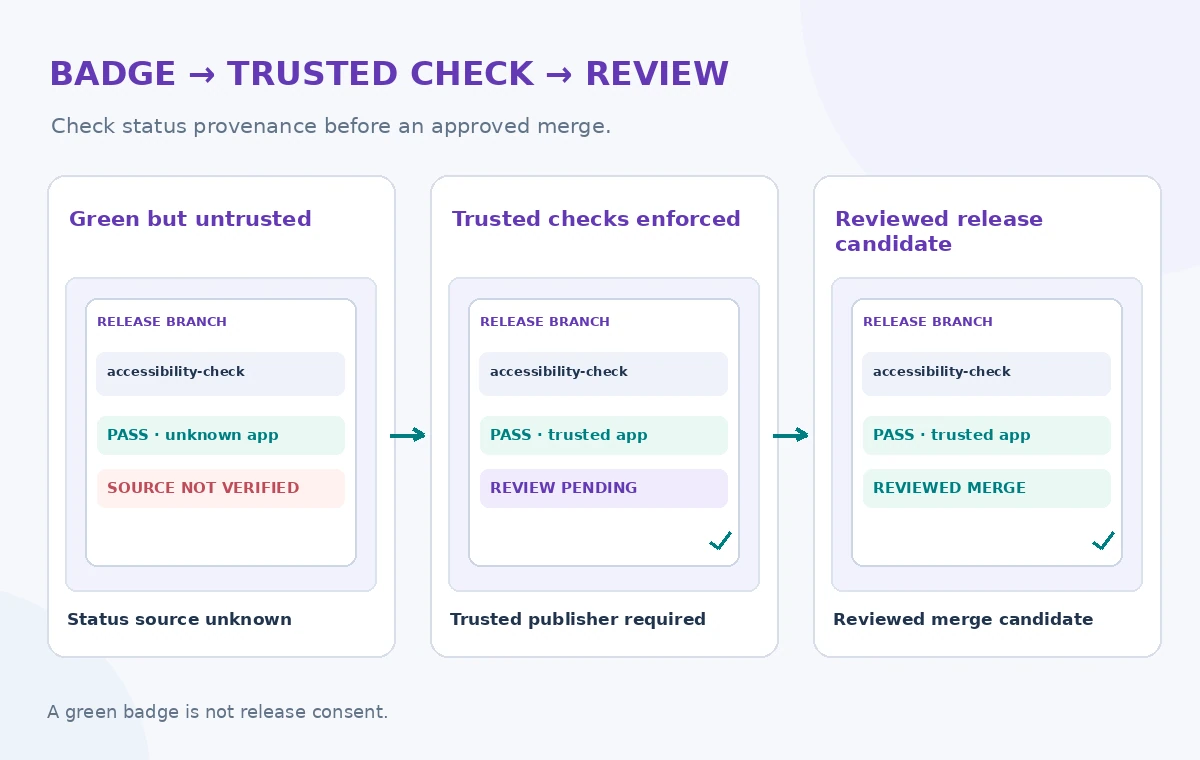
Create a synthetic pull request with a deliberately failed accessibility test and confirm that the merge is blocked. Then verify that the correct check source is required and that an outdated result cannot silently count for a new commit. Finally, test a normal change that passes all checks but still needs a human decision for exhibit content. Those three cases exercise distinct policy boundaries.
Protect bypass rights and emergency fixes
Rulesets can include bypass permissions for authorized roles, teams or apps. Keep that list short and audited. A bypass may be needed for a documented incident response, but it must not become the everyday route for merging without checks. Include an emergency path with a named approver, an incident identifier, and a follow-up test plan, rather than silently disabling the ruleset.
Protect release credentials in a separate environment or deployment workflow. A branch merge does not itself authorize publication of an exhibit notice or change a collection policy. Verify that build artifacts come from the intended commit and that a protected release job consumes only approved inputs. Keep changes to status-check settings under code-owner or administrator review.
Inspect four failure modes before enabling production
The verification illustration highlights target matching, bypass roles, expected check source and stale commits. Test a change against the wrong branch pattern, a check with the correct name but wrong publisher, a force-push attempt and a check that succeeds only on an older commit. Review the actual state shown by GitHub and the repository audit trail where available.
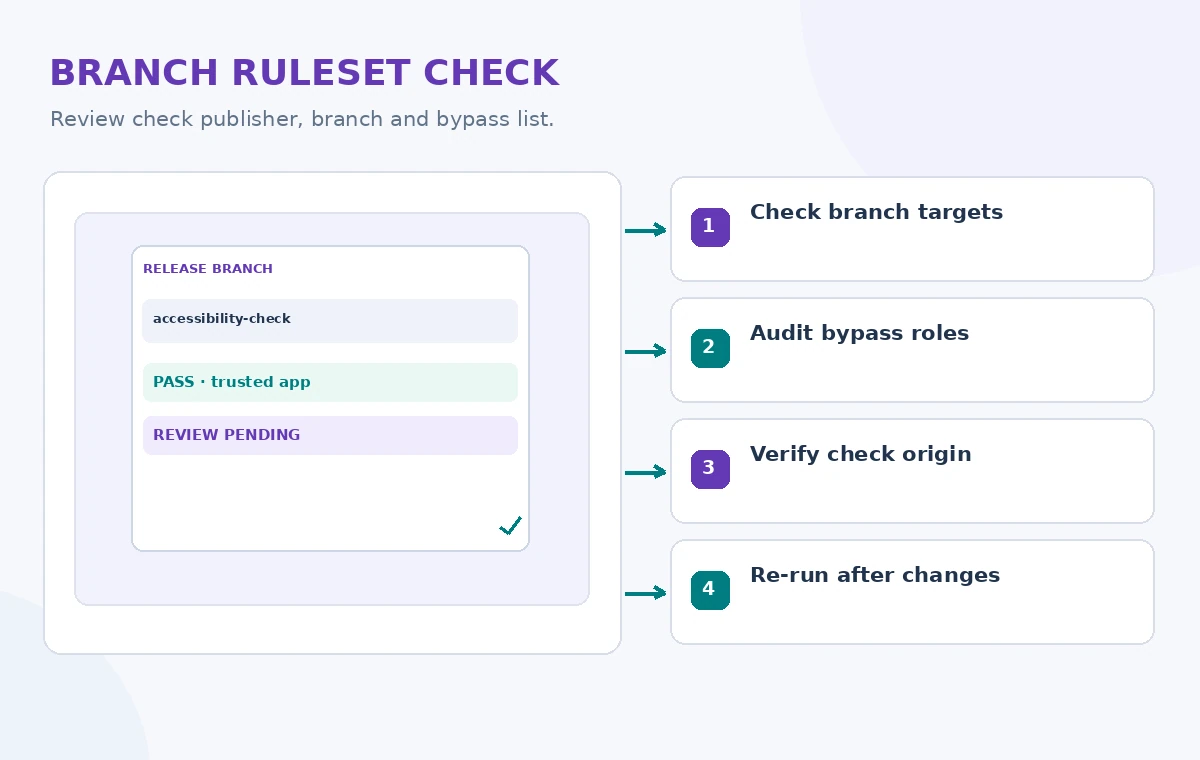
Have at least two maintainers confirm the settings independently. Capture the exact names of required checks and the trusted applications that issue them. If a necessary app has not produced a recent status check, its selection behavior may require setup before finalizing the rule. A release gate that nobody can repair during an outage is not a resilient safety control.
Treat passing CI as a prerequisite, not permission
Launch the protection first on a small controlled repository or documented test branch, and use known-good and known-failing examples. Review the ruleset after changing CI workflows, package update tooling or repository ownership. Keep documentation for legitimate rollback, and note that rulesets also have plan and organizational permission limits.
A reliable status-check policy prevents a particular category of unverified merge, not every vulnerability or misleading exhibit statement. Pair it with artifact verification, least-privilege automation, accessibility review and explicit editorial approval. The goal is a traceable decision about exactly what was tested and who approved the public change, rather than a decorative green icon.
How We Research
For this November 2026 editorial review, we consulted official vendor references: GitHub available rules for rulesets; GitHub creating repository rulesets; GitHub managing rulesets. We mapped feature scope, input/output rules, failure conditions and developer guidance to a hypothetical community-service scenario. We did not execute paid API requests, upload private personal data, publish a real catalog record, run a security attack or measure service performance. The diagrams show original educational examples, not screenshots or recorded service results. Documentation, permissions, regional availability and service configuration can change; verify them in the current official reference and an authorized test before deployment.
Frequently Asked Questions
No. It indicates a reported test result, not comprehensive security, content approval or safe deployment.
In supported configurations, GitHub lets you choose an expected GitHub App source for the status check.
Update the ruleset and verify the new name; a missing required status may block merges.
No. Keep bypass roles tightly limited and audit any emergency use.
No. The article describes a hypothetical workflow based on official documentation.