
Why pull_request_target Is Different From a Normal PR Test
A small museum accepts volunteer contributions to the code behind its public collections website. The team wants to label incoming pull requests and welcome new contributors, but it also holds deployment credentials for the production site. GitHub Actions supports both pull_request and pull_request_target events. Choosing the latter solely because a workflow needs better permissions can open a serious trust boundary if the job checks out and runs untrusted contribution code.
GitHub documents that pull_request_target runs in the context of the base repository and must not be used to execute untrusted pull request content with privileged credentials. A safe workflow should distinguish repository metadata processing, which may be possible without executing contributed code, from testing a pull request’s actual code. The latter should occur under restricted permissions. This article describes a conceptual review for maintainers, not a demonstration of an exploit or a claim that any specific repository was vulnerable.
Identify Which Work Really Needs Privilege
List the tasks in the current workflow. Commenting on a pull request, applying an approved label, running unit tests, building an artifact, and deploying a website have very different risk profiles. Most compilation and test tasks should use a restricted pull_request event, not a privileged event. A metadata-only task may need a narrowly scoped permission, but that does not mean it needs repository secrets or access to the production deployment environment.
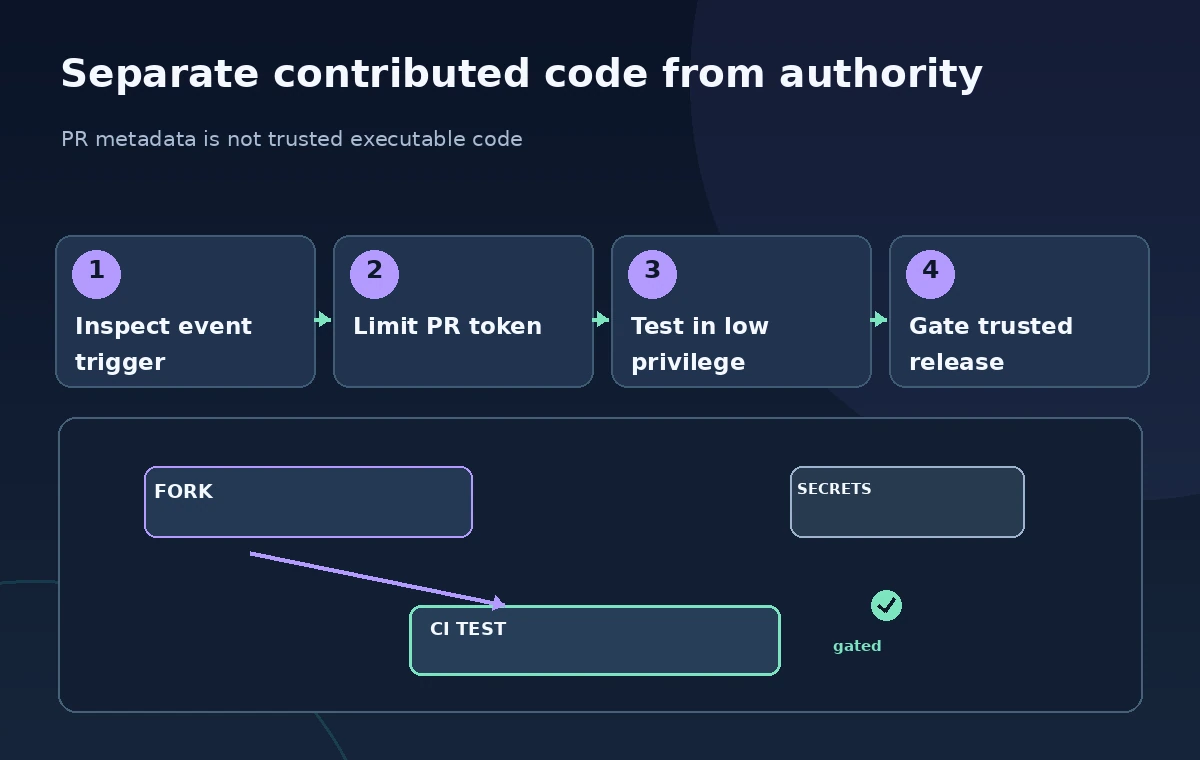
Draw a boundary diagram: a fork sends a pull request containing code and metadata; a low-privilege job can test untrusted code; a separate privileged context only handles explicitly permitted operations against trusted data. Make sure the diagram shows that pull-request branch code does not cross into the privileged job. A maintainer should be able to point to every permission and say which single operation justifies it. If that cannot be explained, simplify the workflow.
Treat Checkout and Build Steps as a Critical Boundary
The dangerous pattern is not the event name by itself; it is allowing an attacker-controlled branch or dependency to run in a context with greater authority. GitHub’s secure-use guidance warns against checking out untrusted pull-request code in pull_request_target workflows with secrets or write access. Actions, scripts, and local build tools may execute code from the checkout, so a harmless-looking test command can cross the boundary if the source is untrusted.
For a volunteer contribution, run tests with least-privilege tokens and no production credentials. A separate metadata automation can use pull_request_target where necessary, but it must not invoke scripts from the proposed branch, import untrusted modules, or pass unsanitized values into shell commands. Avoid assuming that quoting a pull-request title fixes the broader issue: even with perfect shell quoting, code execution from the untrusted checkout remains a separate risk.
Understand the Current Event Policy and Cache Rules
GitHub’s documentation now describes a default policy for pull_request_target in affected public repositories. As documented in November 2026, the default policy is in evaluate mode, with enforcement scheduled for December 2, 2026 for the specified repository group. Maintainers should inspect their own applicable organization and repository policies rather than assume every repository has identical behavior. The policy does not apply to every private or internal repository, and existing explicit policies can change the outcome.
The event also has special cache-related safeguards. GitHub documents read-only default-branch cache access for pull_request_target workflows under the current protective behavior, with explicit opt-out controls that can reintroduce risk. Do not design an approach that relies on overriding those safeguards merely to save build minutes. Keep untrusted tests, dependency installation, and cache writes in the appropriate lower-privilege environment, and verify cache configuration whenever the workflow is changed.
Compare an Unsafe and a Safer Review Design
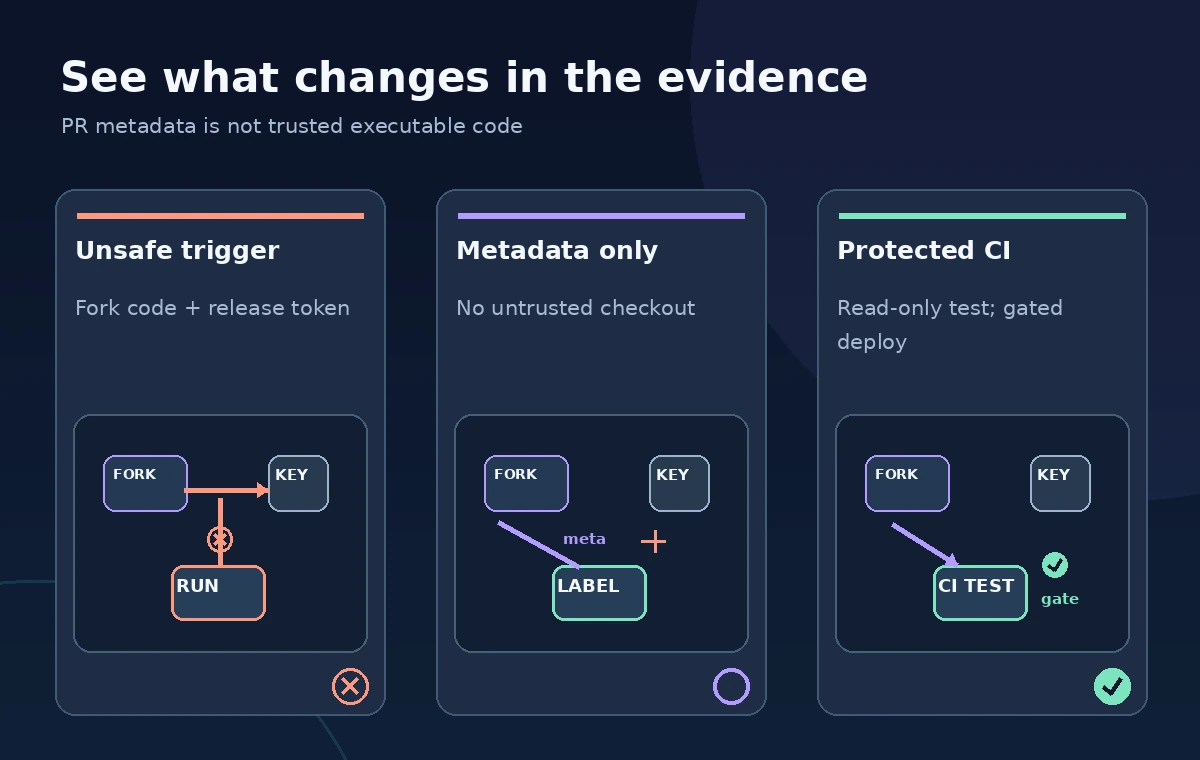
Consider a fictional repository that receives a pull request changing a museum caption-rendering component. In the first design, pull_request_target checks out the submitted branch and runs its tests while it has access to release credentials. That is an unsafe trust relationship. In the second design, the privileged job only reads basic event metadata and adds an approved label; the contributed code remains unexecuted in that job.
The third design includes a separate test workflow with read-only access that runs the untrusted change, produces an unprivileged report, and blocks merge until an appropriate status check succeeds. The reviewer still examines the actual code. These states are conceptual architecture examples, not screenshots of GitHub or proof of a live attack. The contrast should focus on where code is executed and which credentials are present, not on a generic red-or-green security badge.
Apply Least Privilege to Tokens and Secrets
Permissions for GITHUB_TOKEN should be declared narrowly at the workflow or job level, for example allowing only the repository operations the metadata task truly performs. Secrets belong to the deployment environment, not general-purpose pull-request jobs. Check third-party Actions and dependencies for their provenance and update policy. A dependency installed during a privileged job is another way code can enter that trust zone, even when the team’s own script is simple.
Use environment protection and branch rules for the actual release workflow. The artifact from a pull-request test should be treated as data, not as authorized code to be executed in a privileged follow-up workflow. If a privileged workflow must consume an artifact, validate its origin and structure and constrain what it can influence. This separation complements earlier controls such as required status checks, code owner review, and secret scanning; none of those controls makes a privileged untrusted checkout safe.
Run an Audit Before Enabling a Workflow
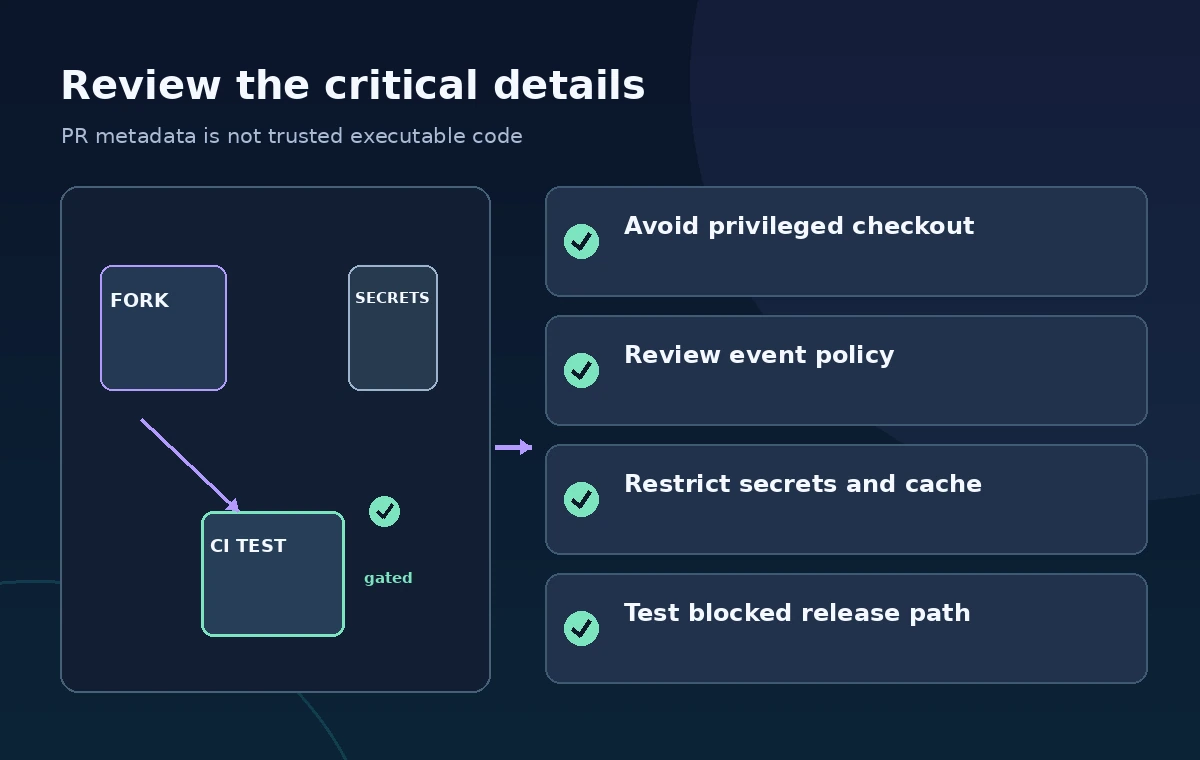
Read the workflow’s triggers, permissions, checkout references, cache settings, shell commands, called workflows, and deployment secrets. Search for pull_request_target and workflow_run, then follow every data path from a fork contribution into a privileged task. Check whether issue or pull-request titles can alter generated commands. Confirm that low-privilege workflows can fail without unlocking release credentials and that a malicious or merely broken change cannot bypass required review.
Ask maintainers to perform a table-top review with a deliberately benign test pull request. It should reveal where an untrusted change would be fetched, which token the job has, and which protected steps could be reached. Do not stage malicious payloads or publish exploit instructions; the objective is defensive architecture review. Capture the findings as a short checklist linked to the repository policy version, so the next maintainer can repeat the audit.
Keep Publication Approval Separate From Contributor Automation
When a pull request passes checks and receives authorized review, it can be merged under normal branch policy. The production deployment then runs from trusted, approved code using a protected environment. A metadata automation should not grant itself permission to publish merely because it successfully applied a label or commented on the pull request. The approved merge and release processes remain distinct.
Before release, examine whether the event policies in GitHub’s latest documentation have changed and whether the repository belongs to a covered group. Document the reasoning, especially if pull_request_target is retained for a narrow task. The final standard is simple: do not execute untrusted code with powerful credentials. If a workflow cannot meet that separation, redesign it around lower-privilege events and explicit human approval rather than hoping that a green test badge makes it safe.
How We Research
For this November 2026 guide, we reviewed named primary documentation: GitHub: Securely using pull_request_target; GitHub: Secure use reference. We checked documented settings, limits, and failure conditions against a fictional institutional use case. We did not run live vendor API tests, process actual private records, verify real-world speech or translations, measure latency, or collect permissions. All images are original conceptual instructional drawings rather than screenshots or observations. Claims about source revisions, speaker wording, ownership, and access must be checked against the authoritative records by qualified staff. Vendor capabilities, eligible plans, regions and logging behavior can change; check current documentation and institutional policy before deploying any workflow.
Frequently Asked Questions
It runs in the base-repository context and can have greater authority than an untrusted fork PR test.
No. GitHub warns against checking out or executing untrusted PR code in a privileged pull_request_target workflow.
The documented default policy for affected public repositories is in evaluate mode, with enforcement scheduled for December 2, 2026; verify current policy before deployment.
No. Reviews do not remove execution-time risks if untrusted source runs with secrets or privileged tokens.
Use a restricted pull_request test workflow and keep any privileged metadata or publication steps separately authorized.