
A neighborhood theater maintains a simple web RSVP form. A keyboard user submits an incomplete form and sees an error visually, but focus stays on the submit button; the user cannot quickly find the problem. A developer may ask GitHub Copilot Agent Mode to make a scoped fix, yet the agent can edit several files or propose commands. A correct result requires hands-on keyboard testing and review of every change. This article uses a fictional repository and illustrative code-flow drawings; it reports no benchmark, actual Copilot session or accessibility audit.
Reproduce the user-visible bug and save a baseline
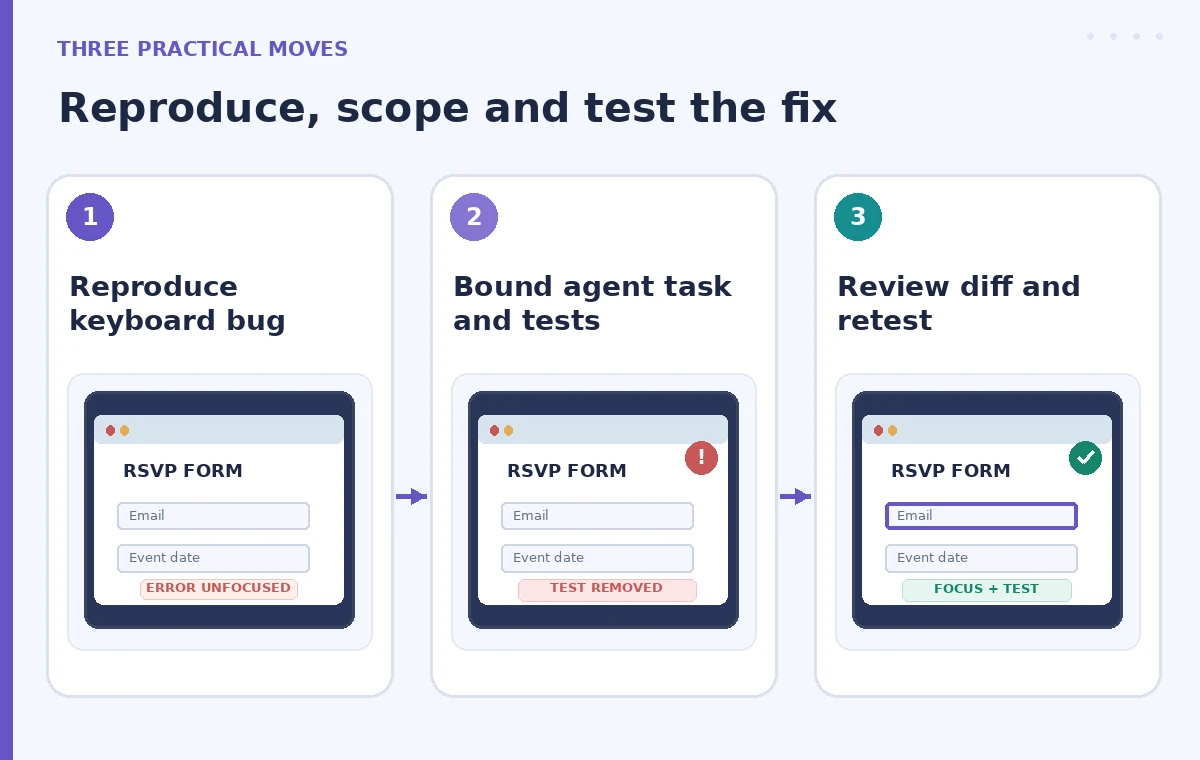
Open the form in a test environment with a keyboard only. Move through the first name, email, accessibility needs and submit controls. Submit invalid data and record which element receives focus, where the error is announced and whether the user can reach a corrective field. Capture steps and expected behavior, not personal attendee information. Confirm the intended pattern against your project’s accessibility standards and framework conventions. Run existing tests before any AI edit and record the result. If the project already has unrelated failures, note them separately so the agent is not incorrectly credited with a clean baseline. Create a branch or equivalent recoverable checkpoint.
Tell the agent exactly what it must not change
Open Copilot Chat in a supported IDE and select Agent Mode if your account and administrator allow it. GitHub explains that Agent Mode can choose files, make edits and propose terminal commands. Provide a narrowly scoped task: “Fix the invalid-submit focus path in the RSVP form and add or update a regression test. Preserve existing validation rules, labels, API calls and tests. Do not change event data or dependencies.” Include the file path if known and the reproduction steps. Ask for an implementation plan before commands that affect project state. Avoid asking it to “make accessibility better everywhere,” which can invite an unreviewable rewrite.
Keep command and file permissions under human control
GitHub documents that terminal commands usually require approval, although editor and organizational settings can permit automatic execution. Read every suggested command, especially ones that install dependencies, delete snapshots, run migrations or modify files outside the form. Disable overly broad autonomy when working in a sensitive repository. Be cautious with external tool integrations and connected services; never pass live attendee records to a test prompt. If the agent proposes removing a flaky test instead of fixing the behavior, stop the run and restate the acceptance criteria. Record the intended changed files before accepting the final diff.
Identify the failure that a green build can miss
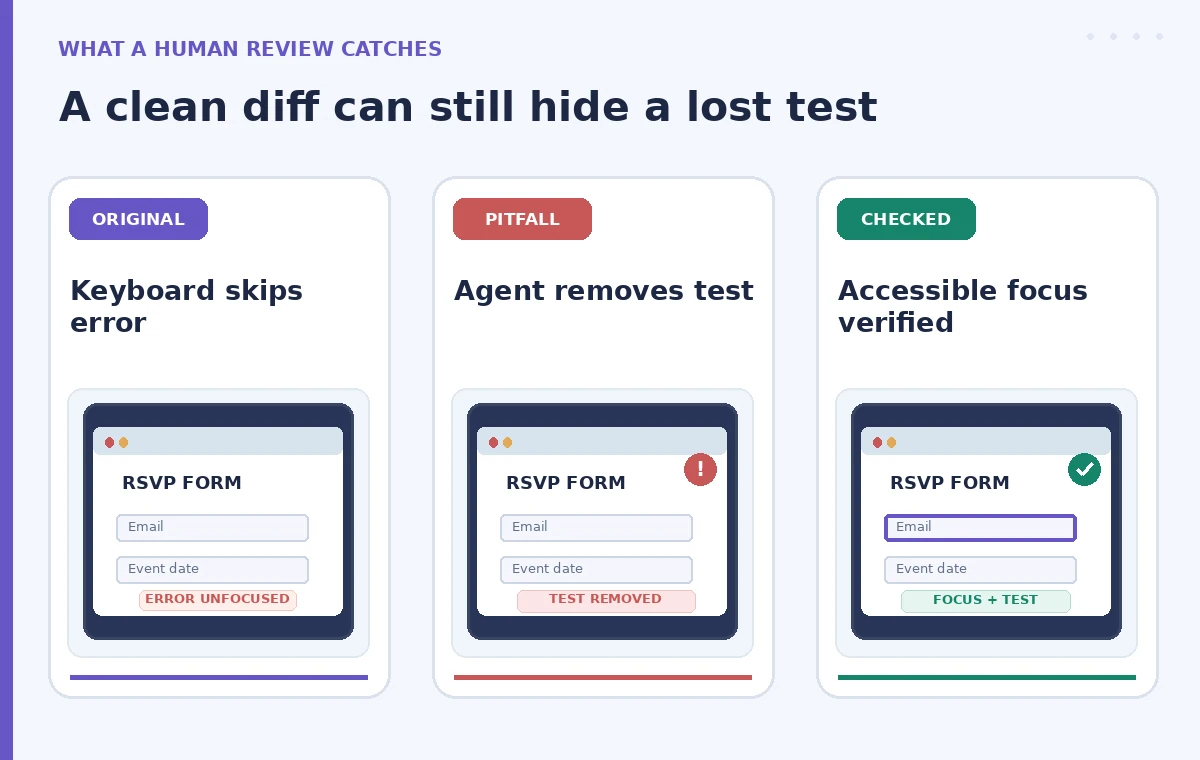
A first pass might add an aria-live message but leave focus on the submit button. Another might move focus to an error summary but remove the test that covered keyboard ordering. Both could make a new snapshot look tidy while actual keyboard navigation stays poor. Inspect the relationship between an error summary, its target fields and validation messages. Confirm that assistive technology gets enough context to act, not just an announcement of “invalid.” Use a before / risky edit / reviewed flow to compare behavior. The drawings are conceptual, not evidence that Copilot actually produced these edits.
Review the complete diff instead of only the assistant summary
Read each modified file, search for deleted tests and check package or lockfile changes. Confirm the agent did not replace custom validation rules with weaker generic checks, remove labels or introduce click-only handlers. Review any new focus-management helper for race conditions after asynchronous rendering. In React-like interfaces, focusing an element that is not yet rendered can fail silently; the chosen implementation must match the actual framework lifecycle. Check that the error summary or first invalid field remains discoverable after a second submit attempt. If a proposed test relies on mocking focus without exercising the DOM, request a more meaningful test.
Run tests that reflect real keyboard navigation
After reviewing changes, execute the project’s existing test suite and the new focused regression test. Then manually navigate the form from the beginning using Tab, Shift+Tab and Enter or Space as appropriate. Confirm that invalid submission announces a useful problem summary, focuses a meaningful target and allows correction without trapping the user. Test the successful submit path too, so the fix does not redirect focus on valid data. Where possible, verify with a screen reader on the supported platform and note any remaining gaps. A passing unit test does not establish full WCAG conformance, so keep claims limited to the checks actually performed.
Reject unrelated edits and preserve an audit trail
Use the IDE’s diff view to accept only changes needed for the focus bug and necessary tests. Revert unrelated formatting, dependency upgrades or file moves, even if the agent describes them as cleanup. Keep a short review note: original symptom, modified files, command approvals, tests run, manual keyboard result and reviewer. If the repository includes protected branches, follow its normal pull-request and human review requirements. GitHub’s documentation emphasizes the developer’s control over agent suggestions; a tool-generated summary cannot be the sole sign-off for a user-facing accessibility change. Do not merge while known navigation failures remain.

Ship a focused fix with a reproducible acceptance check
Write release notes in terms of user outcomes: after invalid submission, the keyboard focus reaches an error message or target field according to the project’s approved design. Include the regression-test name and a concise keyboard reproduction script so future maintainers can retest the behavior. Monitor feedback after deployment through ordinary support and accessibility channels, without storing user details in AI prompts. If additional fields are added later, rerun the focus-order check. The measure of success is a person completing the RSVP process with assistive technology and a maintained test suite, not the number of files the agent rewrote.
How We Research
We reviewed GitHub’s official Using agent mode in your IDE documentation for supported editors, changes across files, command approval defaults, admin restrictions and review controls, plus its IDE chat guidance. We did not run Copilot against an RSVP repository or carry out an actual screen-reader test. The examples and diagrams are hypothetical; teams must use their own accessibility standards and test infrastructure.
Frequently Asked Questions
Yes. GitHub describes agent mode as able to select files, edit them and propose terminal commands, subject to your environment and approvals.
Usually, by default; GitHub notes that editor or administrator settings can allow commands to run automatically. Check your actual settings.
No. Preserve relevant coverage and repair the underlying behavior. Review every removed or changed test in the diff.
No. Reproduce the navigation manually and, where possible, check with the supported screen reader and browser.
The original focus bug, exact files changed, tests and keyboard checks performed, and unresolved accessibility limitations.