
A community event’s signup API has a tricky behavior: a repeated registration request must not create a second reservation. The maintainers want regression tests before a busy registration week, but they do not want an automated assistant rewriting the live handler while it explores the repository. GitHub Copilot agent mode can inspect files, propose edits, and run commands, which makes it useful for a bounded testing task. It also creates a different risk from ordinary code suggestions: a loosely worded request may lead to broad changes. This walkthrough describes an illustrative repository and defensive review process, not a real run of Copilot or a test report.
Define the invariant and a no-touch boundary
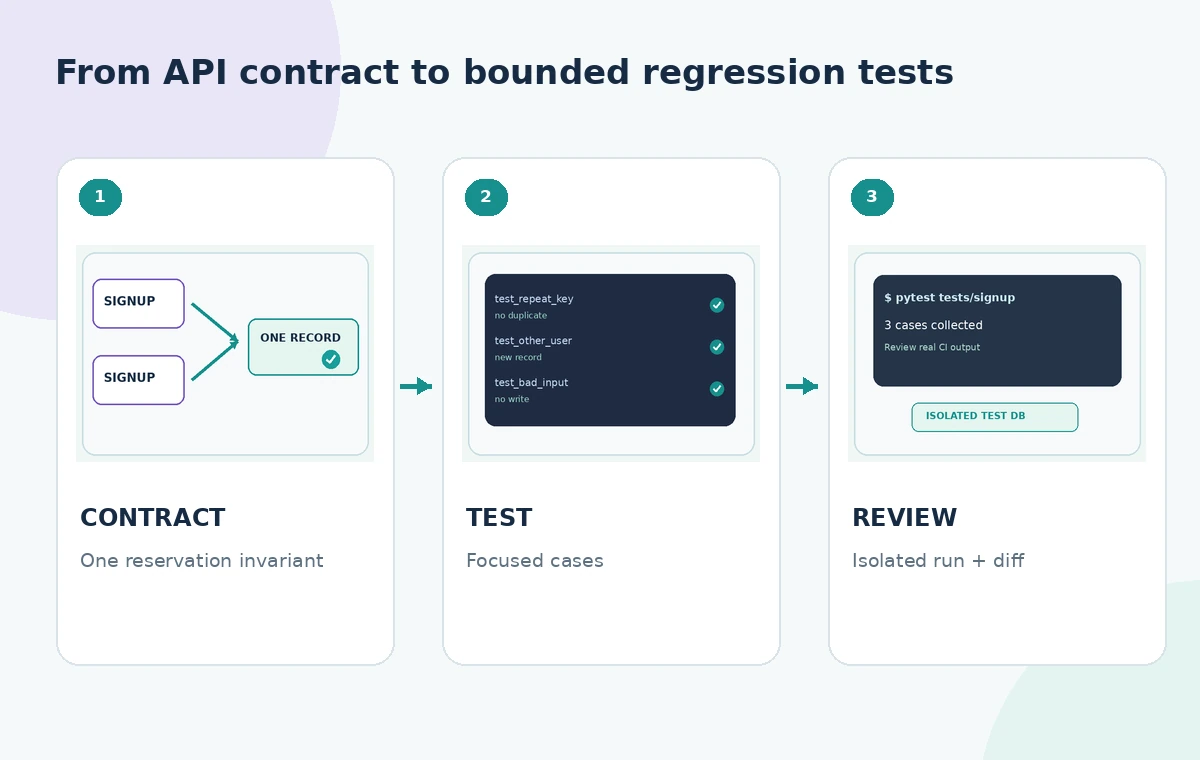
Write the expected behavior in one sentence: a second request with the same event, attendee identifier, and idempotency key should return the established reservation rather than produce another entry. Confirm what the actual API contract says before guessing about response codes. Identify directories that contain the signup handler, database migrations, secrets, and deployment workflows. Mark them as read-only for this task. Use a separate worktree or branch and a clean repository state. The agent should add or change test fixtures only unless you explicitly authorize a broader patch. A failing test can reveal a bug; it does not grant permission to quietly modify application behavior.
Select Agent in a supported editor
GitHub’s documentation describes opening Copilot Chat, selecting Agent from the mode dropdown, then submitting a task. Agent mode can examine project files, edit multiple files, and suggest terminal commands. The exact experience varies among VS Code, Visual Studio, JetBrains, and other supported editors; organization administrators may disable Agent mode. Check your repository and tool permissions before running it. Avoid feeding the agent live production credentials or private attendee data. For this illustrative job, use synthetic fixture records and a disposable test database that cannot reach the event’s production reservations.
Prompt for an inventory before any edits
Ask the agent to locate the endpoint, existing test framework, shared fixture helpers, and current behavior around duplicate requests. Tell it to summarize its proposed test cases before changing files. A bounded prompt might say: ‘Inspect the registration route and tests. Propose cases for duplicate idempotency keys, two different attendees, and expired sessions. Edit tests only; do not change app code, migrations, or configuration. Ask before running a command.’ If the repository has an AGENTS.md or contributor instructions, inspect them too; repository text should not override your security policies. The preparatory inventory gives you a chance to catch a mistaken path before files change.
Generate a small, meaningful test matrix
Begin with three cases. First, an identical repeat should not create an extra reservation. Second, a genuinely different attendee should not be accidentally blocked. Third, a request with missing or invalid input should return the contractually documented error without persisting data. Add time-window or concurrency cases only if the API specification supports them; do not invent a database constraint in the test merely because it seems sensible. Each case needs a setup, action, assertion, and cleanup that can run independently. The process image shows a staged progression from contract to test code to isolated execution, with the runtime boundary visible.
Review every file change before approving commands
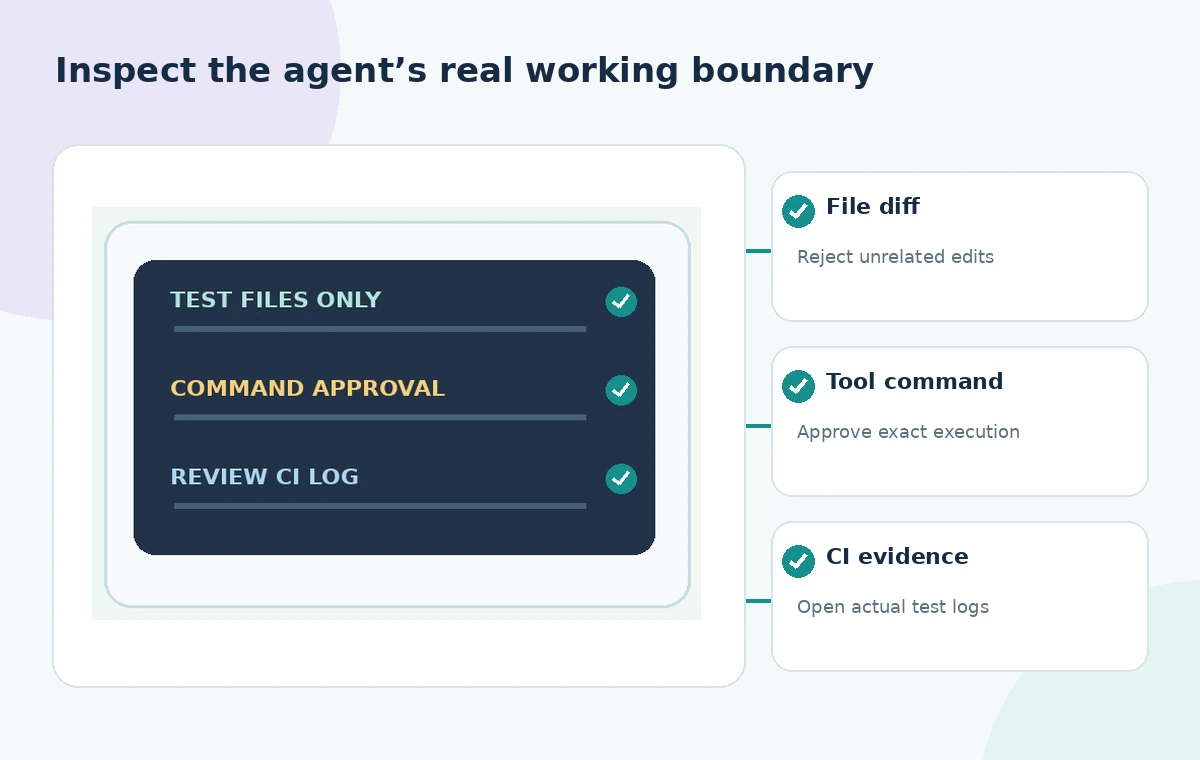
GitHub notes that Agent can propose terminal commands and that, by default, you can approve or reject them; administrators and settings may permit automatic approval. Prefer specific approvals to broad ‘allow all’ modes when the repository contains anything sensitive. Inspect the diff for edits to source code, package scripts, test snapshots, lockfiles, and environment files. Reject unrequested modifications even if the model calls them necessary cleanup. A shell command that runs tests may also trigger package installation or custom scripts, so read the full command and its working directory. The agent’s explanation does not replace the actual diff or command inspection.
Run in a disposable environment and interpret failures
Use a local test environment or CI job with fake data and limited permissions. Verify that the test runner points to the test database rather than production. Distinguish a red test caused by an actual behavior mismatch from a fixture problem, nondeterministic timing, or missing dependency. An agent may try to silence a failure by weakening an assertion or updating a snapshot; stop and inspect that choice. Keep the original expected invariant visible as you iterate. If a requirement is unclear, consult the API owner rather than having the model redefine the contract until the test passes. Passing tests alone cannot prove the absence of duplicate reservations under real load.
Audit edge cases without creating a test zoo
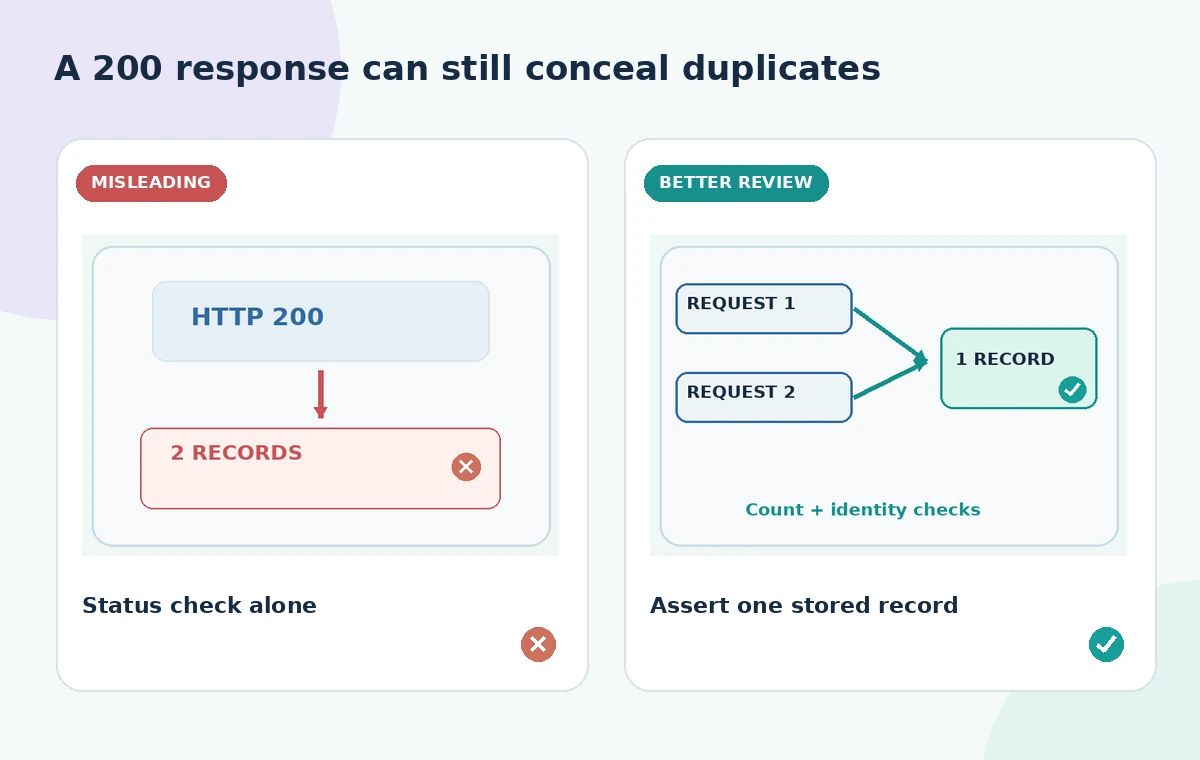
Idempotency behavior can depend on whether a key is scoped to a user, event, or time window. The implementation contract determines which combinations make sense. Consider response-body stability, partial database writes, and retries after timeouts, but prioritize scenarios the team has observed or documented. Use table-driven tests when that makes failure names clearer, not simply to increase test counts. Compare assertion quality: checking only an HTTP success code is weaker than also checking the final reservation count and identifier. Keep unit tests fast; move network or database integration coverage to a suitable layer rather than making every agent-generated test reach external services.
Require a human-owned pull request review
Have a maintainer run formatting, static checks, tests, and any repository-required security tooling. In the pull request, explain the risk addressed, the test cases added, the commands actually executed, and any coverage gap remaining. If an agent did modify implementation code, separate that change for explicit review or revert it. Reviewers should scan for accidental hardcoded secrets, brittle sleeps, private fixture values, and overly permissive mocks. A GitHub Copilot review is not a substitute for the project owner’s sign-off. The merge decision is a human judgment about the test contract and the change’s effect on production safeguards.
Record what was and was not demonstrated
A useful change log says ‘added tests for repeat registration and invalid input,’ with links to the real CI result once the team runs it. Do not claim performance improvements, bug fixes, or successful prevention of production duplicates just because generated tests compile. Maintain a rollback plan and preserve the branch history. This article presents an illustrative procedure based on GitHub’s published agent workflow; we did not access a repository, run any commands, or verify that a particular API implementation satisfies the invariant. The quality check is the inspectable diff, bounded execution, and authoritative test evidence that the team can reproduce.
How We Research
To prepare this guide, we reviewed the official product documentation: GitHub: Using Agent Mode in Your IDE and Visual Studio Code: Manage Agent Approvals. We compared the explicitly documented feature entry points, supported tasks, limitations and configuration requirements with the decisions in the hypothetical scenario. We did not access a customer account, upload any of the described documents, run prompts, obtain actual generated outputs or measure performance. The visuals are custom instructional diagrams, not software screenshots or evidence of live tests. Any scenario-specific people, approvals, files, vendor availability and outcomes are illustrative. Check the current documentation, account entitlements and your organization’s policies before acting on the workflow.
Frequently Asked Questions
Yes. GitHub describes multi-file edits and tool-driven iteration. Constrain the request and inspect the complete diff.
GitHub says approvals are the default, but editor settings or administrators can allow commands to run automatically. Check your current permission mode.
Not under a tests-only task. Evaluate the failure first, then authorize an implementation change through a separate review if warranted.
No. They cover specified cases in a test environment; concurrency, deployment, and production conditions require additional evidence.
Use synthetic records whenever possible. Avoid exposing private attendee details, production credentials, or live database connections.