
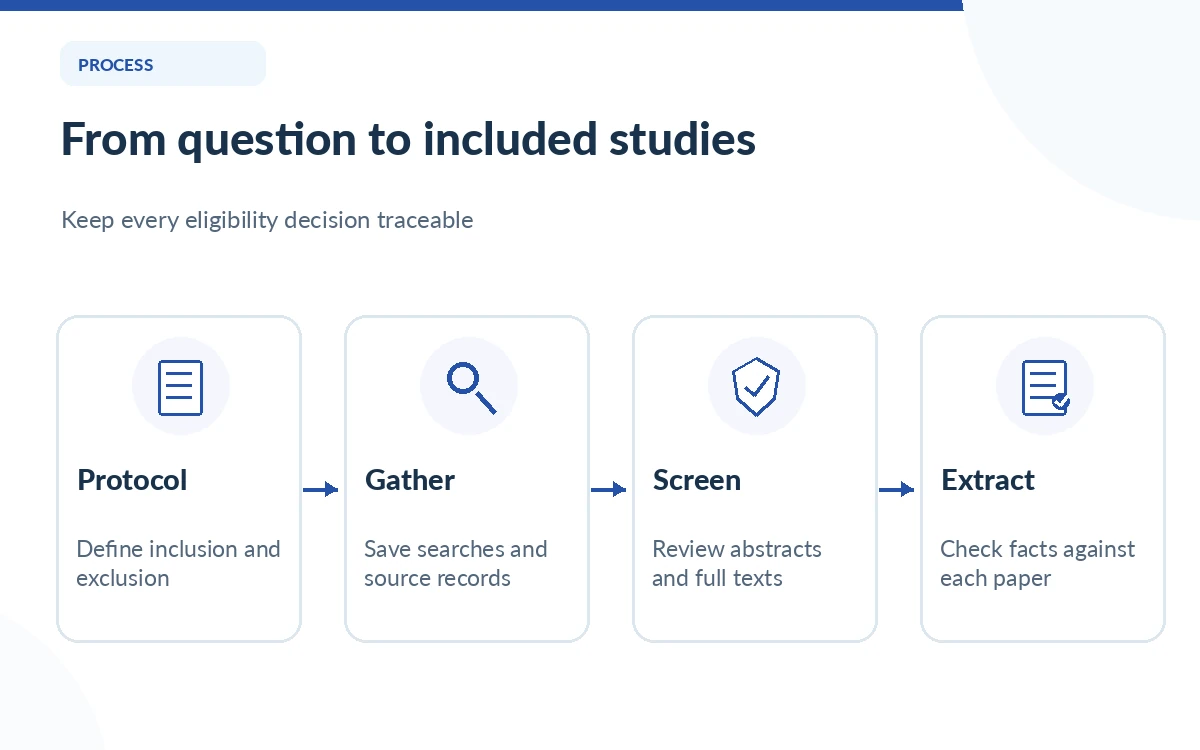
The difficult part of a systematic review is often not finding papers but applying the same eligibility rules to every record. Elicit offers a dedicated workflow for gathering, title-and-abstract screening, optional full-text screening, extraction and a report. That can help organize decisions, but it does not remove the researcher’s responsibility to check the source study and document excluded records.
This guide is about reproducible screening, not an Elicit product review or a ranking of AI literature tools. It follows the workflow described in Elicit’s September 2026 help material and deliberately avoids claiming any unpublished benchmark, tested recall rate or completed research study.
Write a research question and eligibility protocol first
Before opening a screening tool, define the population, intervention or exposure, comparison and outcomes where that framework applies. Specify eligible study designs, date range, languages and exclusion rules. A useful rule should be answerable from the paper, not “include studies that look useful.” Write an example of a borderline case so reviewers understand how to resolve ambiguity.
Elicit’s Setup page accepts a focused research question and additional context for eligibility criteria. Use those fields to encode the protocol, but keep an independent dated copy of the original rules. If you revise eligibility after seeing a surprising result, record the reason and impact; otherwise the review can become an exercise in selecting preferred findings.
Gather studies with a documented search strategy
Elicit lets reviewers gather papers through semantic search, Boolean keyword search, uploads and their existing library. For a reproducible formal review, record database coverage, exact query strings, search dates and filters. Semantic search can surface conceptually related papers, but it should not be your only record of how the included evidence was identified.
Import previously collected citations only when you have permission and a process for deduplication. The official guide describes an initial search of up to 1,000 papers, with larger per-review capacities by paid plan. These numbers are software caps, not an instruction to stop searching after the first thousand records.
Screen titles and abstracts consistently
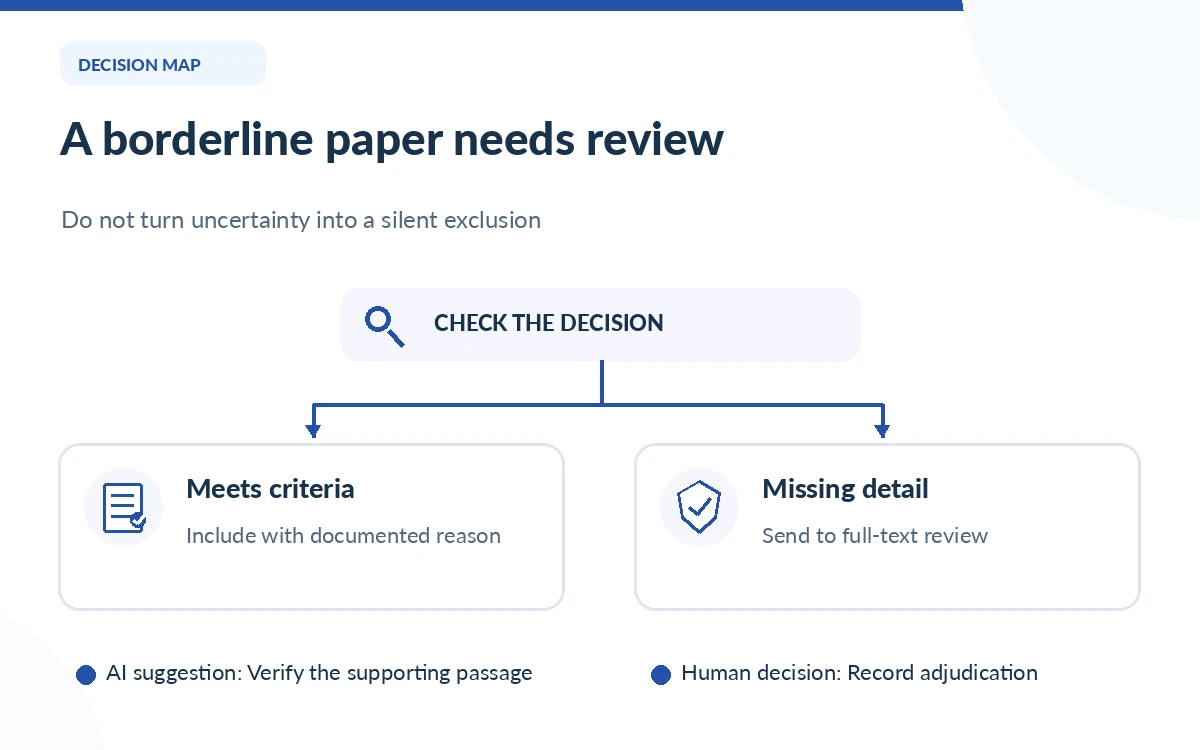
Set abstract-screening criteria derived from the protocol: for example, “human randomized controlled trial involving adults,” with explicit handling for missing age or study design details. Make inclusion and exclusion decisions based on those criteria. If the abstract omits needed information, route the record to closer review rather than allowing an AI guess to decide the outcome.
Elicit describes Fast and Thorough screening modes, and notes that Thorough may use more of the plan’s monthly allowance. Use a smaller pilot sample to check whether the tool interprets the instructions correctly. The right mode is the one that supports a defensible decision process for your question, not necessarily the most expensive option.
Use full-text screening for details hidden in abstracts
Some abstracts fail to report the exact patient subgroup, dose or follow-up period that determines eligibility. Elicit allows an optional full-text screening stage if abstract screening is enabled. Apply that stage only where full text is available and legal to use, and note records that need independent access rather than treating unavailable text as evidence of ineligibility.
When a tool recommends exclusion, inspect the underlying article passage and write a reason tied to one pre-stated criterion. Do not use generic reasons such as “not relevant” if a more precise exclusion code is possible. If two reviewers disagree, preserve both judgments and the final adjudication in an auditable record.
Audit false exclusions and borderline decisions
An automated exclusion can be particularly damaging because it removes evidence before the synthesis phase. Review a meaningful sample of excluded records, all uncertain cases and all high-impact borderline studies. Include an independent human second reviewer where the protocol or field expects dual screening, and document who resolves disagreements.
Design a QA log with columns for record identifier, AI suggestion, reviewer decision, eligibility criterion, source passage and outcome of adjudication. The log helps uncover repeated errors such as rejecting an RCT because its abstract uses an uncommon synonym. This is a recommended audit method, not a claim that Elicit provides every log field out of the box.
Extract data with references to exact passages
After screening, Elicit can extract structured fields from included papers. Define columns for design, sample size, interventions, outcomes and limitations before the first large extraction. For numeric outcomes, record units, denominators, follow-up periods and confidence intervals when provided. An extracted number without its original context can be worse than no number at all.
Verify critical results by opening the original paper, including tables and supplementary materials. Some findings depend on subgroup definitions, missing-data choices or statistical adjustments that brief summaries omit. An AI-generated report is a starting point for synthesis, not a substitute for risk-of-bias appraisal or a registered analysis plan.
Report the flow transparently and preserve the trail
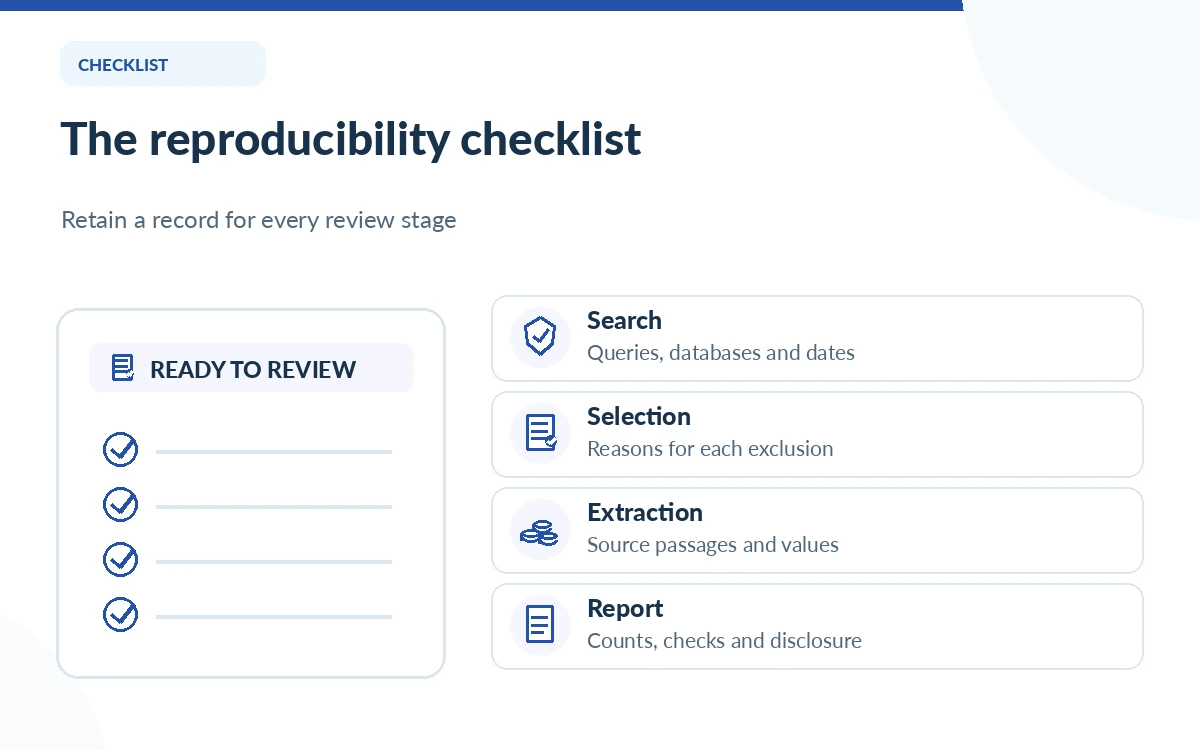
Keep counts of records identified, duplicates, records screened, full texts assessed and exclusions at each step. A review following PRISMA 2020 should use the applicable reporting checklist and flow diagram rather than drawing its figures from memory. Elicit’s product announcement describes additional PRISMA-oriented workflow features, but compliance remains the responsibility of the review authors.
Archive the search strategy, software date, subscription constraints, review settings, data-extraction schema and manual QA outcomes. Also disclose what Elicit did and did not do. If a claim in the final report cannot be traced to the included source, either locate support or remove it. Reproducibility is a habit of evidence keeping, not a button.
How We Research
We read Elicit’s September 16, 2026 workflow documentation, its PRISMA-oriented product update, and plan eligibility page on October 26, 2026. The QA steps are editorial methods recommendations, not a report of screening papers inside a live Elicit account. Human eligibility decisions, complete database searches and critical appraisal cannot be inferred from marketing claims.
Frequently Asked Questions
Its dedicated Systematic Review workflow includes title-and-abstract screening with configurable criteria and screening modes. Researchers should review suggested decisions and record any adjudication.
No. The official guide describes it as optional and available when abstract screening is enabled. Use it when eligibility depends on information not present in abstracts.
Semantic search can help discover studies, but formal reporting also needs recorded search strategies, dates and database coverage. Elicit additionally supports keyword and Boolean searching.
Not automatically. Follow your protocol and discipline’s expectations for dual review, verification and disagreement resolution. A software recommendation is not the same as independent human judgment.
Preserve query strings, eligibility rules, dates, record counts, inclusion and exclusion reasons, reviewer decisions and supporting paper passages so the study selection is traceable.