
Extracting information from research papers is not the same as summarizing their conclusions. A usable evidence table needs precise definitions, the right study population, correct units and a traceable passage for every important number. Elicit can help organize that work, but the finished table is only as dependable as its source documents and its verification process.
This walkthrough reflects a significant interface change: on September 30, 2026, Elicit moved its standalone Find Papers, Extract Data and Chat with Papers features into the Research Agent. The guided Systematic Review workflow remains separate for more structured projects. Here is how to build a table without mistaking generated answers for independently verified study data.
Choose the right Elicit workflow
For a small set of articles or an exploratory literature map, begin in Research Agent and use its Extract Data skill or ask for a comparison table. For a preregistered systematic review, use the distinct Systematic Review workflow when your plan includes it. The latter places gathering, eligibility decisions, extraction and reporting into a documented sequence rather than one conversational output.
The older Extract Data page is not a sensible starting point for fresh work. Elicit says old sessions remain readable and exportable, but new editing takes place in Agent sessions. If an existing project still lives in an old session, inspect its outputs, export a backup and use the provided transfer action before assuming that its former controls still work.
Write an extraction codebook before uploading documents
Define one row as one study or one study arm, not both. Record the research question, permitted designs, target population, comparator and primary outcome. Specify the time point you need and what “not reported” means. A codebook is essential when one paper contains three groups, two follow-up periods and both adjusted and unadjusted estimates.
Use plain-language columns such as “Number of participants randomized,” “Intervention dose,” “Outcome scale and units” and “Adjusted effect at 12 weeks.” Add study identifier, DOI, publication year and a “Verified source passage” field. Avoid vague headings like “Result” because they invite the tool to select whichever number looks most prominent.

Pilot five different paper layouts
Select a small pilot that includes a simple abstract, a complex two-column PDF, a multi-arm trial, a paper with missing values and a study whose main finding is in a table. Ask Elicit to fill the proposed columns. Open the supporting quotation or document for every pilot answer. Correct the definition of a column rather than repeatedly patching the resulting cells.
For example, if a paper reports participants enrolled and participants analyzed, the “sample size” column is ambiguous. Replace it with two separate fields and rerun the pilot. This is an editorial workflow recommendation, not a claimed result of laboratory testing. The aim is to expose interpretation problems before they multiply across dozens of papers.
Run extraction and inspect the cited evidence
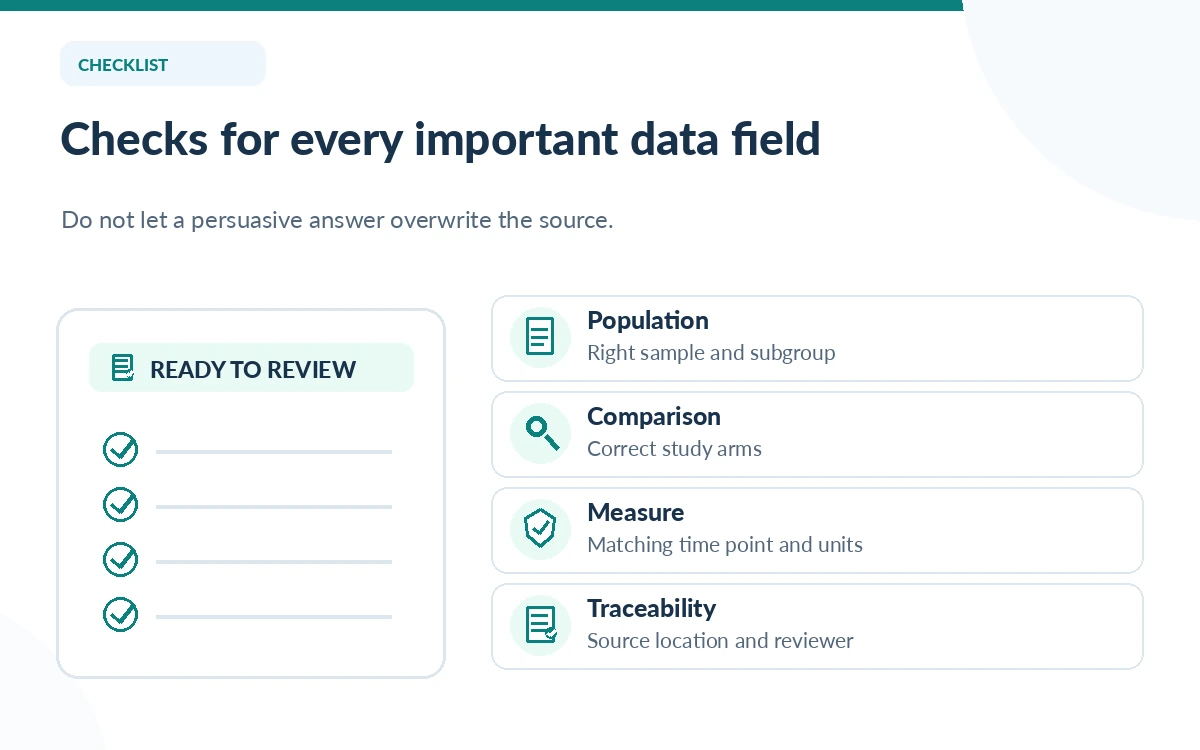
Elicit describes a column-based extraction interface and supporting quotations when you open an extracted cell. Use those quotations as navigation aids, not as a substitute for reading the full methods and results sections. Confirm that the population, arm and time point attached to each figure match the codebook.
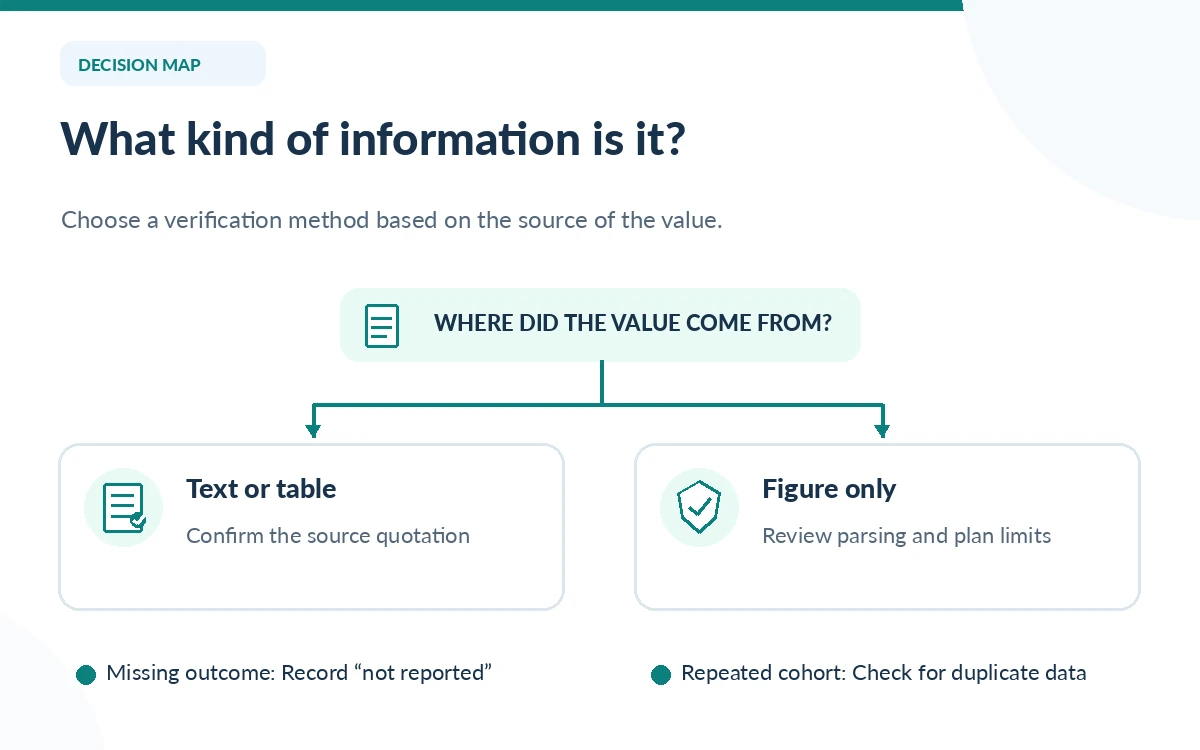
For every key result, record three things: Elicit’s proposed answer, the exact source location and a human-checked value. When the tool returns a plausible number but cites a different arm, flag the row for correction. Leave truly absent information as “not reported”; do not let a model estimate a missing standard deviation or infer a result from a figure without disclosure.
Handle difficult tables and figure-based evidence
Elicit says its standard extraction can use text and tables, but complex tables sometimes defeat parsing. Premium PDF parsing is available on paid tiers other than Basic and consumes more of the plan’s usage while enabled. On Scale and Enterprise, the optional extraction of data from figures requires Premium PDF parsing and an additional review setting. These are plan-dependent capabilities, not guaranteed error-free extraction.
When a value occurs only on a graph, check whether the published paper provides a supplemental data table. If not, record the approximate interpretation and its method separately, or exclude it from numeric synthesis until it is validated. Do not present chart-read estimates as directly reported trial outcomes.
Audit the table before analysis
Use two independent checks for high-consequence fields: one person verifies the source excerpt, and another reviews whether the coding decision follows the protocol. Sample additional low-risk rows with a documented method. Watch for duplicate publications, reversed comparison groups, unit conversions, multiple measurements of the same outcome and papers reusing a single cohort.
Keep a log with study ID, column, initial answer, correction, reviewer and reason. The log is more valuable than a generic “AI checked” note because another researcher can reconstruct the decision. If the extraction is for clinical practice or safety decisions, qualified domain experts must independently appraise the evidence and its limitations.
Export a reproducible evidence table
Elicit documents CSV or Excel exports for supported Research Agent and Systematic Review plans, plus reference exports for citation managers. Export both the extracted data and the research bibliography when your plan allows. In a spreadsheet, freeze the column definitions, preserve original units, record any transformations and keep the source locator beside the value.
A clean deliverable contains the final evidence table, a codebook, exclusion criteria, a correction log and the date of the source search. Keep generated synthesis separate from raw extraction. That structure lets another reviewer challenge any row without having to guess what the assistant meant or which version of a paper was read.
How We Research
We used Elicit’s September 30, 2026 interface migration guidance, Systematic Reviews documentation, table and figure extraction limitations, and export instructions, checked October 26, 2026. We did not run an accuracy benchmark or conduct hands-on validation of extraction results; the audit examples are methodological recommendations, not observed performance.
Frequently Asked Questions
On September 30, 2026 Elicit incorporated Extract Data into Research Agent. Older Extract Data sessions remain view-only and exportable; start new extraction work in the Agent or the separate guided Systematic Review workflow.
No. Open the cited text or table, verify the specific arm, time point, definition and units, and maintain an audit log. Elicit itself notes limitations with complex PDF tables and figure parsing.
No. Elicit documents figure and diagram extraction for Scale and Enterprise with Premium PDF parsing and the review-level Extract from figures setting. Ordinary text and table extraction differs from figure interpretation.
Mark the field “not reported” or your protocol’s missing-data code. Do not use a generated estimate as a reported result; document any external calculation and its assumptions separately.
Elicit describes CSV and Excel exports for eligible Agent and Systematic Review plans. Check the plan-specific export permissions, preserve the codebook and add a human-verification column before analysis.