
A training video shows someone opening a classroom door before the next section begins. The editor wants a brief, friendly chime that signals the scene change without startling viewers or masking the instructor’s first word. ElevenLabs Sound Effects can create short effects from a description, but the generated sound may contain extra tones, an unexpectedly sharp attack, or a long tail. This fictional sound-design exercise demonstrates prompt specificity, variant listening, and a careful placement check. No sound was generated or played to prepare these diagrams.
Define the acoustic purpose before the prompt
Write one sentence describing what the chime should accomplish: acknowledge a gentle door opening and then get out of the way. It is not an alarm, a metallic slam, a theme melody, or a substitute for visual instructions. Note when the instructor’s first word begins and how much room exists before it. In a quiet tutorial, a startling transient matters more than maximum cinematic impact. Establish a reference to the existing dialogue level and playback environment, but do not invent a target decibel figure without actually monitoring the final video.
Describe the sound with positive and negative cues
In the Sound Effects prompt field, describe a soft two-note wooden-and-bell-like door cue with a brief natural decay, calm classroom mood, and no voices or harsh metallic crash. Specific material and time descriptors help differentiate the desired sound from a generic ‘door sound.’ ElevenLabs says prompts can specify timing, style, and complexity. Keep the prompt concise rather than mixing five unrelated scenes. If a generated variant includes an extra creak or laughter, reject it; AI interpretation is not evidence that a request was followed exactly.

Set a short duration and review options
ElevenLabs documents an optional duration setting and an automatic mode; its product guide states a maximum generation duration of 30 seconds. For a simple cue, avoid generating a long atmosphere merely to trim it down. Use prompt influence when appropriate, but understand that a higher value trades freedom for closer prompt adherence rather than guaranteeing one precise acoustic event. The website documentation describes producing variants and downloading the selected effect. We do not claim any one variation was produced here, and product interface details or credit rules may change by account.
Compare waveform envelopes, not just labels
Evaluate the beginning, central tone, and decay of each candidate. A good transition cue begins gently, is identifiable, and resolves before dialogue. A bad candidate may spike on the first sample, add a second unexpected impact, or continue ringing underneath an instruction. The comparison diagram shows three invented envelope shapes with clear differences in attack and tail. These shapes are not recorded amplitudes, measured loudness plots, or the output of an actual ElevenLabs generation. Only listening to the real clips can tell you whether a sound is harsh or comfortable.

Keep the effect clear of the first spoken word
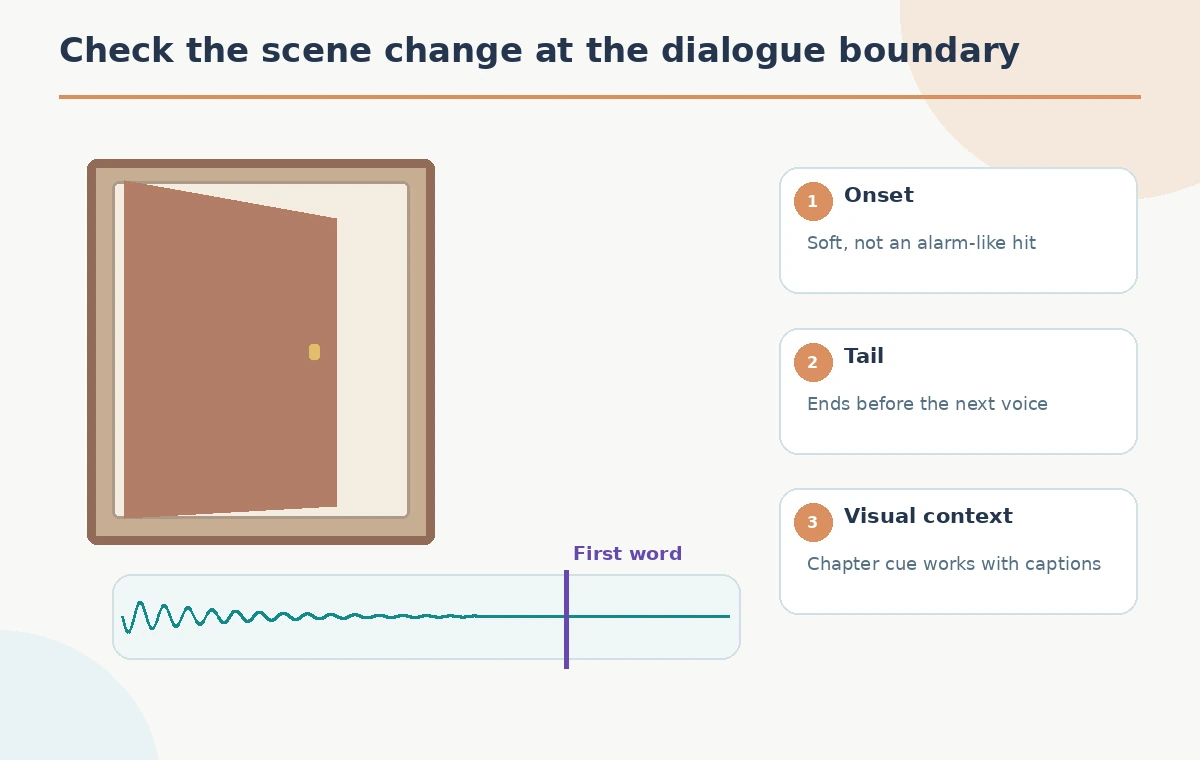
Place the sound on its own track in the timeline. Mark the start of the instructor’s next sentence and slide the cue so the primary decay has ended before that moment. If the edit is too tight, reduce the effect level, shorten the tail naturally, or move it earlier; do not chop off a ringing tone midcycle without checking for a click. The illustrated filmstrip and waveform explain the timing relationship, not an exact universal offset. Preview with captions and on headphones and common speakers, because perceptual balance changes between playback systems.
Avoid a misleading or alarming signal
A chime can resemble a notification, safety alarm, or school bell. If this tutorial trains staff on real emergency procedures, sound effects must not be confused with authentic warning signals. Ask a reviewer unfamiliar with the video what they think the cue means. Retire variants that imply urgency, an actual door latch, or a new person speaking when those events are absent. An invented sound should not be portrayed as a field recording or as proof that a real door event occurred. Use a visible transition so the scene still makes sense to someone who cannot hear the effect.
Consider accessible playback and captions
An audio cue should supplement, not replace, a visual chapter change or clear spoken direction. Verify that captions contain the instruction and identify significant non-speech audio when appropriate for the publishing standard. Avoid an effect so prominent that it interferes with hearing aids, speakers, or voice intelligibility. Listening at one workstation volume is not proof of accessible mix. Use the delivery platform’s standards and, for high-stakes training, request a real playback review. The QA illustration focuses on the scene cut, subtitle, cue tail, and beginning of the voice track.
Check export formats and rights
ElevenLabs documentation lists downloadable sound-effect formats and notes that access, pricing, and commercial terms depend on the product and plan. Check the current usage license that applies to the actual account and distribution channel before public release. Export the chosen audio and store the prompt with the project for reproducibility, but do not assume the same model will generate identical sound in a later attempt. Keep any sourced ambience or reference audio separately documented. This tutorial does not verify a subscription, purchase commercial rights, or submit sound effects to a marketplace.
Complete a final sound-picture pass
Play the transition with the full video, not just the solo effect. The door action, cue onset, title, first line of narration, and caption display should feel like one coherent event. Listen for a clipped tail, excessive attack, masking of words, and unintended alarm associations. Compare a version without sound; if the cue adds nothing or makes the instruction less clear, omit it. The goal is a subtle editorial cue that supports the story, not proof that generative audio is automatically suitable for publication. The examples are hypothetical and use no fabricated listening scores.
How We Research
We consulted ElevenLabs’ Sound Effects product guide for prompt, duration, variants and download workflow, and its Sound Effects capabilities documentation for timing and looping limitations. No account was accessed, no prompt was run, no audio was heard or measured, and no distribution rights were confirmed. All waveforms and door illustrations are instructional graphics.
Frequently Asked Questions
Yes. The tool supports duration controls, but listen to the resulting variant and trim only after inspection.
No. Compare the generated variants and reject any unexpectedly sharp or alarming sound.
Looping is documented, but a single transition chime usually should resolve rather than repeat.
Do not assume so. Check the current plan and applicable license before distribution.
No. Their envelopes and timeline placement are fictional educational diagrams.