
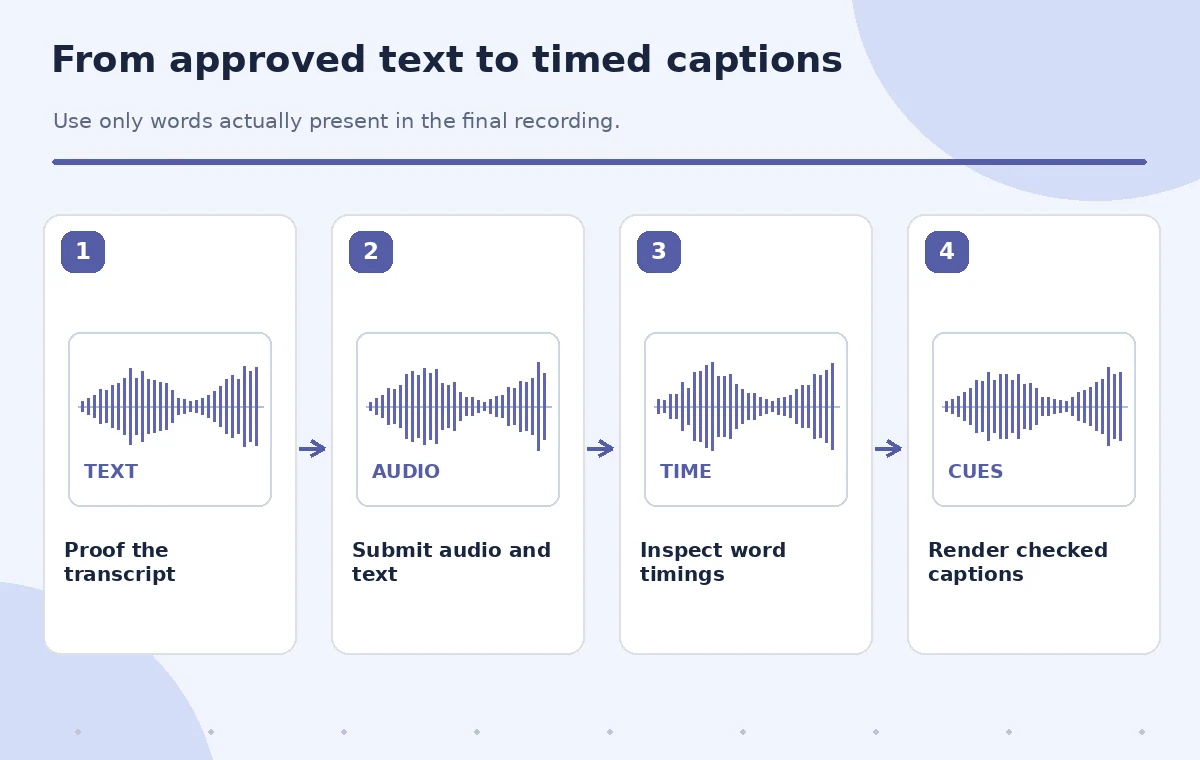
A small museum has an approved English audio guide, its original recording, and a transcript drafted before the narrator’s final take. The transcript includes one sentence that the narrator skipped. ElevenLabs Forced Alignment can map supplied text to audio timestamps through an API; it does not independently establish that every written word was actually spoken. This teaching workflow begins by fixing text fidelity, then checks timing around pauses, names, and sentence boundaries before any captions are delivered.
Confirm what forced alignment actually does
Forced alignment is different from ordinary speech recognition. The ElevenLabs API takes an audio file and text and returns timing information associated with the supplied words and characters. This is useful when the text is already known and the goal is subtitle or audiobook timing. It is not an editorial truth detector, a speaker diarization system, or proof that every word in the input text occurs in the audio.
Read the current API reference before designing the import. The documented endpoint is POST /v1/forced-alignment with multipart file and text fields, and its response includes word and character timing information. ElevenLabs notes that diarization is not supported. Its overview and endpoint documentation show differing file-size limits, so follow the limit enforced by the current endpoint and avoid promising a fixed maximum without a fresh check.
Create a listening-verified transcript first
Play the final guide recording from start to finish while checking the transcript word by word. Mark additions, retakes, repeated phrases, and omissions. In the fictional case, the draft contains ‘The painting was donated in 1932,’ but the published audio says only ‘The painting was donated.’ Remove the unspoken date from the alignment text unless the narrator records it and the museum approves the correction.
Check names, room labels, titles, and pronunciations against the museum’s signed-off script. Do not silently rewrite a narrator’s actual wording because the approved script reads better. If spoken audio and editorially required facts disagree, flag the recording for correction rather than forcing the timestamp tool to make them match. Keep the source audio, the final transcript, and a version log as separate files.
Prepare audio and text for the API
Select the actual final audio export, not a preliminary take with different pauses. Check that its length, channel arrangement, and sample quality are suitable for downstream captions. Supply plain transcript text rather than speaker labels or JSON annotations in the text field. The forced-alignment overview says diarized text is unsupported; including it can create misleading output. Keep speech in its true order, including brief words often omitted during proofreading.
Use an authorized API workflow and protect credentials. Send only recordings the museum has permission to process under its applicable privacy and vendor policies. Never embed a secret API key in a published tutorial or client-side page. For a long guide, design segments around natural editorial boundaries and retain stable offsets so timings can be reconstructed in the correct order after processing.
Run alignment and preserve the raw response
Submit the file and corrected text to the current forced-alignment endpoint using a secure API client. Inspect the response’s words and start/end fields. The reference also describes character-level records and loss values. Treat these as diagnostic data; a numerical field in the response does not prove that the museum’s wording or factual claims are correct. Save the raw output with the tool version, date, and corresponding audio checksum.
If a request fails, inspect the error rather than automatically resubmitting a different transcript. File limits, unsupported structure, missing permissions, and transport issues require different remedies. Never invent timestamps in an example to imply an API test. In this article, all timeline diagrams are illustrative; no real service call, measured loss statistic, or field recording was used to generate the graphics.
Find misalignment caused by text that was not spoken
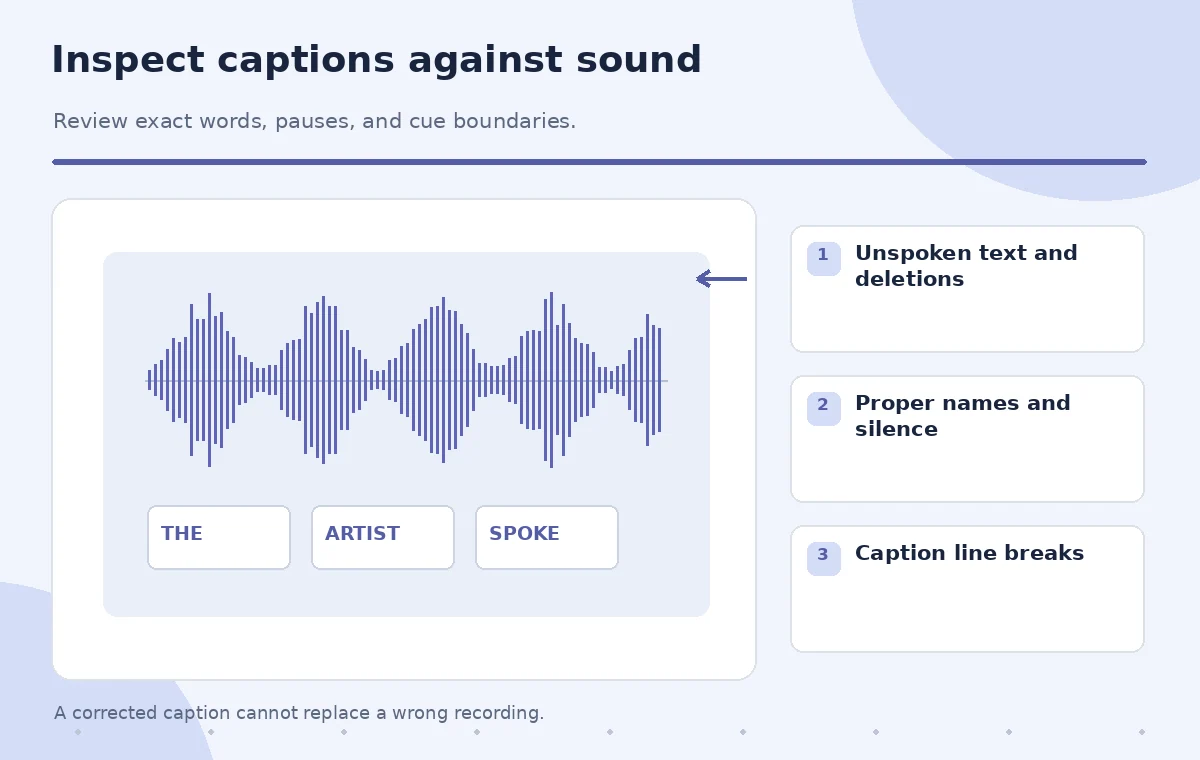
Compare the returned words with the actual recording at the first and last phrase of every paragraph. Inspect proper nouns, repeated words, pauses, and long silences. When the transcript contains an unspoken date, an alignment may still assign it some position, producing captions that imply a word was said when it was not. This is why correcting the transcript before alignment is more reliable than trying to make an incorrect string look well timed.
For a teaching comparison, the faulty caption line includes ‘1932’ during silence; the reviewed line ends after ‘donated.’ The example does not assert that the service would produce a particular timestamp. It shows the kind of editorial mismatch to catch. Stop and correct the input if a word sequence cannot be matched to audible speech. Re-run alignment only after the text and audio match.

Turn word timings into readable caption cues
Timing at individual-word resolution still needs human decisions about line breaks, punctuation, and reading speed. Group words into brief, coherent caption cues that appear and disappear near the corresponding speech. Avoid displaying an entire paragraph during a short phrase. Preserve pauses that give visitors time to look at an exhibit, and avoid covering visual labels or other accessibility information on screen.
Use the guide’s approved punctuation and capitalization while ensuring displayed words remain faithful to the audio. Keep the distinction between a caption and a corrected content script: captions should represent what is heard. If curators require a factual correction, edit or rerecord the audio rather than altering the captions to create the false impression that the narrator said something different.
QA the export on the actual visitor device
Render captions in the museum’s delivery format and inspect them alongside the final audio. Check the first cue, last cue, names, numbers, and every known retake. Pay attention to offset errors introduced when an audio segment is trimmed or inserted into a longer tour. A cue that was accurate for a standalone file may appear late or early after a video editor applies a new starting offset.
Review on a small phone screen with the real museum player if possible. Confirm text contrast, font size, overlapping interface controls, and caption access. A second editor should verify textual fidelity while the producer checks timing. Keep the raw alignment response as a reproducible intermediate artifact, not as the final accessibility proof.
Ship with a correction trail
Deliver only when the caption text matches what is spoken, words are not missing or invented, and transitions remain understandable. Retain the final transcript, its source recording checksum, generated timing data, reviewed caption file, and a short change log. This helps future teams revise the tour without quietly carrying over old timestamps after a rerecording.
The service can accelerate placement of words on a timeline, but curatorial accuracy, narrator consent, transcription correction, and final caption approval remain human responsibilities. The illustrations below are conceptual and must not be mistaken for actual measured output from ElevenLabs. The appropriate final claim is that the captions were checked against the approved audio, not that an alignment model made them correct.
How We Research
We reviewed named primary product documentation for the described feature, current interface, and limitations: ElevenLabs: Forced Alignment overview, ElevenLabs: Create forced alignment API. Our method compares official functionality with a fictional editorial task, defines specific failure states and independent checks, and keeps source records separate from AI-generated content. We did not access a live account, run an API test, measure model accuracy, or examine real participant data for this article. Interface labels, usage limits, credits, and eligibility can change; confirm the current product documentation and account terms before work. Every illustration is instructional art rather than a screenshot or measured before-and-after result.
Frequently Asked Questions
It aligns a supplied transcript to audio; use transcription and editorial review when the words are not known.
The timing can become misleading. Correct the input transcript to match actual speech before re-aligning.
The official overview says diarization is not supported. Handle speaker labeling separately.
No. They need line breaking, readability checks, and synchronization QA in the delivered player.
No. It is diagnostic information, not verified editorial accuracy or truth of the transcript.