
A botanical garden has a short English orientation video that directs visitors past a pond toward an herb collection and a specific gate. The team wants translated captions for visitors who prefer another language. Descript can transcribe, translate and export subtitles, but a fluent-looking translation may reverse a direction or alter a scientific plant name. This fictional editorial workflow protects the original instructions and identifies where qualified human language review is essential. The diagrams illustrate possible failure modes; no actual Descript output or translation accuracy is claimed.
Prepare approved source video and route notes
Start with the final edited English video, not an out-of-date rough cut. Attach an approved route sheet listing the pond, turns, gate identifiers and plant display names as they appear on physical signs. Confirm that the video may be localized and that people captured on camera have the necessary release for the planned distribution. Where the garden has officially translated signage, use those terms as the vocabulary authority. A generated subtitle should not introduce a new entrance or rename a plant just to make a sentence flow. Keep a master file unchanged and clearly version subsequent exports.
Transcribe before asking for translation
Descript builds edits and captions from a transcript. Import the authorized footage, let the app transcribe it and check proper nouns against the recording and written route sheet. A sign might read ‘Gate B’ while an automatic transcription yields ‘gate bee’; correct the text before translation. Confirm scientific names such as Salvia officinalis character by character, preserving capitalization conventions. Review short words such as left, right, not and only, because a single recognition error can reverse a movement instruction. Fixing the source reduces but never eliminates the need to review the translated version.
Open Translate and verify feature access
Descript’s current guide describes Translate in the Underlord panel, with options for translated transcript and AI dubbing. Available languages, credits and editing permissions vary across plans and over time. A marketing page should not be used to assume that a particular member can edit translated text: the vendor notes that manual translated-script edits require certain paid plans. Check the actual project and plan before setting a public delivery deadline. Do not generate a voice clone of a real guide without the relevant consent and rights; subtitles alone may be the most appropriate route.
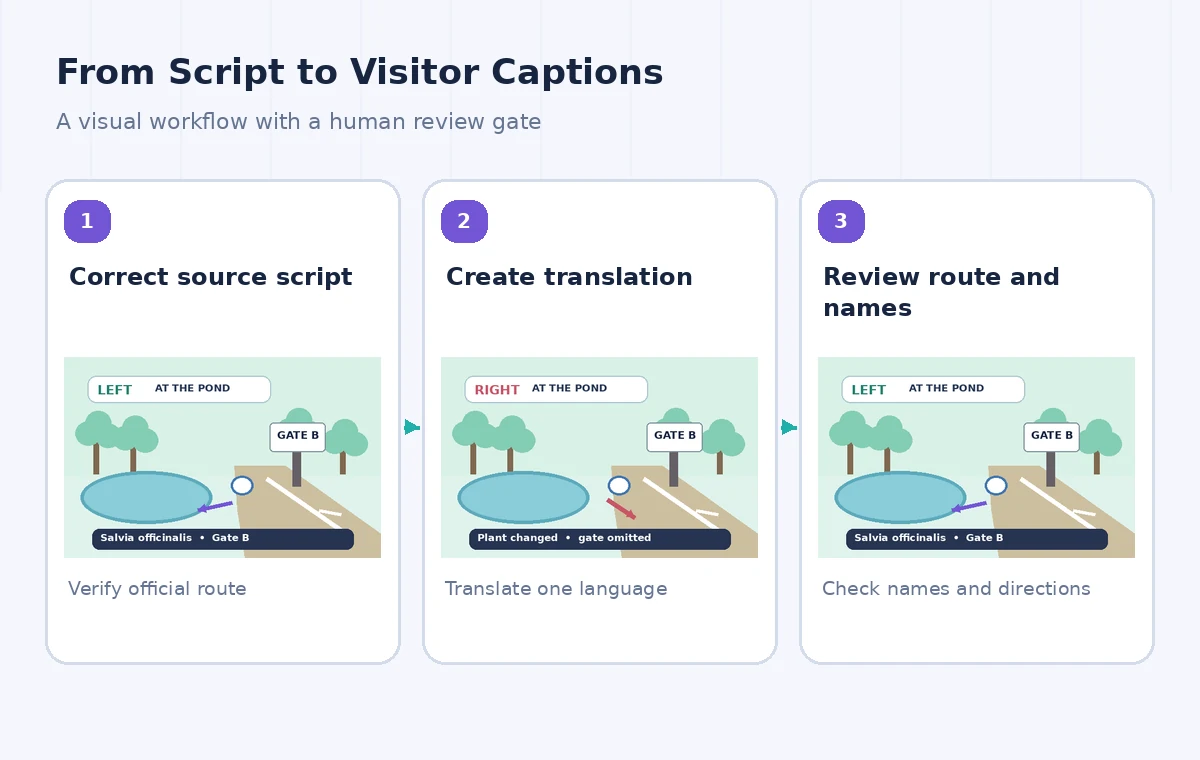
Create one target language at a time
Make a separate language deliverable rather than translating several variants and mixing their corrections in one timeline. Keep the original voice visible as a reference, and name the exported subtitle files clearly by language in the production workspace. If the editor asks whether to replace an existing translation, preserve the reviewed text first: Descript warns that repeating translation for the same language can overwrite manual edits. Treat each new output as an unapproved candidate until a competent reader has compared it with the approved route sheet and original spoken instructions.
Review botanical terms as controlled terminology
Prepare a glossary containing Latin names, common names in the target language when approved, signage labels and place names. Scientific names generally should not be paraphrased into a different species or converted into unsupported medicinal claims. If a translated caption omits officinalis or mistakes a cultivar for a species, flag the instance even when the sentence remains understandable. Where a natural-language adaptation is helpful, explain it in a supporting visitor guide instead of silently changing what the video shows. Have a staff horticulturist verify plant identifiers, and a fluent language reviewer inspect the translated sentence.
Test route commands against the screen
Play the video at the point the narrator says ‘Turn left at the pond’. Watch the visible path, compare the source transcript, read the translated subtitle and inspect the route sheet. If any one says right instead of left, do not average the evidence; resolve the discrepancy against the approved visitor route. Repeat for stairs, ramps, exit gates and opening-hour statements. A direction may be grammatically accurate but refer to the wrong landmark because the timeline is offset. Test each instruction in sequence rather than spot-checking only the beginning and end.

Check caption timing and readability
Use Descript’s subtitle controls and export guidance to inspect line length, speaker labels and visual placement. A long scientific name should not create a caption that covers the path marker in the frame. Allow enough display time for visitors to read directions while walking through the video, and avoid cutting a negation across a subtitle boundary. Check against a mobile screen and verify that text remains legible over bright leaves and pale stone. If the target language requires more space than English, revise line breaks intentionally rather than shrinking the entire subtitle style to an unreadable size.
Choose between caption files and burned-in text
Descript’s export guide describes subtitle file formats including SRT and VTT, with configurable line and character limits. External subtitle files let platforms expose language selections and accessibility features, while burned-in captions are always visible but less flexible. Choose the distribution method before final export and inspect the exact delivered file, not just the editor canvas. If a website player ignores the subtitle track or sets the wrong language label, the production is not complete. Keep the original script available to the garden’s visitors’ services team for any later correction.
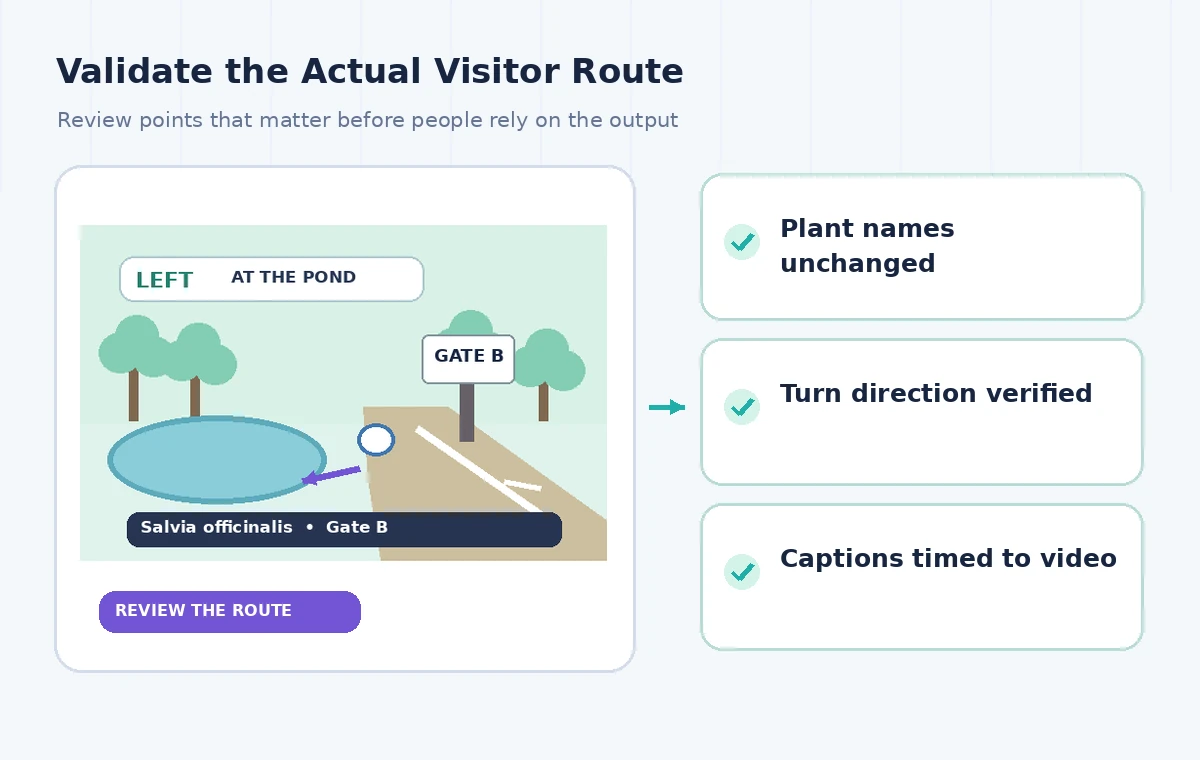
Proof with two complementary reviewers
Ask one fluent translator to judge naturalness and safety meaning and one garden staff member to verify species names, gate IDs and the physical route. Where those skills overlap, the same person may do both, but the criteria should remain explicit. Use a timecoded spreadsheet of issues, proposed corrections and approval status rather than relying on memory. A reviewer should be able to trace ‘Gate B at 01:12’ back to the source recording. Do not claim an AI system or automatic caption checker provided human signoff; record only work actually done in the real production.
Publish only the reviewed language version
Export a draft, test the complete clip with audio and captions, and compare the final version with the approval table once more. Check that an edit to the source video has not shifted subtitles in another language. If a plant label or route sign changes later, all language versions need another review. This tutorial does not present real translation samples or performance metrics. AI translation can be a drafting aid for multilingual outreach, but it cannot promise accurate navigation, language access or cultural appropriateness without trained review and an approved physical wayfinding plan.
How We Research
We consulted these named primary vendor sources: Descript — Translate a video with AI; Descript Help — Export subtitles. We compared feature names, documented workflow entry points, stated eligibility, and cautionary limits before writing these directions. The source documentation is the factual basis; the example records, visuals and failure cases are editorial constructions. We did not log into a production workspace, interview users, test generated translations or summaries, calculate real financial results, or measure an AI accuracy rate. The illustrations are original conceptual drawings, not vendor screenshots. Teams must check current account permissions, terms, policies and source documents before applying any step in real work.
Frequently Asked Questions
Descript documents translation of scripts and captions; the exact languages and editing abilities depend on the plan.
Recognition errors in gate names or directions can be propagated into a fluent but incorrect translation.
No. Descript documents translated-script manual editing with plan restrictions; check your current workspace.
Its help covers SRT and VTT export options with line length and speaker-label controls.
No. Compare each route direction with the approved signage and have a qualified language reviewer sign off.