
The DeepSeek developer API lets an application send model requests without using the consumer chat interface. Its official documentation currently supports an OpenAI-compatible chat-completions pattern using the base URL `https://api.deepseek.com`, an API key and the `deepseek-flash` or `deepseek-v4-pro` model identifier. Those details matter because snippets written for older model names can fail or silently point at a different model family.
Below is a cautious first-call workflow for an engineer who wants an authenticated request, a readable response and a safe route to production. The example is based on the provider’s documented API shape; it is not a claim that LabFin executed a live, billable request. Confirm the current examples in the official docs before deploying.
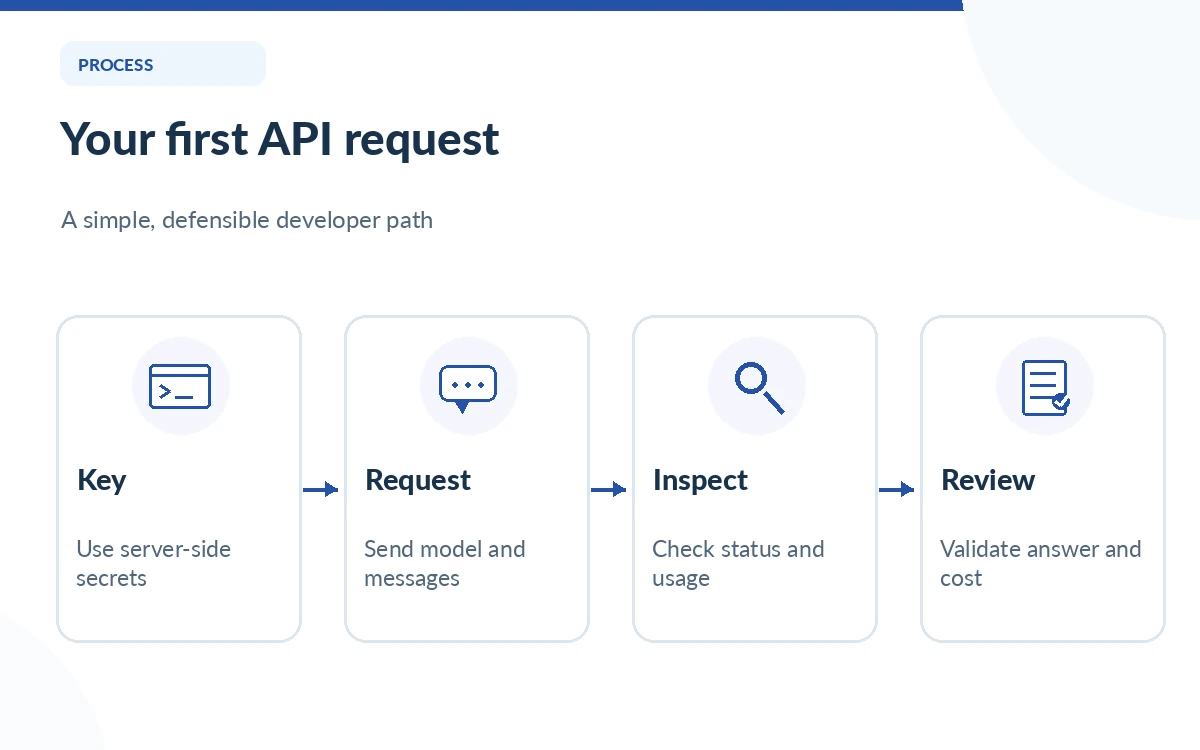
Create a key and set a spending boundary
Sign in to the official DeepSeek developer platform, create a key using the provider’s documented workflow and treat that key as a credential. Never embed it in browser JavaScript, a public repository, an issue screenshot or a blog post. Store it in a server-side secret manager or environment variable and restrict who can read the deployment environment.
Check current account balance and usage settings before the first request. Document which person or team owns the billing account, who can rotate the key and how to suspend access if a secret leaks. A one-line demo often skips credential lifecycle work, but that omission becomes expensive when the same code reaches an unattended job or a public-facing application.
Use the current endpoint and model identifiers
The official quickstart uses `https://api.deepseek.com` as its OpenAI-format base URL. For a simple chat completion, send a system instruction and user message to the chat-completions endpoint with the current `deepseek-flash` model name. `deepseek-v4-pro` is another documented option, but choose based on task quality and cost after validation.
An older tutorial may mention `deepseek-chat`, `deepseek-reasoner` or an earlier Flash alias. Do not copy those names blindly. Check the current provider model page and the response metadata to ensure the selected identifier maps to the intended service. Model availability, defaults, thinking-mode controls and supported features can evolve independently of a client library.
Make a minimal request without exposing the key
For a shell-based smoke check, the documented pattern uses `Authorization: Bearer` with your environment-held key and JSON including a `model` and `messages` list. Example request body: `{“model”:”deepseek-flash”,”messages”:[{“role”:”user”,”content”:”Reply with one sentence explaining this test.”}]}`. The body shown here is illustrative; insert it into a request based on the latest official quickstart rather than copying an unknown third-party client configuration.
Inspect the HTTP status, any error response, the returned message and reported usage. Confirm the output actually addresses the prompt without unexpected content. Avoid logging the full authorization header or sensitive user text. If the call fails, preserve a sanitized error code and request timestamp; do not repeatedly retry with live production data just to prove connectivity.
Parse success, refusal and missing output distinctly
A successful HTTP response is not the same as a useful answer. The application should check whether the expected response field exists, whether content is empty, and whether any finish or error condition changes its meaning. A model can also produce content that is syntactically valid but factually false. Define acceptance criteria for your specific task before routing responses to customers.
For example, a tagging service can require an allowed label and a short reason; an extraction service can require a schema, source record identifier and uncertainty flag. Validate the structured response in application code. Do not trust the model’s confidence language as a substitute for deterministic schema checks or human review on material decisions.
Handle timeouts, rate limits and retries safely
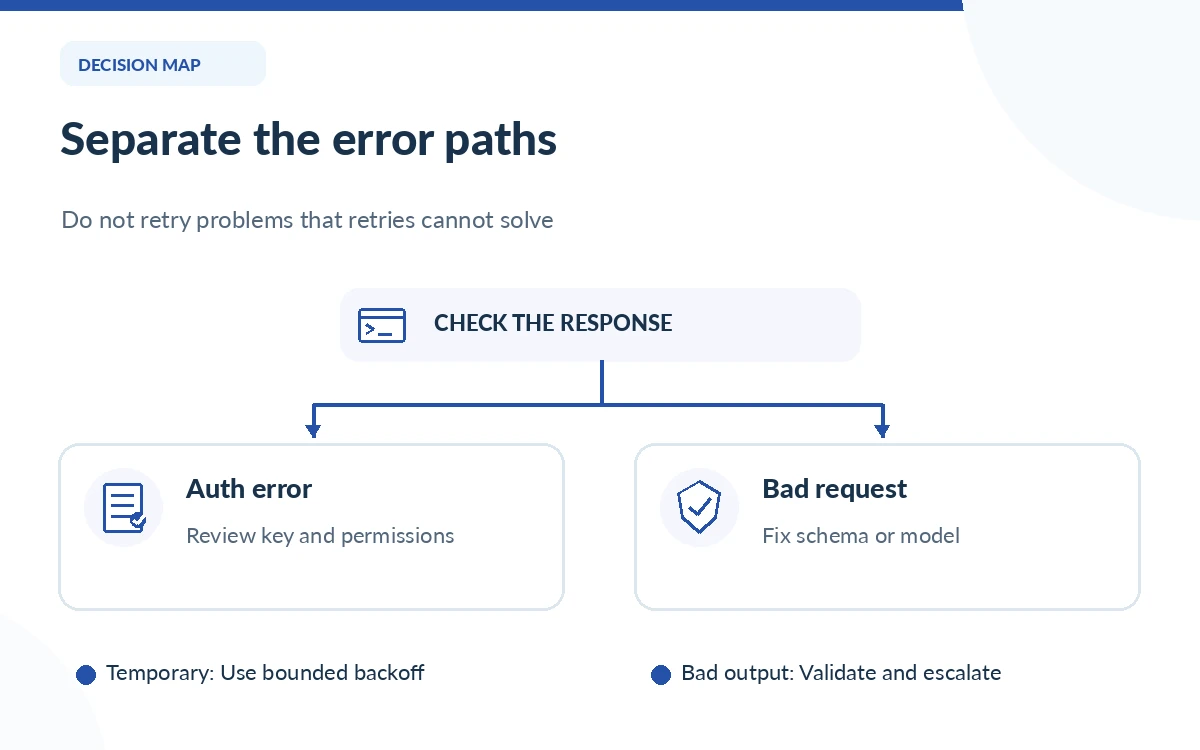
Network timeouts and capacity errors should be treated differently from invalid authentication or an unsupported model ID. A retryable transient error may justify backoff and a small retry cap, but repeated unauthorized responses indicate a configuration problem that retries will not fix. Never print a secret to diagnose a failed authorization header.
For state-changing automation, use idempotent request design or a job identifier so a retry does not trigger the same real-world action twice. Keep a clear timeout, cap concurrency and monitor rejected requests. Provider limits and available capacity change; use the live documentation and observed responses instead of hard-coding an internet forum’s rate-limit table.
Add cost and data controls before release
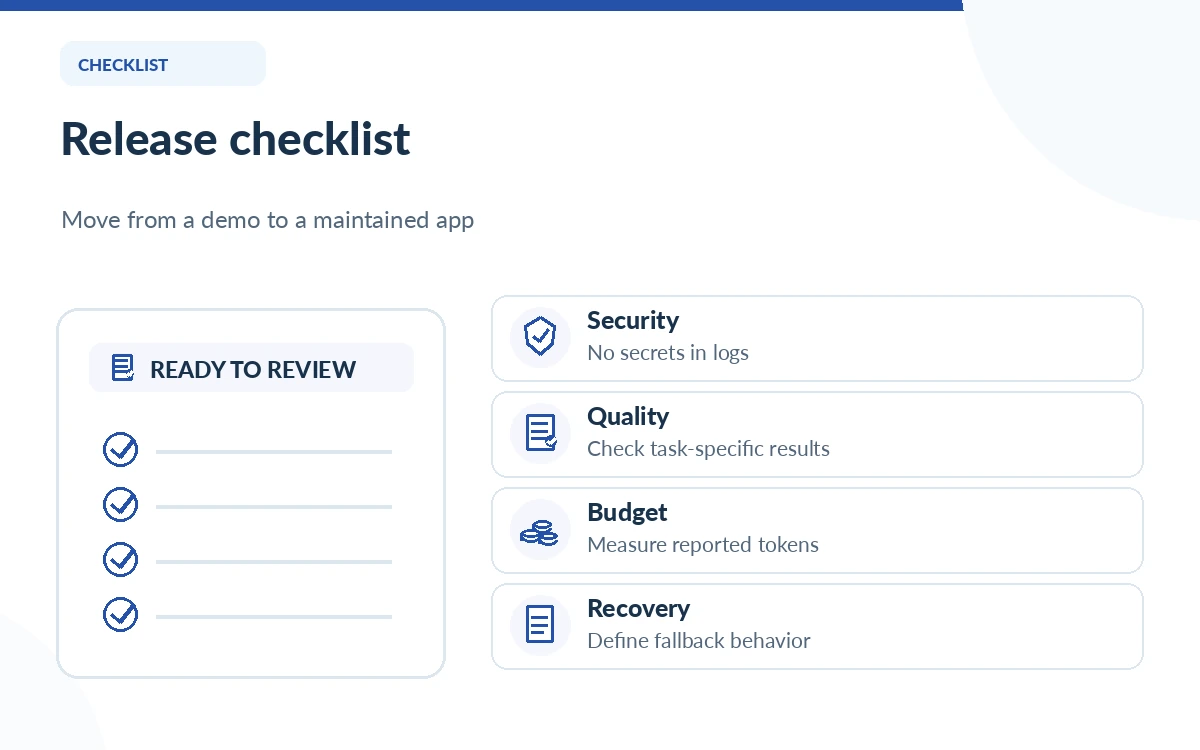
Log token usage, model identifier and timestamps without collecting more user text than necessary. Use the official price table to estimate charge per request; distinguish input cache hits, misses and output, and account for published peak and off-peak windows. A budget alert is useful even when the model rate is low because an accidental loop can create large traffic.
Classify data before sending it to an external API. Strip unnecessary personal identifiers, set a retention policy for your own logs and review current vendor privacy/data-processing terms for your use case. If a customer needs a strict data residency or contractual guarantee, do not assume it exists based on a developer tutorial; obtain the appropriate documentation first.
Stage the integration and verify real work
Begin with a small local or staging workload containing non-sensitive examples with known expected results. Review incorrect answers, slow responses and parser failures. Then test the application’s fallback behavior if the provider is unavailable, the account balance is insufficient or the selected model changes. A safe release has a rollback route and a clear owner for alerts.
Before shipping, keep a short record of tested model name, documentation date, successful response shape, token-cost assumptions and unresolved risks. If an integration uses search or fetch tools, review their separate pricing and permission model. Production readiness is demonstrated by observable behavior on your tasks, not by the fact that a single greeting prompt returned text.
How We Research
The request format, endpoint and model names follow DeepSeek’s official first-call quickstart and model/pricing documentation as read on October 26, 2026. Security, retry and validation steps are editorial engineering recommendations. We did not create an API key, transmit an API request or measure latency, model accuracy or real spend for this article.
Frequently Asked Questions
DeepSeek documents https://api.deepseek.com as the OpenAI-format base URL. Confirm the endpoint and API path in its current examples.
The current official quickstart documents deepseek-flash as a simple starting model, with deepseek-v4-pro also available for different needs.
No. Keep long-lived secret credentials server-side or in an appropriate managed secret store, and avoid including them in browser-delivered code.
No. Validate response shape, content and factual claims against the acceptance criteria for your task.
No. Differentiate transient timeouts from invalid credentials, exhausted balance, request validation failures and model configuration issues. Only retry appropriate errors with bounded backoff.