
A text prompt is not an exact blueprint. When an illustration must retain the silhouette of a cabin, the placement of a path, or the depth of a valley, a structural control image can be more useful than longer prose. ControlNet provides that extra conditioning. This guide compares two control types—Canny edges and depth maps—using a hypothetical cabin landscape. It explains how to prepare inputs, what a control strength does, and how to decide whether the layout was actually preserved.
Know what Canny and depth controls preserve
A Canny image is a high-contrast map of detected edges. It can emphasize a roofline, fence boundary or contour of a mountain where those edges are visible in the source. A depth map represents relative distance from the viewpoint, so it can help preserve foreground/background relationships even as textures and surface details change. Neither control is a legal floor plan or a geometry guarantee. Hugging Face’s Diffusers guide describes ControlNet as a structure-guidance mechanism used alongside a text prompt, including edges, depth and pose. Use Canny when your task depends on recognizable outlines; use depth when relative placement and spatial layering matter more than the exact linework. See the official Diffusers ControlNet guide.
Prepare one clean source scene and two distinct condition maps
Begin with a legally usable illustration of a small cabin beside a path with hills behind it. Store the original scene at the intended aspect ratio. Create a Canny map with an edge detector, then separately prepare a depth map using a compatible estimator or a validated authoring pipeline. Do not confuse a grayscale aesthetic filter with a calibrated depth estimate: brighter or darker values must follow the chosen model convention, and the resulting map is approximate. Mark key anchors on the original: roof ridge, door center, trail curve and near hill. Every control map should be resized to the input dimensions expected by its pipeline. If you start with a low-quality, highly compressed image, edge noise may dominate the ControlNet and reproduce undesirable artifacts.

Match each ControlNet to the model family and pipeline
A ControlNet checkpoint is not universally compatible with every base image model. Diffusers documents Flux and SDXL examples, and older Stable Diffusion variants have their own compatible control checkpoints. Select the base model, control model, pipeline class and expected input image in one deliberate set. The guide shows how to supply a Canny control image and how to combine multiple control images when a pipeline supports Multi-ControlNet. Do not copy code intended for a different checkpoint and assume it will run. Keep the environment record with library version, model IDs, seed if used, and input dimensions. For a production site, avoid accepting arbitrary unreviewed community checkpoints or extensions, and review the licenses of both the base model and conditioning model.
Change one variable, then compare structural anchors
Write a prompt that changes materials and mood rather than geometry: “a weathered wood cabin in early spring, soft overcast light, winding dirt path, wide mountain valley.” Hold the prompt and random seed constant across exploratory conditions where the pipeline permits that control. Generate a prompt-only conceptual baseline, a Canny-conditioned candidate and a depth-conditioned candidate. The comparisons should be evaluated as a method, not described as tests performed for this article. Check the roofline and trail in the Canny result; check near and far hills in the depth result. A result may preserve an outline while altering the number of windows. Use the actual approved requirements rather than treating any structural resemblance as sufficient.

Tune conditioning strength without claiming a universal best value
Diffusers exposes the controlnet_conditioning_scale parameter to change how strongly the control image steers generation. A stronger value may hold layout more tightly but can sometimes interfere with a requested visual change; a weaker value may permit attractive but off-brief compositions. There is no universally best number across model families, control types and source images. Design a three-step sweep appropriate to your pipeline and compare outputs with the same visual anchors. If you combine Canny and depth maps through Multi-ControlNet, document each control’s strength and the order of conditioning images. A separate image-to-image strength parameter may also influence similarity, but that is not interchangeable with the ControlNet conditioning scale. Keep the change log short and precise.
Approve the image with a layout audit and an authenticity note
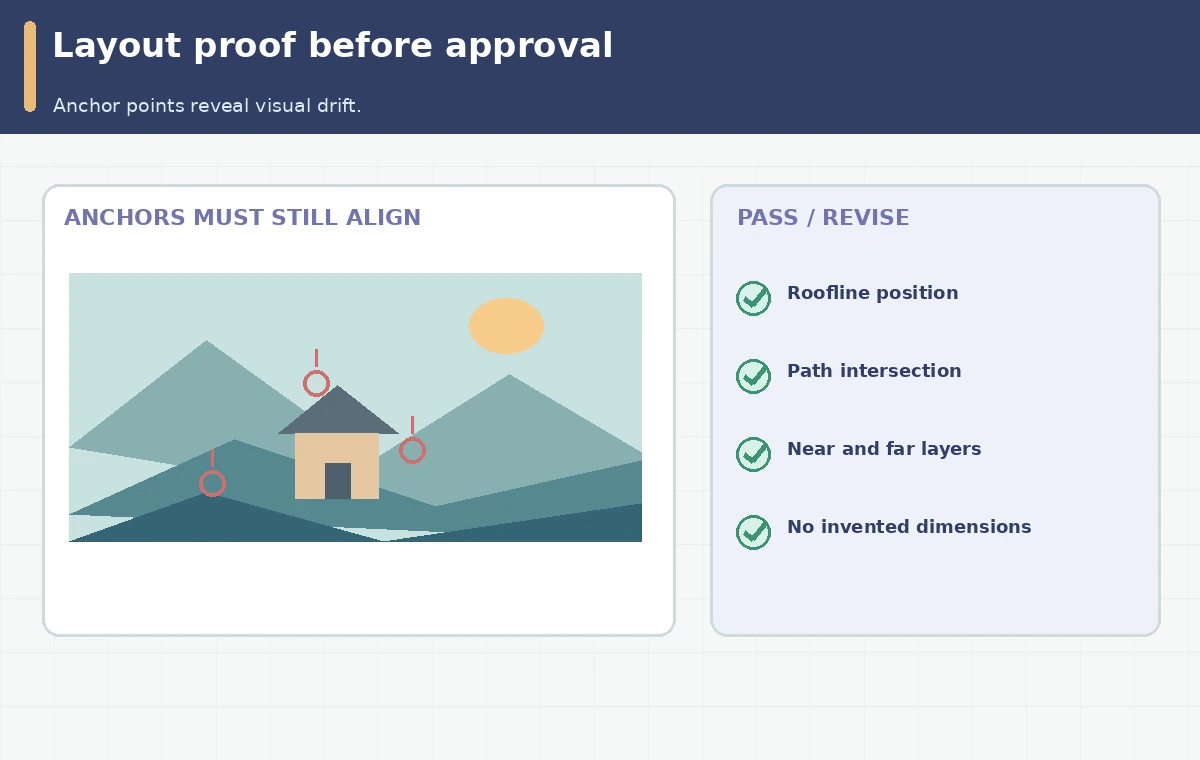
Use a side-by-side proof panel with the source, edge map, depth map and approved result. Draw thin guide lines through the door, roof apex and path intersection, and verify whether they remain where the scene requires. Inspect smaller crops for warped windows, impossible stairs, merged vegetation and lost objects. Where architecture must be exact, switch to a traditional rendering pipeline or manual geometry rather than treating a generative image as a construction drawing. Preserve source usage permissions and annotate the final image as conceptual when used in planning material. Record the input, model combination, map dimensions, prompts, scale settings and human sign-off. This makes ControlNet a decision-support technique rather than an unverifiable magic control.
How We Research
We reviewed Hugging Face’s ControlNet workflow, text-to-image conditioning explanation and pipeline parameter documentation on October 28, 2026. The cabin maps in the diagrams are hand-drawn conceptual illustrations; we did not run models or benchmark ControlNet adherence. The illustrations are original conceptual diagrams. Screens, claims of tested effectiveness, and measured product outcomes are not represented.
Frequently Asked Questions
No. Canny tracks visible edges; a depth map encodes relative distance and scene structure.
No. Match the conditioning model and pipeline to the compatible base model family.
It influences how strongly ControlNet conditions the generation, not a universal percentage of accuracy.
Certain pipelines support multiple ControlNets. Confirm compatibility and separately document each input and scale.
No. A visualized layout is not evidence of exact dimensions, structural safety or approval.