
The best AI image generator for an email campaign is not necessarily the tool that creates the prettiest picture. An email hero needs whitespace for copy, truthful imagery, an editable headline, a CTA outside the artwork, and a mobile crop. Adobe Firefly offers model-dependent generation controls, including style and composition references. Canva Dream Lab offers generation, follow-up edits, and an integrated design workflow. This comparison uses one hypothetical bookstore newsletter brief rather than unverifiable quality scores.
Set a fair creative brief before comparing tools
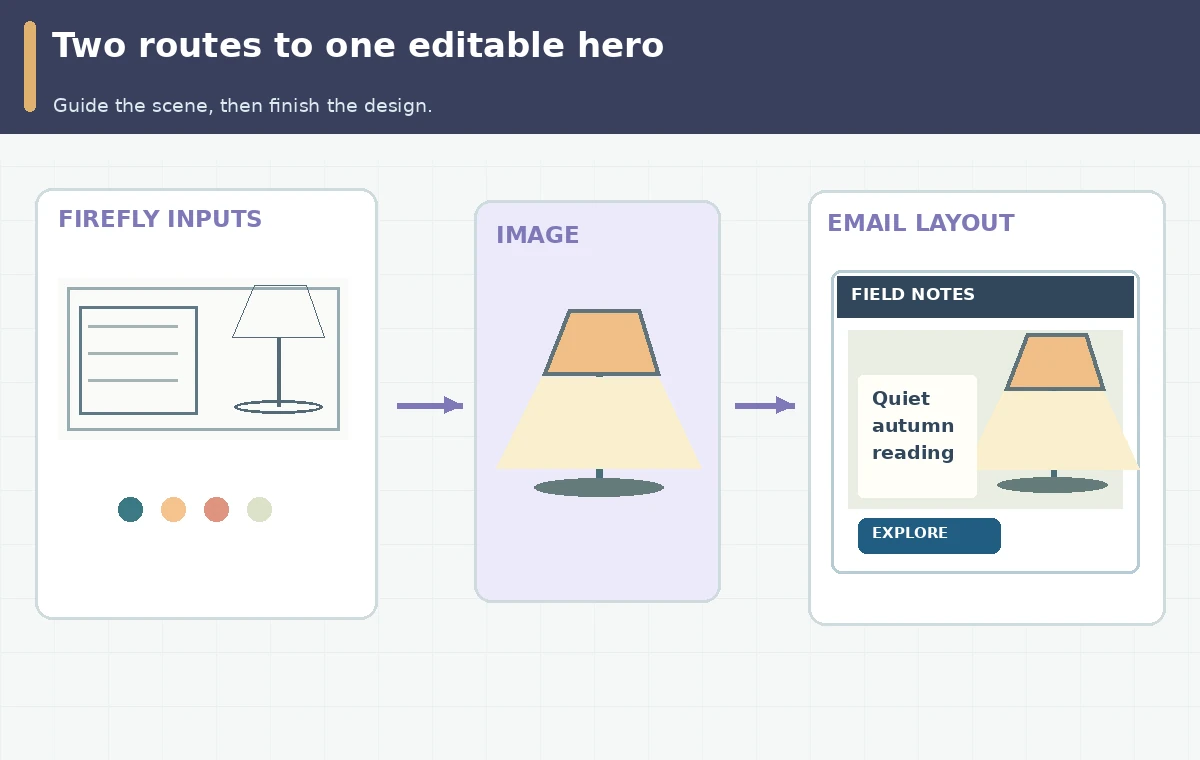
For both tools, specify an autumn reading promotion with a stack of generic books, a warm lamp and an open space on the left for editable text. Avoid generating a fabricated publisher logo, a fake named title or a sale price not approved by the store. Set a single target channel and crop, such as a wide newsletter hero with an alternate narrow view. Compare the ability to preserve negative space and the ease of editing the result—not how one random render looks. Treat each generation as exploratory concept art requiring a real production proof. The side-by-side assessment should include three independent gates: subject fidelity, safe text space and editability after the image is placed in the email layout.
Use Adobe Firefly when composition is a control requirement
Adobe documents explicit Composition references that guide the outline and depth of an image, and Style references that guide the look of image variations. Its Text to Image feature includes model selection, aspect ratio and control settings, but availability varies by chosen model. For the newsletter, create a simple approved layout reference showing the lamp on the right and a clear area for copy on the left. Then add a separate warm-paper style source if needed. Do not imply that a reference guarantees pixel-perfect geometry. Evaluate whether you can hand the generated illustration to a designer who will finish exact text and layout. For the documented controls see Adobe’s image generation guide.
Use Canva Dream Lab when iteration flows directly into layout
Canva’s Dream Lab help explains text-prompt generation, up to four options per prompt, optional reference-image guidance, follow-up changes, and an enhancement action called Boost resolution. It also states that certain reference and enhancement operations consume AI allowance. For the same email hero, make the image concept in Dream Lab, choose a result and bring it into an editable page or template. Add the newsletter headline, details and CTA as separate editable design or HTML elements, not paint on a generated background. Check text contrast over the intended mobile crop, including when an email client hides images. Canva’s help says Dream Lab is accessed from the homepage under More; do not imply every feature is always in the editor. See Canva Dream Lab instructions.
Compare what you can change and what still needs manual proof
Evaluate the same five questions for both tools: Can the output leave consistent whitespace? Can you reproduce an approved aspect ratio? Are source references or control settings available for this account and model? Can the team make a local correction without destroying layout? Can the final artwork be exported and paired with accessible editable text? Firefly’s documented composition and style controls can offer more deliberate separation of those two inputs. Dream Lab’s documented follow-up edits may be convenient when a team is already assembling creatives in Canva. Neither source establishes a universal winner for image accuracy or campaign performance, and feature availability can change with models, plans and rollout. Use a decision matrix rather than fabricated benchmark percentages.

Build an email hero that works without the generated picture
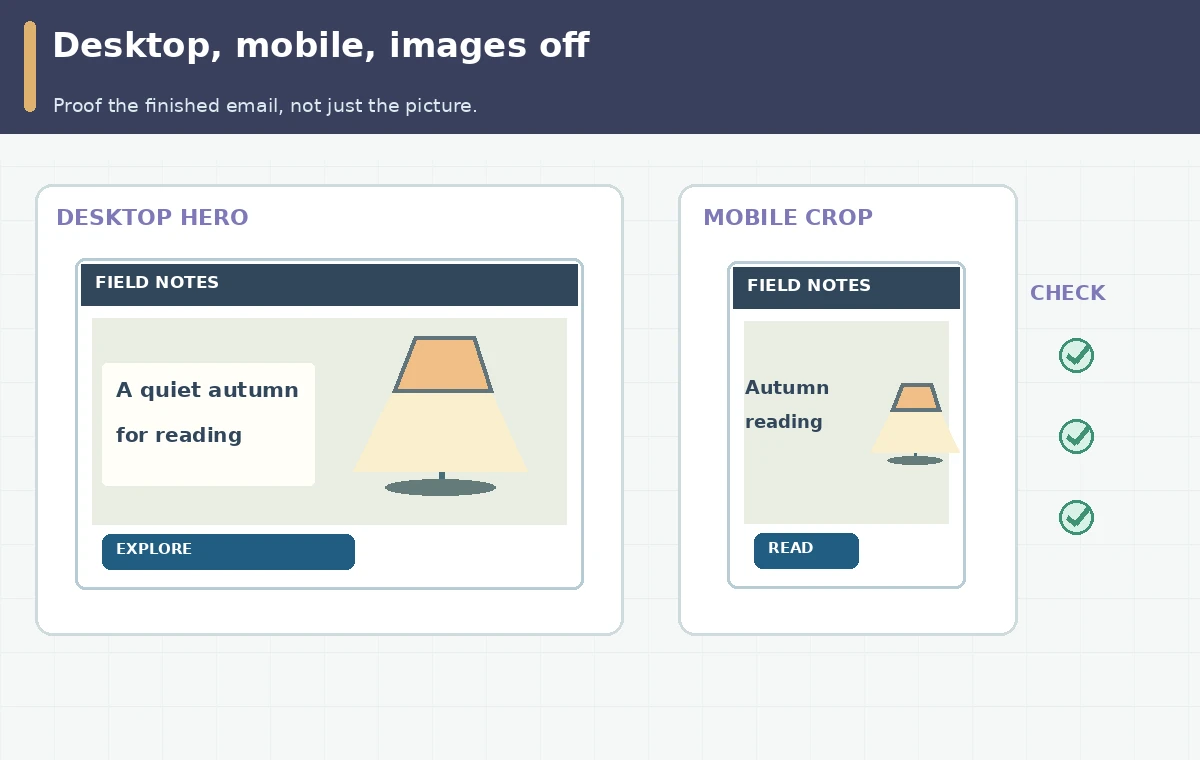
Choose the best concept and place it behind a proper text hierarchy: a short heading, a real offer or informational message, and one accessible HTML button linking to the published destination. The image may be decorative, or it may require concise alternative text if it communicates something not repeated in the surrounding copy. Verify both desktop and mobile crops, particularly whether books disappear or the lamp crowds the headline. Proof the message with images turned off, check foreground/background contrast, and confirm any dates or discounts against the actual promotion. Never bake critical offer details into a model-generated image and assume they are correct. Keep the picture as a reusable creative component while editorial text stays under human control.
Pick the tool by team handoff and maintain an approval record
Firefly may be a more direct fit for an art director who needs separately controlled composition and mood references; Canva Dream Lab can be a straightforward fit for teams already arranging templates and campaign graphics in Canva. This is a workflow distinction based on documented features, not a measured claim about cost, speed or image quality. Before committing, check current entitlement, rights terms, AI allowance and sharing permissions for your particular account. Keep the original brief, prompt, references and their licenses, design edit history, approved output, alt text decision and screenshots of desktop/mobile proof. Sign off the final link and all statements in the email separately from artwork approval. A generation is not a finished campaign until the message is accurate and the layout survives real channels.
How We Research
We compared the official Adobe Firefly Text to Image, composition control and Canva Dream Lab documentation on October 28, 2026. We did not create vendor-account outputs or test email conversion rates; the bookstore brief and artwork examples are instructional. The illustrations are original conceptual diagrams. Screens, claims of tested effectiveness, and measured product outcomes are not represented.
Frequently Asked Questions
Adobe documents Composition references and a strength adjustment for supported Text to Image workflows.
Canva documents follow-up edits and an Edit image option, though access and AI allowance can vary.
There is no verified general winner here. Editorial facts, exact typography and CTA links require separate human-controlled proof.
No. Use a real editable HTML button with a verified URL for usability and accessibility.
Review rights and claims, negative space, mobile crop, image-off appearance, alt text, exact typography, button and link.