
A neighborhood arts group is considering a small equipment grant. Search results mention an October application deadline and a November announcement date, while a copied summary describes both as “the deadline.” If the team sends that merged date to its volunteers, they could miss the chance to apply. Research software can help locate sources and compare language, but the final brief must retain what each date actually means.
Claude Research can pursue connected searches and return source-linked findings when its web search feature is enabled. Here we use invented program names and illustrative dates, not a live grant opportunity. The goal is to demonstrate a reliable distinction among an application cutoff, an eligibility window, an award announcement, and funding availability.
Write the question as a source-checking task
Ask for the current official notice, not merely a list of attractive grant programs. A useful request specifies the jurisdiction, funding category, applicant type, year, and required output fields: application cutoff, time zone, eligibility rules, decision date, payment schedule, and contact office. These fields should remain separate even when an article or a search snippet bundles them into one sentence.
Provide a source hierarchy before searching: current program guidance and published rules first, official amendments second, partner summaries next, and informal discussions only for leads. Ask the assistant to mark “not stated” whenever a field is missing. Do not allow it to fill an absent due date by borrowing a date from a prior funding cycle.
Enable the right research mode and sources
Anthropic documents Research as available on eligible paid plans and requiring web search. In the current interface, users can choose Research from the plus menu. On the web and desktop app, Research may also use allowed connected sources; the help center notes that starting Research on mobile uses web results rather than connectors. These differences matter when a team expects internal project notes to be included.
For an external grant search, start with public official sources and do not connect an organization mailbox by default. If prior correspondence genuinely matters, a responsible account owner should decide which connection is authorized and what information can be processed. Research usage can also consume plan limits more quickly because it performs multiple searches.
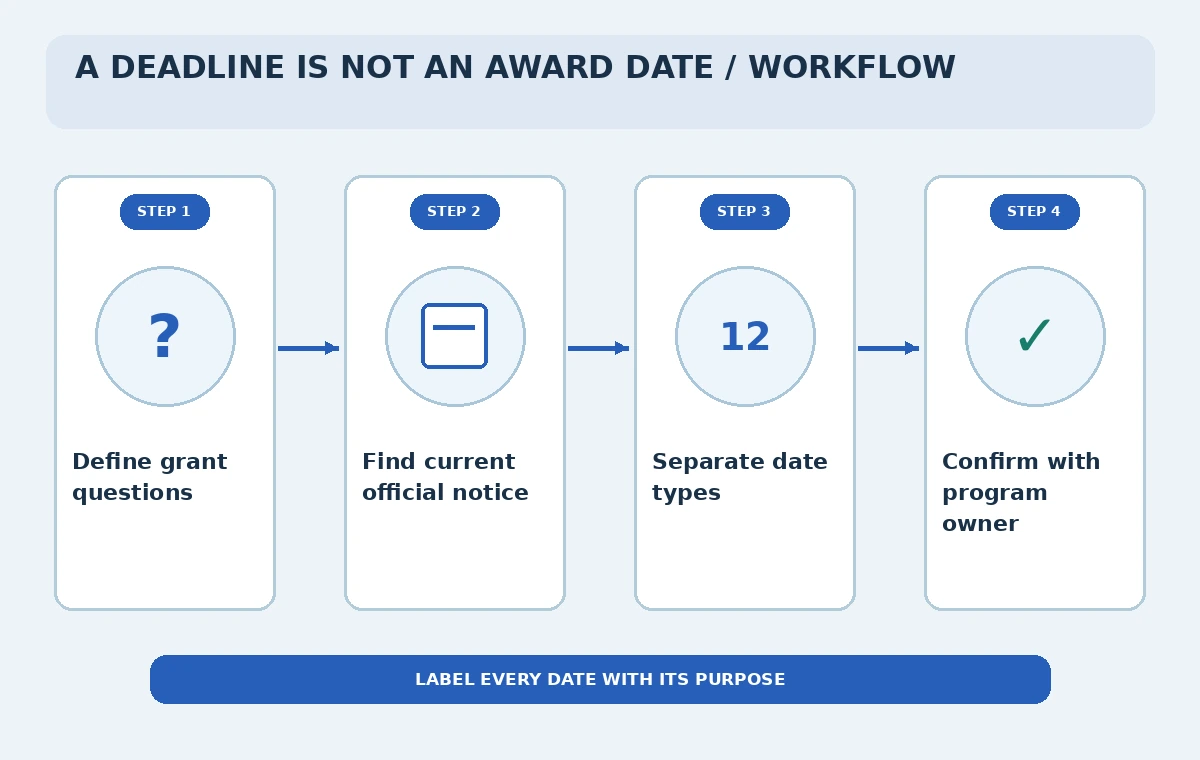
Build a date register instead of prose alone
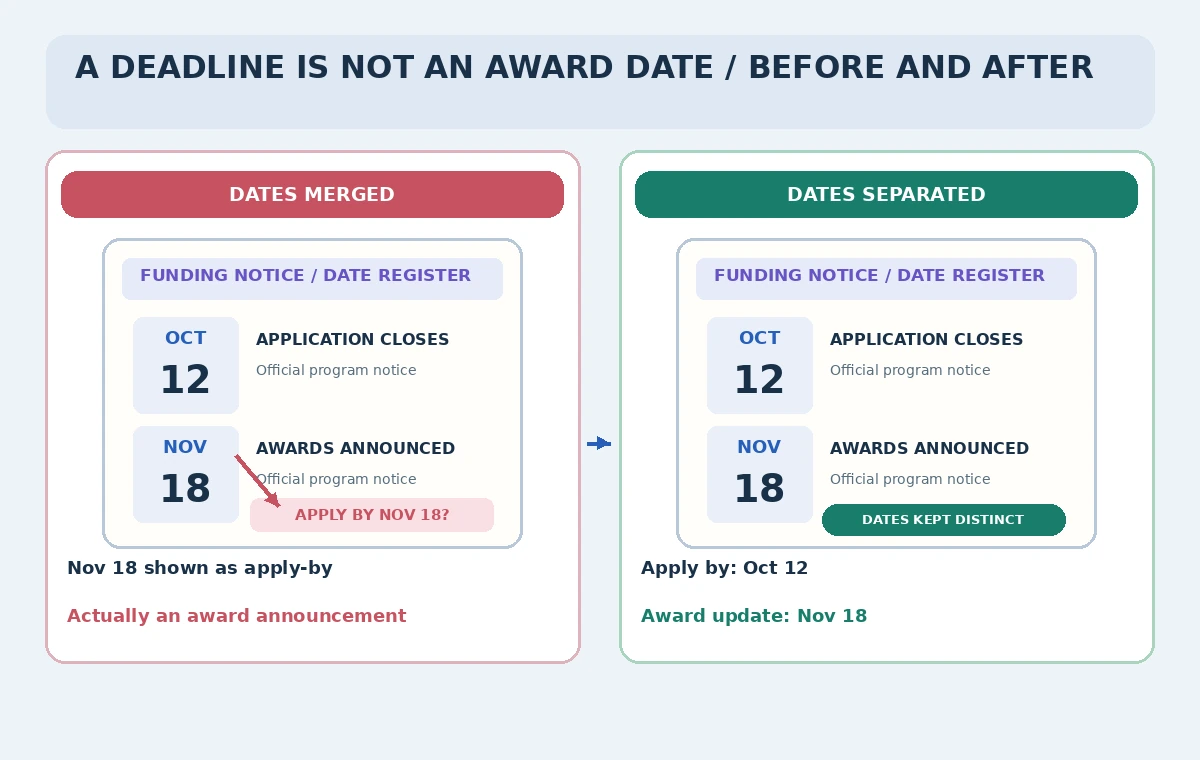
Create a register with columns for program, date label, exact date, time zone, source URL, document version, and confidence notes. The label is essential: “applications close” and “awards announced” are different events. In the fictional example, October 12 belongs in the application row and November 18 in the award update row. A chronology sorted only by number can hide that distinction.
Keep an additional status field for “open,” “closed,” “future cycle unknown,” or “needs confirmation,” using the current official notice to support it. A prior-year PDF can explain the program but cannot by itself establish that this year’s deadline is the same. When the current page and downloadable rules disagree, record both and ask the program office rather than choosing the date that seems convenient.
Follow citations back to primary wording
A generated answer with citations is a starting point, not independent validation. Open each cited page, confirm the organization behind it, inspect its publication or revision date, and find the sentence that supports the specific field. A citation to a grant homepage may establish the program exists but not the application cutoff. Copy a small, accurate factual note into the register rather than relying on a search snippet.
Check whether a date appears in a table for applicants, an events calendar for reviewers, or a notification email for awardees. If a page says “anticipated,” preserve that qualifier. A research summary that drops “anticipated” can falsely convert a tentative decision date into a guarantee, even if every word in the source was technically copied.
Compare a misleading brief with an auditable one
The diagram contrasts a fabricated briefing mistake with a corrected register. On the mistaken side, a November award announcement is promoted to an application deadline. On the reviewed side, the two events have separate labels and source references. This is a conceptual example and should never be interpreted as verified grant calendar data for an actual organization.
In a real comparison, also check the deadline time and time zone, whether the online portal may close early for maintenance, and whether required attachments need signatures. A local team should not make submission decisions based on an AI-created calendar alone. Link directly to the official application portal and keep a named person responsible for the final submission.
Treat internal notes as context, not authority
If connectors are enabled, Research might find a staff message saying “we have until November.” That note may refer to an internal review or an award event, not the sponsor’s submission deadline. Label internal material as organizational context and cross-check it against the program document. A connector hit is useful for discovering the team’s plan, not for changing a funder’s rules.
Protect confidential budgets and applicant details. A public funding brief usually needs the amount, eligibility outline, verified deadline, and source links—not full participant data or private correspondence. Restrict what the assistant can access and avoid pasting applications or personal information into a research prompt unless approved by your organization.
Run a human release check on every date
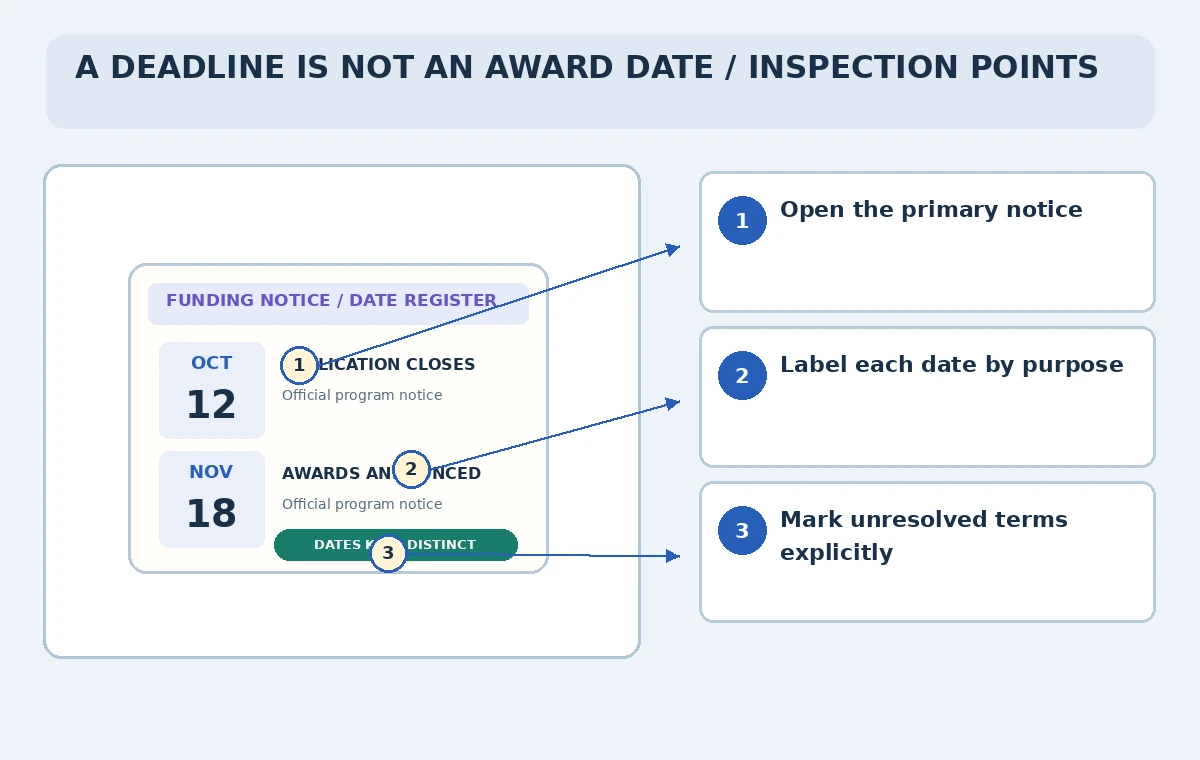
Have a reviewer open the source next to the draft brief and verify each named event. Confirm the program cycle, which organization can apply, whether the cutoff is local or UTC, and whether the notice has been amended. Use the checkpoint illustration to trace the date from the brief to the official source and label any unresolved requirements before the brief goes to leadership.
Where a sponsor provides no clear answer, write “requires sponsor confirmation” and retain the contact method. A missing field is not evidence that there is no deadline. Avoid percentages or made-up confidence scores: the operative distinction is whether a specific document actually supports the claim and whether a human has signed off.
Refresh the research shortly before action
Funding conditions can change after an initial scan. Reopen the official notice and portal immediately before the team approves its application schedule, especially when amendments, extensions, or a postponed round are possible. Keep dated versions of the research brief so readers can tell which source revision informed a decision. Do not silently overwrite an earlier date without noting the update.
For recurring programs, build a new register for each cycle instead of cloning the previous calendar. Research can accelerate the discovery of discrepancies, but a program manager still owns submission readiness, eligibility judgments, and contacts with the funder. A useful finished brief makes uncertainty visible and points to primary material anyone on the team can reopen.
How We Research
For our November 5, 2026 documentation review, we consulted these named official sources: Claude Help: Use research on Claude; Claude Help: Web search; Claude Help: Connectors. We compared vendor-described features, access prerequisites, and limitations with the steps of a carefully scoped fictional scenario, emphasizing which observations require verification. We did not sign in to a paid account, process private data, run uploaded code, select a real school photo, search an actual organization, deliver an email, or measure performance. The images are original instructional drawings, not screenshots or evidence of tests. Product versions, supported plans, data permissions, and legal obligations can change; verify current vendor help and organizational policy before adopting any step.
Frequently Asked Questions
Yes. Anthropic says web search must be enabled for Research to work.
The current help article says a Research session started on mobile uses the web, not connectors.
No. Open the underlying official notice and confirm the exact event, date, time zone, and cycle.
Record the award date separately and mark the application deadline as unresolved until an official source confirms it.
No. Both dates are illustrative and do not describe an actual grant.