
A fictional nonprofit wants an assistant that can answer volunteers’ questions about their assigned shifts. The assistant can also request schedule changes, but viewing and changing are different authorizations. Azure AI Content Safety’s Task Adherence preview analyzes whether an agent’s planned tool action aligns with the user’s task. It can flag a risky step and provide a reason. It should be placed before execution, alongside application-level permissions and explicit approval for writes, rather than treated as a final authority over the roster.
Define read and write as separate intentions
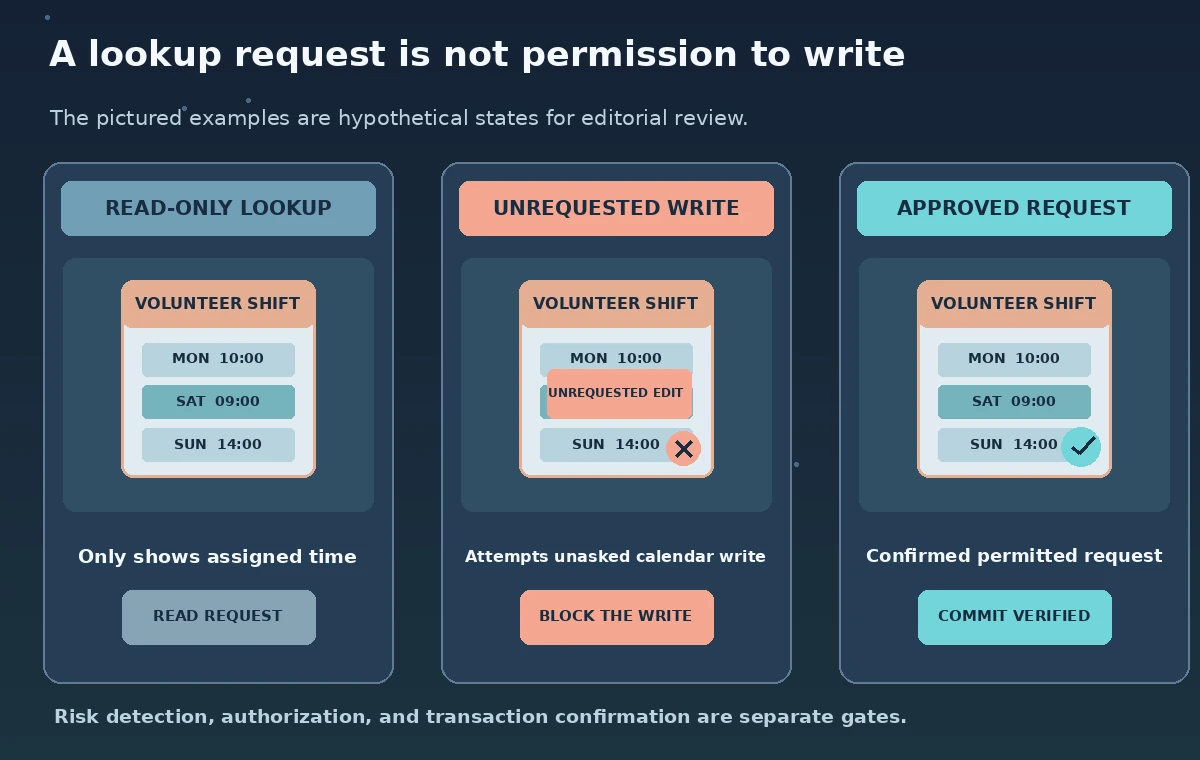
Write a plain-language intent matrix before wiring the assistant to any tools. ‘What time is my Saturday shift?’ authorizes a lookup for that volunteer. ‘Can I move my shift?’ asks about a possibility; it does not necessarily authorize changing a real calendar. ‘Move my shift to 11 a.m.’ may authorize a request to change, subject to identity, policy, availability, and confirmation. The matrix should also define what happens when a volunteer asks about another person’s private assignment.
Make read-only operations the default. Where possible, keep credentials used to look up shifts separate from credentials capable of modifying them. An agent that can perform both should not get broader database privileges just because a model predicts that a write is convenient. Put a human coordinator in charge of exception cases such as emergency coverage. This separation protects against mistakes even if a risk detector fails to recognize an unintended call.
Describe planned tool actions precisely
Task Adherence evaluates tool-use alignment in the context of user instructions. Define tools with names and descriptions that make their side effects unmistakable: get_my_shift, propose_shift_change, and commit_shift_change are better separated than an opaque ‘schedule’ operation. Ensure the input contains the relevant dialogue and proposed tool arguments without attaching unrelated volunteer records. The preview API and portal workflows should be checked against current Microsoft documentation before deployment.
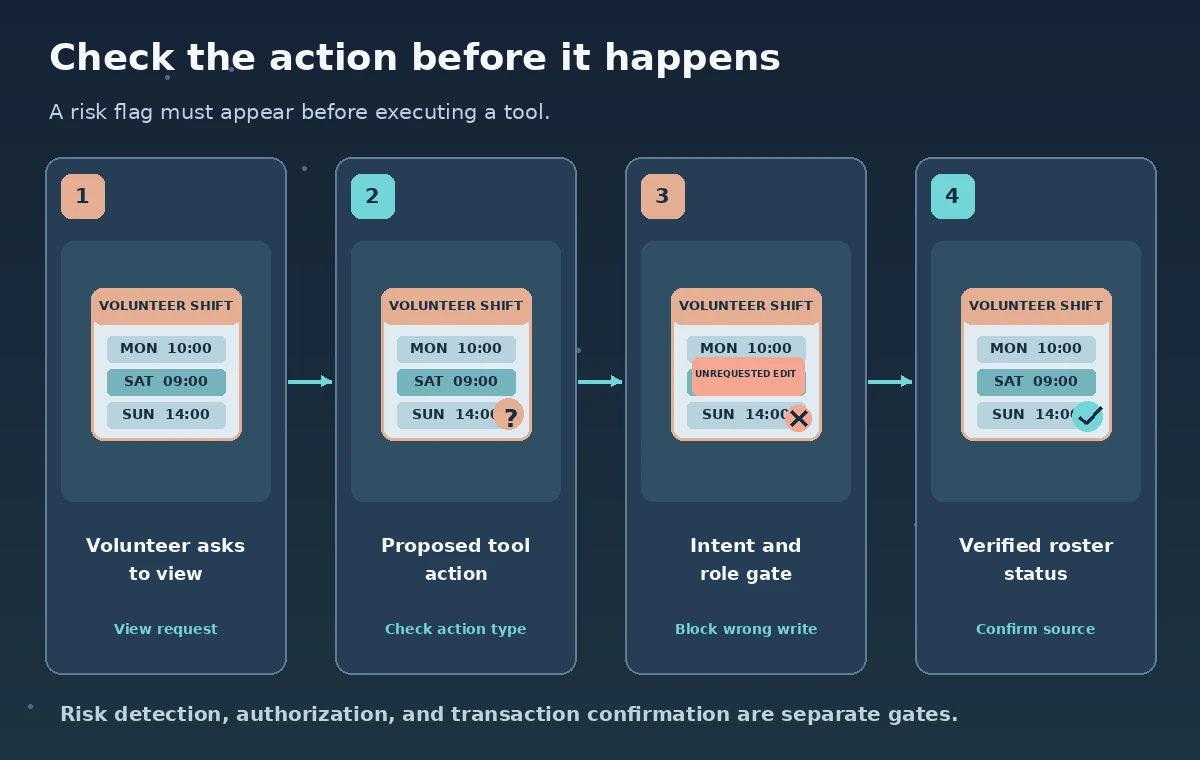
A concrete hypothetical mistake is the assistant preparing commit_shift_change for a question asking only for Saturday’s time. The tool description should state that it writes to a shared rota and may notify other people. The check can then be performed before any such call. Treat a returned risk flag as a reason to stop and inspect the action; do not infer that a negative flag establishes user identity or permission to write.
Interpret taskRiskDetected as a signal
Microsoft’s documentation illustrates responses with taskRiskDetected set to true for a misaligned tool call and a details field explaining the mismatch. This is a model-assisted risk signal, not a hard authorization token. A sensible workflow rejects writes without explicit consent regardless of what the checker says. Conversely, a positive risk signal should prompt a safer path or human review rather than automatically accusing the volunteer of wrongdoing.
Keep the output categories clear in the UI: ‘requested information,’ ‘proposed change,’ ‘approved change,’ and ‘change confirmed by source system.’ Never show ‘your shift was changed’ merely because an agent planned the write or a tool-risk check returned no warning. The actual scheduling service must return a verified transaction result. All example flags shown in the illustrations are hypothetical decision states, not recordings of a live Azure test.
Build a fail-closed execution gate
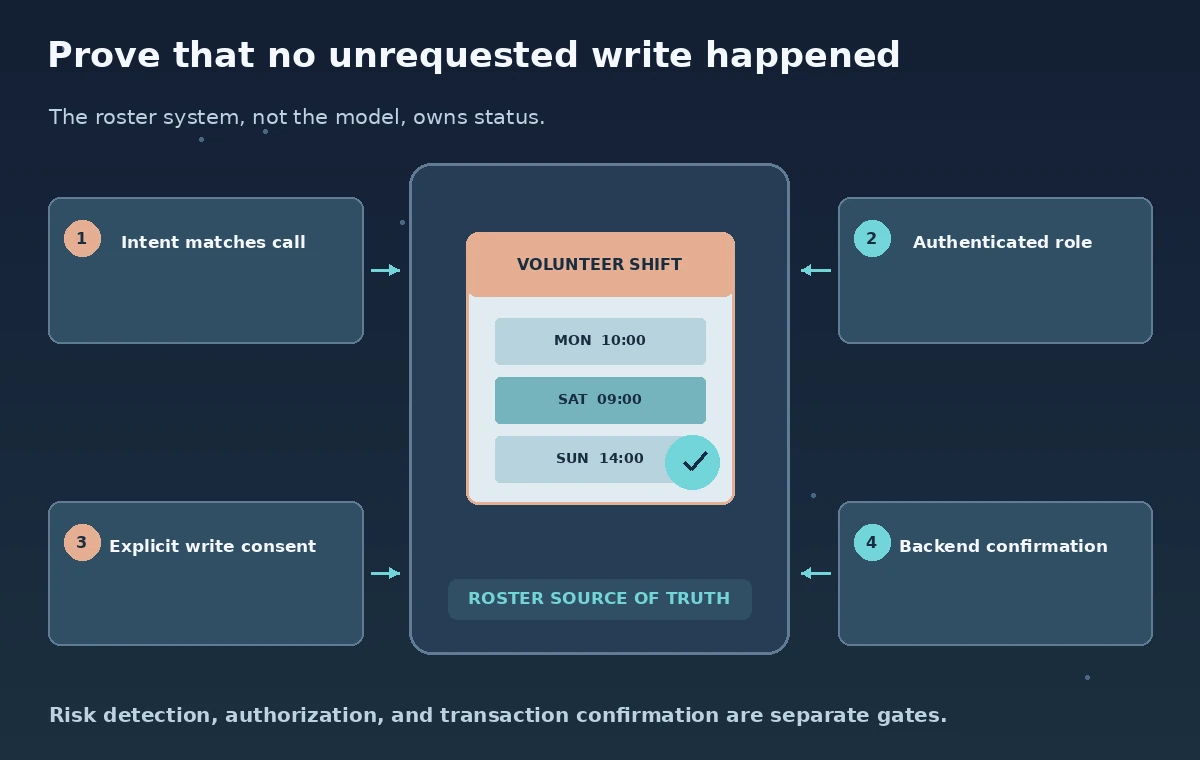
Place authorization checks at the tool boundary. A useful order is: authenticate the volunteer, assess intent and role, validate proposed arguments, check Task Adherence when configured, ask for confirmation of a specific change, and only then invoke the write tool. If the check times out or returns an unexpected shape, the application must not silently fall back to execution. Read-only answers can remain available if policy allows them.
For a scheduling change, the confirmation should repeat the existing date, requested new time, affected location, and any coordinator review requirement. Use a stable request identifier so retries do not accidentally apply a change twice. After the scheduling service responds, read back the resulting status and distinguish accepted requests from committed assignments. A conversational acknowledgment cannot substitute for a successful and auditable backend transaction.
Protect privacy in traces and review screens
A Task Adherence check may require conversation context and tool metadata. Minimize what is sent and what staff later see: a shift code and a volunteer pseudonym may be sufficient for a synthetic evaluation, while phone numbers and private reasons for absence may be unnecessary. Do not post personal schedules in tickets to explain a failure. Store operational logs with role-limited access, retention settings, and incident response ownership.
Microsoft notes language availability considerations and possible cross-region data routing for Task Adherence in its concept guidance. Organizations should verify current regional terms and suitability before connecting real volunteer data. A safety guardrail is not a legal basis for transferring employee or volunteer information. The goal is a narrowly scoped control that complements identity verification, audit trails, and approved data handling, not a new place to collect extra personal details.
Evaluate adversarial and ordinary requests
A small fictional regression set should include ‘show my shift,’ ‘can I trade?,’ ‘cancel my shift,’ an ambiguous follow-up, a request concerning another volunteer, and a prompt inserted into a retrieved note telling the agent to edit the calendar. Record the expected tool action for each. Review false positives that block legitimate lookups as carefully as false negatives that permit a write. Include a case where the backend is temporarily unreachable.
Compare the proposed tool with user intent, but also test the role policy independently. Even a perfectly aligned request can be unauthorized—for example, a volunteer asking to change the entire team roster. No detection rate is asserted here because no Microsoft endpoint was run. Before considering production use, evaluate language coverage, preview availability, latency budgets, operational failure handling, and staff escalation requirements in the actual tenant.
Show a trustworthy user-facing result
Design separate messages for every real status. ‘Your current shift is Saturday at 9 a.m.’ belongs to an authenticated successful read. ‘A change request was submitted for review’ belongs to a verified pending transaction. ‘The coordinator approved the change’ requires a committed result from the roster system. If the read is stale or the write status is unknown, show that uncertainty instead of a reassuring guess.
Keep each important schedule change reversible through ordinary administrative controls and identify the person responsible for resolving disputes. Check that notifications, calendar feeds, and the visible dashboard all reflect the same source-of-truth state. Task Adherence can help intercept an ill-chosen tool action, but an ethical scheduling service remains accountable through explicit permissions, human decisions, and confirmed system records.
How We Research
For this November 2026 editorial review, we consulted the named official product documentation: Microsoft Learn: Task Adherence concepts; Microsoft Learn: Task Adherence quickstart. We compared the described input and output fields, documented workflow limitations, access and permission controls, and human verification steps to the article scenario. All people, source records, images, schematic states, labels, tool outcomes, and example identifiers are original hypothetical teaching materials, not captured vendor screenshots or measured experimental results. We did not run a live provider API, inspect real museum or volunteer data, establish legal permissions, or measure recognition, translation, classification, retrieval, or evaluation accuracy. Before implementing the workflow, confirm the latest documentation, plan eligibility, pricing, availability, quotas, supported regions and languages, and your organization’s data protection requirements. A qualified human must check source correctness, publication permissions, accessibility, and the implications of any automated operation.
Frequently Asked Questions
No. It flags possible mismatch between intent and tool use; your application must still enforce identity, role, confirmation, and backend permissions.
No. A no-risk assessment is not the volunteer’s consent or a confirmed database transaction.
Fail closed for writes, preserve safe read-only options where appropriate, and surface a review or retry path.
Microsoft says the feature is tested on English text and recommends testing other languages for the intended use case.
Only after the scheduling system confirms the committed change; planned actions and pending requests need different wording.