
Why titles and captions deserve separate retrieval checks
A museum catalog often has a terse title, such as “Blue ceramic lamp,” and a much longer descriptive caption explaining date, provenance and restoration work. Embedding only the long caption can make a short exact-looking title query hard to assess; embedding only the title can lose historical context. Azure AI Search supports a vector query aimed at multiple vector fields through vectorQueries.fields. The decision to index two vector fields should follow a clear search need rather than a promise that more fields automatically improve relevance. Keep unique accession IDs and access filters alongside vectors so a semantic match never bypasses records permissions.
Understand one query over multiple fields
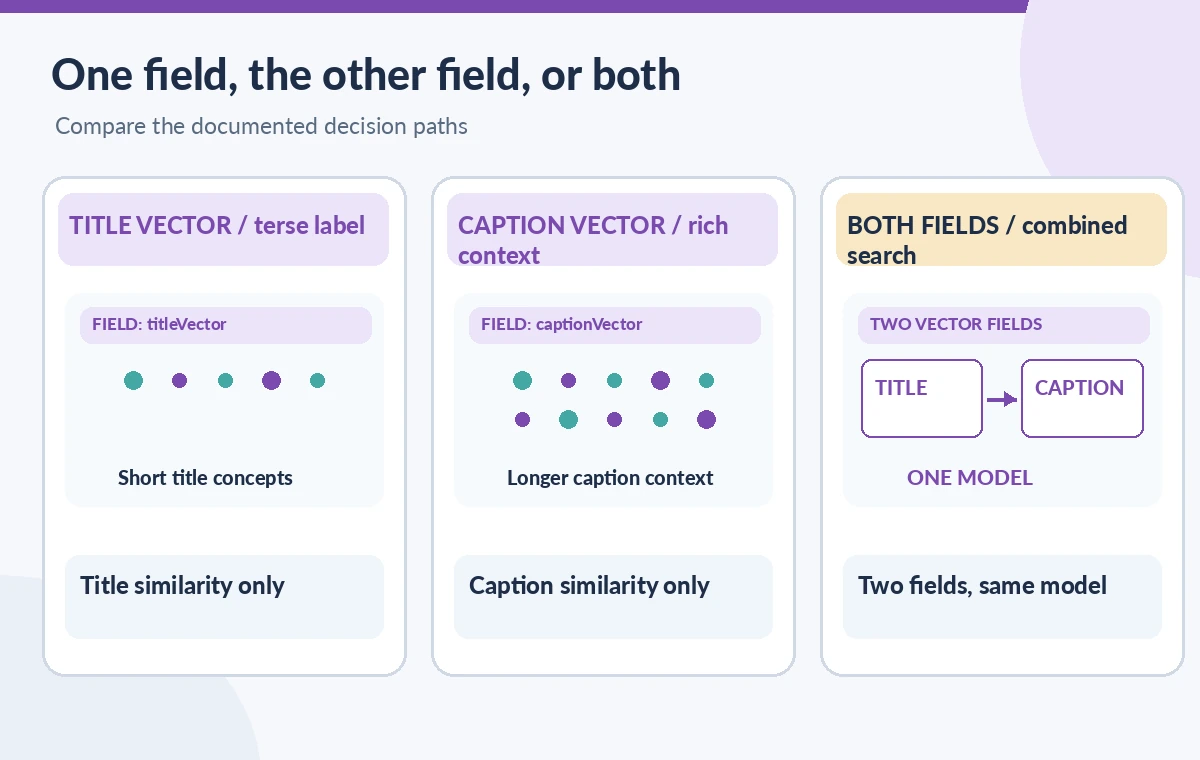
Microsoft documents that the fields property inside a vectorQueries item can specify multiple vector fields, up to ten fields. The same query vector is executed against each listed field. This is conceptually different from creating several vectorQueries elements that carry distinct vectors for different modalities. For a hypothetical text-only exhibit catalog, titleVector and captionVector might be reasonable field names, provided the index schema defines compatible vector fields. Confirm the REST API version and syntax supported by the service before deploying. The example fields in the diagrams are illustrative rather than existing Azure index names.

Keep embedding models and dimensions compatible
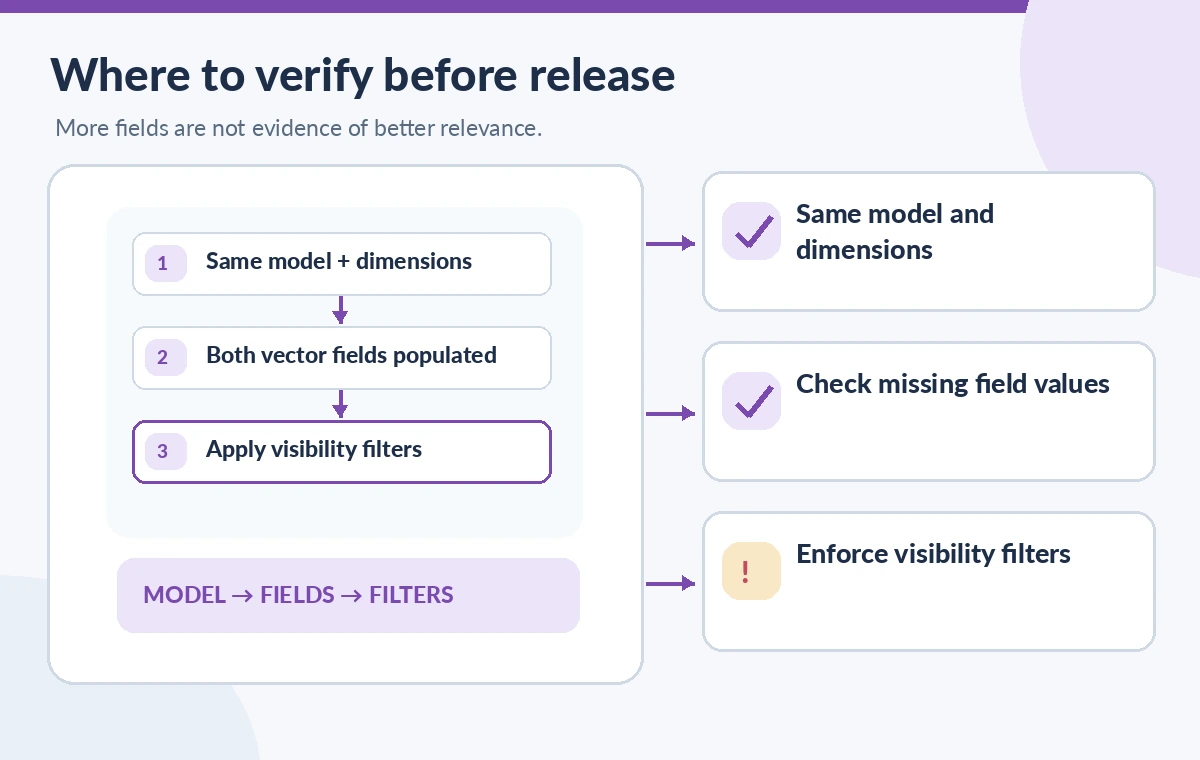
For a single vector query that names multiple fields, Microsoft advises ensuring the target fields contain embeddings from the same embedding model and that the query vector comes from that model as well. The index must define compatible dimensions. If a title vector was created with one model and a caption vector with another, do not simply place both names into a shared fields string. Re-embed into a coherent design or issue appropriately configured separate queries after evaluating the documented API capabilities. Store model identity and dimension configuration in the build manifest so a reindex does not silently mix representations.
Create a version-aware indexing ledger
For each accession record, maintain the source version, title text, caption text, embedding model, vector dimensions and indexing timestamp. A field can be present in the schema but empty on an old record. That empty value is a data-quality issue, not a low relevance score. Before launch, reconcile an expected inventory of records with those that actually contain each vector field. Use synthetic records to test that a corrected title updates the appropriate vector without silently leaving an outdated caption embedding. A completed indexer run should not be treated as proof that every object has both vectors populated.
Build a documented request shape
The REST search request includes a vectorQueries array. Inside one item, specify the vector query kind, the numeric query vector, fields such as titleVector, captionVector, and k, the count of candidate neighbors requested. Choose returned select fields based on the public display contract and include stable record IDs for audit. Avoid returning raw embeddings to a browser unless there is an approved reason. A request should be generated from a model-consistent query embedding and the appropriate API version. Never paste a production vector or private catalog content into an illustrative public diagram.
Compare one field, both fields, and two separate queries
A fair test uses the same approved set of synthetic or permission-cleared search questions and an explicitly defined relevance checklist. Run title-only, caption-only and a combined-fields configuration. Separately evaluate a multi-query design if you need different vectors or a modality-specific approach. Do not call any difference an accuracy gain without recorded judgments, and do not invent search scores for a tutorial. The visual comparison shows which fields are searched and what evidence is reviewed, not measured recall. Log missing expected records and misleading near-matches with their accession IDs for curator examination.
Preserve privacy and filters at query time
Vector similarity is not access authorization. Define filterable fields for visibility and approved collection scope, and apply the required server-side filter for every search path. If the query uses both titles and captions, the same permission predicate must guard results regardless of which vector contributed a match. Microsoft explains that vectorFilterMode affects when a filter is applied and can influence recall, so verify the configured filter mode independently of the fields setting. Do not treat a public select projection as a security control, and do not allow a client to choose unrestricted fields without server validation.
Understand the cost of a second vector field
Each extra vector field increases indexing complexity and storage requirements; it can also change query workload. The value of a title-specific field depends on actual catalog tasks, not on the novelty of the parameter. Record index size and query latency only from permitted measurements with consistent conditions if the team later benchmarks alternatives. Editorially, the more important benefit is traceable review: when an exhibit fails to appear, staff can inspect the title vector, caption vector, source record and permission state separately. No current price or throughput claim is made here because those details depend on service tier and implementation.
Use a release test that catches silent omissions
Create queries for common object titles, alternate names, historic spellings and a safety-sensitive conservation notice. For each, define expected accession records and an approved visibility scope. Check whether the combined-fields request returns relevant and authorized objects, and whether the displayed title matches the indexed source. Reindex any records that are missing vectors before public deployment. A zero-result query can mean no relevant indexed record, an overly selective filter, an unsupported configuration or a failed data pipeline. Investigate instead of reporting that the archive has no matching material.
Document what the diagrams really show
The drawings compare hypothetical title and caption embeddings and a two-field request. They are not screenshots or benchmark data from Azure AI Search. They intentionally separate model compatibility, retrieval and access filtering because those checks answer different questions. Before changing production indexes, confirm Microsoft’s current service documentation, the embedding model specification, API version, and approved data classification. Any claim that a two-field query is better should be supported by an actual, permission-cleared evaluation set rather than by the existence of vectorQueries.fields alone.
How We Research
We prepared this November 11, 2026 documentation-based guide using Microsoft Learn: Create a vector query; Microsoft Learn: Vector query filtering; Microsoft Learn: Hybrid search queries. We cross-checked the exact API field or environment variable against the official reference, then examined practical distinctions such as scope, errors, authentication, version selection and application-side review. Scenarios use fictional museum records and synthetic labels; diagrams depict concepts rather than captured interfaces or measured service results. We did not access a private API project, execute production changes, inspect protected archive objects, or run GitHub Actions. Service behavior, permission boundaries and API versions can change; consult current primary documentation and your organization’s approved policies before implementing a workflow.
Frequently Asked Questions
Yes. Azure AI Search documents a fields list containing multiple vector fields, up to ten in the supported request shape.
For one shared query vector, Microsoft advises that the fields and query use the same embedding model. Do not mix incompatible vectors.
No. One item can search several fields with one vector; multiple items can carry different query vectors and follow different fusion behavior.
No. Apply authoritative visibility filters regardless of which field finds a document.
No. Evaluate permitted queries and expected records. Additional fields can add cost and complexity without improving a particular workload.