
Why a Search Result Is Not an OCR Audit Record
An archive team enriches scanned conservation worksheets so visitors can search for references to treatments, object numbers and handling warnings. Staff also need an auditable copy of extracted tables and page-level evidence to inspect the pipeline. Downloading an ordinary search result is not necessarily sufficient: the index is built for retrieval and may omit intermediate enrichment output, geometry or the shape needed for investigation.
Azure AI Search offers knowledge stores that project selected skillset outputs into Azure Storage as secondary content. That is a distinct destination from the search index, not a magical copy of the original image or an access-controlled public index. This fictional conservation worksheet workflow demonstrates the differences without pretending that a live Azure environment or real museum document was processed.
Understand Knowledge Store as Secondary Storage
Microsoft describes a knowledge store as optional secondary storage for AI-enriched content produced by an Azure AI Search skillset. An indexing job still sends output to a search index, while the skillset can additionally project selected information to Azure Storage. This is separate from knowledge sources and knowledge bases used in agentic retrieval, even though the names sound similar.
Design the project around two questions: what must be searchable in the index, and what enriched evidence should staff inspect outside it? For example, the index might expose a public object title and approved description, while private projections preserve the extracted maintenance table, source image reference and editorial correction status. A knowledge store is not a backup of the search service or a permission system by itself.
Select Table, Object and File Projections Deliberately
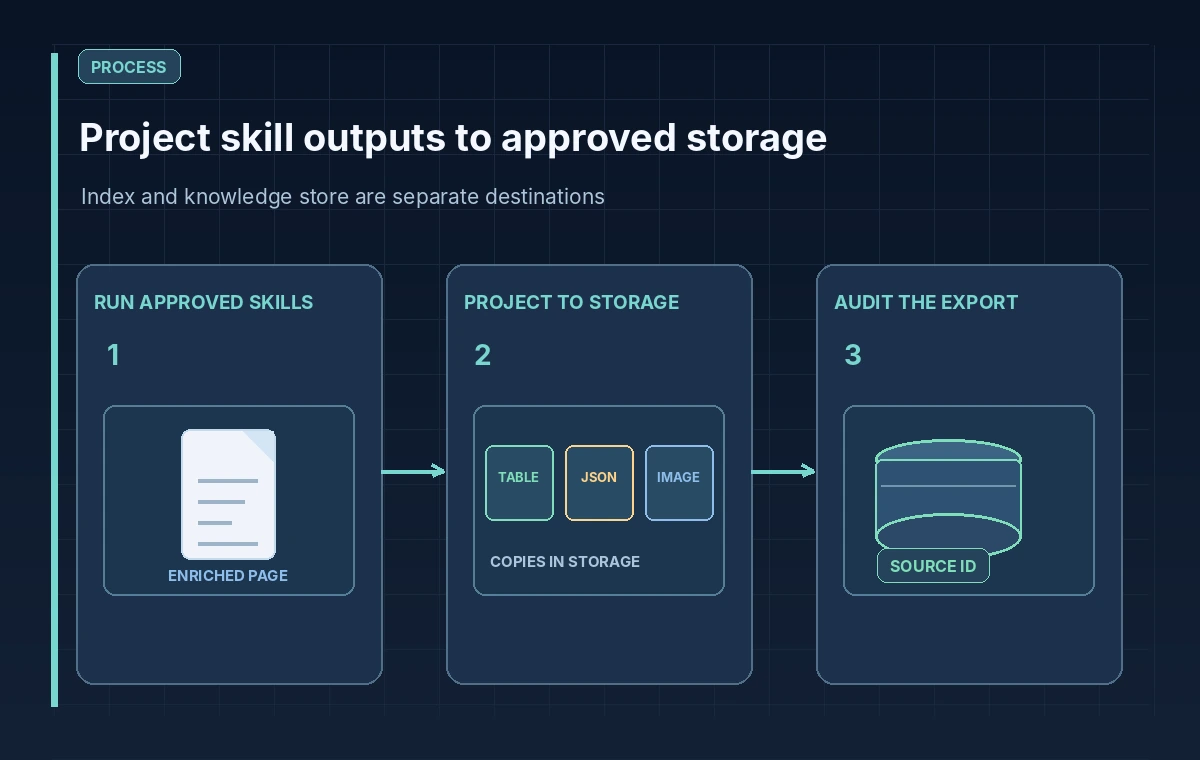
The projection definition lives in the knowledgeStore property of the skillset, with table, object and file projections. Microsoft documents table projections in Azure Table Storage for structured rows, object projections in Blob Storage for shaped JSON content, and file projections for normalized binary images. The source path of each projection points into the enriched document tree, often to a shape prepared by a Shaper skill.
For a conservation record, a table projection might hold one reviewed component per row, an object projection might preserve an audit-friendly document representation, and a file projection might hold an image extracted during enrichment. These are different formats for different purposes. An image generated as part of enrichment is not automatically the legally authoritative original scan and should not replace the collection-managed master file.
Match the Shape to the Document’s Provenance
Projections can discard the links that make evidence useful if their shapes are planned badly. Carry a stable source identifier, page reference, edition or document version and transformation timestamp into every projected record where those values are available. Design a clear join between rows, JSON objects and original source references. Avoid inventing page coordinates or copy IDs when the pipeline does not provide them.
A practical first review opens one synthetic document and maps each desired projection field back through the skillset output path. If a row lacks the source page, revise the shape before processing hundreds of real worksheets. Keep the original OCR text alongside staff corrections so a later investigator can distinguish a machine reading from an editorial change. Do not use a content projection as proof that a museum treatment actually occurred.
Distinguish Three Different Storage Outcomes
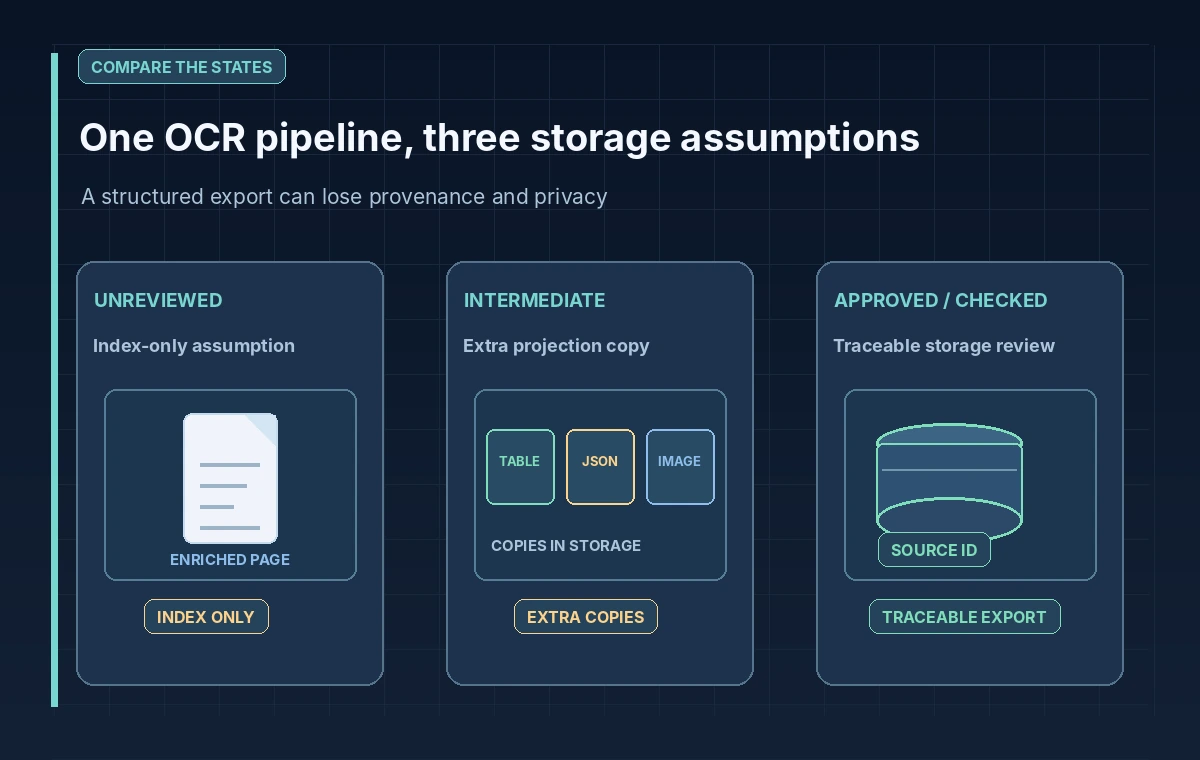
In the first illustrated state, someone assumes that every searchable fragment is automatically preserved as an audit table. In the second, a table or JSON projection exists, but the source ID is missing or the container is accessible too broadly. The reviewed state includes a precise shape, private Storage destination, source mapping and a controlled inspection workflow. These examples are conceptual, not Azure dashboard images.
Be especially cautious when source documents contain conservation notes about chemicals, equipment or restricted collections. The public search index may deliberately exclude those fields, whereas a projection could accidentally export them to a broadly accessible storage account. The act of creating secondary storage increases the places where sensitive information must be governed. It does not inherit an application’s search-result permissions by default.
Manage Reprocessing, Cache and Storage Lifetime
Microsoft notes that changes to the skillset or underlying source can update knowledge store content when the indexer runs. Projection changes may trigger reprocessing of enrichments; enrichment caching can help reuse results, but Microsoft documents this capability as preview. Do not make a production availability or cost guarantee based on an assumed cache hit. Test how renamed projections, changed shapes and removed source records affect stored outputs.
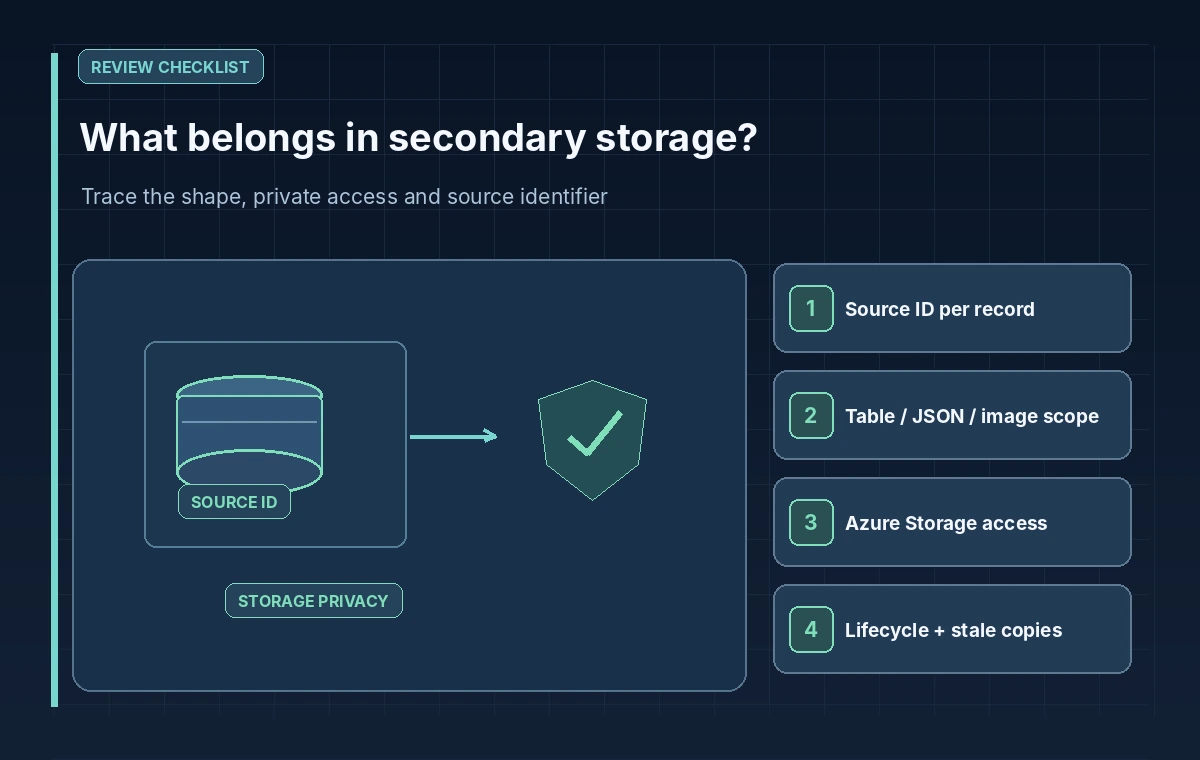
A lifecycle plan should specify which projection artifacts can be replaced, which must be versioned, and how stale copies are removed after revocation. Re-indexing does not remove the need for an explicit storage-retention policy. Evaluate Storage account permissions, audit logs, encryption, access expiry and any data residency constraints. The archive source remains the authoritative record; projected data supports inspection and reporting.
Review Output in Azure Storage, Not Just Search Results
After a controlled indexing run, inspect representative Azure Table and Blob entries using authorized tools, such as Storage Explorer or an approved internal application. Compare their fields with the skillset definition and original synthetic scan. Sample blank pages, ambiguous tables, OCR corrections and removed records. Confirm whether generated keys, source IDs and names are stable enough to reconcile across runs.
Record errors as separate review items. A valid JSON object may still omit a warning or associate an image with the wrong worksheet. An empty table projection could mean that a source path was wrong, not that the original scan had no content. If a file projection fails, keep the index and storage outcomes distinct in the audit log so failures are not masked by a successful search response.
Release Only the Fields That Passed Review
A release checklist should include the intended audience for each storage artifact, source-to-projection traceability, a validated field shape, retention rules, service-account least privilege and a reviewer-approved export. Any downstream public report should be built from explicitly cleared fields, not by copying the entire knowledge store. Separate the approved search experience from internal analysis data.
The value of knowledge store projections is the ability to inspect enrichment outside the index in a useful format. The risk is mistaking that convenient copy for a complete, correctly permissioned archive. A small sample of traceable projections, accompanied by human checks and documented lifecycle controls, is more useful than a large opaque export with uncertain provenance.
How We Research
We consulted the following official developer documentation on November 8, 2026: Microsoft Learn: Knowledge store concepts; Microsoft Learn: Projection concepts; Microsoft Learn: Define projections. We compared the documented parameters, data flow and stated limitations with this hypothetical editorial scenario. The diagrams are original instructional illustrations, not real vendor screenshots or outputs. We did not submit private archive material, run a production API evaluation, measure tool accuracy, obtain legal consent, or test a live service configuration. Product behavior, access rules, quotas and supported settings may change; confirm the latest documentation and your organization’s policies before deployment.
Frequently Asked Questions
No. It is optional secondary content in Azure Storage generated from the skillset enrichment pipeline.
Table projections use Azure Table Storage; object and file projections use Azure Blob Storage.
No. They contain shaped enrichment results, which can omit or transform source information.
No. It is a preview capability and results depend on configuration and changes. Do not assume a guaranteed cache hit.
No. The examples and diagrams are hypothetical editorial workflows, not tested cloud outputs.