
Debugging an Intake Assistant Can Create a Second Data Store
A repair nonprofit experiments with an AI assistant that groups volunteer intake requests by practical need. A request might contain a home address, availability, or details about a person’s circumstances. Staff want to investigate unusual model answers and may consider turning on model invocation logging. That can be helpful operationally, but it may also copy model inputs and outputs into a separate logging destination that more administrators can access. A private prompt does not become harmless because it is labeled a debug event. This guide describes a fictional rollout plan, not a deployment or audit of an AWS account. The first decision is whether raw content logging is necessary and lawful, not which dashboard looks most convenient.
Know What Bedrock Logging Captures and Where
AWS documents Amazon Bedrock model invocation logging as disabled by default. When configured, it can capture request data, response data, and metadata for supported invocations made through the `bedrock-runtime` endpoint within an account and Region. AWS explicitly distinguishes other endpoints, including `bedrock-mantle`, which are not currently captured by this logging feature. Destinations include Amazon CloudWatch Logs and Amazon S3; resources must be in the same account and Region as the configuration. Text, image, embedding and video settings have differing delivery considerations, and large bodies or binary content may require S3. Therefore, the absence of a row in a log does not prove that no request happened. Inventory the application’s actual endpoint and request types before presenting logging as complete coverage.

Classify the Content Before Creating a Destination
List which personal and operational information could be present in the prompt: names, contact details, narratives of hardship, schedule preferences, internal staff instructions, or uploaded documents. Separate the minimum debugging need from information that should never appear in a general-purpose log. If token counts and error rates answer the question, consider monitoring views and application metrics before enabling input and output capture. AWS’s CloudWatch observability guide distinguishes aggregate invocation monitoring from detailed content that requires invocation logging. Publish a retention decision and access matrix before enabling the feature. A team should not turn on full-body logs at the end of an incident and hope to write privacy rules afterward.
Configure CloudWatch Logs or S3 Deliberately
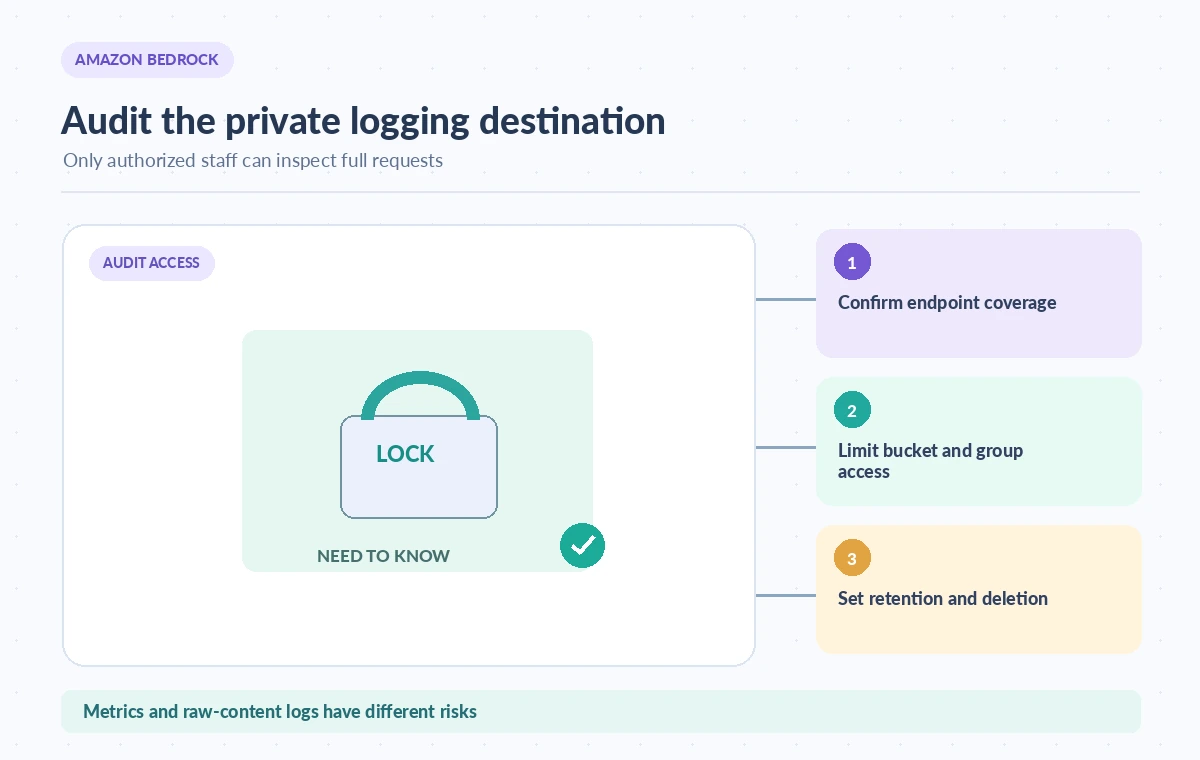
The AWS guide explains how to configure an S3 bucket or CloudWatch Logs destination, including service permissions and Region/account requirements. CloudWatch can hold JSON events and relatively small bodies; S3 can receive gzipped JSON batches and separate large or binary payloads. If both destinations are selected, reviewers must understand which content lands where. Choose encrypted storage, narrow IAM roles, and resource policies appropriate to the environment. Ensure that a service logging role can write only to the intended destination; limit who may read, export, and delete records. Configuration examples in documentation contain placeholder account numbers and bucket names, not values to paste into production without review. Check S3 bucket policy and encryption requirements against the current console and IAM guidance.
Understand the Difference Between a Record and a Safe Record
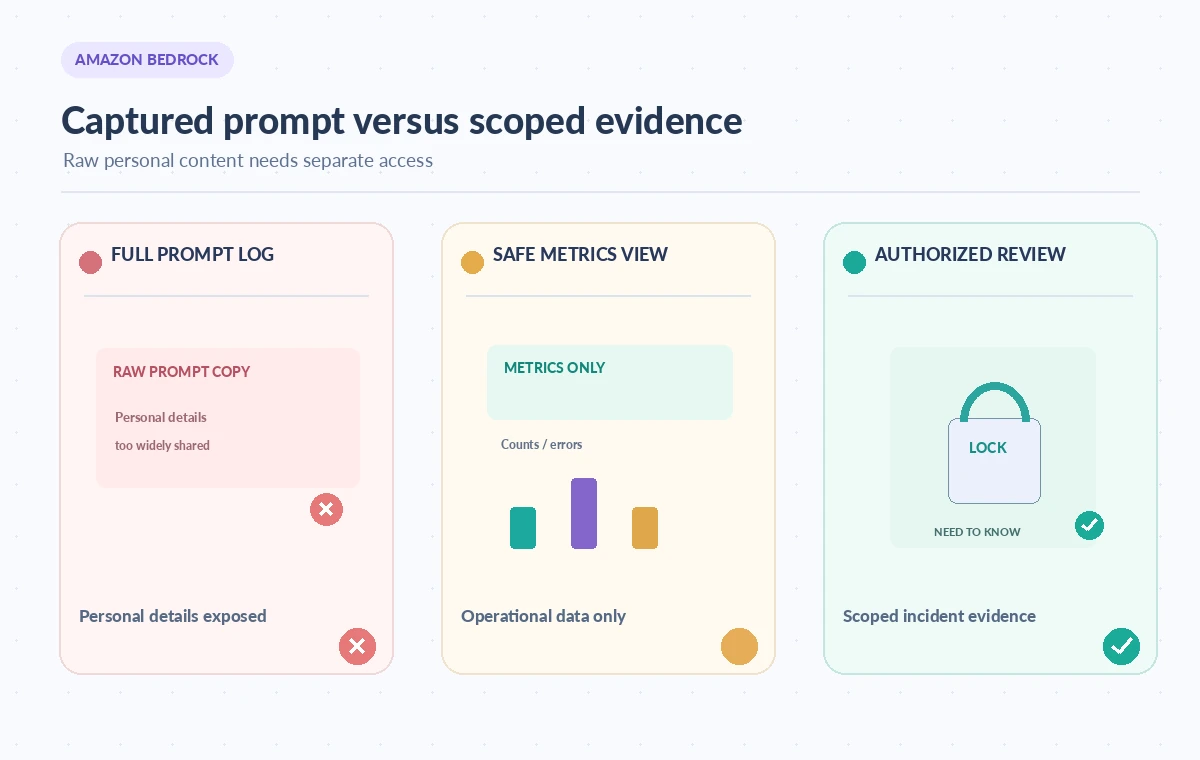
The comparison illustration contrasts a raw invocation record with a privacy-minimized operational view and a restricted incident review. An invocation record may contain an input body and output body, not merely an event timestamp. AWS documents fields such as request ID, model ID, identity, operation, token counts and optional request metadata. Those fields are valuable for tracing behavior but can identify application users and organizational structure. A request ID is a correlation key; it is not permission to share the request payload widely. In a public incident report, use redacted and aggregated information rather than attaching unreviewed model input. Do not use logging visibility as evidence that a model’s answer was correct or safe.
Test Endpoint and Data-Size Boundaries
Create fictional intake examples with synthetic names and data. Send a small text request through the intended runtime path in a controlled environment, then inspect where its entry appears. Separately test a larger text or media request if your application actually uses those modalities. AWS describes inline size limits and separate S3 objects for larger bodies; a dashboard showing a metadata row may not contain the full request body. Confirm that the selected region, model invocation operation and configured modalities match real application traffic. Repeat the test for any alternate endpoint instead of assuming it is included. Document gaps openly. These tests are recommended procedures; we have not performed them or measured log delivery latency.
Restrict Reviewers, Retention and Secondary Uses
Assign different access to operators who need counts and engineers who must inspect content for a specific approved incident. Do not give every volunteer or editor CloudWatch or S3 read access. Establish deletion and retention procedures in each destination, remembering that exports and downstream analytics can create further copies. AWS states that after invocation logging is enabled, logs remain stored until the logging configuration is deleted; deleting the configuration should not be confused with automatically removing already delivered log objects. Apply independent destination retention policies and validate their operation. Prohibit repurposing captured prompts for unrelated training, performance reviews, or public case studies without appropriate authority and notice.
Build an Incident Review With a Narrow Question
A useful incident ticket might ask why the assistant put a safety request into a general inquiry queue. The investigator should start from request time, non-sensitive correlation ID, model version, and source prompt template revision. Escalate to content inspection only when necessary, using a reviewer with appropriate authorization and a reason recorded in the ticket. Compare the model output with the allowed intake labels and the actual human routing decision. Avoid treating the recorded text as a complete portrait of a person or proof of the requested service. If a prompt contained an outdated staff instruction, fix the application and re-test; a logging system can describe the failure, but it does not correct it.
Decide When Not to Enable Full Invocation Logging
For a low-volume volunteer service, preserving a small number of sanitized test cases and aggregate operational metrics may provide enough observability. If the workflow handles sensitive personal information, require a formal privacy review before any raw-content log destination is enabled. Record who approved the configuration, the specific modalities, permitted regions, destination locations, authorized reviewers, and the date of the next access audit. A safe rollout is measured by the ability to answer a justified debugging question without creating a broadly accessible archive of personal requests. The operational purpose of logs is accountability; uncontrolled capture can undermine that purpose.
How We Research
We reviewed the following named primary-source documentation on November 8, 2026: AWS: Monitor model invocation with CloudWatch Logs and S3, AWS CloudWatch: Model Invocations observability, AWS: Data protection in Bedrock. We compared the specific API behavior, availability caveats, and failure boundaries with the editorial workflow described above. We also checked the proposed topic against the WordPress title inventory supplied by LabFin. We did not authenticate to a cloud account, run an API call, measure performance, evaluate model accuracy or verify any real client outcome. The case study and diagrams are explicitly hypothetical. Check present model and region support, billing, licensing, permissions, and privacy rules before deployment.
Frequently Asked Questions
No. AWS documents that invocation logging is disabled by default and must be configured for the account and Region.
No. The documented feature currently covers supported calls through bedrock-runtime; other endpoints such as bedrock-mantle are excluded.
It can contain request and response bodies subject to size and configuration. Larger or binary content may be delivered separately to S3.
Do not assume it does. Apply retention and deletion controls to the destination stores and any downstream copies.
Start with sanitized tests, operational metrics and a documented need; enable content capture only with appropriate authorization and restricted access.