
Azure AI Search Hybrid Search addresses a specific design risk when AI-assisted workflows meet real records and real people. This guide works through a hypothetical community organization example, showing what the documented feature does, what it does not prove, and where human review belongs. The examples use invented names and identifiers; we did not conduct product tests, inspect customer data, or measure results. The four diagrams are schematic teaching images, not vendor screenshots or records of a successful deployment.
Begin with an identifier that must not be guessed
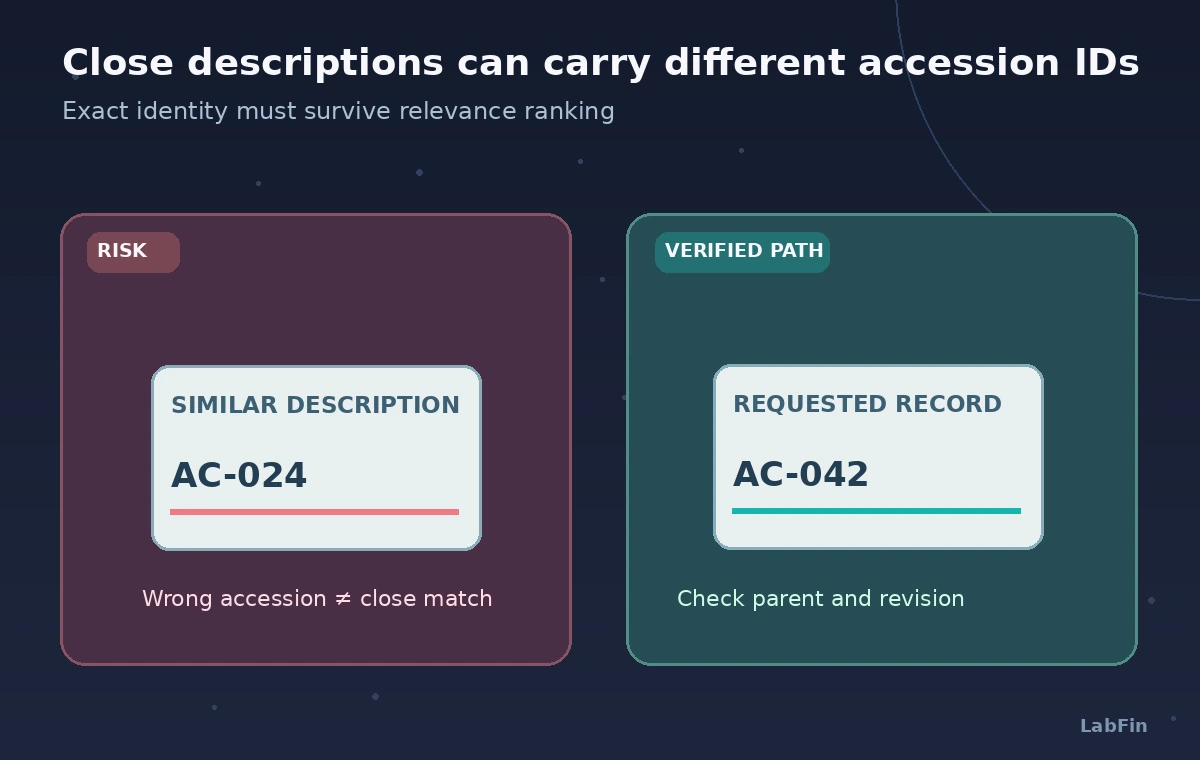
Imagine an archive search for a brass navigation instrument labeled AC-042. The collection contains another compass, AC-024, with a similar descriptive caption. A visitor looking for “the brass compass donated in 1932” may reasonably use broad language, while a curator typing AC-042 expects the exact record.
The system must support both intents without presenting a similar item as the requested accession. Record the expected answer, current source revision, and access classification before tuning search. These example IDs and dates are fictional training data, not museum records.
Understand the two retrieval signals
Azure AI Search hybrid search combines a full-text search expression with vector queries in a single request. Text matching can favor exact codes and specialized terms; vector similarity can recover conceptually related descriptions even when wording differs.
These signals solve different problems. A high vector similarity does not make a code equivalent, and a text match does not verify the object exists or is currently available. Treat the unified result set as a candidate list that still needs source identifiers and editorial checks.
Prepare index fields for both forms of search
A hybrid-ready index includes searchable text and vector fields, plus filterable metadata such as accession ID, approved revision, and access level. Use a stable parent record key that connects each description chunk to its source document.
Do not treat private storage paths or curator-only notes as publicly retrievable simply because vectors were indexed. Ensure the embedding model and vector-field schema match; changing dimensions or models is an index migration task, not a magic relevance toggle. Preserve tombstones or withdrawal markers for records that were superseded.
Construct an intentional hybrid query
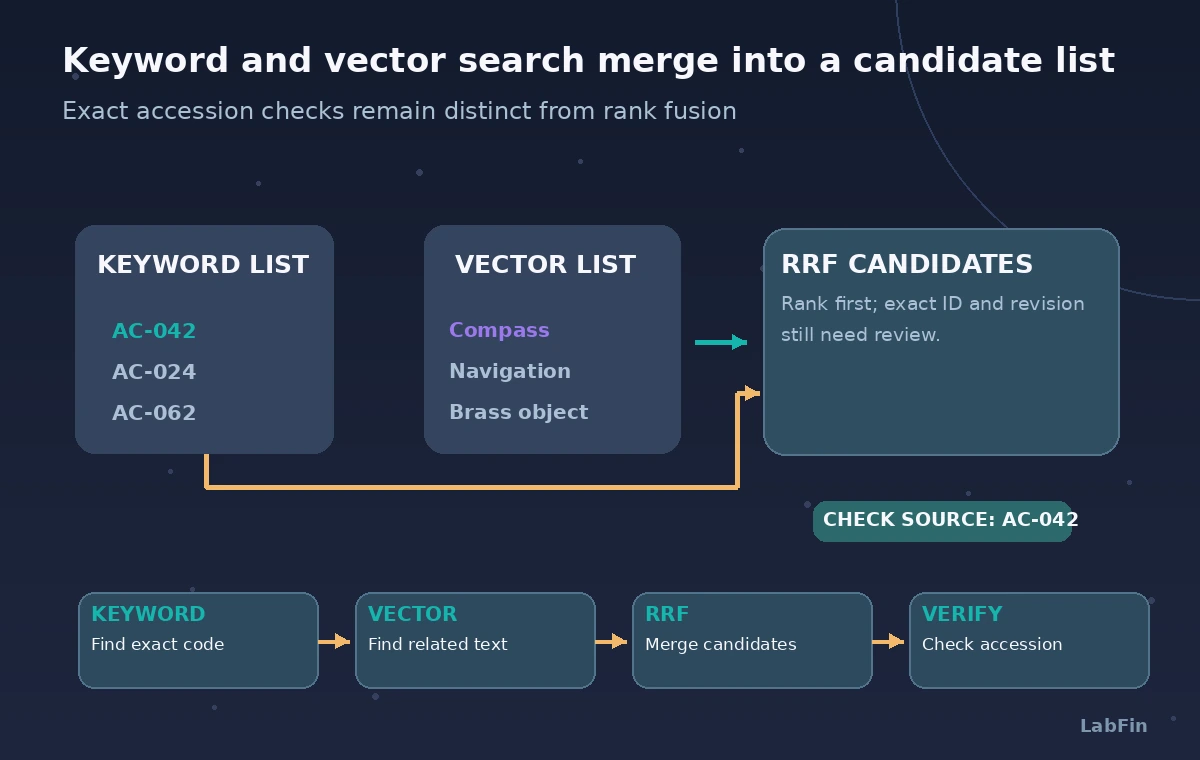
The Microsoft guide describes a request with a search text field and vectorQueries for matching the embedding representation. The two retrieval operations execute in parallel and produce ranked lists before fusion.
Design a query that carries both the phrase “brass navigation compass” and the requested ID context. If the identifier must be exact, enforce that requirement with a separate structured lookup or an appropriate filter rather than merely hoping RRF puts it first. The process diagram connects a typed code and natural-language phrase to a reviewer-visible candidate card.
Explain RRF without inventing a benchmark
Reciprocal Rank Fusion adds contributions based on result positions in the separate ranked lists. Azure AI Search uses the RRF mechanism to merge ranked results and returns a unified @search.score. This score is not the probability a museum claim is true.
The scoring scale differs from BM25, vector similarity, and any optional semantic reranker score. The number of parallel queries can also influence score magnitude, making a raw threshold from another query configuration misleading. Compare relevant IDs and rank order on a labeled evaluation set instead of reporting an invented accuracy gain.
Contrast a near match with the exact object
The comparison drawing places a wrong but similar item AC-024 next to the requested AC-042 record. The reviewed result preserves the accession match and shows the approved caption revision.
Both record cards are imaginary illustrations, not actual Azure search output. The failure mode to look for is not just a low ranking but a confident answer that copies provenance from the wrong object. When retrieval is uncertain, give the curator a source list to verify rather than blending descriptions into one museum fact.
Keep semantic reranking distinct from fusion
Optional semantic ranking can rerank an existing text- or hybrid-derived candidate set and exposes @search.rerankerScore separately from the RRF @search.score. It does not resolve whether a legal title document is authentic or whether a curator approved a date.
Avoid describing the reranker as the same operation as RRF. Measure whether it helps your specific archive queries using known relevant records, and check that important exact-code hits remain accessible. If you turn on new preview options, confirm the service version and operational constraints before publishing instructions.
Build permission and revision checks into retrieval
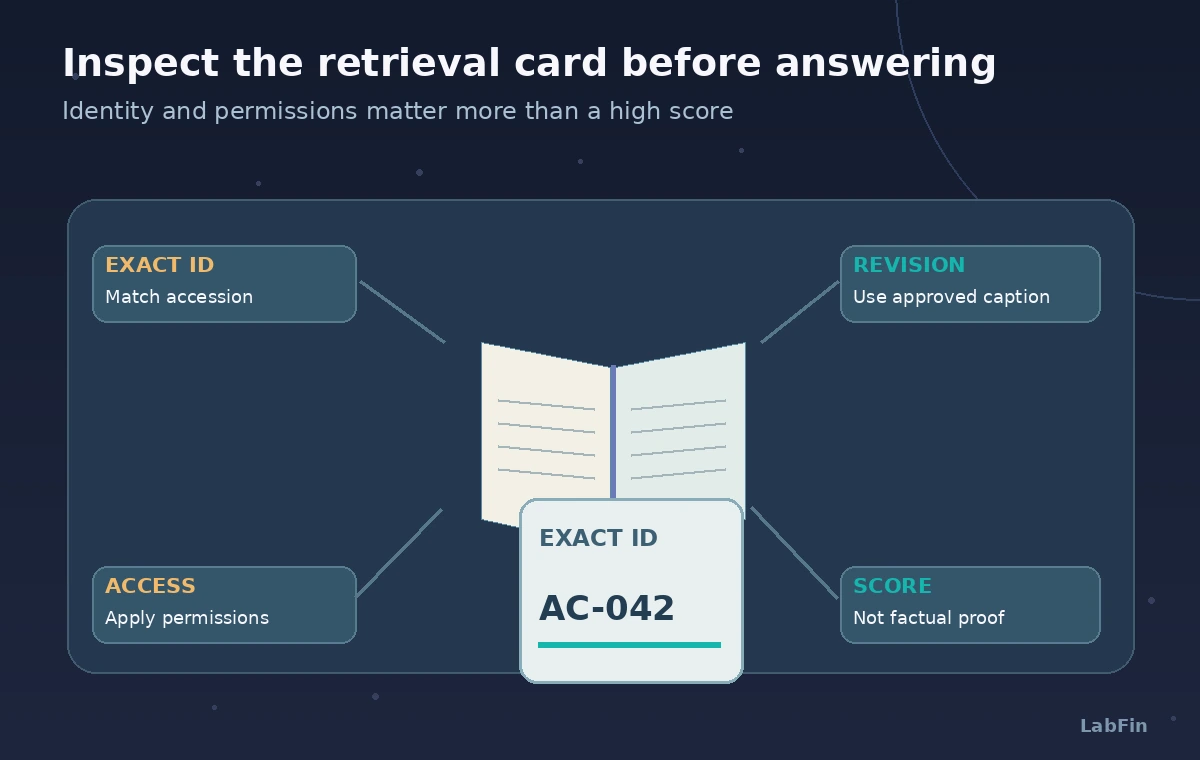
Filter by approved revision and user permissions at the service boundary where feasible. Return only permitted document fields, not the full vector or internal staff annotation. Provide the parent source identifier with each result and make the approval state visible.
A withdrawn item, an embargoed donor letter, or a corrected label should not leak into an anonymous visitor answer. Test a user who is allowed to see a public caption but not the internal acquisition note. Search ranking cannot replace role-based access control.
Review the four points on the returned card
The audit illustration locates the exact accession field, revision label, access rights, and interpretation of the score. Select a test set with exact IDs, near-miss codes, paraphrases, an outdated caption, and an access-restricted record. Evaluate keyword-only, vector-only, and combined retrieval as separate conditions.
Record examples where semantic similarity hides a numeric discrepancy. If the system lacks a verifiable approved source, return a search suggestion rather than an asserted provenance story. This review represents a testing plan, not executed results.
Document the deployment contract and limitations
Publish the expected index schema, embedding model, searchable fields, fusion query definition, access filters, and the owner of source revisions. Azure versions, ranking options, and billing can evolve; review the current Microsoft instructions before changing production settings.
Avoid storing user queries longer than necessary and control exposure of catalog notes. The article did not run a cloud search, generate an embedding, or calculate an RRF score against real records. Its diagrams are explanatory sketches and should never be described as screenshots or measured performance.
How We Research
For this November 2026 article, we reviewed vendor-maintained documentation: Microsoft Learn: Hybrid search overview, Microsoft Learn: Reciprocal rank fusion, Microsoft Learn: Create a hybrid query. We compared documented capabilities, settings, and explicit limitations with the fictional scenario, then checked where source revisions, missing evidence, or human permissions could change the answer. We did not use a paid production account, benchmark models, process real visitor or donor information, or obtain approval from a vendor. Example diagrams and names are educational. Before implementing this workflow, recheck the provider change log, model availability, region, price, privacy controls, and current API reference; obtain independent review for any safety, legal, or accessibility decision.
Frequently Asked Questions
No. Use exact matching or structured filters when the identifier is mandatory; RRF merges ranked results but does not authenticate identities.
No. In hybrid retrieval it represents RRF-based ranking, not factual confidence or object authenticity.
No. RRF fuses result lists; an optional semantic ranker can reorder candidates and reports a separate reranker score.
Yes, if indexing and authorization are configured incorrectly. Apply permission checks and limit returned fields.
No. Use an independent labeled test set and report the actual conditions before making performance claims.