
When review status belongs beside an object
A conservator receives a new high-resolution scan of a fragile paper poster. The scan is stored in an S3 bucket with versioning enabled, while its condition report and signed release decision live in the museum’s record system. Staff want a quick way to route the file through review without modifying the source bytes. S3 object tags are key-value labels that can be added to existing objects. They can support lifecycle filters and selected access-policy conditions. They are not a complete collection management record: a tag such as review=pending says how a workflow should treat the object, not who approved its condition or whether it can be distributed publicly.
Choose a tiny, controlled tag vocabulary
Define a limited set of machine-readable keys such as reviewState and mediaRole with documented allowed values. Use terms like pending, approved and blocked rather than free-form comments. S3 allows up to ten tags on an object, with unique keys and case-sensitive values; names and values are constrained in length. Never embed donor identities, personal emails or private conservation notes in tags. Include a link from your internal system to the authoritative approval record rather than packing approval evidence into a value. Publish the schema to all workflow owners so one service does not use approved while another expects released.
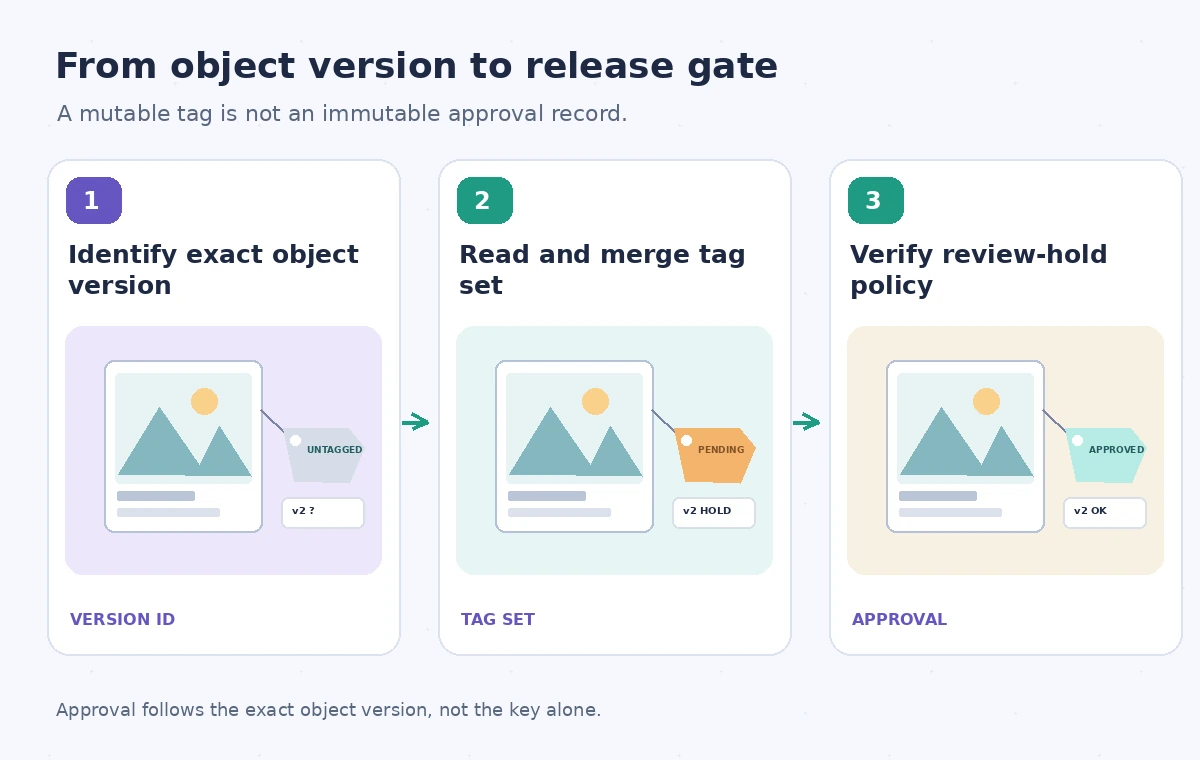
Be explicit about object versions
In a versioned bucket, replacing a photo can leave multiple object versions behind. A reviewer may approve a specific scan generation, not everything ever stored at the key. The S3 PutObjectTagging API accepts a versionId query parameter for a noncurrent version and requires the corresponding permissions. Record bucket, key and version ID in the review log before changing a tag set. A request aimed at only the current version can be misleading when a later upload changes what current means. Verify the target version again after the write, especially when an automated publisher could read a different version than the one approved.
Avoid replacing unrelated tags by mistake
PutObjectTagging sets the supplied tag set; it does not merge one new key into whatever is already on the object. A naive update that sends only reviewState=blocked could remove cost-center and retention-routing tags maintained by another team. Read the existing set, reconcile the planned change and write the complete intended tag set. Be aware that another writer can change tags during this read-and-write sequence; coordinate updates or use a single authoritative tagging service where consistency matters. Verify that the final values match the approved vocabulary. Treat an empty set as a consequential operation rather than a harmless request.
Test the lifecycle effect before activating it
S3 Lifecycle rules can select objects through tag-based filters alongside prefixes. This is useful for routing public derivative images and long-lived masters differently, but dangerous if a label is applied to the wrong version or mixed with a broad rule. Inspect the full lifecycle configuration, version-specific behavior and any object-lock policy before using tags to influence retention or transition. Do not assume a tag alone grants legal preservation or prevents deletion. A museum’s long-term retention requirements belong in an approved storage policy using appropriate native protections. Rehearse filter logic on sample objects and verify that protected files remain outside unintended transitions.
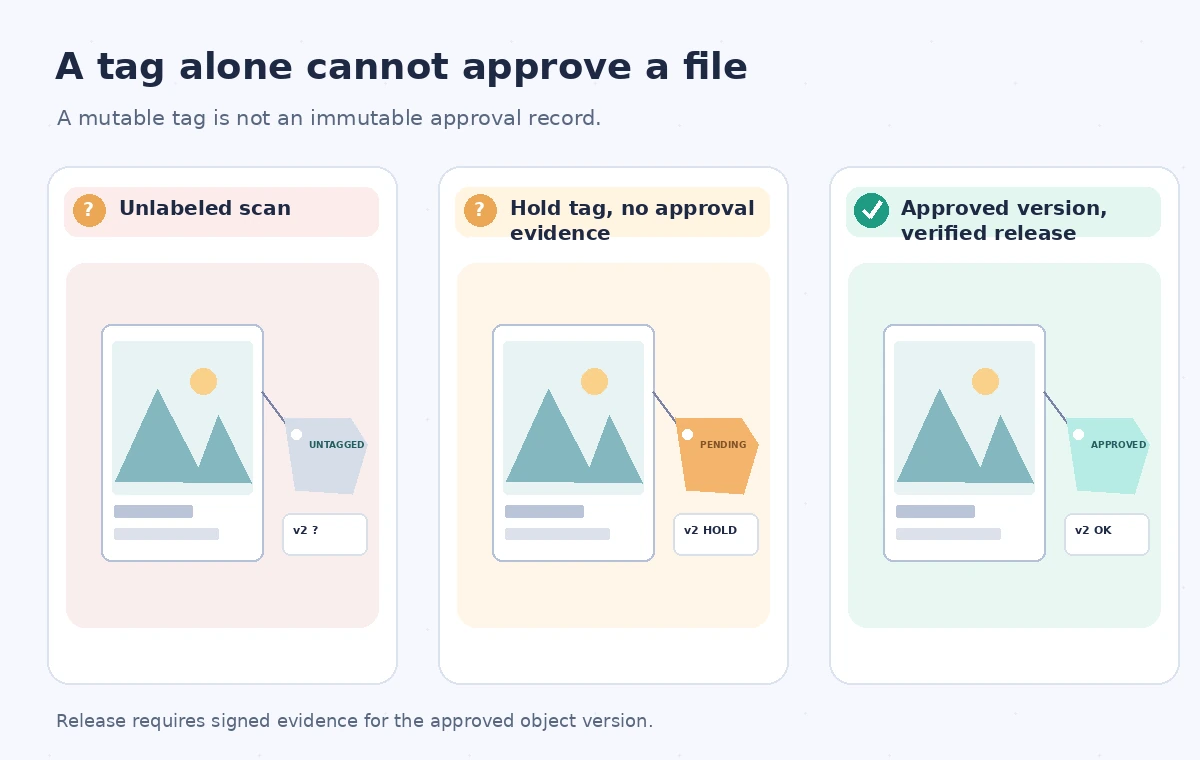
Compare an untagged file with an approved version
In the first conceptual state, a new scan has no review label, so a basic workflow cannot distinguish it from a cleared derivative. In the second, a pending hold tag is present, but an approval document has not been checked; publication must still be blocked. In the third, the version identifier matches the signed conservation release and a separate publication gate permits the approved rendition. Tags help the gate find candidates but do not themselves prove a signature. These illustrated states are examples of possible operations, not results measured in a real S3 account.
Separate visibility, permissions and audit trails
Object tags can be used in fine-grained access policies, but their security effect depends on the full IAM and bucket policy context. Do not publish a file merely because one tag has changed, and do not rely on a tag as the only authorization check. In the application, verify the caller’s identity, approved release status and exact object version. Log who requested and approved a status change using an access-controlled system of record. Keep the tags themselves free of sensitive details because they may be visible to automation or operators who should not read a full condition report. Review permissions for read and write tagging separately.
Build a version-aware release checklist
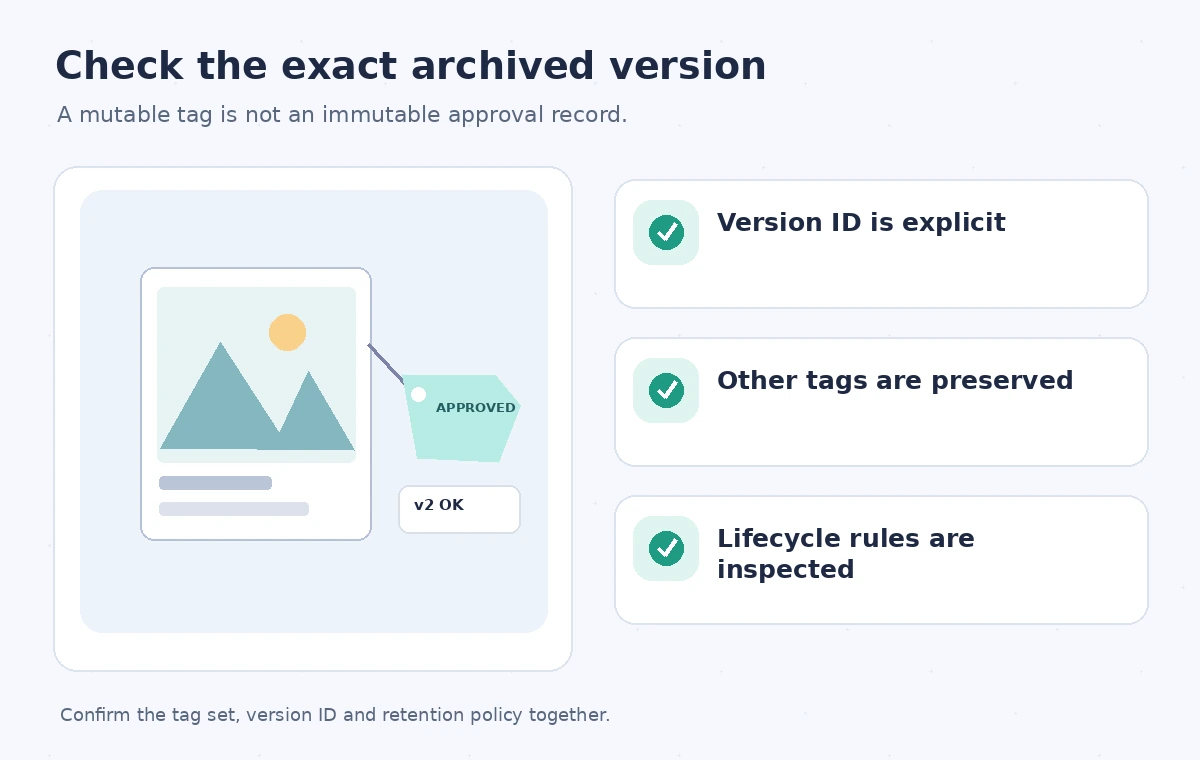
Before a public image is linked, compare the source key and version ID to the approved record, then confirm checksum evidence for the intended derivative. Verify that the tag set contains the expected state and has not lost unrelated administrative values. Check that no lifecycle rule could transition or remove the rendition during the exhibit window. Finally, load the delivered image from the visitor-facing channel and check that it matches the approved caption and rights statement. If any of these steps fails, keep the public link disabled and record the reason. A clean tag update is only one component of the release decision.
Revisit tags when policies change
Review states and lifecycle assumptions can drift as conservation practices, rights or museum partnerships change. Schedule periodic checks of tag vocabulary, stale pending states and objects with mismatched status across versions. After a bulk retagging job, use its completion report and a sample of independent object reads rather than assuming the requested operation succeeded for every key. Teach staff that tags are operational labels, not an immutable history; the audit trail should remain separately protected. This approach gives engineers useful automation without turning mutable metadata into a substitute for conservation judgment.
How We Research
For this guide we consulted the official documentation: Amazon S3 tagging your objects; Amazon S3 PutObjectTagging API. We compared named fields, supported behaviors and stated limitations, then developed an instructional museum scenario with explicit failure states. We did not run a live vendor API benchmark, inspect a production museum system, or measure vendor performance. The workflow and illustrations are proposed review steps; verify API-version support and your organization’s current policy before applying them.
Frequently Asked Questions
Yes. Object tagging supports existing objects; read the complete current tag set before replacing it.
No. It replaces the supplied tag set, so omitted prior tags can be lost.
An S3 object can have up to ten tags with unique, case-sensitive keys.
No. Use appropriate retention and Object Lock controls, and audit lifecycle policy separately.
A key can have several versions; the approval must refer to the exact bytes intended for release.