
AI food photography is often promoted as an easy way to make any dish look perfect. For a delivery menu, that promise can create real problems: a generated burger may have ingredients the kitchen never serves, and a fake platter may misstate portion size. DoorDash’s merchant guidance requires real photos that accurately represent the actual item, not an idealized or generic AI replacement. This guide builds a cautious editing workflow for a fictional neighborhood café’s noodle bowl. It distinguishes permissible-looking basic photo cleanup from replacing the dish, explains common rejection reasons, and provides a final evidence check. No restaurant or DoorDash upload was tested for this article.
Separate real food photographs from generated concept art
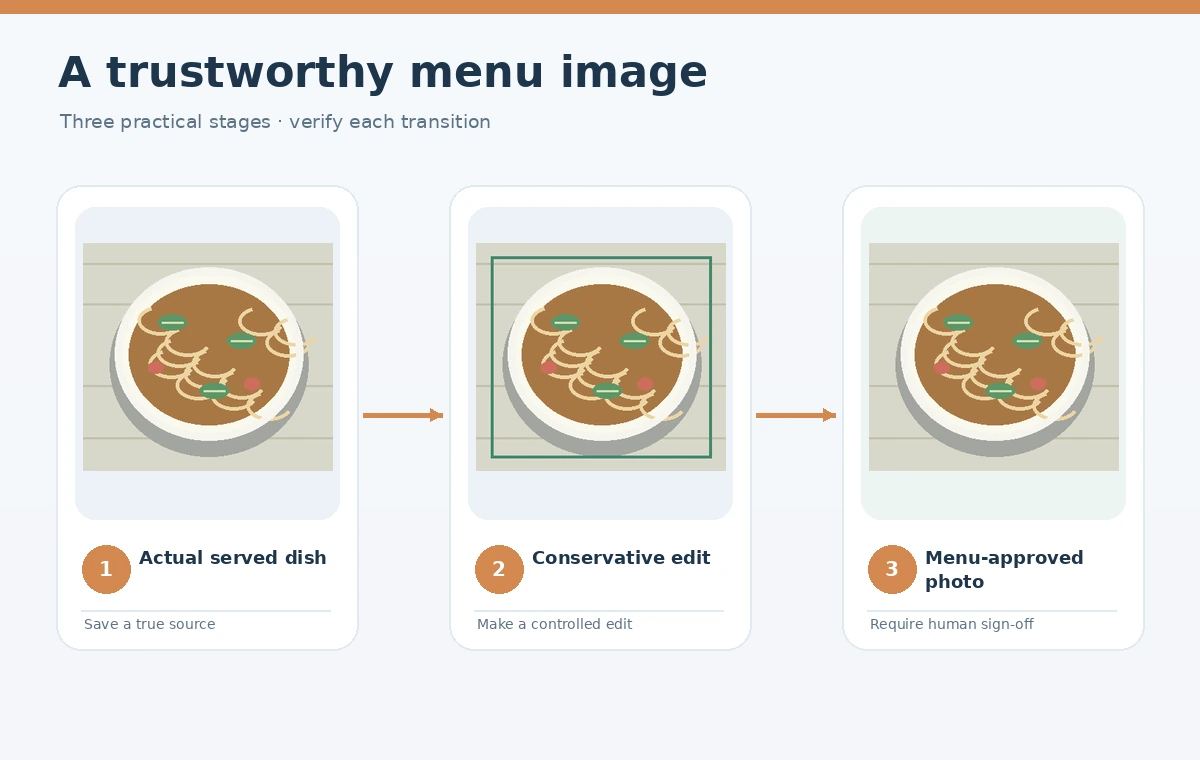
Use an actual dish prepared by the restaurant as the source for a menu listing. Photograph the standard serving, with the portion and ingredients a customer will genuinely receive. A generated concept image can help the team brainstorm composition or lighting in advance, but it should not be passed off as a documentary photo of a real menu item. DoorDash’s merchant guidance states that menu photos must show the actual item and be representative of its real size, shape, color, and ingredients; it warns against illustrations, stock-like substitutes, and misleading AI imagery. For the example, the café sells one sesame noodle bowl with a specific topping. Record the plate size, actual garnish, and whether a side dish is included. The approved kitchen build, not an image model, establishes the facts. If the menu recipe changes, obtain a fresh real photograph.
Set up a simple shoot that reduces the need for repair
Photograph the meal on a neutral table near soft window light or using a controllable, diffused lamp. Keep the camera stable and use a sensible focal length to avoid distorting the bowl. A clean background should make the ingredients easy to see without inventing a luxury dining environment. Frame the entire serving so customers can assess size and portion; do not crop tightly enough to hide an inconvenient detail. Take one front three-quarter view and a slightly higher angle if the platform permits alternatives. A napkin or utensil may provide scale, but extra plated sides can imply they are included. Confirm the actual dish with the kitchen before editing. Good source photography is usually cheaper and more trustworthy than repeatedly asking an AI tool to manufacture food-like highlights or reconstruct missing noodles.
Read current platform dimensions and content restrictions
DoorDash’s current merchant help gives a minimum photo size of 1400 by 800 pixels and a maximum file-size instruction of 2 MB in its rejection guidance. Another upload instruction on the same help page mentions under 16 MB for corrected photos, so treat the more restrictive documented threshold as an initial target and confirm the actual Merchant Portal limits. The guidance also says at least 80 percent of the item should be visible, and recommends a clean background, moderate crop, and recognizable portion. Do not claim that a generated 1400-pixel image is intrinsically more accurate than a lower-resolution original. Keep the true photographed item centered and make adjustments that preserve its real outline. Different marketplace surfaces can crop differently, so inspect the preview at the exact destination size. File dimensions and fidelity are separate pass/fail checks.
Limit AI edits to presentation, not ingredients
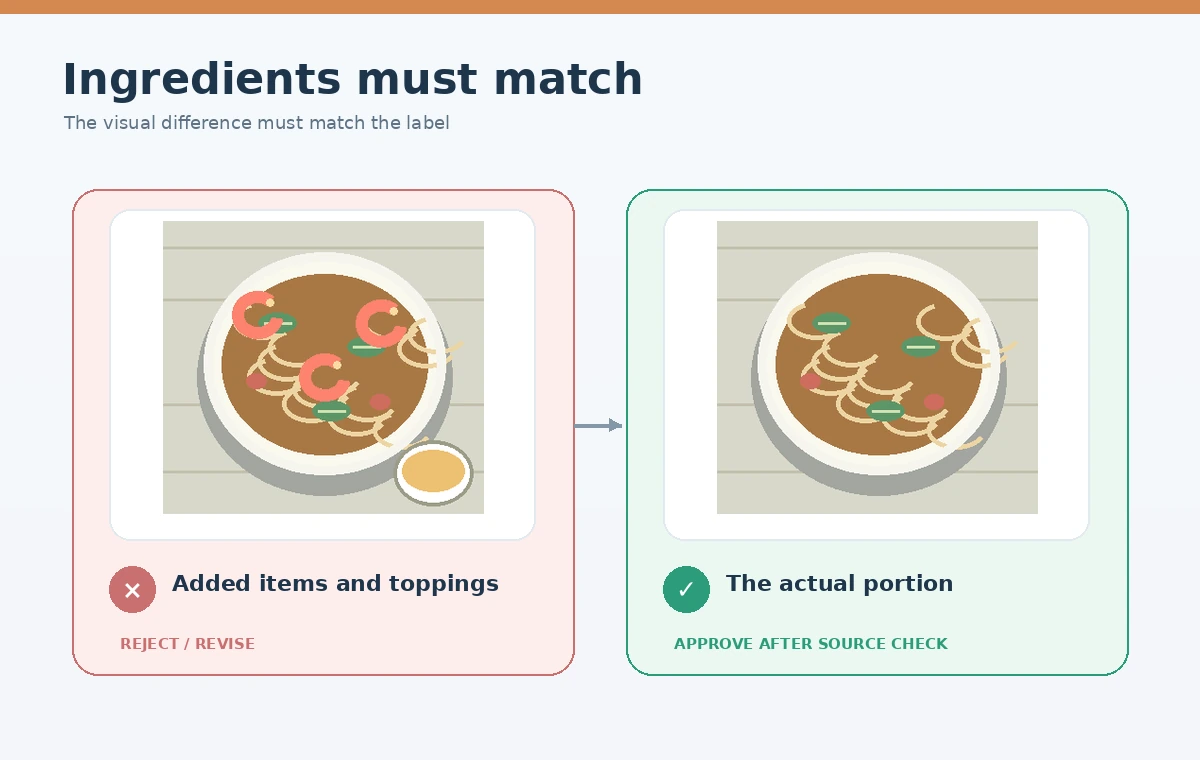
A cautious workflow can include ordinary exposure correction, white balance, crop, and subtle cleanup of nonessential background clutter, provided the final photo remains representative and the platform accepts the edit. Avoid using a generative fill operation to add sesame seeds, increase portion size, turn a thin broth into a thick sauce, or remove ingredients customers will receive. These are not cosmetic changes; they alter the promise communicated by the listing. Do not hide defects such as overcooked garnishes by manufacturing a better serving. If the real bowl has a spill on the table, retake the photograph when possible rather than painting the scene into an artificial studio setting. Keep the original beside every approved export for human comparison. Label any internal enhancement clearly and consult the platform’s policies before using generative modifications in live listing photos.
Check ingredient truth and portion size together
Ask the chef or menu owner to compare the edited photograph with the standardized dish. The reviewer should name the protein, garnishes, sauce, bowl type, and sides visible in the photo, then confirm each one is included. Check quantity, not only identity: an AI-generated pile of extra shrimp or larger noodle serving can mislead even when every ingredient exists on the recipe card. DoorDash says menu-item photos should not combine several separately sold products into one hero shot unless they are actually sold together. Build a small ingredient truth table with columns for visible item, included in the sold product, quantity plausible, and reviewer decision. A food stylist may improve the presentation of a real serving, but the image must still set accurate customer expectations. When uncertain, use a new real photo.
Perform ownership and rejection checks before upload
DoorDash notes that uploaded food photos need verifiable usage rights, should not be taken from random websites, and should correspond to the particular menu item. Keep the photographer’s permission or employment agreement where relevant. Do not reuse a chicken bowl image for the beef variant simply because both contain noodles. Inspect blur, underexposure, duplicate uploads, distracting hands, watermarks, and artificial-looking textures. The help center explains that rejected photos can be reviewed in the Merchant Portal and corrected. Treat a rejection as a signal to repair the underlying issue, not a reason to generate a more photorealistic fake. Export from the actual approved source and use descriptive internal filenames. It should be possible to trace every uploaded menu image back to a real item and authorized source photograph.

Keep a simple re-shoot and final approval policy
Write an operational rule for the café: whenever a photo requires AI to change the food itself, stop and reshoot. Before posting, check the exact bowl against the menu description, exported file size, intended crop, copyright approval, and whether any AI adjustment could be misleading. Open the final exported file at the customer-facing thumbnail size and at full resolution. Ask a second staff member who knows the actual serving to approve it without seeing the prompt. If the café introduces a new topping or changes the bowl size, retire the obsolete listing photo. Save the original, corrected export, approval note, and the last platform guidance checked. The result is a defensible restaurant photo process that uses software to improve clarity without inventing what diners will receive.
How We Research
We reviewed DoorDash’s official merchant photo-rejection guidance (help.doordash.com) and its virtual-brand standards (help.doordash.com), checked October 28, 2026. Its published file-size instructions differ by upload context; we flag that distinction rather than treating one number as universal. The noodle bowl and kitchen checklist are conceptual examples, not actual DoorDash submissions or photo tests.
Frequently Asked Questions
DoorDash merchant guidance calls for real, accurate photographs of the actual served food and warns against misleading or evidently AI-generated replacements.
Subtle edits may be suitable when the actual dish stays accurate, but confirm the platform policy and retain the source photo.
Not if that garnish is not actually included. An image must not imply ingredients or portions customers will not receive.
Its rejection guidance lists a minimum of 1400 by 800 pixels; verify the current upload interface and size limits.
Only when the image truly represents the exact same item. Different proteins or preparations generally need their own photos.