
Selling an AI-assisted printable is not just an image-generation task. The actual download must open, match its listing preview, use a practical format, and be honestly described. Etsy permits qualifying seller-designed digital products, including seller-prompted AI creations, but it requires disclosure of AI use and truthful representation. This guide uses a fictional set of printable garden labels rather than claiming to run a real shop. It follows the work from file inventory to listing proof: what the buyer gets, what the seller must verify, and what should never be implied by a polished mockup. The process helps prevent disputes caused by wrong dimensions, illegible type, or misleading previews.
Confirm the product is seller-designed and describe it precisely
Start by defining the downloadable product, not by making promotional mockups. For the example, the seller designs a set of twelve botanical garden labels with hand-edited names and illustrative leaves. Document the seller’s creative role: selection, layout, proofreading, palette, and package assembly. Etsy’s Creativity Standards permit seller-prompted AI creations when appropriately disclosed; listing another person’s unmodified image as your own work is not the same as designing a downloadable product. Write a concise product specification with number of designs, physical print sizes, file format, supported printing method, and any editable elements. State clearly when the item is a digital file rather than a physical shipment. This is especially important when images show labels attached to flowerpots, because a shopper may interpret that lifestyle photo as a promise of printed merchandise. The specification becomes the source of truth for every listing photo and description.
Prepare the files a buyer can actually use
Build the download package from approved exports, not from screenshots of generated images. Check page dimensions, actual pixel resolution, font embedding or converted paths where appropriate, and whether black printing lines retain sufficient contrast. Offer sizes you can verify; do not claim a single small file is suitable for every poster or printer size. For a garden label, check the actual plant name against the approved text rather than trusting AI lettering. Open each final PDF or image in a second viewer and print a sample if feasible. Remove extra artboard clutter, draft filenames, and unlicensed clip art. Etsy’s digital listing help says an instant digital download may contain up to five files with a maximum of 20 MB per file. Design a delivery plan within those limits rather than assuming customers can receive an unlimited collection of attachments.
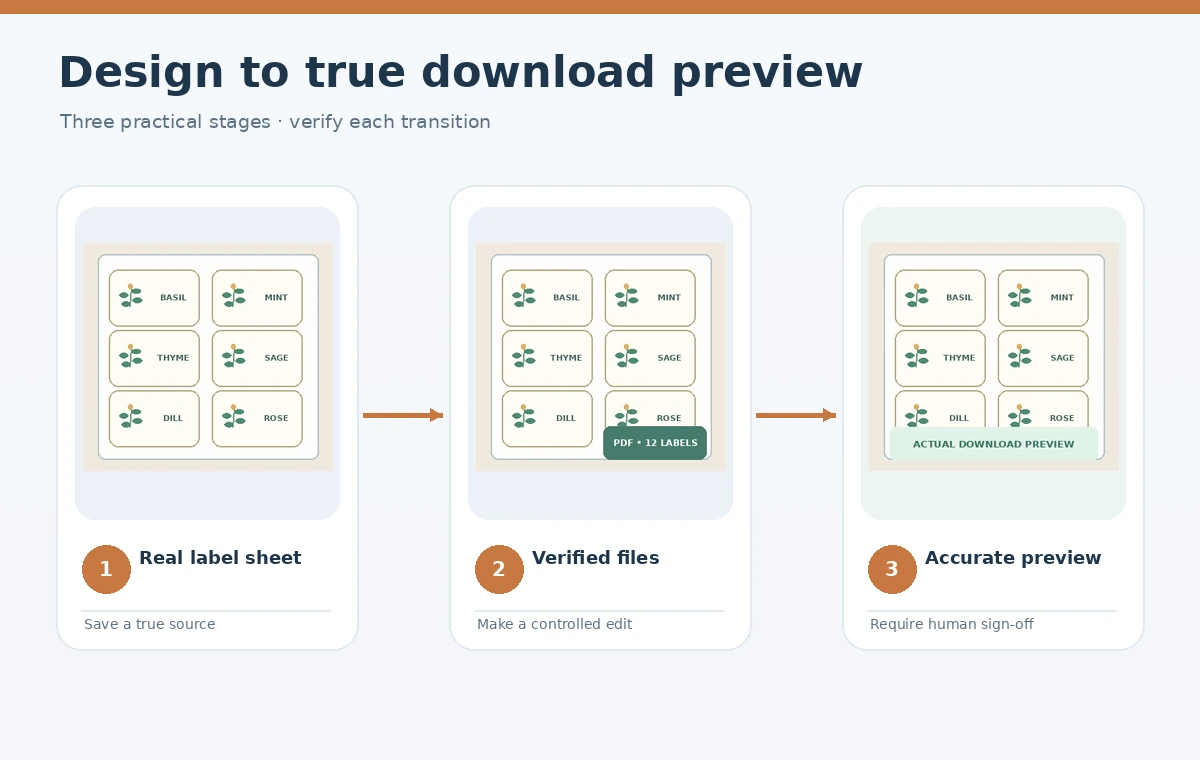
Show a true preview of the actual download
Etsy’s current image guidance says buyers should see an accurate representation of what they will receive. For a digital printable, include a readable preview of the real design pages, including a sample of the smallest text and a clear note that the product is a digital download. A decorative mockup can be useful, but should not replace evidence of the actual printable. Avoid pretending that an AI-generated framed room is a photograph of a physical item included in the sale. If buyers receive separate sheets rather than a printed kit, show those sheets accurately. Keep visible watermarks or sample marks on the promotional preview if desired, but make sure the delivered file does not accidentally contain them. A side-by-side final preview and true exported page can be part of the seller’s internal QA sheet. Honest images reduce assumptions that sellers cannot later meet.
Check policy differences for digital and physical products
Etsy’s listing-image policy includes rules about unedited real photos of items, with exceptions and different practices for digital downloads. Do not transplant an unedited-physical-product rule mechanically onto every digital printable. Etsy specifically says visual digital downloads should preview the actual content supplied to buyers, while some nonvisual digital files can use representative imagery if it is not misleading. For physical print-on-demand items, stock mockups may be allowed when authorized by the rights holder and the partner arrangement is properly disclosed. These are different product types. Decide which classification applies before selecting listing media. If a design can be purchased either digitally or printed, make separate listings or extremely clear variations where permitted so the product type is unmistakable. Verify the latest policy in the live seller help pages when publishing.

Disclose AI use without turning the listing into a technical essay
Etsy’s Creativity Standards say that seller-prompted AI creations must disclose AI use. Use plain language that explains where generation assisted the design and what was done by the seller. An example might say that botanical motifs were generated with AI and selected and arranged by the seller, with typography and print layout manually prepared. Do not claim that everything was drawn by hand if the motifs were generated. Retain the application or model used, any source image rights, creation notes, and version history in a seller record. Avoid promising exclusivity or copyright protection that your tool’s terms and applicable law do not establish. A short truthful disclosure can coexist with a compelling product description. The creative quality and usability should persuade buyers, not the absence of a disclosure label.
Build a buyer-focused listing and support checklist
Create a listing description that begins with the exact files and intended use. Explain download access, supported formats, finished dimensions, included designs, and whether editable templates or fonts are included. Add simple printing guidance, including whether the buyer should choose actual size or fit-to-page for the specific file. Etsy’s listing instructions permit up to thirteen listing tags, but search tags do not excuse an inaccurate title or missing delivery information. Include a small troubleshooting note for people whose viewer automatically scales the image. If a customer expects a cut-ready SVG and the product only contains a printable PDF, that mismatch can lead to a dispute regardless of artwork quality. Check that every file named in the description is present in the delivered bundle. Do not use a fake scarcity claim or pretend physical shipping is included.

Run a dry-run download and listing review
Before publishing, extract and open the files as a customer would, using a clean folder without access to your source design application. Verify the file count, meaningful names, actual content, image resolution, legible text, and absence of sample watermarks. Compare the listing photos against the actual exported pages and read the description aloud for ambiguity. Make sure an AI disclosure is visible and that any third-party elements have suitable permissions. Keep a final checklist recording the product version, file hashes if useful, image-preview revision, and reviewer. After publishing, save the approved source set so an accidental edit does not cause replacement files to differ from a listing preview. A small buyer support note about printers can help, but should not disguise a flawed delivered file.
How We Research
We reviewed Etsy’s official guidance on digital listings (help.etsy.com), image authenticity (help.etsy.com), and eligible seller-designed goods (help.etsy.com). Checked October 28, 2026. Garden-label files, listing previews, and quality worksheets are illustrative, not results of a live Etsy store listing or purchase.
Frequently Asked Questions
Its Creativity Standards allow qualifying seller-prompted AI creations, with an AI-use disclosure and a meaningful seller creative role.
Etsy currently documents up to five digital files of up to 20 MB each; verify its current limits before publishing.
A representative mockup must not mislead. For visual digital downloads, show an accurate preview of the actual files buyers receive.
Yes. Clearly state that no physical item ships, along with the included formats, sizes, and file count.
Treat generated lettering as unverified. Proofread or manually typeset every label before delivering the file.