
AI editing tools can make a document read more smoothly, yet their most serious risk is a change that looks stylistic while silently altering a factual statement. A tool might remove “may,” round a figure, or rewrite a qualification into a promise. In a shared document, an untracked replacement makes it difficult to identify what happened and who approved it.
This guide focuses on the review handoff rather than another comparison of writing assistants. The output is a practical, inspectable edit log using Microsoft Word Track Changes and human review. Microsoft documents native change tracking; availability of direct AI editing inside Word varies by version, account and rollout. You can use the process even if your chosen assistant only proposes text in a separate window.
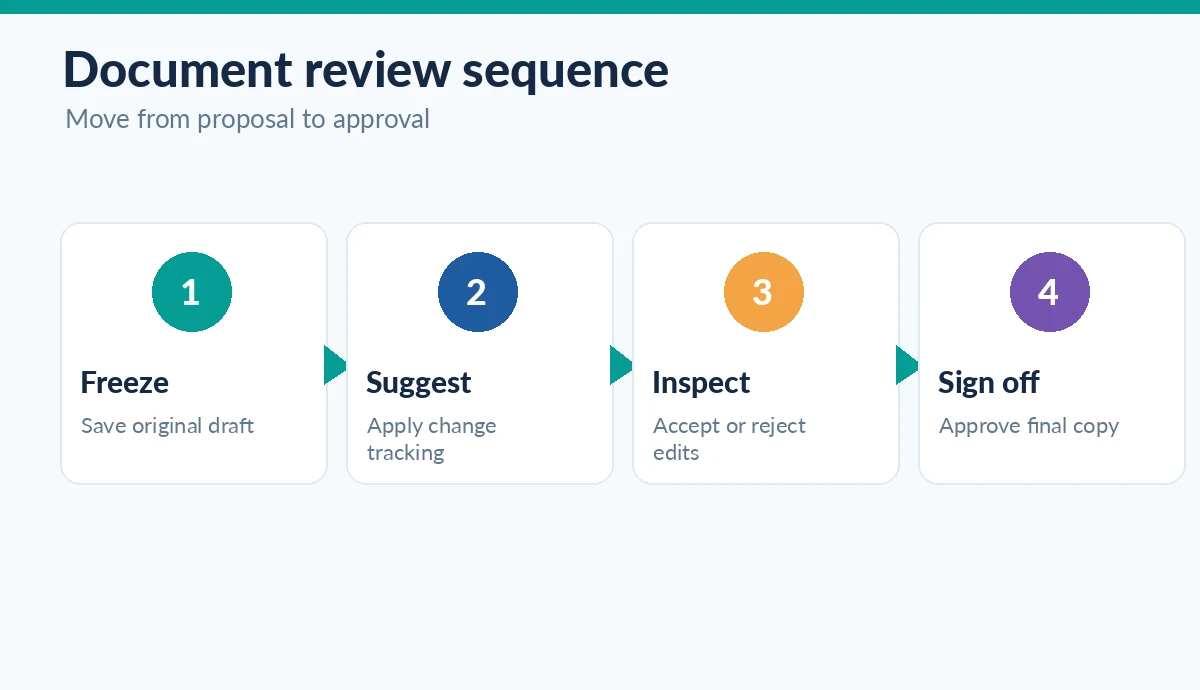
Start with an untouchable source version
Save the author-approved original with a date and version. Use a different file for edits and confirm that the editor knows which version is authoritative. If a team edits contracts, customer notices or technical documentation, mark protected language such as regulatory notices, amounts, names and citations. AI should not silently adjust those fields while improving readability.
Before making suggestions, record the goal in one paragraph: audience, target reading level, approved terminology and the extent of permissible change. A light proofread permits spelling and punctuation corrections; a structural edit permits moving paragraphs but requires visible explanations. Mixing the two leads to approvals that nobody can reconstruct.
Understand what Track Changes actually records
Microsoft Word offers tracking for insertions, deletions and other changes, and reviewers can accept or reject them individually. Turn it on through the Review controls and choose the correct tracking scope. The markup is not the same thing as a guarantee that AI content is accurate. It is a record of differences for a human reviewer to inspect.
Use the All Markup view when checking complicated revisions. Confirm the original and revised paragraphs remain comparable. If you paste an entirely rewritten section, Word may show a large replacement rather than a transparent set of sentence edits. In that case, add a reviewer note summarizing the reason and the claims affected; do not describe the change log as more granular than it is.
Use narrow prompts for editorial suggestions
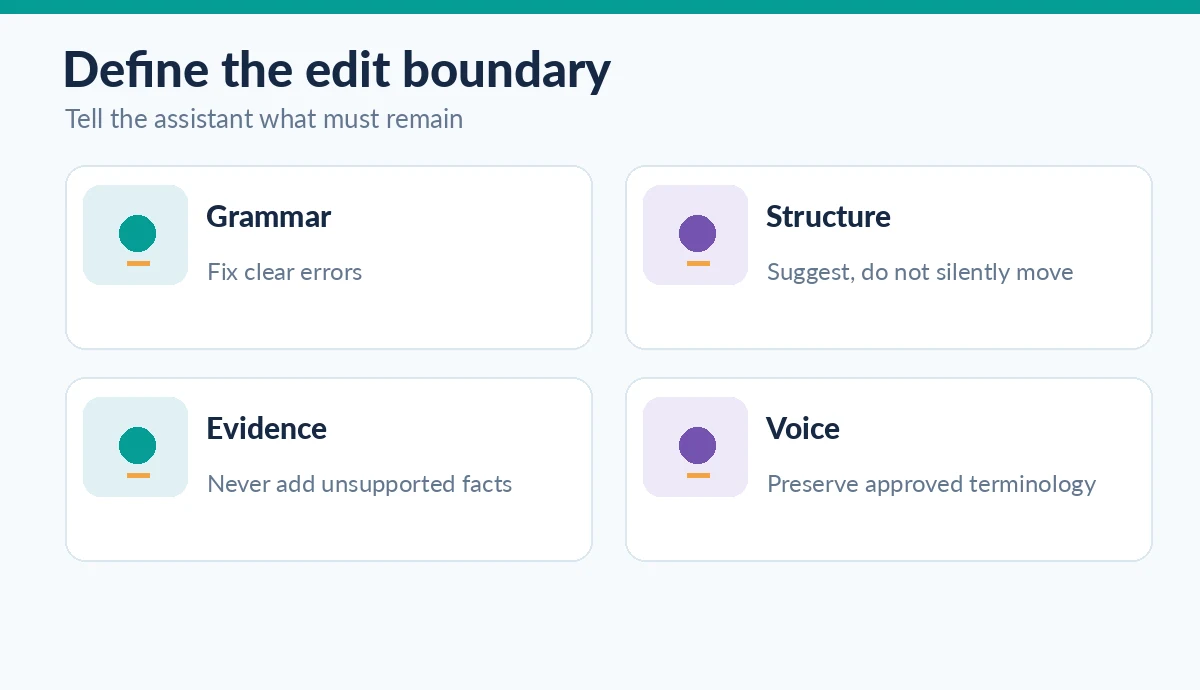
Give the model a restricted job: “Identify unclear sentences and suggest minimal rewrites; preserve all quantities, citations and quoted language. Explain any possible meaning change.” Ask for a before/after pair and a rationale. Do not request “make this authoritative,” which can accidentally turn uncertainties into unqualified conclusions.
For an illustrative sentence, “The policy may reduce processing errors in some workflows,” a suggested change to “The policy eliminates processing errors” is not an improvement. It changes both certainty and scope. Preserve such examples in reviewer training so the team recognizes that smooth language can hide substantive editorial alterations.
Separate grammar suggestions from factual amendments
Put suggestions in three queues: mechanical fixes, meaning-sensitive wording, and fact or policy claims. Mechanical fixes can receive quick review. Meaning-sensitive wording requires the document owner. Claims about prices, product capabilities, research findings or regulations require a source check before approval. This prevents a copy editor from being assigned responsibility for facts outside their expertise.
Use an evidence ledger with source URL or document reference, the original claim, revised wording and verification status. If an AI assistant invents a study or cannot connect a number to its primary source, reject the edit. Do not treat a confidence score, a clean grammar report or a Word comment as equivalent to independent evidence.
Review the diff rather than only reading the clean version
Ask a second person to inspect changes while the markup is visible. Focus on negation, conditions, temporal phrases, units, table captions and citations. Then read the clean draft in full to catch duplicated phrases, broken transitions and inconsistent style. These are complementary checks: the diff reveals changed meaning, while a fresh read reveals problems introduced by editing in fragments.
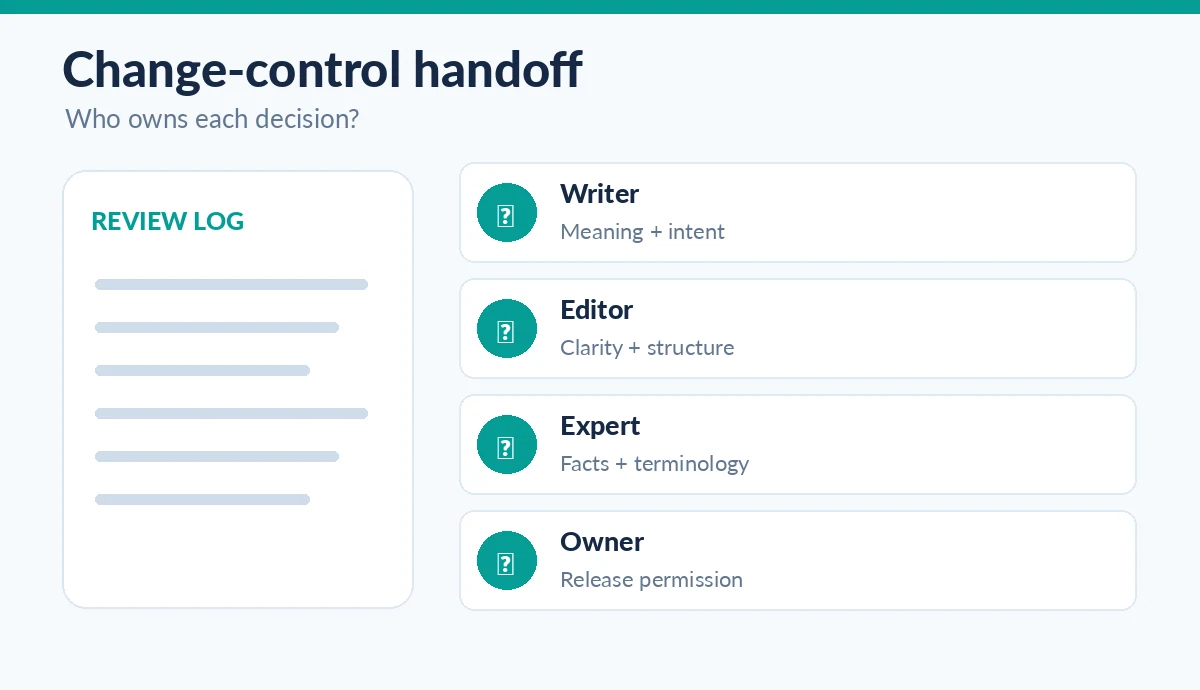
For team reviews, use explicit reviewer assignments. A subject expert checks technical truth; a copy editor checks clarity; the publication owner confirms that all blocking comments have been resolved. Do not click “accept all” merely because there are many suggestions. Bulk acceptance removes a useful opportunity to catch a subtle but consequential alteration.
Keep tool availability distinct from a guaranteed feature
Microsoft’s current documentation describes Edit with Copilot in Word but also notes licensing and staged availability. Confirm that your particular Word installation provides the functionality before writing an organizational standard around it. A separate assistant can still provide candidate revisions for insertion into a tracked draft. The process works without claiming that any provider generates perfect native redlines.
If you use Grammarly or another inline tool, review where the suggestions appear and how to preserve evidence of the decision. Some tools display a suggestion in an overlay rather than generating a Word change with a reviewer name. If your workflow needs formal approvals, route final edits through the document system rather than relying on the overlay as the audit trail.
Publish from an approved, clean document
Before exporting, resolve open comments, inspect references and ensure the final version contains the intended change set. Record the document version, source packet, reviewers and approval date. Export a clean copy while retaining the tracked working version in the approved storage location. Check that sensitive comments and tracked deletions are not unintentionally distributed to customers.
Assess the workflow on a small, non-sensitive pilot. Record the number of meaning-changing proposals caught and whether reviewers can reproduce the decisions. Do not claim a time saving without measured baseline data. The best result is not the largest number of accepted changes; it is a document that reads clearly and has a defensible path from original draft to approved release.
How We Research
We reviewed Microsoft’s Track Changes documentation, Microsoft’s current Copilot editing availability guidance, and Grammarly’s editing workflow description, checked October 26, 2026. We describe a conservative human-review process, not a claim that any AI tool generates native tracked revisions in every app or that a specific legal document was validated.
Frequently Asked Questions
No. Check the actual product and integration. You can still capture the proposed change inside a tracked Word review process when the AI tool does not produce native markup.
No. It records document differences. A subject expert must check meaning and evidence independently.
Only after checking that the set is truly mechanical and not changing names, terminology, quantities or meaning. High-stakes documents deserve individual review.
Microsoft notes licensing and rollout differences. Use your existing change-tracking features and approved editing tools rather than assuming availability.
Keep the original, tracked revision, relevant evidence notes, reviewer decisions and approved release version according to your organization’s policy.