
The Permit Binder That Does Not Fit a Normal Request
Suppose a historical society receives a twenty-four-page permit binder containing approvals, sketches, handwritten corrections and an amended page. Volunteers want searchable text, but a short synchronous OCR request may not accept the entire binder for their selected processor. Google Document AI exposes imageless_mode in ProcessRequest, and the current limits documentation explains how eligible online processing can extend to thirty contiguous pages starting from page one. This is a workflow choice, not proof that every processor supports the same limit. The original scans must remain separately available because returning text without page images makes later visual verification more dependent on the archive’s own source repository.
Read the API Field and the Processor Limits Together
The official ProcessRequest reference defines imageless_mode as an optional Boolean that removes images from the returned document. Google also documents a higher synchronous page ceiling for eligible processors when that option is enabled, but processor-specific limits still apply. Before selecting the mode, identify the exact processor type, version and region, then consult its listed online, batch and imageless limits. Do not copy the often-quoted thirty-page maximum into a promise for every processor; several specialized processors have smaller maxima. File-size restrictions and other processing constraints remain in effect. Record both the supported limit and the version you verified on the date the workflow is designed.

Keep the Source PDF and Page Identity Stable
Assign the incoming binder an immutable archive identifier and preserve its original PDF or scanned page images in secured storage. Record a file checksum, number of pages, page rotation and the source of any replacements. Send a copy for processing rather than overwriting the master. The document’s text output can then be mapped back to an original page number and reference image. If volunteers correct OCR text, keep the correction as a separate editorial layer, never as a silent rewrite of the scan. The absence of returned images in an imageless response should not turn uncertain handwriting into an unquestioned metadata field.
Process Contiguous Pages Deliberately
The extended online limit described by Google is for pages processed contiguously starting with page one. It should not be interpreted as permission to send an arbitrary selection such as pages three, twelve and twenty-seven and expect an elevated limit. Where selective processing, unusual document structure or long files are involved, inspect the appropriate ProcessOptions and batch processing path rather than guessing. For a binder beyond the selected processor’s supported online limit, split and reconcile controlled source ranges or use a supported asynchronous workflow. If a page contains a foldout that must be read visually, preserve its original page image irrespective of how the text extraction request was configured.
Compare Text-Only Convenience With Evidence Completeness
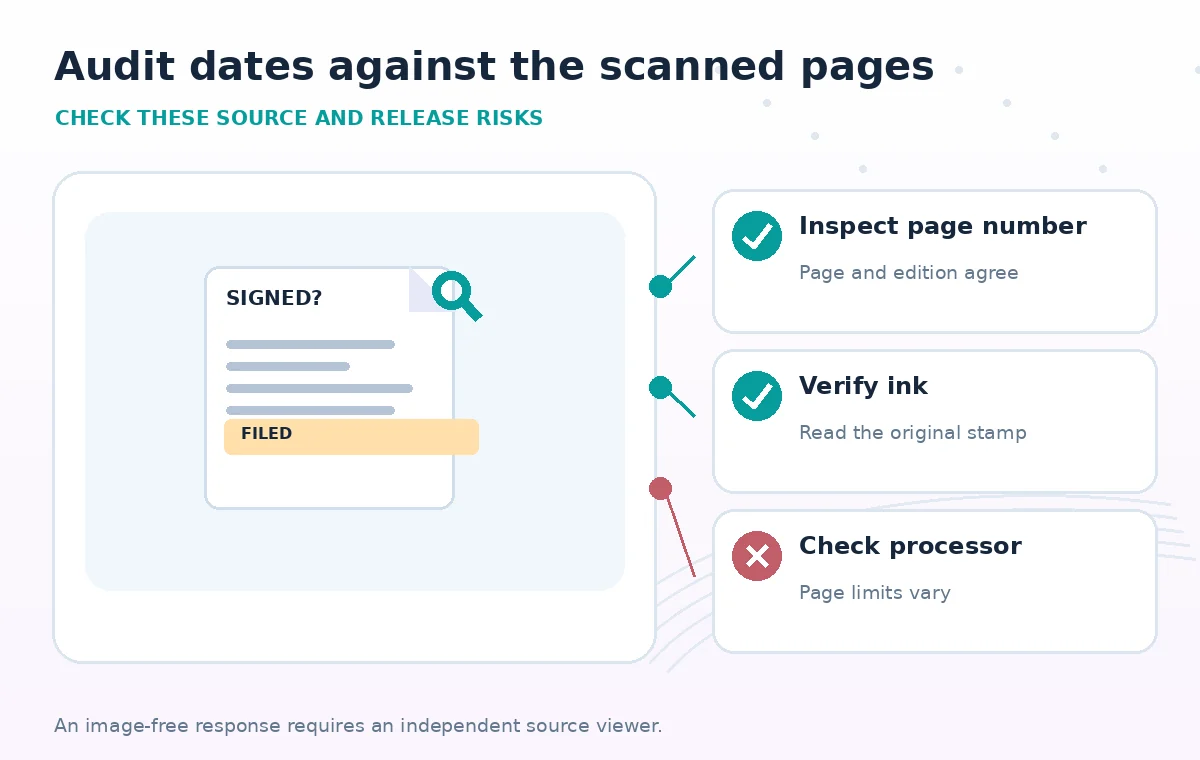
Picture two review screens. In the first, an extracted date appears in a plain-text result and a volunteer assumes it is the approval date. In the second, a source page viewer shows the same number beside a stamp labeled ‘filed,’ while a separate signature on another page supplies a later approval date. The difference is a verification method, not a promise that a particular OCR model produced either value. An imageless response can still provide useful structured text, but a defensible archive record must retain the source image and distinguish field semantics. Reconcile any entity or text anchor with the physical layout before assigning a public approval status.

Separate Extraction Errors From Upload Errors
When an online request fails, classify the cause before retrying. A page-count error suggests the selected processor or request mode does not support the payload; it does not imply that a second identical attempt will work. A permissions error points to access control, while malformed input may require repairing a scan copy. Log request identifiers, processor version, source checksum and error class, but never store confidential images inside general-purpose diagnostic messages. For very long binders, investigate batch processing as a different operational route. A completed asynchronous job still requires checking per-file results and the number of pages processed.
Plan Page-Level Verification for High-Risk Fields
Not every extracted line requires the same scrutiny. Prioritize effective dates, expiry dates, geographic coverage, permit holder names, conditions and handwritten exceptions. For each critical field, store the extracted string, the corresponding source page, a reviewer decision and any uncertainty note. Reopen the original scan to verify words that OCR may misread, such as ‘not,’ ‘unless’ or a handwritten digit. A reviewer should not approve a combined date merely because a language model generated a plausible summary. Consider dual review for fields that govern access, safety or legal obligations. The review requirement belongs to your record policy, not the imageless_mode flag.
Audit a Twenty-Four-Page Test Binder
Create a synthetic binder with several clean typed pages, a skewed handwritten correction, a blank separator and one page with a contradictory stamp. For a supported processor, record the page count accepted with the chosen mode and confirm that all expected text locations can be related to the stored scans. Compare with a reference workflow using the same source file and a suitable processing strategy. Do not report precision rates unless you actually calculate them against manually verified ground truth. Check output size separately from page acceptance; removing returned images can reduce payload, but that is not the same metric as OCR accuracy.
Make the Public Record Traceable
The final catalog should tell researchers which permit edition is represented, which pages support the important metadata, and whether a field was manually verified. The OCR pipeline can accelerate indexing, yet it should not erase the distinction between submitted, filed and approved paperwork. Keep source images protected under collection policy, and publish only derivative fields that editors have cleared. Record the processor name and version, imageless_mode setting, file digest, page count and review notes so another archivist can reproduce the extraction decision without relying on an opaque screenshot of the dashboard. The operational goal is easier long-document processing paired with more careful evidence handling.
How We Research
We reviewed the named official primary sources on November 8, 2026: Google Document AI ProcessRequest RPC fields, Google Document AI limits, Google Document AI processor list. We compared documented parameter scope, practical boundary cases and implementation risks with the review workflow in this article. We checked the topic and slug against the WordPress title inventory supplied by LabFin and previous B0267–B0272 batches. We did not authenticate to a vendor account, run a live API request, conduct a performance benchmark, review real confidential archive material or verify deployment outcomes. All documents, sample states and diagrams are hypothetical teaching illustrations; product UI is not reproduced.
Frequently Asked Questions
No. It affects the returned document content; your own source storage and retention process remain separate.
No. Consult the specific processor and version limits, even when imageless mode is available.
The documented extension applies to contiguous pages starting with page one, not an arbitrary page selection.
The documentation does not establish a universal accuracy improvement; measure against reviewed ground truth.
Open the original scan, confirm page and field meaning, and record the reviewer decision separately from extracted text.