
Why an Archive Search May Match the Wrong Text
Imagine a public repair library with an indexed guide titled ‘Museum Ladder Inspection.’ Its record also contains a donor name, editor notes and safety paragraphs. A visitor searches ‘ladder stability’ to find the actual safety instruction, but the same words appear in a catalog tag while the instructional section says nothing relevant. Azure AI Search supports a searchFields parameter that limits the fields targeted by full-text search. A carefully chosen list can improve the relevance of a purpose-built safety search. It does not verify that the instructions are correct, current or authorized for public use; those controls belong elsewhere in the retrieval and editorial process.
Define searchFields, select and filter Separately
The Search Documents REST reference defines searchFields as a comma-separated list of fields to which full-text search is scoped. By contrast, select determines which retrievable fields appear in the response, and filter applies structured constraints on filterable fields. These are not synonyms. A query may search only instructions and warnings, return title and source URL for display, and filter out unapproved editions using an explicit filterable status property. A developer who substitutes select for searchFields could still match irrelevant metadata, while a developer who treats searchFields as access control would leave the collection exposed to other queries. Model the concerns separately.

Start With a Purpose-Built Index Schema
Audit the index for fields such as title, summary, procedural_steps, safety_warnings, donor_note, edition and approval_status. Only fields marked searchable are candidates for full-text matching, while filterable status fields support a distinct approval constraint. Do not simply add every string field to the safety interface because doing so dilutes the meaning of the results. At the same time, narrow scoping can hide important instructions stored in an unexpected field, especially after a migration. Document which fields have authoritative safety content and who maintains that designation. Source version IDs should remain available for the human reviewer even if they are not in the searchFields list.
Test a Field-Scoped Query With Known Documents
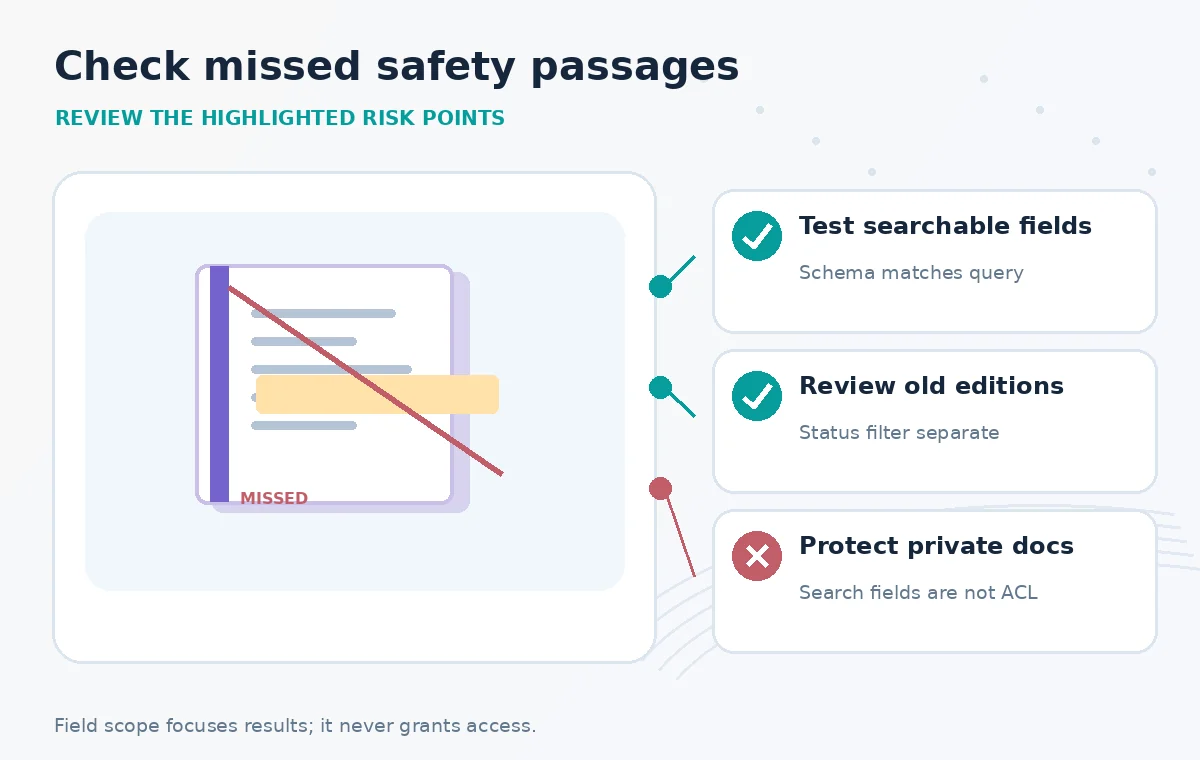
A conceptual request might search for ‘grounding wire’ with searchFields limited to procedural_steps,safety_warnings and select limited to title,edition,source_url. The precise body depends on the actual index schema and REST API version; names here are illustrative. Test an entry where the phrase appears in a warning, another where it appears only in a donor description, and a third where a critical instruction has been filed under a summary field. The expected result is not merely fewer hits: it is a better-supported match set, with any missed safety passage detected and corrected before publication. Keep all test documents synthetic until the access policy has been checked.
Compare Metadata Hits Against Instruction Hits
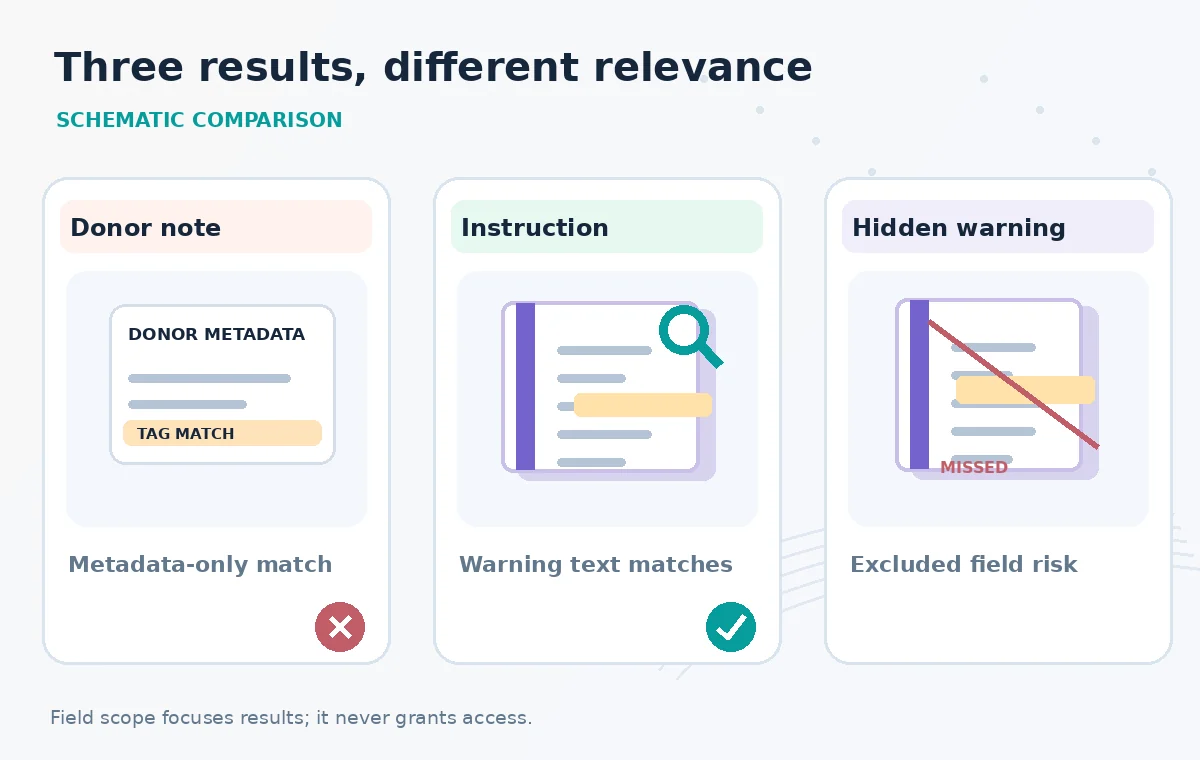
The illustrated before-and-after panels show three fictional records. An unrestricted query returns a donor-tag match and two useful procedural passages. A scoped query drops the donor-tag-only match but retains the procedural matches. In a separate failure panel, an important warning placed in an excluded field disappears too. This comparison communicates a trade-off, not an observed precision improvement. A retrieval evaluation should measure the cases that matter: whether the controlling current guide was present, whether old versions were excluded by the real filter, and whether the UI made it possible to inspect the original warning. Treat the negative cases as part of the success criteria.
Know the Lucene Override and Hybrid Limits
Microsoft’s REST reference notes that explicitly fielded expressions in full Lucene queries can take precedence over names in the searchFields parameter. Do not build a search isolation guarantee on an option that another query syntax can override. Understand whether your application accepts user-supplied Lucene syntax and normalize or restrict that input where appropriate. Also remember that searchFields scopes full-text search; vector queries follow vector-search parameters and fields, and hybrid retrieval combines separate matching paths. An application that adds vector retrieval later must revisit its evaluation rather than assuming the original text-only field boundary covers the new ranking path.
Keep Authorization Out of the Search-Field Shortcut
A safety notes interface may need to limit readers to licensed material or private staff-only drafts. searchFields does not enforce these permissions. Enforce authentication and authorization at a trusted service boundary and, when appropriate, apply security filters that the backend controls and cannot be altered by the browser. Do not rely on hiding a private field from select alone to guarantee that information cannot influence match behavior. Validate that the user cannot change the query into a broad record dump. The access test should include unapproved collection records, unpublished PDFs and an ordinary user who copies a request from the developer console.
Build a False-Negative Audit Into Editorial Work
Many retrieval teams celebrate fewer irrelevant results while failing to notice lost useful results. Create a small benchmark of actual editorial questions with hand-identified authoritative passages and relevant document versions. Re-run it whenever searchFields, analyzers, index schema or ingestion mappings change. Record cases where a safety passage no longer appears, and inspect where that text was ingested. If a field is missing from older records, backfill from original documents rather than inventing a substitute. A release review should see both irrelevant matches removed and crucial instructions preserved, with source links ready for a human safety check.
Release a Search Interface That Shows Its Evidence
Present the document title, edition, relevant matching passage and a clear link to the official repair guide. If the page cannot find the source paragraph, say so rather than generating an authoritative instruction from a title match. A specialist should verify current safety recommendations and local rules before readers rely on them. Log query versions and the search field list so a later editor can reproduce why a document was or was not found. The value of searchFields is focused retrieval, not automatic verification. Every example above is a design illustration, not a claim that Microsoft search was run or a particular recall figure was measured.
How We Research
We reviewed the named official primary sources on November 8, 2026: Microsoft: Search Documents REST reference, Microsoft: Query types and full-text search, Microsoft: Simple query syntax examples. We compared documented parameter scope, practical boundary cases and implementation risks with the review workflow in this article. We checked the topic and slug against the WordPress title inventory supplied by LabFin and previous B0267–B0271 batches. We did not authenticate to a vendor account, run a live API request, conduct a performance benchmark, review real confidential archive material or verify deployment outcomes. All documents, sample states and diagrams are hypothetical teaching illustrations; product UI is not reproduced.
Frequently Asked Questions
No. It scopes full-text matching. Use select to control returned retrievable fields, and separate authorization measures for actual access control.
The requested fields need to be appropriate searchable fields in the index schema. Validate the schema and API response before release.
Do not assume it does. Vector retrieval uses vector-specific configuration, and hybrid queries combine separate retrieval paths.
Explicit fielded search expressions can take precedence over the searchFields list, according to the REST reference.
Evaluate both false positives and missing authoritative passages on a reviewed set of questions, with edition and approval status checked independently.