
Two Valid Builds Can Still Damage a Release
A volunteer commits a corrected object label while an earlier museum catalog export is deploying. Both CI runs pass their tests. If each job writes to the same production destination at the same time, the older export could overwrite a file produced by the newer build, or the two operations could interleave. A green CI check does not establish which catalog revision finally reached the public server. GitHub Actions concurrency groups can limit simultaneous workflow runs or jobs sharing a group. The feature addresses execution overlap, not content approval, artifact trust, or rollback. This article uses an invented museum deployment pipeline. No repository was changed, no workflow was executed, and the diagrams depict scheduling concepts rather than real GitHub screenshots.
Decide Which Step Needs Serialization
A catalog workflow may lint metadata, validate links, build an index, and deploy static assets. Tests for separate changes can often run in parallel, while the final production write must be exclusive. Placing concurrency at workflow level protects a whole workflow but may block harmless build steps. Job-level concurrency can keep builds parallel while serializing only the deploy job. Write down the shared resource first: for example, the destination that receives the approved production export. Use a group name that reflects that resource. Separate a staging deployment from a production deployment if they truly write to different destinations. Conversely, two differently named workflows that write to the same production catalog may need coordinated group naming; workflow names alone do not provide safety.
Understand Running, Pending, and Cancellation
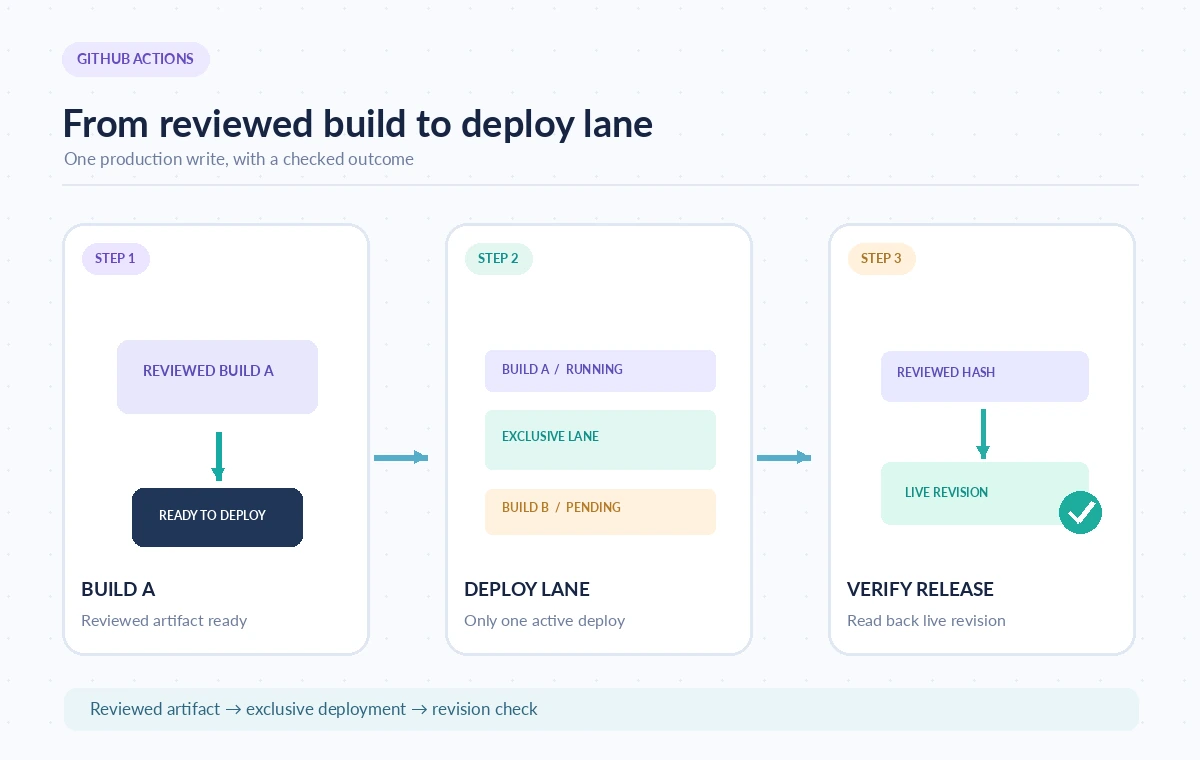
GitHub documents that a concurrency group allows at most one running job or workflow at a time. By default, the group has a single pending slot: a newly queued run replaces an older pending run. The running operation is not canceled unless cancel-in-progress is enabled. This is a subtle distinction. “Not running concurrently” does not mean that every submitted revision will eventually deploy. GitHub’s current workflow documentation also describes a queue setting that can allow more pending runs, but it cannot be combined with cancel-in-progress: true. Review current documentation and your required release semantics before using such options. Queued start order should not substitute for explicit revision checks. If a deployment must retain a strict business order, implement that requirement as part of release orchestration and not merely a concurrency label.
Choose a Production Group That Matches the Risk
For a straightforward catalog deployment, a group such as catalog-production can identify the shared production write lane. Set cancel-in-progress to false where interrupting an active deployment would risk a partially written site. A new run can wait while the current one finishes, but the default pending replacement behavior still needs to be acceptable to editors who submit multiple revisions in quick succession. Avoid building group keys from a different commit SHA for every run: each run would then belong to its own group, defeating serialization. Similarly, review branch-specific expressions before trusting them to isolate releases. Group names are case-insensitive, and workflows in the same repository can interact through shared concurrency names. Test the intended grouping with a nonproduction environment before treating a configured YAML file as proof.
Make Cancellation a Deliberate Policy
Setting cancel-in-progress to true can be useful for outdated preview builds, where the newest revision matters more than finishing an old one. It can be dangerous for jobs that update a live site in several steps. Canceling a job does not mean every external change it already made is reversed. An interrupted deployment may need manual recovery or a separate idempotent procedure. Choose preview and production behavior separately. In a preview group, canceling an old render may save runner time. In production, an editor might prefer that a running release finishes and that a second approved release waits. Require the deploy script itself to check artifact integrity and destination state, because GitHub’s scheduling control cannot certify that the content is correct or that a side effect has been safely committed.
Compare Overlap, Waiting, and Final State
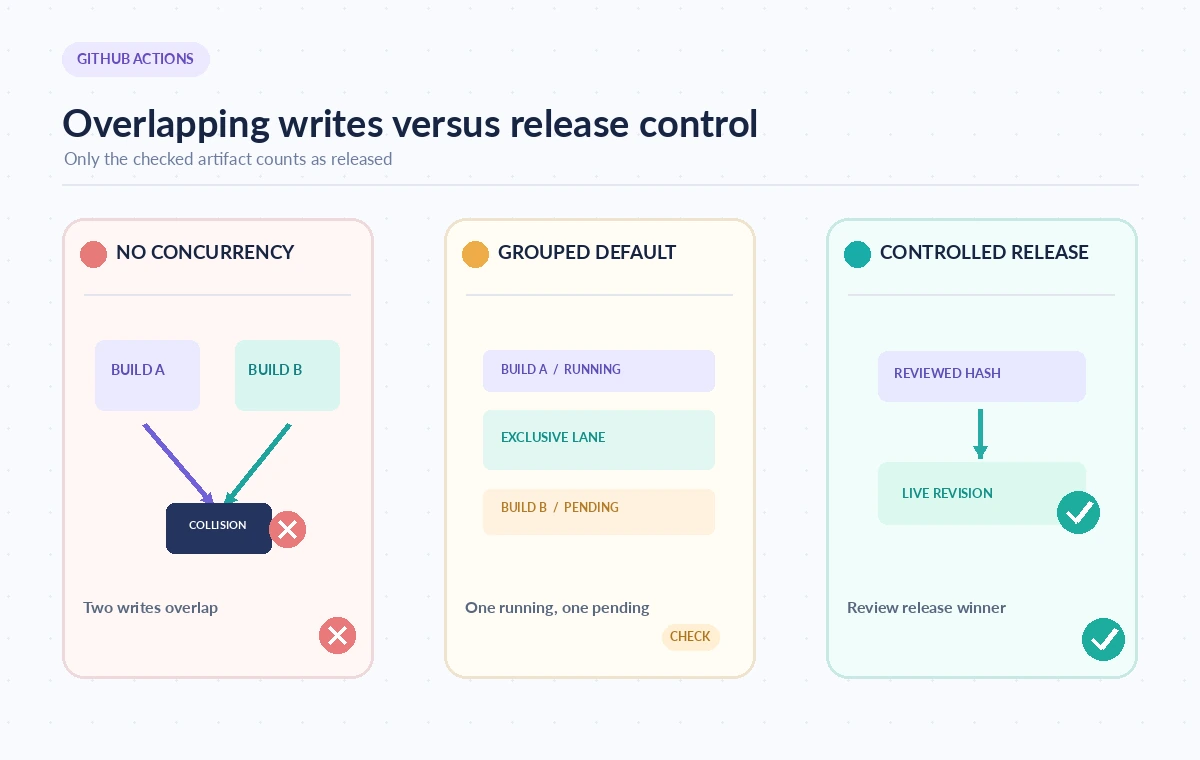
The comparison illustration starts with two build artifacts both writing into the production catalog. The next state contains an exclusive lane with one running and one pending job. The last state emphasizes a verification step after deployment. Those views demonstrate a process, not measured throughput, and show why a paused queue is only a partial answer to release risk. Keep the manifest hash, build provenance, and approval reference associated with the deployment job. On completion, read back the production revision or equivalent release marker. If it disagrees with the approved artifact, halt follow-on automation and investigate. Do not declare success merely because the deployment job terminated without an error; the output is the public state, not the color of the pipeline badge.
Protect Approved Artifacts From Silent Replacement
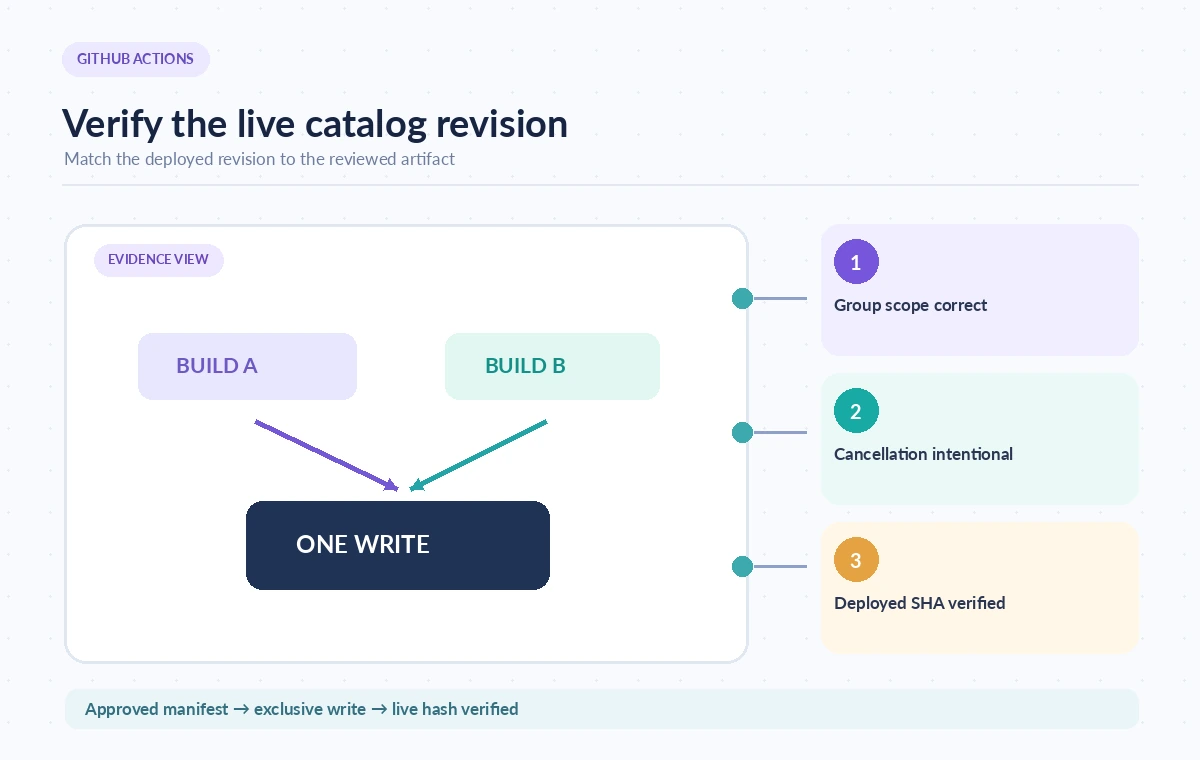
Require a reviewed artifact or release manifest before a production job starts. Restrict production environment permissions, and use environment approval controls where organizational policy calls for them. An approval tied to one artifact should not silently authorize a different newer artifact just because its job occupied a pending slot. The deploying job should resolve exactly which build it will use. If an update fails after uploading some files, concurrency will prevent simultaneous writes but cannot make the upload atomic. Use a staging destination and an explicit switch-over when the platform supports it, or a documented recovery process. Persist the last known good revision. The ability to roll back depends on those release mechanics, not on any automatic undo provided by concurrency groups.
Run a Realistic Scheduling Drill
Before using the workflow for the museum, arrange a harmless test: trigger a long preview job, queue a second, then a third, and observe which state each run enters. Repeat for production-like settings with cancellation disabled. Check that group keys are correctly scoped, that pending replacement matches expectations, and that the final destination still points to the intended reviewed artifact. The release decision should answer four questions: which revision was approved, which one entered the exclusive lane, which revision actually landed, and can operators reconcile an interrupted write? A concurrency group is a useful control for overlapping work, but it cannot answer the rest without artifact checks, permissions, and an explicit editorial handoff.
How We Research
For this guide we reviewed official product documentation on November 8, 2026: GitHub: Control workflow concurrency, GitHub: Workflow syntax for concurrency, GitHub: Control deployments. We compared the named capability, response or workflow semantics, and the limits that affect the hypothetical museum scenario. We also checked the subject against the supplied LabFin WordPress title inventory to avoid repeating an existing article. No account-level feature entitlement, active cloud project, training job, transcription, live API test, measured performance, or actual user outcome was verified. The diagrams are original conceptual illustrations; verify your plan, region, API version, costs and permissions before deployment.
Frequently Asked Questions
No. By default, a newer pending run replaces the existing pending run in the same group.
No. Cancellation controls job execution, not the reversal of external side effects.
Only if they truly need the same exclusive lane. Job-level deployment concurrency often avoids blocking safe parallel tests.
Yes, within the same repository a shared concurrency name can couple different workflows. Choose names deliberately.
Compare a deployed revision marker or manifest hash with the reviewed artifact after the job ends.