
Establish a controlled live-captioning scenario
A museum runs a live remote talk about restoring a historic radio. Its on-screen captions must appear quickly, but a prematurely completed phrase can reverse an instruction: “do not reconnect” must never be published as “do reconnect.” Amazon Transcribe streaming returns provisional segments before final text, and partial-result stabilization can reduce how much those segments change. The objective is not to make the service infallible; it is to design captions that honestly distinguish speech in progress from speech that has settled.
Use a fictional presenter, a consented microphone feed, and a short script containing an inventory number, a negation, a proper name, and a deliberate pause. Keep the original audio and the authorized final script in separate protected records. Plan for a caption operator who can intervene when a warning is distorted. This educational walkthrough is based on the documented event format, not on a recording or a measured latency experiment, and the example captions should not be used as safety instructions.
Understand partial segments and final segments
Transcribe streaming sends transcription events with results. A result’s `IsPartial` value indicates whether the speech segment is still developing. An intermediate alternative may say “the radio can,” then revise it to “the radio cannot” after more speech arrives. Rendering each partial result as settled text leads to visual flicker and may mislead a reader who sees only the first version. Treat the result identifier and segment start/end times as a unit of state rather than concatenating every update into a transcript.
Design a caption buffer keyed by segment identity. Replace the displayed provisional line when a newer update for the same segment arrives, instead of appending a second contradictory line. Only commit a segment to the permanent transcript when its `IsPartial` flag becomes false. Keep the audio clock as the authority for alignment and use timestamps consistently. This separation allows accessibility captions to arrive quickly while reserving publication-grade text for a separate, reviewable pass.
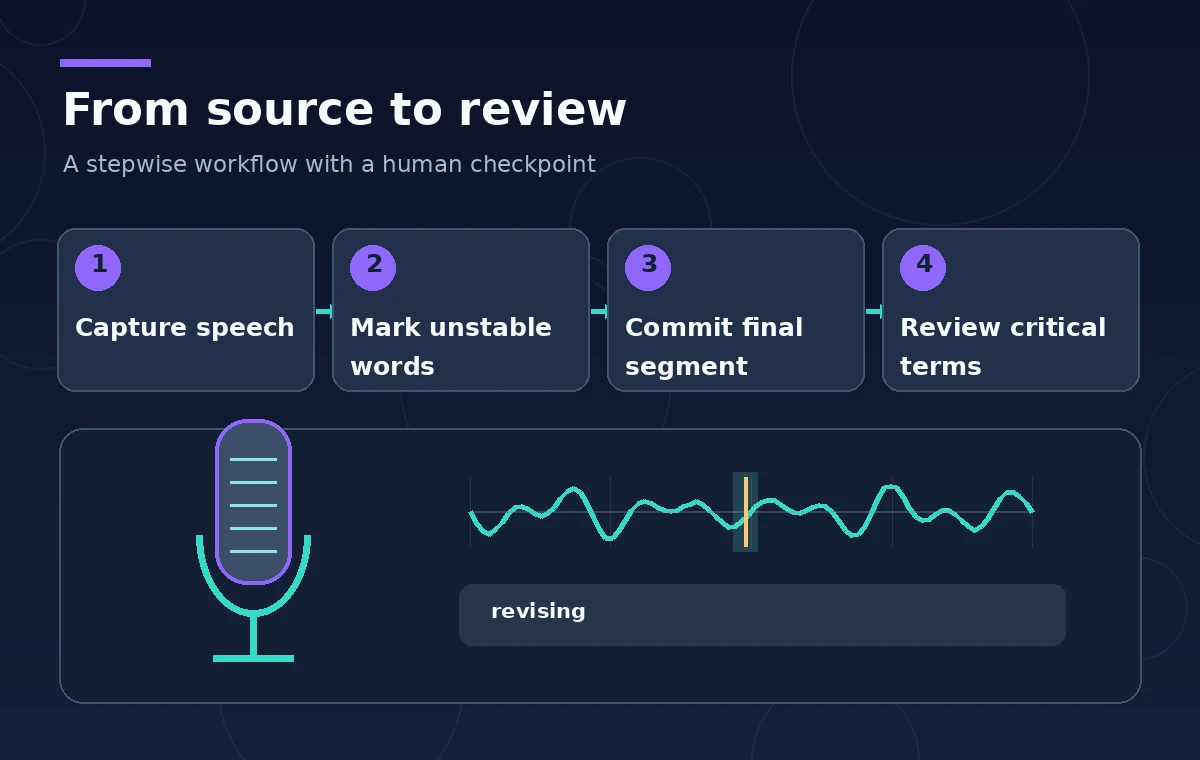
Configure partial-result stabilization deliberately
Amazon documents a partial-result stabilization option for supported streaming operations and a low, medium, or high stability level. With stabilization enabled, each item can carry a `Stable` indicator. Stable items are less likely to change; the trailing nonstable words remain provisional. A high level may reduce changing text sooner, but the documented trade-off is potentially lower recognition accuracy. No single setting is objectively best for a talk that contains important safety language, unusual terminology, or speaker hesitations.
Start with low stabilization for a conservative review, then evaluate medium only with an agreed test set and staff oversight. The practical rendering rule is stronger than choosing a level: style words that are not yet stable differently, and never conceal that the segment is unfinished. If a caption presentation cannot distinguish provisional words, consider delaying display until a complete segment arrives. This raises latency but prevents a temporary grammatical fragment from masquerading as a finished warning.
Draw an honest caption-state comparison
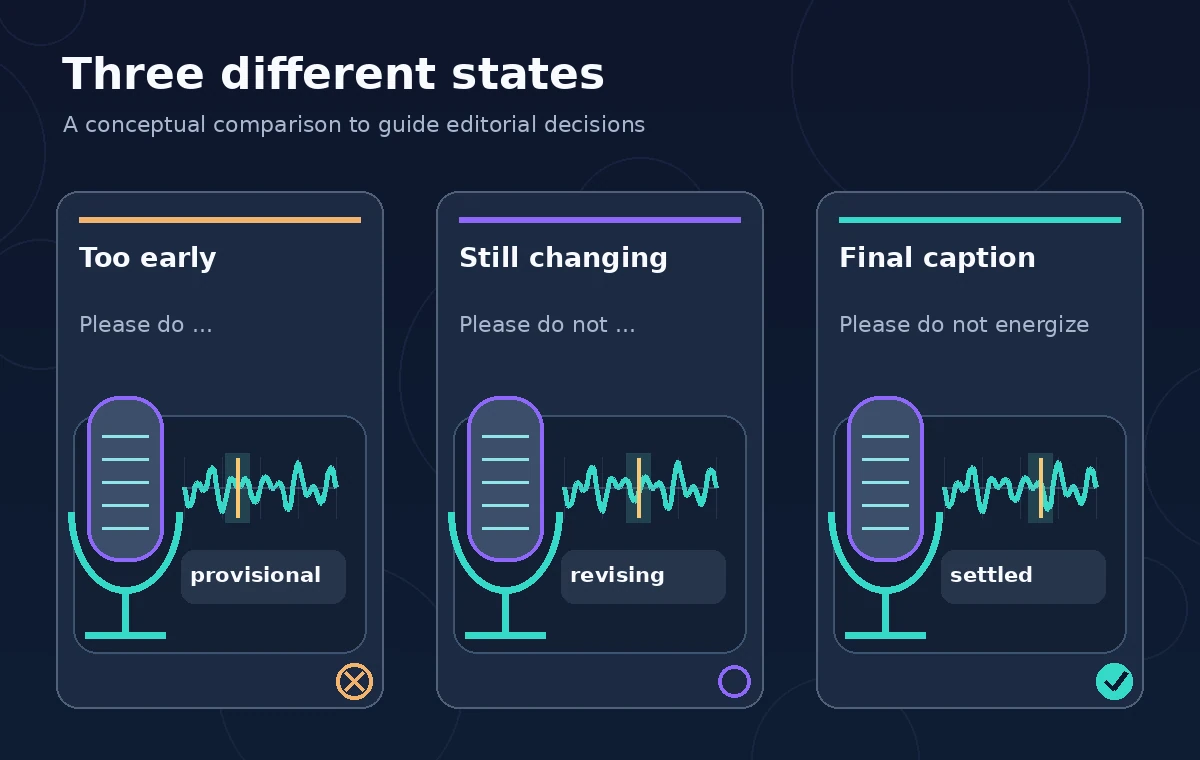
Imagine the presenter saying, “Please do not energize this receiver.” The hypothetical feed first contains “Please do,” then expands to “Please do not,” and ultimately produces the complete phrase. The dangerous edit is not a model claim; it is a display mistake that hardens an incomplete fragment into an instruction. A useful diagram should show a changing tail and a locked final line, not three identical lines decorated with green check marks.
On screen, the provisional tail could be lighter or underlined, and the operator dashboard should retain the full incoming event sequence. Use a prominent “live captions” label to make the medium explicit. Do not apply strikethrough or color alone as the accessibility signal: readers using assistive technology need a textual state or an equivalent status announcement that does not become excessively noisy. Compare the live view with a manually corrected recording transcript after the event.
Keep risky terms on an explicit review path
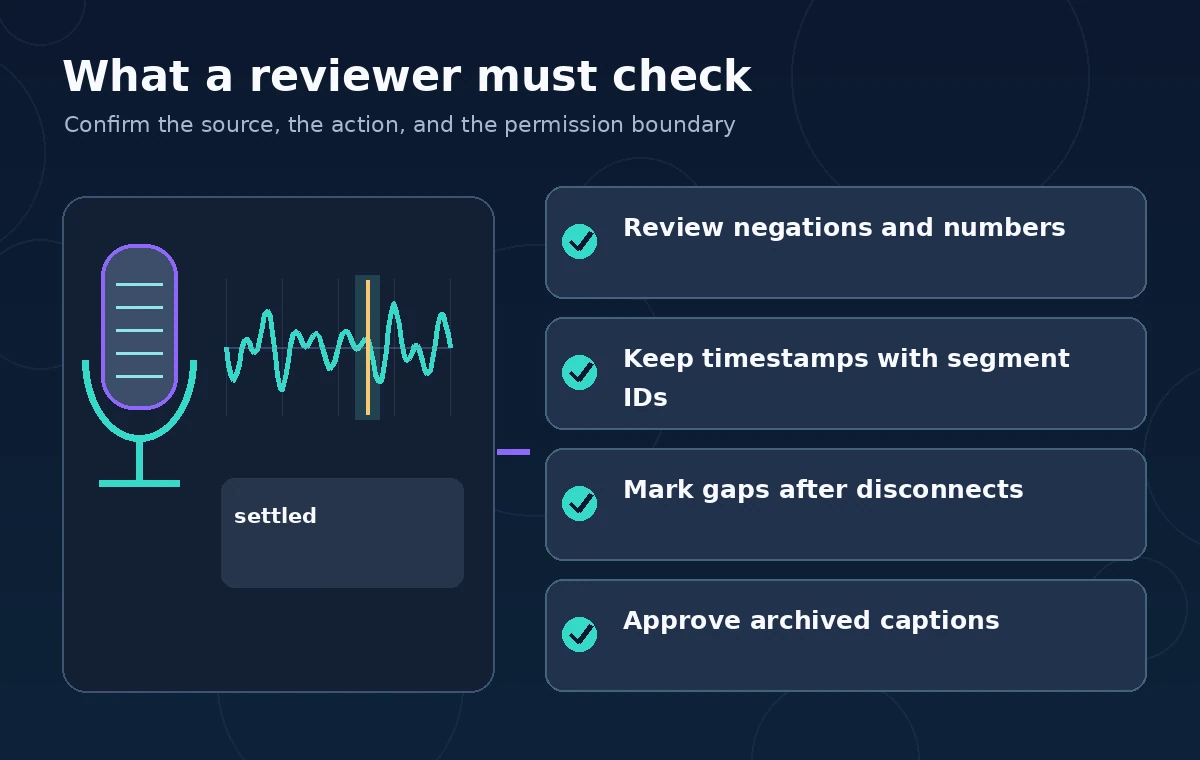
Build a short list of the exact terms whose distortion would matter: negations, voltage values, room exits, dates, accession IDs, and names. Mark their timestamps for later replay. Transcribe may emit confidence information for items, but a high model confidence does not certify that a museum has given a safe instruction. An operator should listen to the source whenever the provisional or final wording conflicts with a display slide or other primary evidence.
For a demonstration, record expected text only as a reference for finding mismatches, not as a script the model is permitted to force into the caption. If the speaker corrects themselves, preserve that correction and the sequence of statements. Do not rewrite a genuine oral-history hesitation into a clean quotation without editorial approval. In public-facing educational work, the key question is whether the caption faithfully represents what was spoken, not whether it looks smooth.
Handle disconnects, restarts, and duplicated updates
A Wi-Fi dropout can interrupt a live audio stream or repeat events through application retry logic. The caption system therefore needs connection-state indicators, a bounded buffer, and a policy for gaps. Do not silently connect two separated fragments into a grammatical sentence. Retain the last confirmed result, mark any missing interval, and make the restarted stream’s timestamp origin explicit so captions do not jump backward or overwrite unrelated content.
This is also where the museum should define logging boundaries. Store request correlation IDs, event timing, configuration version, and error counts when useful, but avoid recording audience audio or raw text indefinitely just because debugging is convenient. Limit access to the event review team and apply a documented deletion schedule. Validate recovery with fictional recordings and planned network interruptions, never by subjecting an unaware guest to a live trial.
Test both caption speed and fidelity
Choose a small, consented evaluation set containing short statements, long pauses, proper names, and safety negations. Compare the low, medium, and high levels under the same simulated conditions if all are supported for the selected streaming mode. Measure provisional revisions, delay before committed text, missing words, and reviewer corrections separately. Counting only how quickly text appears would reward misleading snippets; counting only final accuracy would ignore the reader’s live experience.
Report results as your own measured observations only after such tests actually occur. This guide supplies a test design, not speed numbers or vendor benchmarks. Include an accessibility reviewer who can assess readability and notification frequency. A deployment gate should fail when a critical negation is initially presented as a settled opposite, even if the final transcript is correct. Review the model and API version before interpreting results from a later release.
Publish only reviewed captions and preserve provenance
After the talk, assemble final segments in timestamp order, replay all flagged spans, and have a reviewer reconcile the final text against the recording. Distinguish a verbatim transcript from edited summaries. A correction log can retain the original machine output, changed wording, reason, editor, and source time, under the organization’s privacy policy. Never claim that enabling stabilization makes a transcript certified or safe to use as technical advice.
For future sessions, document the current Transcribe settings, supported Region, audio format, channel configuration, budget, and retention requirements. Check AWS documentation again before implementation because options and billing can change. The operational goal is visible uncertainty during live speech, followed by an auditable and accurate archived caption record. A technically successful streaming connection is only the beginning of that editorial workflow.
How We Research
For this November 2026 article, we checked named original vendor documentation: AWS: Streaming and partial results; AWS: Streaming transcription. We compared current documented request and response fields with a fictional institutional workflow and designed review steps that distinguish API outputs from editorial or security approval. The illustrations are original instructional concept diagrams, not real vendor dashboards or measured tests. We did not submit live API requests, ingest personal files, run an actual deployment, collect real user consent or measure vendor accuracy. Product availability, model support, pricing, security settings, retention and regional eligibility may change; implementers must check current sources and organizational policy before processing sensitive materials. All factual claims and permission-sensitive results require independent primary-source review.
Frequently Asked Questions
No. It indicates a word is unlikely to change in the current streaming segment; a reviewer must still verify critical language against audio.
It should not be treated as final. Wait for the segment with IsPartial false and then conduct editorial review for sensitive passages.
There is no universal setting. Compare supported low, medium, and high settings with consented test speech and an accessibility review.
A brief partial phrase can omit a later negation. Display provisional text visibly as unfinished and never publish it as settled instruction.
Keep approved final wording, timecodes, reviewer decisions and a link to authorized source audio under a defined retention policy.