
A repair cooperative wants to prepare a bilingual workshop manual explaining how to unplug a soldering station before opening its case. The source contains numbered drawings, a warning beside a red arrow, a table of parts and a signed approval note. Google Cloud Translation – Advanced can translate formatted documents such as DOCX and PDF while attempting to preserve layout. That does not guarantee a publishable safety manual. This hypothetical workflow treats translation as a draft to inspect against the approved original, particularly where graphics and text must remain together.
Create an approved source before translation
Select one controlled master document with its language, revision, safety owner, target audience and permission to make translations. Record which instructions are mandatory, which labels are decorative and which symbols are part of a standardized safety notice. If a manual was already exported as a PDF, locate the original editable DOCX or PPTX if available. Translating from a controlled editable source often gives reviewers more flexibility to fix breaks and reflow before publication.
Do not quietly alter the procedure while translating. The source may say ‘disconnect power and wait five minutes’ rather than simply ‘turn it off’; both actions must survive. Prepare an aligned checklist of critical statements, part numbers, warning callouts and any diagram labels that require manual treatment. Include a field for source page or figure ID so a reviewer can trace a translated sentence to its authoritative counterpart.
Understand format support and omissions
Google documents support for formatted inputs including DOC, DOCX, PDF, PPT/PPTX and spreadsheet formats, with output depending on the input. Document Translation is intended to preserve much of the layout, not every object perfectly. Google explicitly warns that content inside text boxes is not translated for DOC and DOCX in documented cases. That matters for a safety caption embedded in a shape rather than an ordinary paragraph.

The service distinguishes native PDFs from scanned PDFs. Scanned and complex PDF layouts can lose formatting, particularly tables, columns and figures with labels or legends. A mixed PDF containing native and scanned content can have untranslated scanned material. For best layout preservation, Google recommends starting from DOCX or PPTX when possible and converting to PDF afterward. Treat an apparently complete output as incomplete until these edge cases are inspected.
Choose online or batch handling deliberately
For a single small approved document, the online translateDocument operation may be appropriate. Google’s documentation describes 20 MB online file limits, a larger page allowance for qualifying native PDF processing and a smaller page allowance for scanned PDFs. Batch Document Translation uses Cloud Storage inputs and outputs and has its own processing and conversion rules; check the current documentation rather than extrapolating the online limits.
Store translations with a source revision, language pair, processing method and immutable reference to the input. Set Cloud Storage access only for the parties who need the documents; a public bucket is not required to perform this task. Check regional processing requirements, quotas and billing against the current project before a paid run. Do not call a sample API response a tested accuracy result; this article does not run the translation service.
Protect figures, boxes and warning order
Map each safety drawing to its caption and warning. A schematic might show a hot tip beside the instruction ‘Wait until cool before touching’; a translated sentence placed on the next page is not equivalent for readers. Inspect page breaks, table headers, figure numbers, arrows, hazard words, text direction and the order in which screen readers might encounter content. These are manual publishing checks outside the guarantee of a translation endpoint.
Make a side-by-side proof from the controlled source and translated output, not from two unrelated screenshots. Mark missing legend text as unresolved. If a table cell overflows or a caption falls off the page, edit the target document under editorial change control and re-check the paired figure. Leave technical symbols and numbers unchanged unless a qualified reviewer approves their conversion. Preserve source figure IDs so corrections can be audited.
Compare translated text with usable layout
For an educational visual, show the original manual with the warning beside the power-disconnect icon, a translated draft in which the warning drifts away from the icon, and a reviewer-corrected proof with the warning restored next to the same figure. This is a comparison of document states, not a claim that Google’s service always moves callouts. The purpose is to teach a specific failure mode a publishing team should look for.
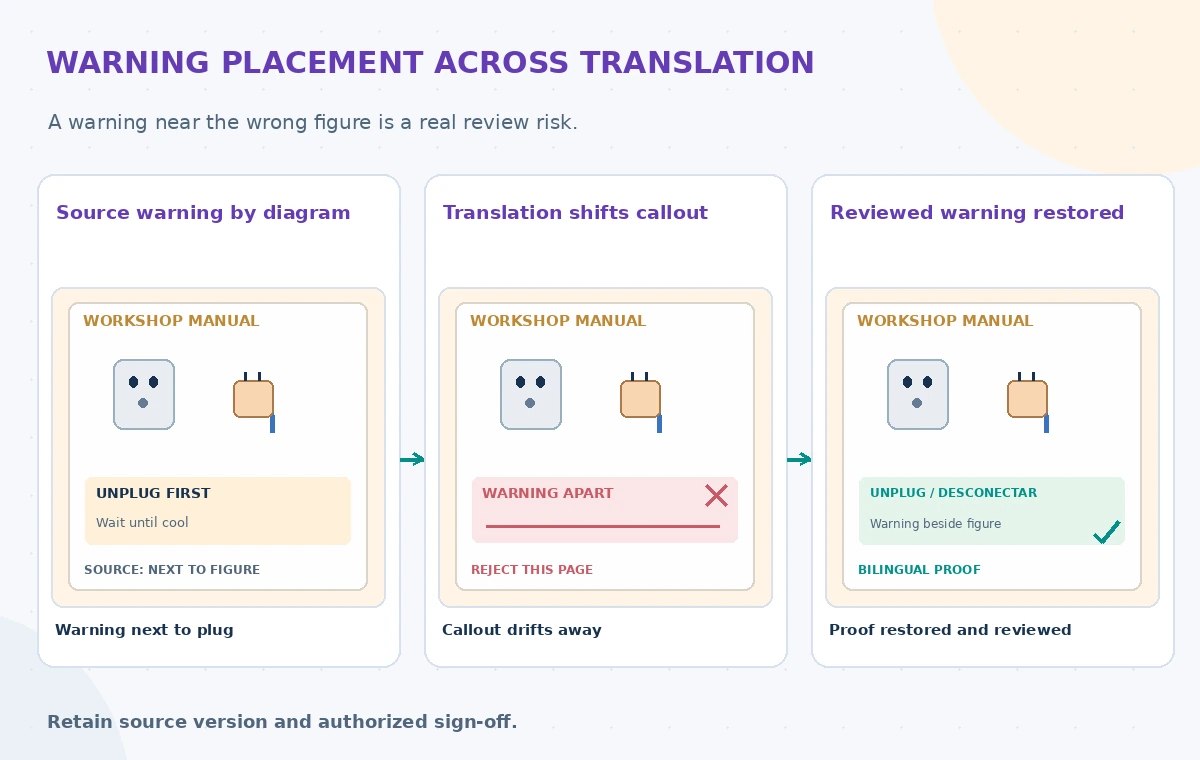
Compare meaning as well as geometry. A translated warning might remain in the correct place but omit an exception or reorder two steps. Read the original and target-language text aloud, ask a fluent subject reviewer to confirm the procedure, and verify the result against equipment documentation. If the source contains a test diagram that shows a hazardous operation, do not use translation alone to certify its safety.
Test representative layouts before scaling
Choose a small permitted sample of the actual manual structures: a simple paragraph, a callout box, a table, a scanned page, a dual-column spread and a figure with embedded text. Count issues by type if conducting a real local test, keeping an annotation of what was corrected by people. Avoid reporting percentages or time savings without recorded input documents, evaluation criteria and results. A clean simple page cannot establish success on the more complex pages.
Try both intended target languages, including right-to-left scripts if your audience requires them. Check font support, reading order, punctuation, figure numbering and line wrap. Where a machine output contains untranslated text in an image or text box, create a separately approved target-language graphic rather than hiding the omission. Rebuild the final PDF from the reviewed editable document where feasible.
Review source and translation rights
A workshop may be able to use a manual internally without holding permission to redistribute translated copies. Review copyright, image licensing and any manufacturer instructions about altered safety labels. Keep personal annotations, participant names and private incident reports out of the material submitted for general translation. If the manual is confidential, confirm whether the organization’s cloud-processing agreement and region settings permit the proposed workflow.
Retain a record identifying the source author, translator or reviewer, the approved revision and where readers can obtain corrections. Do not send draft translations to participants as official instructions. Provide a channel for staff to report confusing language. A notice that looks polished after machine translation may still be technically wrong, inaccessible or outdated.
Publish only a bilingual, signed-off proof
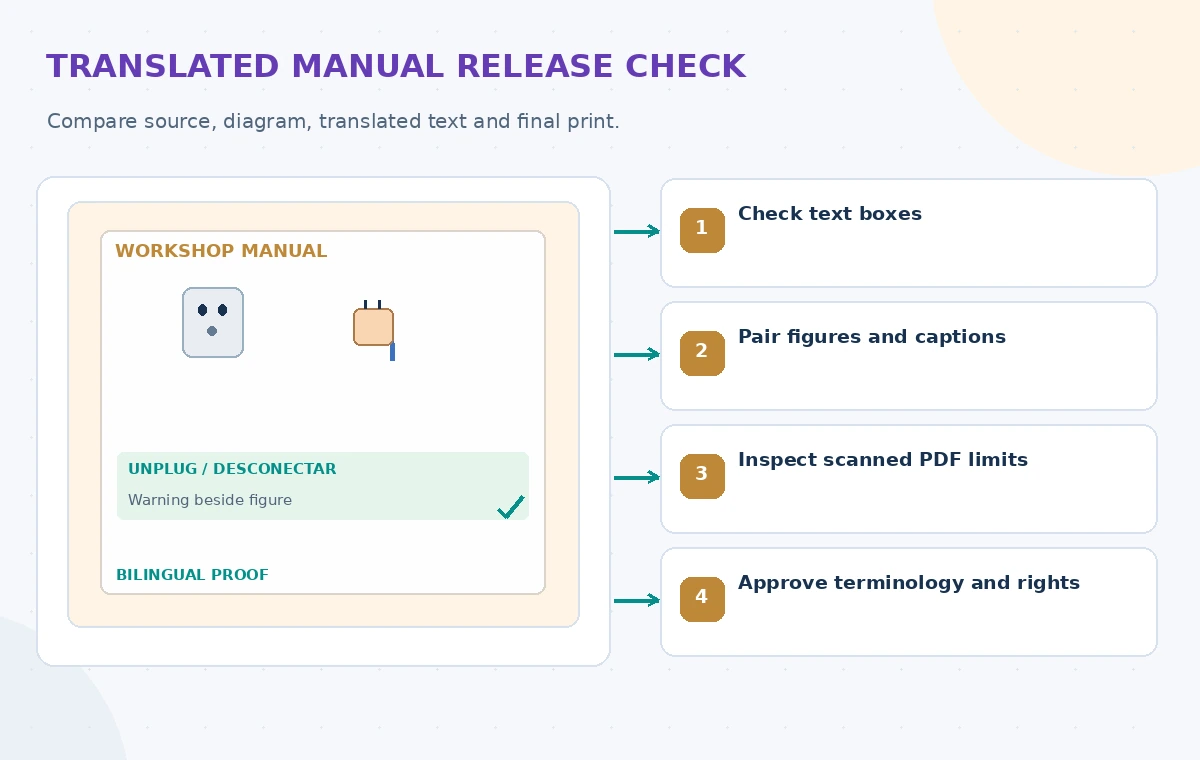
Final release checks should compare the two documents page by page, confirm every safety warning, and verify figure-caption placement at the actual print size. Include links or version numbers so trainers can identify obsolete copies and replace them. If a new source edition changes a procedure, reopen translation review rather than copying a machine-translated patch into the old target document without context.
The output is a controlled translation draft, not an automated certification of safety or legal compliance. The example pages and diagrams in this article are editorial illustrations; no real manual was translated or tested. Consult up-to-date Google Cloud support tables and usage limits before deploying, and assign responsibility for both linguistic accuracy and safe workshop instructions.
How We Research
For this November 2026 article, we examined named, official documentation: Google Cloud Translate documents; Google Cloud document translation reference; Google Cloud batch document translation. We cross-checked response shapes, feature boundaries, and stated limitations, then built a clearly hypothetical nonprofit example to explain manual verification and permission controls. This was documentation-based editorial research only: we did not process real records, run vendor experiments, measure success rates or imply that machine-generated text is approved. The original teaching diagrams are schematic, not product screenshots or tested outcomes. Recheck current API documentation, pricing, region availability, input rights, and internal release policies before implementation.
Frequently Asked Questions
No. Google warns of formatting loss in complex PDFs and some untranslated text-box content.
No. The service has different support and layout limitations, so inspect the source type first.
For many editable manuals, Google recommends translating DOCX or PPTX before generating PDF when practical.
No. Bilingual subject experts must verify safety meaning and placement next to the relevant figure.
No. Set project, storage, permissions and privacy controls before processing documents.