
A small science museum maintains printed visitor instructions for a supervised demonstration table. An editor wants help finding commands and easily missed negative words before a revised sign goes to print. Amazon Comprehend DetectSyntax identifies individual tokens and their parts of speech, rather than determining whether a safety instruction is correct. This hypothetical editorial workflow uses token annotations as pointers back to approved copy. It does not claim that grammar analysis can establish safe operating procedures or that a real museum sign was processed.
Define an instruction-review question
Decide precisely what reviewers need to catch: imperative verbs, changed prohibitions, ambiguous pronouns or inconsistent naming of equipment. A generic grammar score would not answer these questions. Build a source register containing sign ID, controlled version, display location, safety owner, review status and the exact approved sentence. Write the intended action or prohibition in a separate field so reviewers can compare meaning as well as words.
For example, the fictional approved notice “Do not touch the heated plate” must remain a prohibition even if an editor shortens the sign. The presence of a verb alone is not a problem; the relationship between “not” and “touch” is what matters. A token-based shortlist can guide a reviewer, but never automatically rewrite or approve the notice.
Understand syntax tokens and supported inputs
The DetectSyntax API accepts UTF-8 text and a language code, then returns SyntaxTokens with Text, BeginOffset, EndOffset, TokenId and a PartOfSpeech object containing Tag and Score. The API reference lists English, Spanish, French, German, Italian and Portuguese for this operation and a 5 KB maximum input text size. Check current regional support before integrating the service.

A PART or ADV tag might help reviewers locate a negative word, and a VERB tag helps locate an action. However, tagging conventions and ambiguous language can produce unexpected labels. The part-of-speech Score is confidence in the grammatical assignment, not evidence that a sentence accurately expresses a required safety rule. Treat token boundaries as navigation aids rather than publication criteria.
Preserve the approved sentence and offset map
Store the exact input string beside every syntax result. If preprocessing removes punctuation, changes line endings, or normalizes apostrophes, offsets from one text version may no longer align with another. Retain an immutable original and a separately versioned editorial candidate. Display token spans on the same source version that was sent to the API.
For a proposed change from “Do not touch the heated plate” to “Avoid the plate,” show the full before-and-after text to an authorized safety reviewer. The second sentence may be less precise even though it contains a recognizable verb. An offset highlight that correctly points at “touch” is useful; it does not establish that the replacement communicates the same warning.
Build a narrow rule-based review queue
Create a queue based on editorial differences, not a universal “safe syntax” score. Flag removal of explicit negatives, modified action verbs, changes to object names, missing temperature qualifiers and newly introduced pronouns. Record the rule that produced each alert and show source context. Avoid silently rejecting text because the grammatical tag has a low score.
Use paired examples that include “Do not operate until the cover is closed,” “Never remove the guard,” and “Ask staff before opening.” The important elements differ: timing, negation, and staff authorization. Reviewers should compare instructions with the relevant approved procedure rather than assuming every line needs the same grammar pattern. The illustrated workflow is an editorial concept, not an observed model output.
Compare the token flags against actual meaning
Run an approved reference and an edited candidate through the same process when appropriate. Highlight the changed words and display the corresponding instruction ID. A first-stage view shows an ordinary instruction, the middle view shows grammatical tags and a highlighted negation, and the final view requires confirmation of the intended prohibition. These states should be noticeably different, not three copies of the same sign.
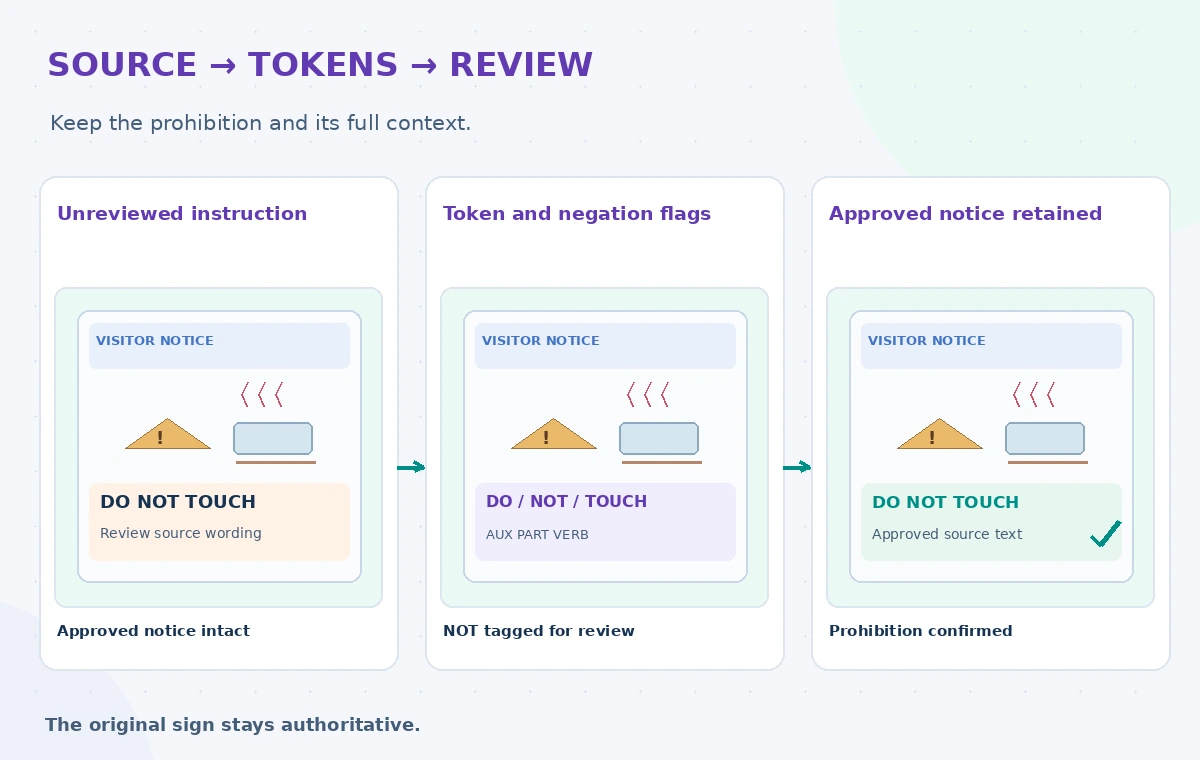
A tool that identifies “not” has still not verified scope. For example, “Do not touch unless a guide is present” has a conditional meaning that changes if the clause disappears. Human review must consider exception wording, nearby icons, accessibility and the context of an actual demonstration. If a source procedure changes, update the approved master before asking an AI system to review derivatives.
Test the review queue with difficult examples
Prepare a permitted fictional test set with short labels, compound sentences, double negatives, quotations, bilingual passages and lines that contain equipment names mistaken for verbs. Compare proposed flags against judgments from the safety editor and a copy editor. Record false alarms and missed semantic changes separately. Do not report an accuracy percentage unless the actual dataset, criteria and evaluation were recorded.
Ask reviewers whether a flagged change would affect a real decision. A high volume of alerts may look thorough while hiding the one removed “not” that matters. Prioritize semantic changes to prohibited actions over routine stylistic differences. When automated tagging is uncertain, route the sentence to a person without replacing the original text.
Keep security and layout checks outside the API
DetectSyntax is not a proofreader for visual hierarchy, reading order, translation, typography or equipment safety. Review the printed sign at normal viewing distance, check that warnings remain next to the relevant device and verify accessibility descriptions. Ensure any uploaded text is permitted under organizational data rules; do not send confidential staff notes simply to inspect a verb.
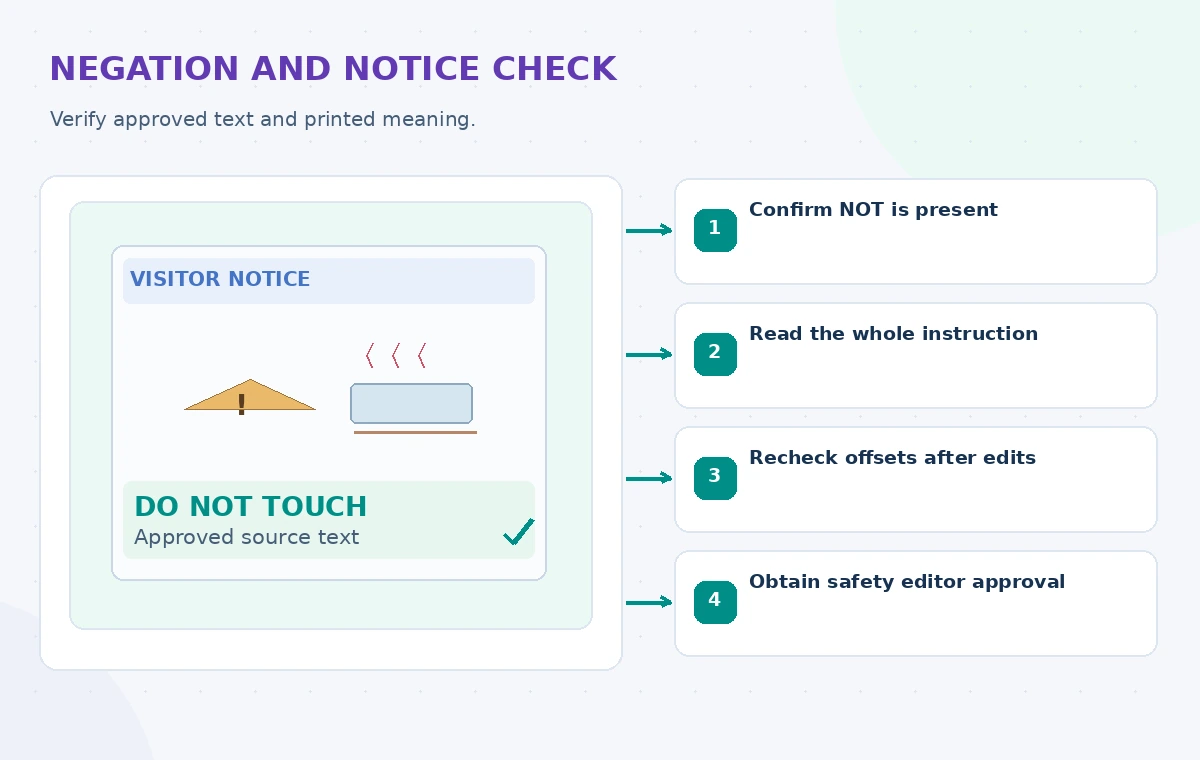
Confirm the service quotas, language selection and operating region against current AWS documentation. For multilingual signage, review each authorized translation with competent language reviewers. A syntactically tidy translation can still reverse a prohibition. Log the version and reviewer decision, not visitor identities or unrelated internal correspondence.
Release only a signed-off instruction revision
Create a release record with the source sentence, proposed sentence, syntax flags, reviewer decision, approved sign artwork and installation date. Require approval by the individual responsible for the demonstration. If a change is declined, retain the reasoning so the next editor does not reintroduce it. Tie any QR-code version to the same released wording.
The outcome is a traceable editorial review, not an AI-certified safety notice. Reassess the procedure whenever the equipment or demonstration changes; a perfectly preserved sentence may become outdated. Before publishing, verify the original instructions with qualified personnel and check the printed result on site. All examples and drawings here are illustrative; no live AWS tests or museum safety audits were conducted.
How We Research
For this November 2026 article, we reviewed official vendor sources: AWS: Syntax analysis; AWS: DetectSyntax API; AWS: BatchDetectSyntax API. We checked documented feature scope, parameters, examples, and limitations against a clearly hypothetical nonprofit workflow. No private records were processed, live vendor tests were claimed, measured performance reported, or publication authorization granted. All accompanying illustrations are original conceptual teaching graphics, not product screenshots or experimental results. Before deployment, recheck the current API documentation, eligibility, availability, security requirements, data rights, and site-specific policies.
Frequently Asked Questions
No. It labels grammatical tokens; safety meaning and operational correctness require authorized human review.
No. It reflects confidence in a syntactic tag rather than the meaning or safety of the sentence.
They let the review interface point to exact text spans, but only while the input version remains unchanged.
No. Its API reference lists a defined set of supported language codes; confirm current limits before processing.
No. It should flag selected differences and leave the approved wording unchanged until a responsible editor signs off.