
A small museum wants staff to download a command-line validator that checks catalog CSV rows before a public data release. The project publishes an executable from GitHub Actions. Before installing a binary, a curator or administrator would like evidence connecting the downloaded file to a specific source repository and build workflow. GitHub artifact attestations can establish that provenance. They do not certify that the validator’s code is correct, free from malware, or appropriate for every museum dataset.
Choose an artifact worth attesting
Focus on the packaged validator executable that museum staff will actually run, not a random README or each screenshot in the repository. GitHub describes artifact attestations as useful for distributable builds and packages. For a hypothetical tool named catalog-check, decide which release filename, operating system, and repository are approved, then write those expectations down before checking the download. Ensure the release process never bundles patron records or restricted catalog data.
An attestation can tell you about build provenance when properly verified, but it cannot answer whether the validator’s business logic rejects a false accession number. Keep a separate functional test plan with synthetic good and bad rows. Source-control review, dependency maintenance, and test evidence remain necessary. That distinction prevents the organization from confusing a signature with a safety audit.
Check repository plan and permissions first
GitHub documents artifact attestations for current plans, with an important boundary: GitHub Free, Pro, and Team support them for public repositories, while private or internal repository use requires GitHub Enterprise Cloud. Confirm eligibility for the actual repository instead of assuming a workflow file will run everywhere. Protect release branches, restrict who can edit Actions workflows, and require human approval for sensitive production changes.
The documented workflow permissions for generating an attestation include `id-token: write`, `attestations: write`, and `contents: read`. Add only the permissions needed at that job or workflow scope. A compromised workflow can still produce a misleading-looking attestation from compromised inputs, so audit action dependencies and code reviews. Treat provenance as one piece of the overall supply-chain boundary.
Bind an attestation to the exact binary output
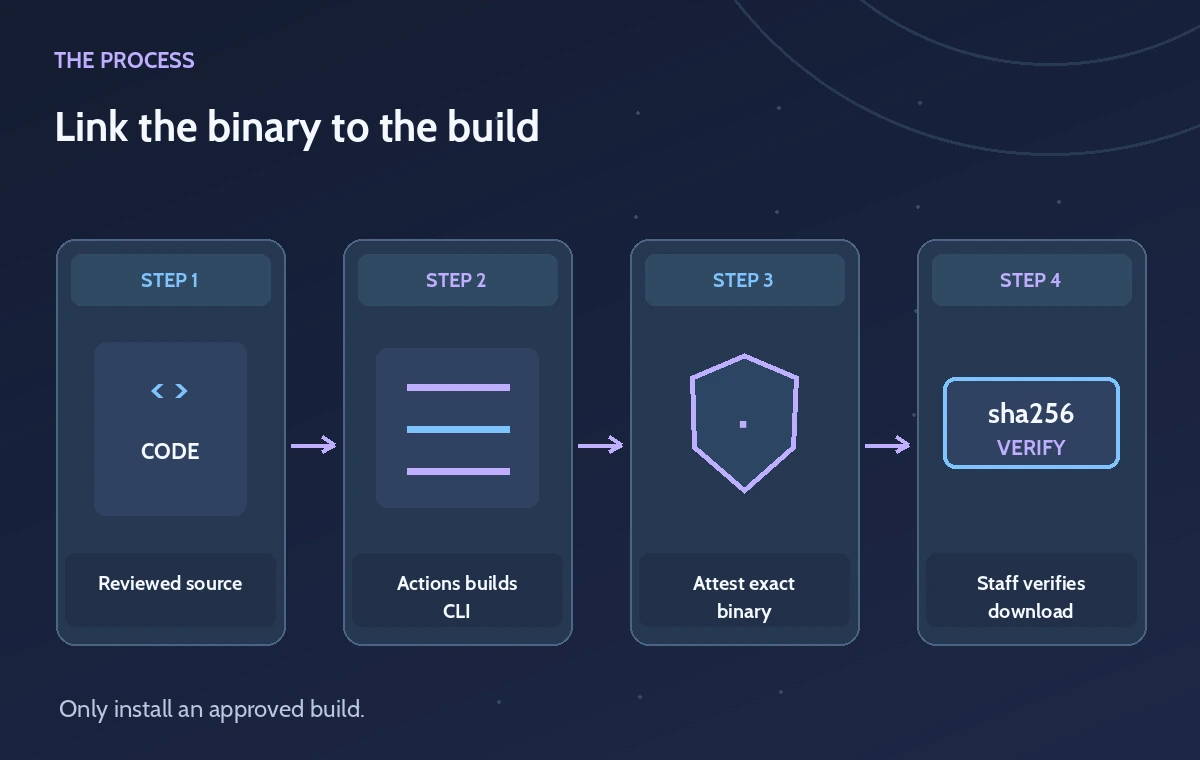
GitHub’s example uses the `actions/attest` action with `subject-path` pointing to the built artifact. Place the attestation step after the reproducible build and before staff consume the file. The version of the action, file path, and artifact hash must be reviewed in the release workflow. Avoid signing an unrelated source file while distributing a different compiled executable, because consumers need to verify the file they actually download.
The build should record its source revision and the release identity. If a packaging step modifies the file after attestation, that can invalidate the binding between the attested subject and the downloaded artifact. Keep build logs, signed provenance, and a published release version together. The diagram here represents a proposed workflow; no GitHub Actions run or attestation was created for this guide.
Verify on the receiving machine
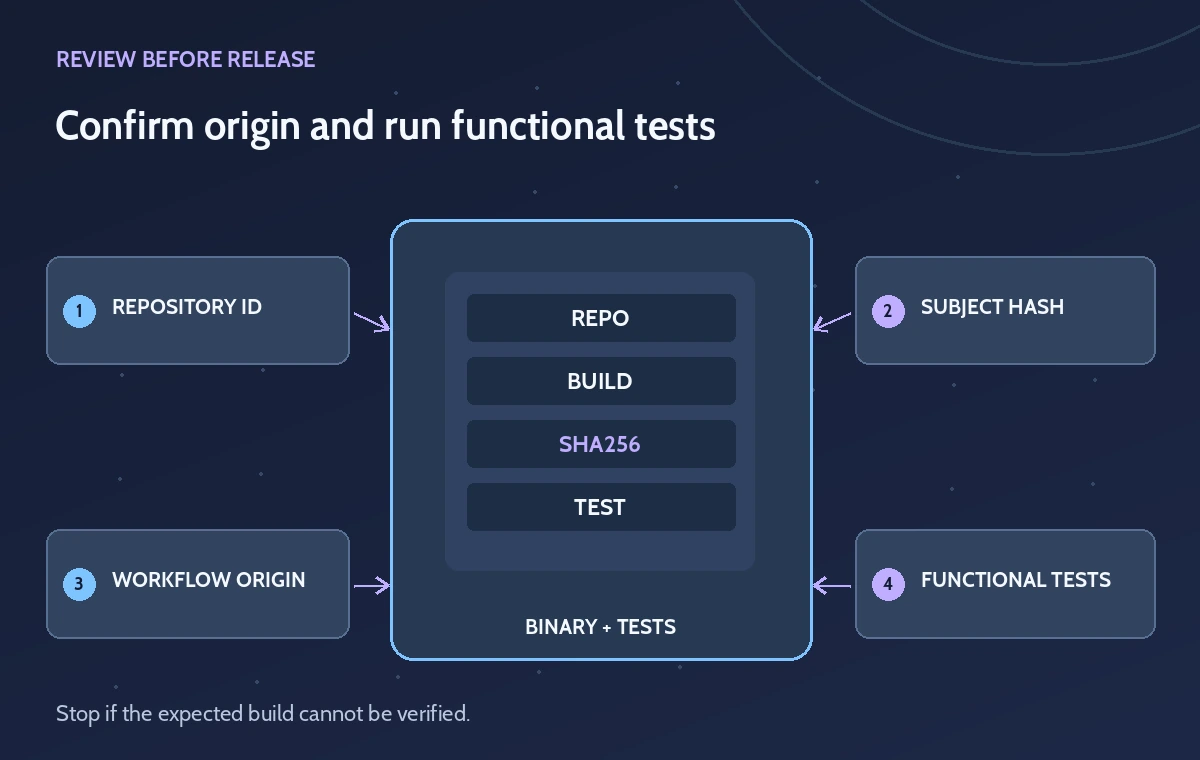
GitHub documents a GitHub CLI verification flow such as `gh attestation verify PATH/TO/ARTIFACT -R OWNER/REPO`. Replace the placeholders with the museum’s verified repository and the local binary path. The verifier retrieves and checks the attestation in a supported online environment. Confirm the returned repository identity and workflow context agree with what the organization approved; do not simply copy a green checkmark into a report.
The museum should independently verify that the downloaded file is the intended release and hasn’t been replaced by a similarly named build. Reject mismatches, missing attestations, unexpected repositories, or provenance referring to an unapproved branch. Keep the verification output associated with a local download record. A ZIP filename, repository star count, or developer’s personal email is not itself evidence of a trustworthy release.
Separate verified provenance from code quality
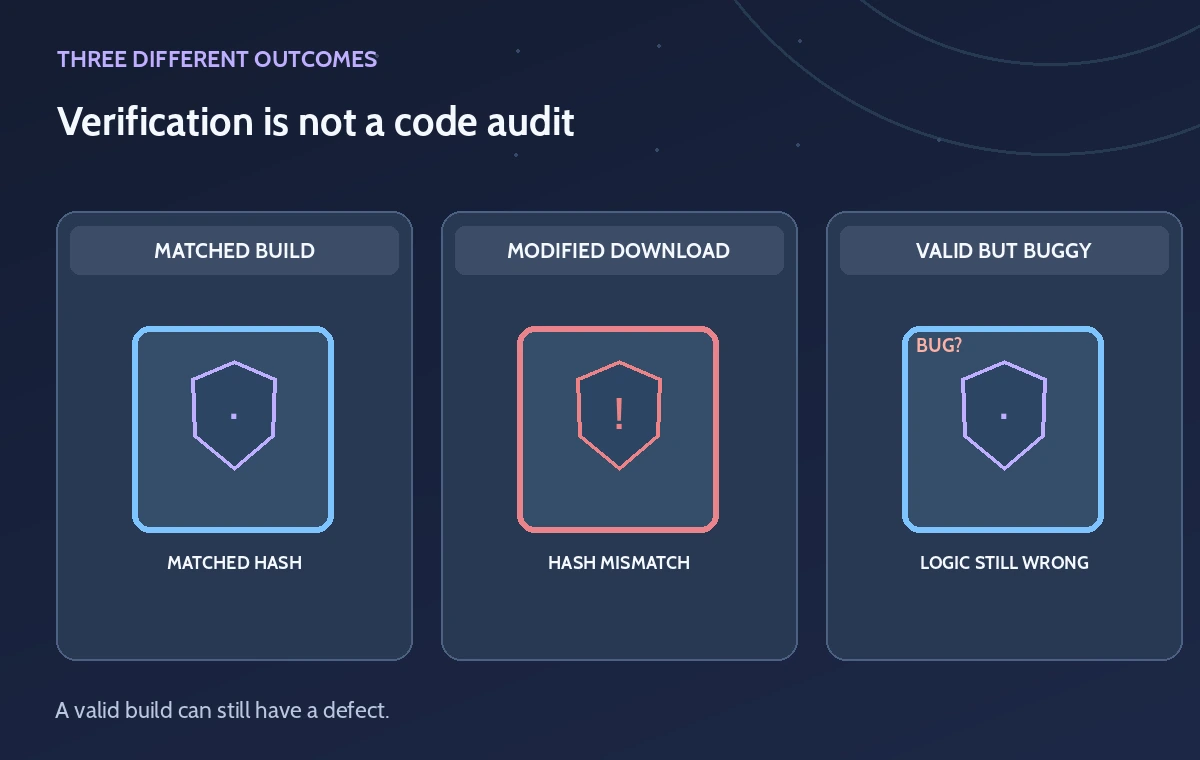
Consider three conceptual outcomes: the hash and provenance match the approved build; the artifact was altered after building; or a validly attested build contains a logic defect. Only the first establishes the provenance condition, and it does not establish full safety. GitHub warns that attestations are not guarantees an artifact is secure. Release approval should also inspect code changes, dependencies, test fixtures, permissions, and the intended command arguments.
For a CSV validator, test duplicated accession IDs, incorrect date formats, missing provenance fields, and malformed UTF-8 using fabricated data. Confirm the tool does not upload confidential files or silently rewrite the input. Keep the expected output in version-controlled fixtures. If the validator gives the wrong answer, a cryptographically valid attestation does not make its output acceptable to archivists.
Control updates and recovery
Document who can publish a new validator version and how staff learn about it. Preserve a known-good release and its verification record, and revoke trust in an artifact when maintainers report a compromised workflow. GitHub provides an attestation management lifecycle, but an organization’s install policy must specify which repository, branch, workflow, and release version are acceptable. Do not promote an unreviewed update because verification alone succeeds.
When verification fails, stop the installation and investigate the source repository and hash before retrying. Do not disable verification to meet a deadline or install a binary from an unofficial mirror. If staff already ran a questionable release, follow the organization’s incident process and check whether any sensitive catalog data were touched. Keep user-facing explanations concrete rather than presenting a generic success badge.
Ship a documented install decision
The acceptance record should say which exact binary was downloaded, which repository’s attestation was verified, which workflow produced it, and what separate functional tests were reviewed. A staff member signs off on installation after the organization has confirmed the tool’s purpose and least-privilege execution environment. Use a read-only input folder first and avoid running unfamiliar binaries with administrator rights.
This article follows GitHub’s published feature and verification documentation; no repository, file, or CLI result was tested. Confirm current action versions, verification syntax, repository eligibility, and security recommendations before shipping a production validator. Provenance is valuable evidence of origin, while code safety, data quality, and access authorization require additional independent checks.
How We Research
For this November 2026 guide, we consulted the following official product documentation: GitHub Docs: Generate and verify attestations, GitHub Docs: Artifact attestation concepts. We checked the named feature’s documented request patterns, eligibility or platform limitations, and failure modes, then designed an editorially hypothetical workflow that tests the source-to-output handoff. This was a documentation review, not a hands-on evaluation: no paid service was accessed, no account was connected, no live media or source data were uploaded, and no timing, costs, recognition scores, model-generated text, or real screenshot results were measured. The original diagrams illustrate design decisions rather than actual vendor interfaces or product output. Readers must recheck API and plan availability, price, data processing terms, and regional limits before implementation. Source records and authorized human review remain necessary for any release or consequential decision.
Frequently Asked Questions
When verified, it provides signed build-provenance evidence linking an artifact to a stated workflow and source context.
GitHub currently documents private and internal repository artifact attestations as requiring Enterprise Cloud.
Verify the exact downloaded executable or package that staff intend to run, using its approved source repository.
No. It confirms provenance under the verification policy, not the absence of vulnerabilities or faulty logic.
Stop installation, confirm the source and release, and investigate the mismatch rather than bypassing verification.