
A small museum runs a ticket kiosk with an adult price and a documented reduced admission for eligible visitors. A volunteer developer asks an AI assistant to “review the fee calculation,” but an overpowered agent could change the actual pricing file while diagnosing it. The safer task is to identify suspicious logic and propose tests without authorizing file writes or changing the financial policy.
Kiro documents custom agents with tools, resources, and capability-based permissions. This guide uses a fictional kiosk repository and schematic source code; no repository was opened, command executed, or actual fee rule changed. It explains how to frame a narrow reviewing role instead of mistaking an AI-generated patch for an approved business decision.
Define the review question and policy source
Write down the canonical ticket policy before opening code: which visitor categories exist, which discount rules apply, and who can approve changes. A reviewer should inspect implementation against that controlling document, not infer the discount from a variable name or a forgotten test fixture. In the example, one branch might inadvertently charge the standard fee when a valid concession flag is present.
Create a review request with read-only output: identify relevant files, quote the conditions, explain the mismatch, and propose focused tests. Explicitly rule out rewriting fee tables, publishing a build, editing the database, or sending notifications. A code review is a request for findings, not blanket permission for repairs.
Create a narrowly scoped custom agent profile
Kiro’s current documentation supports project agents under `.kiro/agents/`, using Markdown or JSON configurations. The profile can define a specialized prompt, the resources it reads, permitted tools, and permission rules. Choose a minimal review agent rather than copying a general-purpose development profile with broad file-writing privileges.
For a strict audit, configure read access and deny write capabilities where supported. The official code-review example illustrates focused read and shell-tool configuration, while the configuration reference explains capability rules and deny precedence. Review the syntax against the installed IDE or CLI version; earlier Kiro configuration formats differ from the current one.
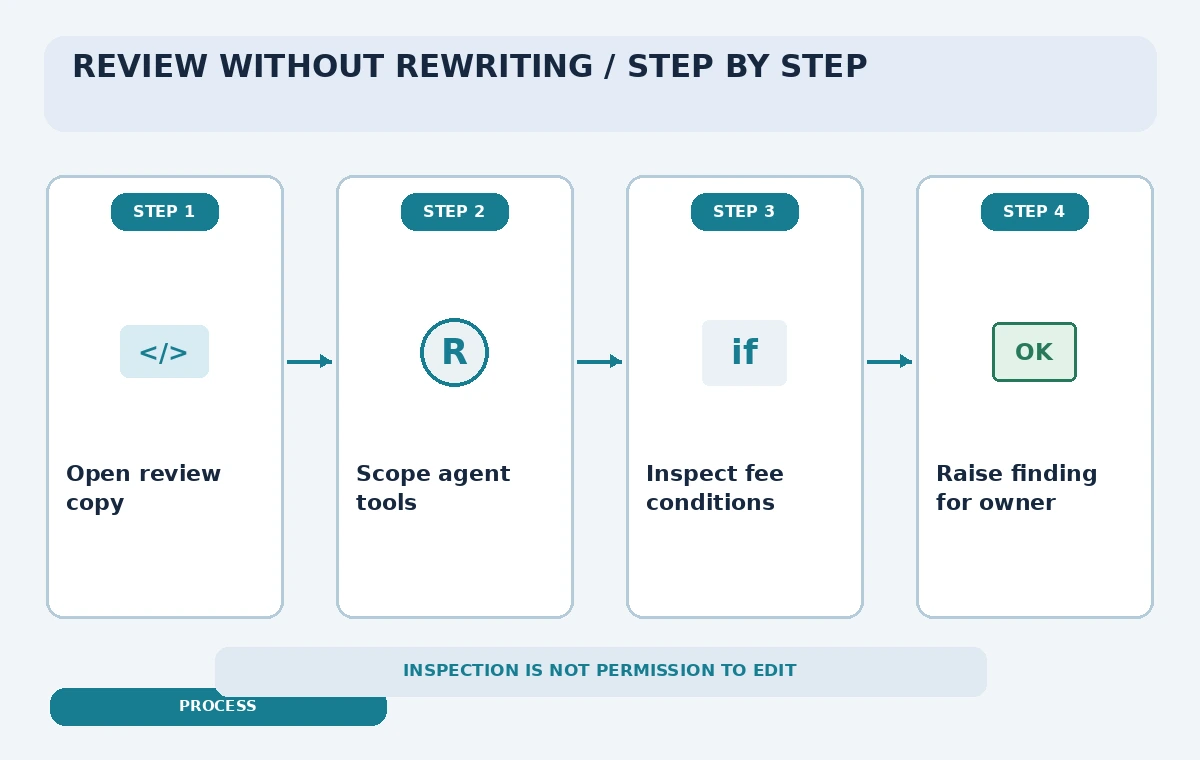
Treat shell access as a separate risk
Even an assistant told “do not edit” may invoke commands that change files. Avoid blanket shell trust. If `git diff` or a test command is necessary, inspect its exact command line, execution directory, and side effects. Tests can write caches or update fixtures, so a test runner is not automatically read-only. A separate disposable clone may be more appropriate for dynamic verification.
The current Kiro reference states that agent-scoped allow rules do not exceed parent-session permissions, and deny rules take precedence. That is useful defense in depth, but not proof that every command is harmless. Keep production credentials and payment exports out of the agent’s workspace, and ask for explicit approval when a read-only review needs to expand scope.
Inspect the fee logic and its inputs
Search the pricing calculation, eligibility flags, API payload conversion, and any rounding logic. A reduced-price branch may be correct in isolation yet fail because a form sends a string like `”false”` where the application expects a boolean. Record the exact source file and expression behind each finding rather than accepting a generic “probably a type bug” diagnosis.
Check whether the policy describes age, residency, eligibility proof, and companion access. The code should enforce documented categories, not invent new ones. If a displayed price differs from the charged amount, investigate both paths. The technical observation alone cannot establish which financial rate the museum has authorized.
Contrast an automatic patch with a reviewed finding
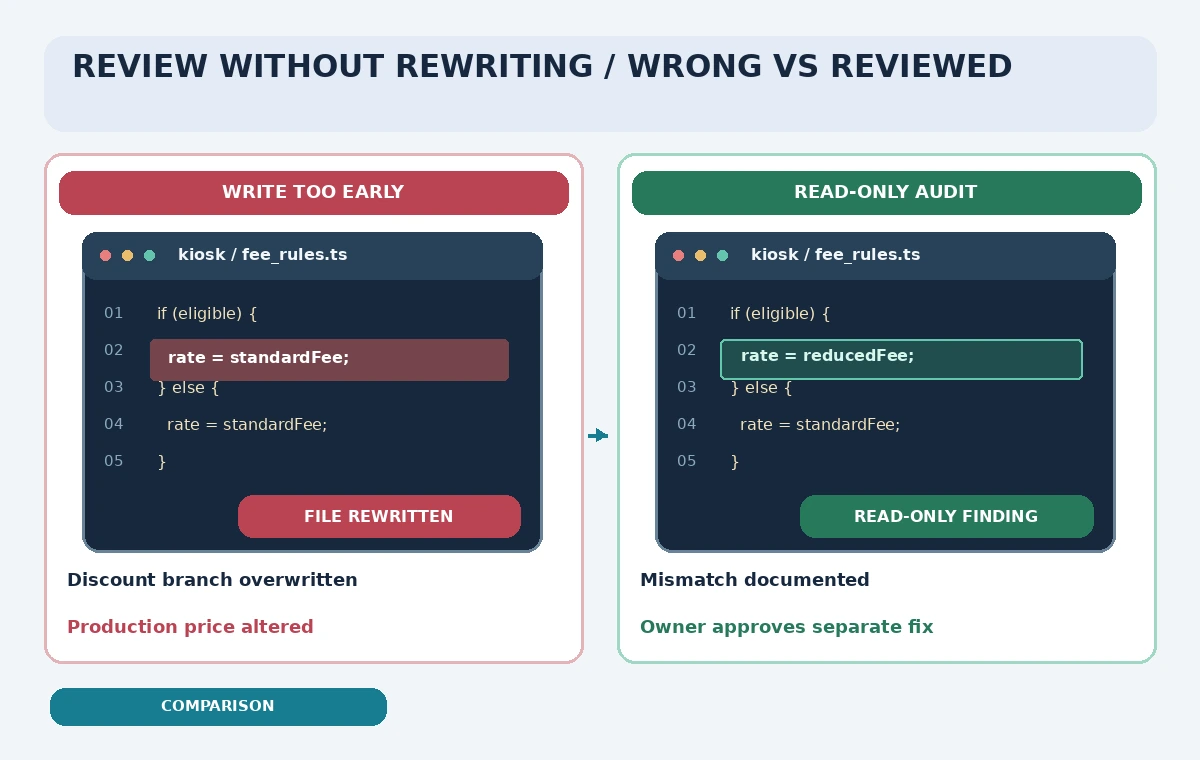
Our comparison shows a hypothetical failure in which an AI reviewer “simplifies” the fee branch and removes a concession path. In the corrected route, the agent flags the discrepancy, attaches evidence, and leaves the file untouched. The diagram is not a screenshot, benchmark, or test result from Kiro; it visualizes a decision boundary to preserve.
Ask the human maintainer to turn the finding into a small change request. They should name the governing policy paragraph, choose the intended behavior, and approve a separate implementation step. Requiring that handoff reduces the chance that a coding agent treats a vaguely worded request as authorization to change admissions policy.
Design tests that expose policy drift
Prepare cases for full-price admission, eligible concessions, invalid eligibility input, unknown categories, zero-priced special events, and boundary dates. Ensure the expected values are copied from a versioned policy source. An AI can draft a table of tests, but a maintainer should review each expected amount before tests become part of the permanent suite.
If an integration test charges a card or sends a receipt, use a sandbox and synthetic identities. Do not run live-payment checks from a code-review agent. The review output should separate evidence of a missing test from evidence that the production behavior is wrong; either finding may be useful, but the remedy is different.
Prepare a short approval-ready review report
An effective report states the repository revision, file and line range, policy source, possible impact, test gap, and recommendation. Call the issue “unverified” if the agent cannot find an approved price schedule. Do not let confident prose disguise a missing source. Include an owner and an explicit request for a decision, rather than a silent change merged into a large pull request.
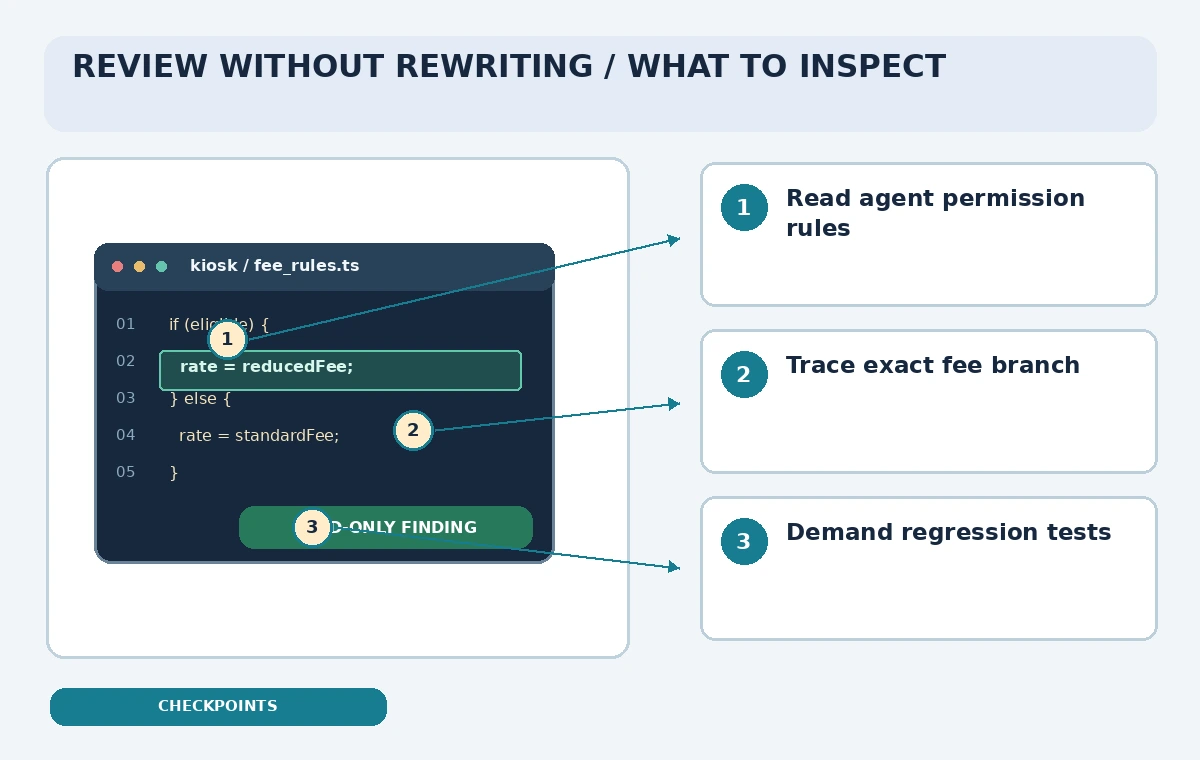
Verify the agent configuration itself: does it contain write tools, unsafe trust patterns, external MCP connections, or broad shell permissions? A review prompt that asks for caution is weaker than an enforced boundary. The checkpoint figure directs attention to the agent permission file, the fee branch, and the final human sign-off.
Re-run the audit when rules or tools change
After an approved fix, repeat the read-only audit against the same versioned admission policy and compare findings. Do not declare success merely because the assistant stopped complaining; inspect the actual source diff and regression tests. If the ticket categories change later, revise the policy document first so the agent has a stable reference.
Kiro’s agent configuration and available tool capabilities evolve. Confirm the syntax and inherited permissions in current documentation before reusing an old profile. The practical outcome is a traceable review that identifies possible mistakes without quietly authorizing code changes or price changes in the live kiosk.
How We Research
For this November 5, 2026 documentation review, we consulted the following named official references: Kiro: Custom Agent Configuration Reference; Kiro: Custom Code Review Agent Example; Kiro: Creating Custom Agents; Kiro: CLI Quick Start. We compared currently documented capabilities and access limits with the safeguards required by a narrow fictional work scenario. We did not use a paid account, run the API, inspect live code, process a real inventory, repair a product photo, or generate footage. Every illustration is an original conceptual drawing rather than a vendor screenshot or measured output. Features, plan eligibility, generative credit terms, policies, and interface labels may change; recheck the vendor sources and obtain human approval before applying the workflow to real records.
Frequently Asked Questions
Yes. Current Kiro documentation describes tool selection and capability-based permission rules.
No. Use enforceable permissions and review shell commands and external tool access.
Yes, according to Kiro’s custom-agent creation documentation.
No. An authorized owner must interpret and approve the pricing policy.
No. The repository, fee conditions, and illustrations are hypothetical.