
A maker-space volunteer asks which training video shows how to shut down the workshop’s 3D printer after a session. The video library contains one tutorial for Model A and another for Model B, with visually similar power controls. An AI search result that answers with a tidy three-step procedure from the wrong video could mislead the operator. The correct answer is the right model, an inspectable timestamp, and a check against the current equipment manual.
Atlassian documents Rovo-powered search and Rovo Chat inside Loom for finding spoken moments and discussing video knowledge. Search is not a replacement for equipment-specific safety instructions. The machines, training library, and comparison diagrams in this guide are fictional; no actual hardware or Loom account was tested.
Identify the equipment before asking AI
Write down the actual manufacturer, model, installed options, and relevant manual revision from approved equipment records. The room might contain two printers that look nearly identical but use different cooldown steps. Search with the machine ID or full model designation; “How do I turn off the printer?” is too broad for a process where confusing one device with another changes what people do.
Keep official procedures available independently of the video platform. A training clip may be easier to watch than a written manual, but a video can become outdated after firmware, hardware, or safety policy changes. If the operator cannot positively identify the machine, do not instruct them to guess from a visual similarity in a search result.
Confirm Rovo search access and content scope
Atlassian says Rovo-powered search can locate phrases across Loom video transcripts and, where configured, connected tools. Rovo Chat can answer questions about an individual video or a broader workspace, using credits for chat in supported contexts. Verify plan, permissions, connected information sources, and which video libraries the operator is actually allowed to search.
A search that returns no result does not prove the training video does not exist; it may be outside the user’s access or missing a transcript. Do not expand permissions to private staff recordings just to make search more convenient. Keep restricted workshops, customer screens, and participant names separated from general training libraries.
Search for the exact safety-relevant moment
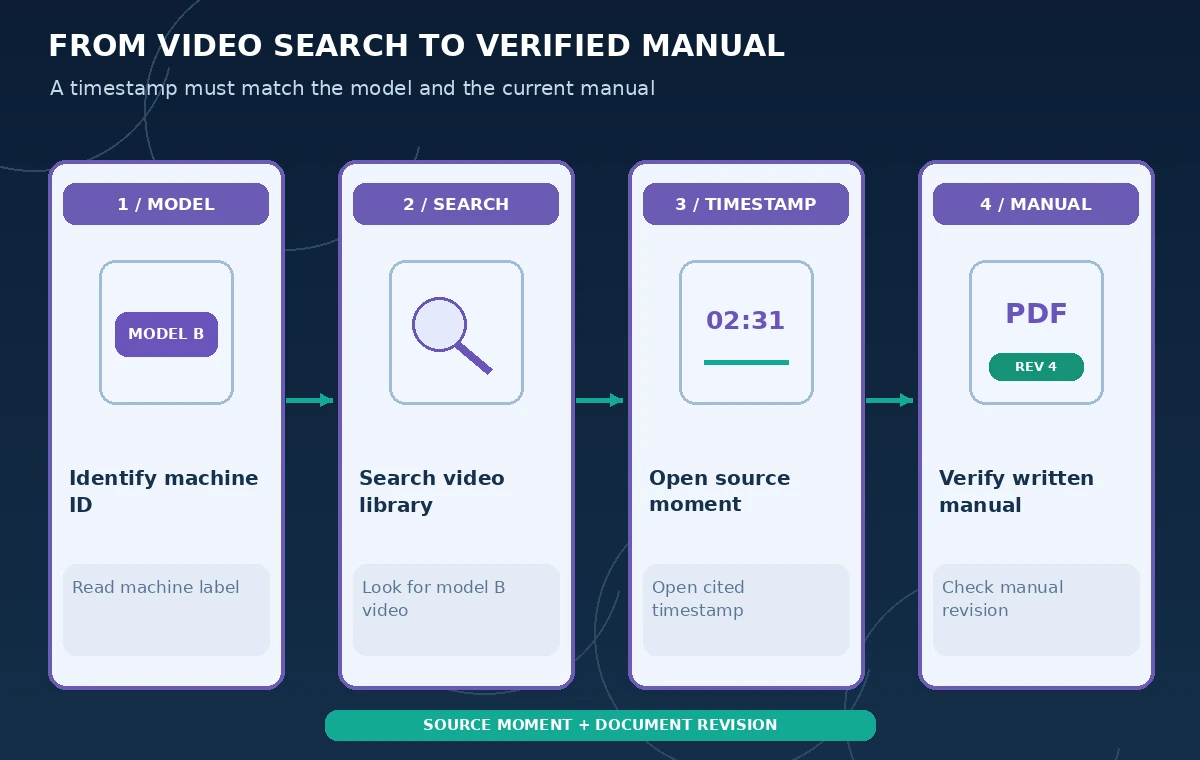
Use a query combining the model and task, such as “Model B end-of-session cool-down and shutdown demonstration.” Review Rovo’s highlighted moments and direct timestamp links, not only its prose answer. Open the recording at the returned point and listen to the full explanation before and after it, especially if there is a caution or exception near the step.
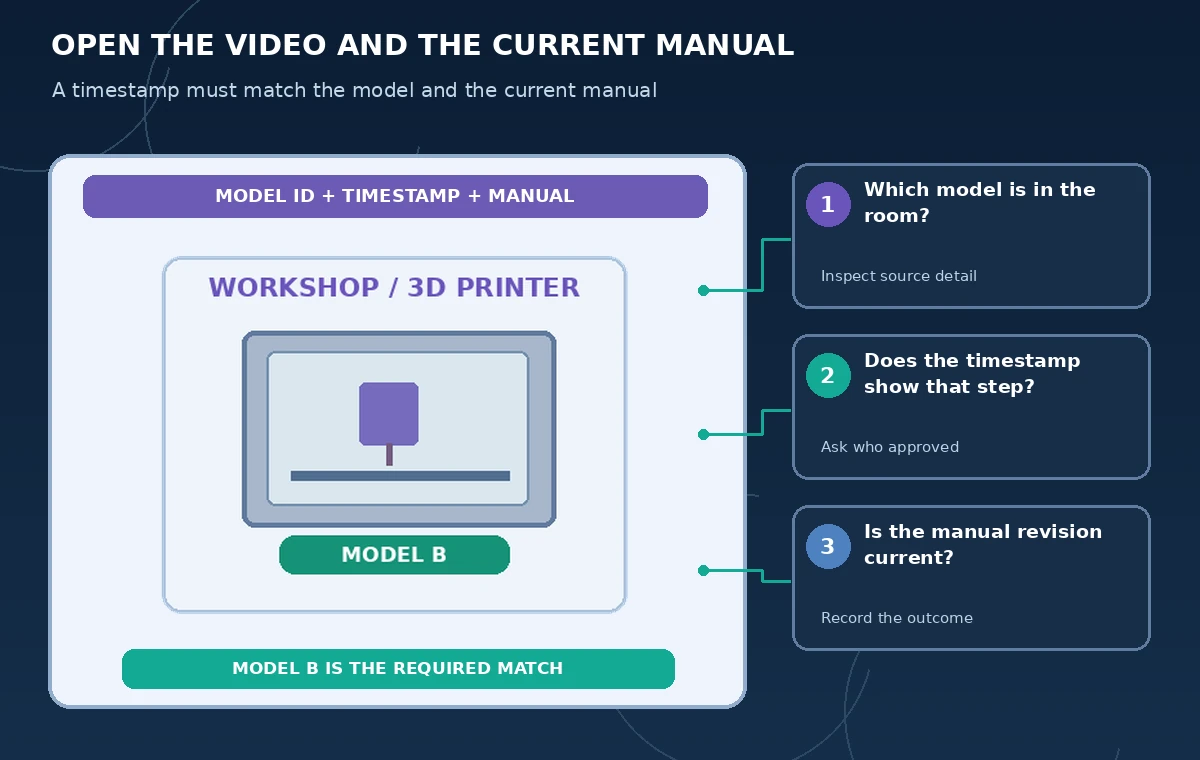
A timestamp can identify where a phrase occurs without certifying that it applies to the current machine. Check the video title, presenter, recording date, and any visual model label. If a tutorial begins with a general description and switches models later, inspect the relevant segment instead of assuming that every instruction in the clip belongs to the first model mentioned.
Separate the search result from the actual procedure
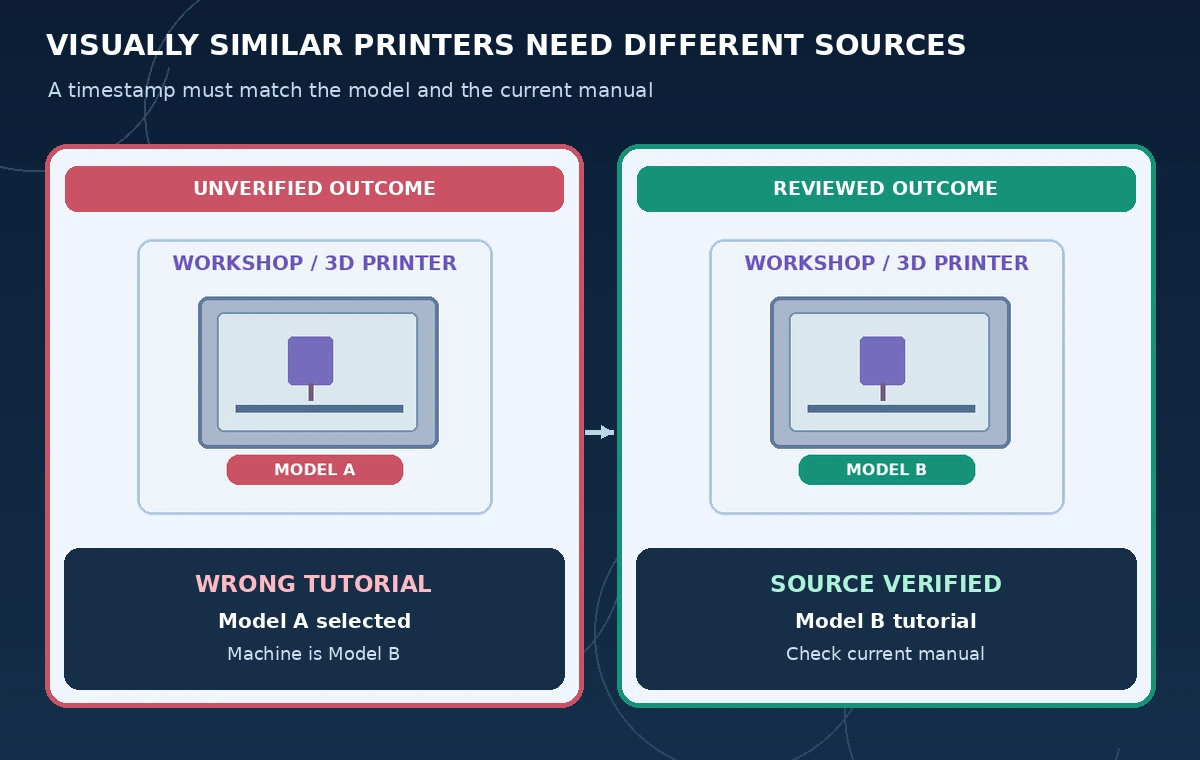
Create an evidence table with columns for claimed step, video timestamp, visual model evidence, manual section, and reviewer decision. If Rovo says “switch off main power” but the visible video concerns Model A, reject that result for a Model B operator. The diagram contrasts a misleading model match with a source-checked result; both pictures are educational illustrations, not product screenshots.
Do not derive precise warm-up or cooldown times from a model summary unless verified in an authoritative, current document. When the written manual and the training video conflict, pause the handoff and ask the workshop’s safety or maintenance lead to resolve it. The assistant can help find source material but cannot grant authority to ignore manufacturer instructions.
Review transcripts for names, numbers, and omissions
Transcriptions can be imperfect for manufacturer names, serial numbers, abbreviations, and spoken negation. A phrase like “do not disconnect during cooling” must not turn into “disconnect during cooling.” Open the exact clip for audible confirmation instead of trusting a one-sentence extracted answer or a model-produced transcript snippet.
Mark places where the presenter is inaudible or points to a control without naming it. Use approved screenshots or a training manual illustration to clarify orientation, but avoid uploading production facility photos that reveal private network screens or personal information. An AI-generated description of a control panel should not be presented as an actual device schematic.
Check changes since the recording
Find the latest maintenance notice and manual revision for the same model. A tutorial from last year might omit a newly added filter cycle or an updated locking mechanism. Record the date and authority of each source before passing instructions to a volunteer. Rovo search can surface the old training clip faster than a manual folder search, but speed does not establish currency.
Where a training video is obsolete, mark it superseded or restrict its use through the organization’s content governance workflow. Do not simply paste an unverified AI correction into the old video description and call it updated training. Ask an authorized trainer to record a replacement if the correct procedure is materially different.
Publish a verified, minimal answer to the volunteer
Share a short pointer to the approved Model B video timestamp and current manual section rather than an unsourced AI-generated step list. Clearly name the machine model and add a stop condition when the visible controls differ from what the operator sees. If a physical emergency is underway, use the organization’s immediate safety and emergency procedures, not a conversational search tool.
Have the volunteer confirm they can identify the right machine and reference materials. Do not claim that a click on a video proves someone performed the task correctly. A training acknowledgment and an observed competency check are different records; keep both if required by workshop policy.
Maintain a reviewable video knowledge base
Use consistent titles and metadata including model ID, training date, and revision status. Preserve a short changelog when replacing a video; direct viewers to the newest approved resource. Permissions should keep general training accessible while protecting sensitive footage. Link the matching written procedure whenever possible so a search result has a second independent verification path.
Periodically test common questions on the library and inspect the returned sources. Include confusing model pairs and outdated recordings in the test set. If the tool cannot reliably distinguish the machines, narrow the search scope or require manual selection of an approved video before Rovo Chat answers. The success criterion is a safe source handoff, not a persuasive answer.
How We Research
For our November 5, 2026 documentation review we consulted these named official sources: Atlassian Support: Use Rovo chat and search in Loom; Atlassian Support: Loom AI features; Atlassian Support: AI feature eligibility. We mapped documented access requirements and controls to a narrowly defined hypothetical workflow, then wrote independent checkpoints that an editor or operator could verify. We did not purchase a subscription, use customer records, operate equipment, execute production code, or measure tool accuracy for this article. The diagrams are original instructional artwork, not screenshots or proof of vendor output. Plans, availability, legal rules, and organizational procedures may change; confirm current documentation and authorized source materials before acting.
Frequently Asked Questions
Yes. Atlassian documents transcript search and direct timestamp links in supported Loom Rovo experiences.
No. Open the clip, inspect the model label and recording date, and cross-check the current manual.
No. Atlassian distinguishes included search on paid plans and credit-using Rovo Chat, subject to account eligibility.
No. The manufacturer’s and organization’s approved procedures govern equipment operations.
No. All training clips, models, and diagrams are hypothetical illustrations of source verification.