
A museum volunteer has recorded a two-minute welcome while occasionally checking notes beside the camera. The content is accurate and the speaker has agreed to appear, but an editor hopes to make a few small eye movements feel more connected. VEED offers AI Eye Contact correction for this kind of talking-head footage. The risk is not a factual hallucination in the script; it is changing the human performance until ordinary blinking and side glances look mechanically fixed.
VEED’s August 2026 help article says the effect works best on a clearly visible speaker in good-quality footage, and it may decline to correct a gaze that is too far from the lens. That restraint is a feature limitation, not an editing failure to hide. This guide describes a hypothetical review with illustrative graphics; it does not claim to have processed a specific volunteer’s likeness or measured the tool’s success rate.
Obtain consent for appearance and AI adjustment
Confirm the speaker has authorized not just recording and distribution, but use of an AI-based change to how their eyes appear. The volunteer may be comfortable with ordinary cuts and caption correction while preferring that genuine pauses or glances stay untouched. Explain the specific proposed adjustment and let them decline it without forcing a complete reshoot.
Keep the original footage and final output as distinct files. Write a brief note that the correction affects gaze direction rather than speech content. Avoid using the technique to suggest someone read, approved, or endorsed material they did not actually deliver. For a welcome video, the actual script, name badge, accessibility information, and visitor instructions should remain the primary editorial priorities.
Select a short, suitable talking-head section
Choose a well-lit section where the person faces the camera and the eyes are easy to see. VEED notes that a distant subject, low resolution, or poor lighting can reduce reliability. A speaker turning fully to a diagram or to another person is not a reasonable candidate for a continuous direct-gaze illusion. Trim the experimental range to one normal sentence with a small note glance.
Preserve the camera original at its native frame rate and resolution. Check that no other AI face correction, beauty filter, or retouch is already altering the eye region; layered edits make it harder to locate the source of a strange blink. If a safety instruction is spoken, capture a reference transcript before any video edit so later visual decisions cannot distract from content fidelity.

Locate and apply VEED Eye Contact carefully
In VEED, create a project, upload the owned recording and select the relevant clip on the timeline. VEED’s help page describes the Eye Contact setting under AI Tools in the Edit Video panel, with another entry point in the Video section. The interface may vary by account or release; use the current product instructions rather than assuming a label from an old tutorial.
Process a short clip first. Do not invent strength sliders or frame-specific manual controls if your version does not offer them. Once processing finishes, play the entire short sentence at normal speed. A before-and-after split screen is useful for review, but label the views as illustrative if you are teaching without actual processed footage. The illustration here is not a product screenshot.
Watch the blink and gaze transitions frame by frame
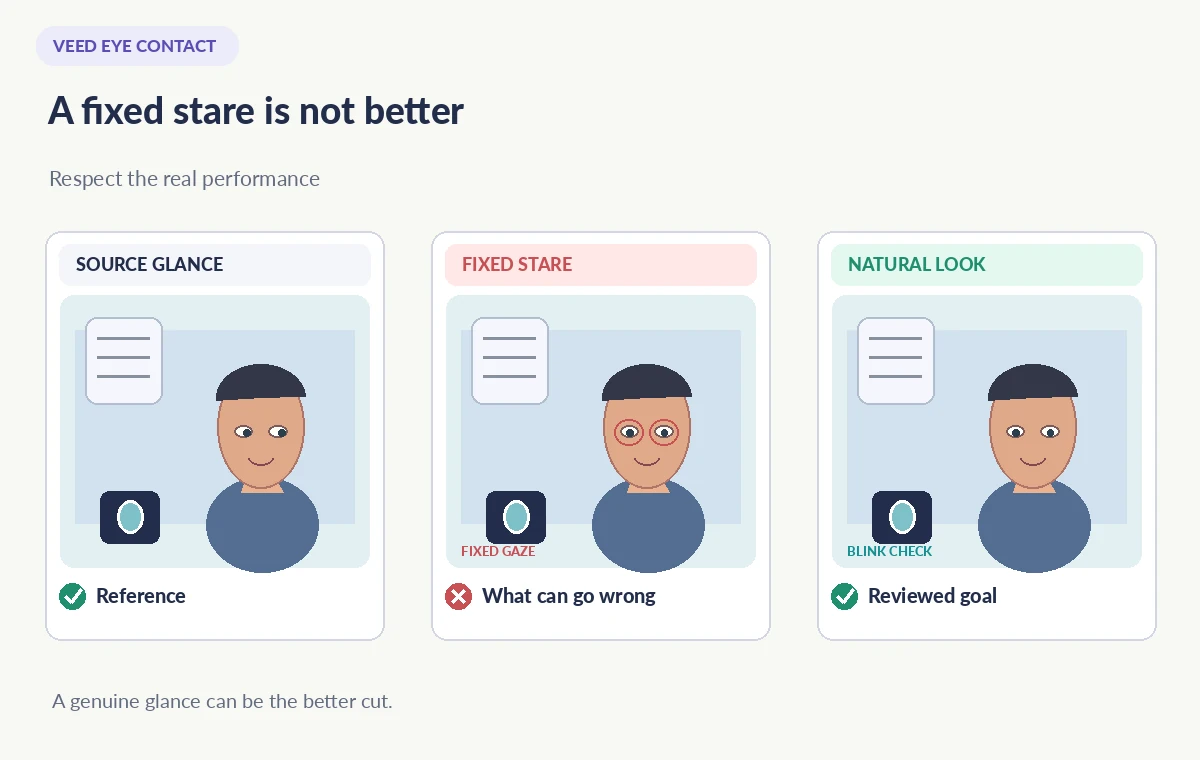
A natural presenter does not stare directly into the lens every millisecond. Scan the frames before and after each glance. Does the iris jump when the head rotates? Does one eye point at a different target? Are eyelids frozen across a blink, or does gaze appear glued to a position after the person looks down at their notes? These problems may be subtle during a fast playback.
Compare at an equal zoom and speed. A successful correction should not change facial identity, eye shape or the timing of an emotional pause. If the person glances toward a prop while saying “look at the exit map,” leaving that glance intact may communicate more accurately than forcing a direct stare. Visual naturalness and instruction clarity take priority over apparent eye contact throughout the whole recording.
Respect the boundaries the tool itself enforces
VEED explicitly notes that eye contact may not be corrected when a speaker looks too far away from camera, to avoid unnatural results. Treat an uncorrected moment as information about what the model can reasonably do. Do not promise viewers the effect will repair profile footage, dim presentations or a person mostly off-screen.
For a long speech, use selective correction only where a brief note glance genuinely distracts. If the tool changes the speaker’s eyelids or produces inconsistent frame transitions, restore the original segment. A short honest cutaway to the slide or artifact can be better than aggressive eye edits. Document the untouched boundaries so the next editor can understand why some moments were deliberately left alone.
Check captions, audio and visitor instructions again
Eye correction does not edit spoken words, but a project can still develop issues when clips are trimmed or moved. Verify that captions track the actual soundtrack and that the opening hours, route descriptions and accessibility statements remain accurate. If a name badge or on-screen label is visible, zoom in after export to ensure recompression did not render it hard to read.
Test the video muted and with sound. Muted playback reveals unnatural visual rhythms; sound-on playback reveals whether cuts and expression feel connected to the sentence. Include an accessible transcript and do not replace captions with assumed comprehension from eye movements. A volunteer welcome needs to work for people who do not look at or cannot see the presenter’s eyes.

Check plan availability before preparing a large series
VEED’s support article currently states that Free users can try Eye Contact once per account and that Creator, Pro, Studio and Enterprise plans have broader access. These terms may change. Confirm the actual entitlement in the team’s workspace before promising repeated edits or budgeting a training season around the feature.
Processing duration varies with recording length and quality, according to VEED. Avoid making unsupported claims about speed or universal success. Use one approved segment as the editorial benchmark and compare it with a straightforward reshoot of the same line. Sometimes moving the notes closer to the lens is faster, less costly and more authentic than post-production gaze correction.
Release the version the presenter recognizes
Share a proposed cut privately with the presenter and ask whether the gaze still feels like them. Also request review from an editor unfamiliar with the original so they can identify a conspicuous artificial stare. Keep any disclosure appropriate to the context, especially if viewers might interpret camera engagement as direct testimony or agreement.
If the correction fails, the original is still a valid recording. You can improve framing, subtitle accuracy or note placement without modifying the person’s appearance. Save a record of the final version and do not let the availability of a clever AI feature override the speaker’s consent or the visitors’ need for accurate information.
How We Research
This guide was prepared on November 3, 2026 by comparing the documented workflow with official developer guidance, especially VEED: How to use Eye Contact correction and VEED: Eye Contact correction. We checked the named feature, entry points, stated limitations and common edge cases against those sources; we did not operate a customer account, upload private data, process example media, measure quality gains or verify plan entitlements in a paid workspace. The practical scene and all diagrams are deliberately hypothetical. Instructions and availability can change; confirm the current help pages and review the actual result before publication.
Frequently Asked Questions
The feature targets gaze in video, not the spoken script. Editors must still verify that audio, trims and captions remain accurate.
No. VEED says it may leave large gaze deviations uncorrected to avoid unnatural results.
VEED warns that low resolution, poor light and small faces may reduce reliability; first improve the source footage.
Yes. Ask the recorded person to approve the AI adjustment to their appearance as well as distribution of the final video.
The current VEED help article describes a one-time Free plan trial, with wider use on paid plans. Verify current entitlement before production.