
A small neighborhood workshop lends hand tools to residents for weekend projects. The coordinator needs a request form that identifies the requested tool, pickup slot, and a way to respond. A generative assistant can draft a pleasant questionnaire in seconds, yet it may also add date of birth, home address, or a promise that a tool is reserved. Neither is authorized by the workshop’s existing policy. This guide uses a hypothetical workshop, not a live Typeform account or a tested submission.
Typeform documents AI-assisted form creation from a prompt, refinement inside its builder, and help with branching logic. Those capabilities make first-draft form construction easier; they do not grant the assistant authority to decide what personal information is necessary or whether equipment is available. The useful workflow starts with a written collection policy, constrains the prompt, then checks the actual preview and notification path before anyone receives the link.
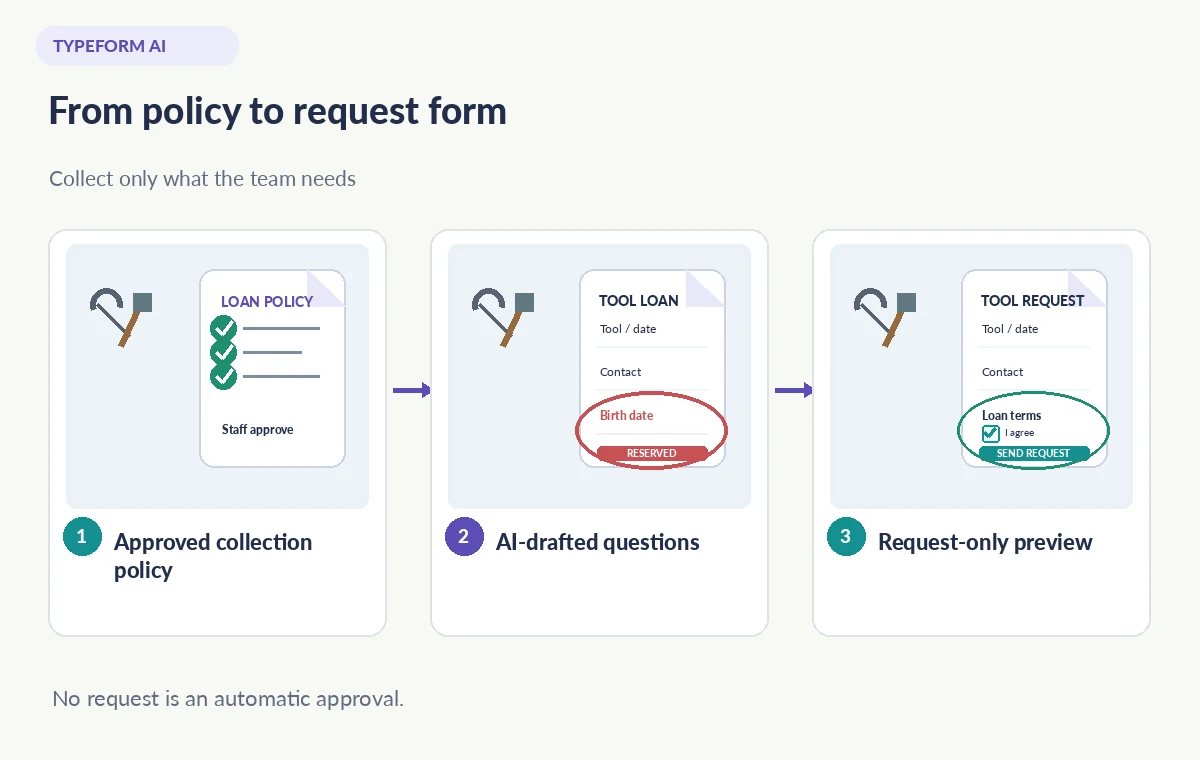
Write a collection policy before asking AI for questions
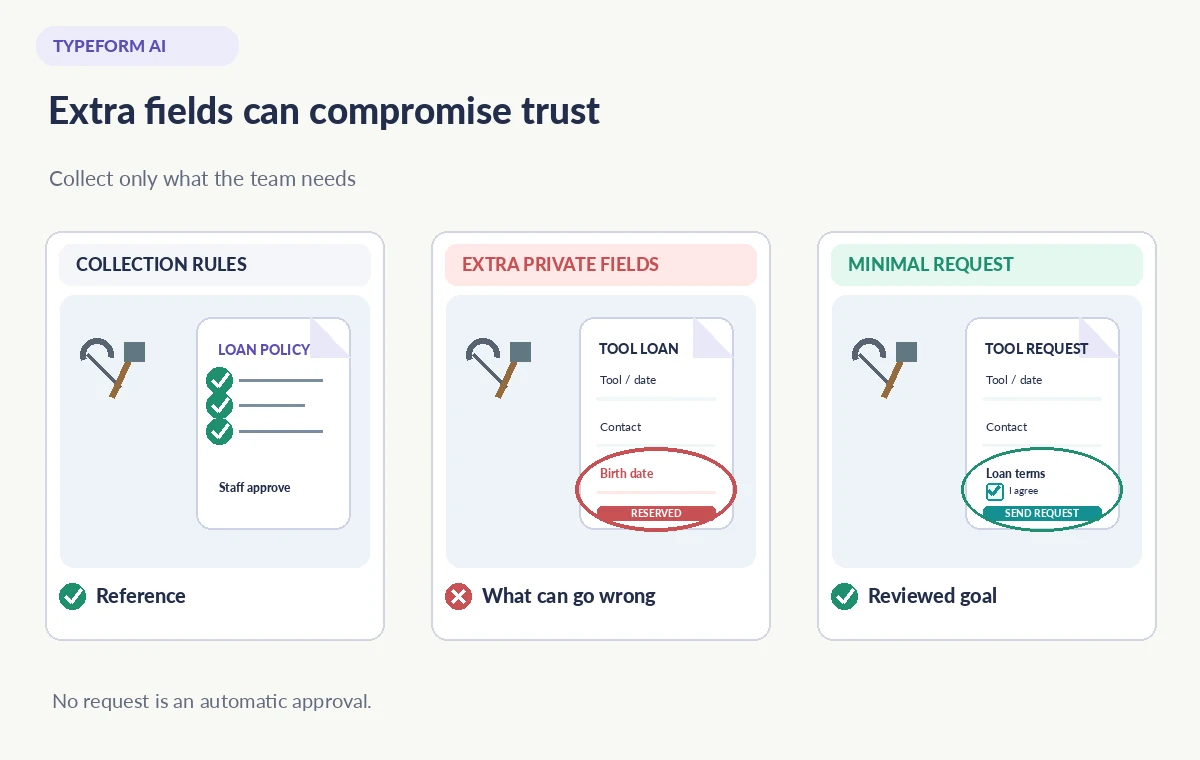
List the legitimate decisions the form must support. A coordinator needs a tool category, intended borrowing date, a reasonable contact method, and agreement to the written loan conditions. The workshop can ask a short description of the project only if that helps assign appropriate equipment. Do not default to collecting government IDs, household details, exact location, or photographs of participants simply because many registration templates contain those fields.
Specify which information must be private, who may read responses, and how long unused requests will be retained. Note the difference between a request and a booking: the form receives interest, while a human checks inventory, eligibility, and collection logistics. Put that distinction in the copy before drafting the questionnaire; the model must not invent inventory numbers, replacement fees, or safety certifications.
Prompt Typeform AI with explicit boundaries
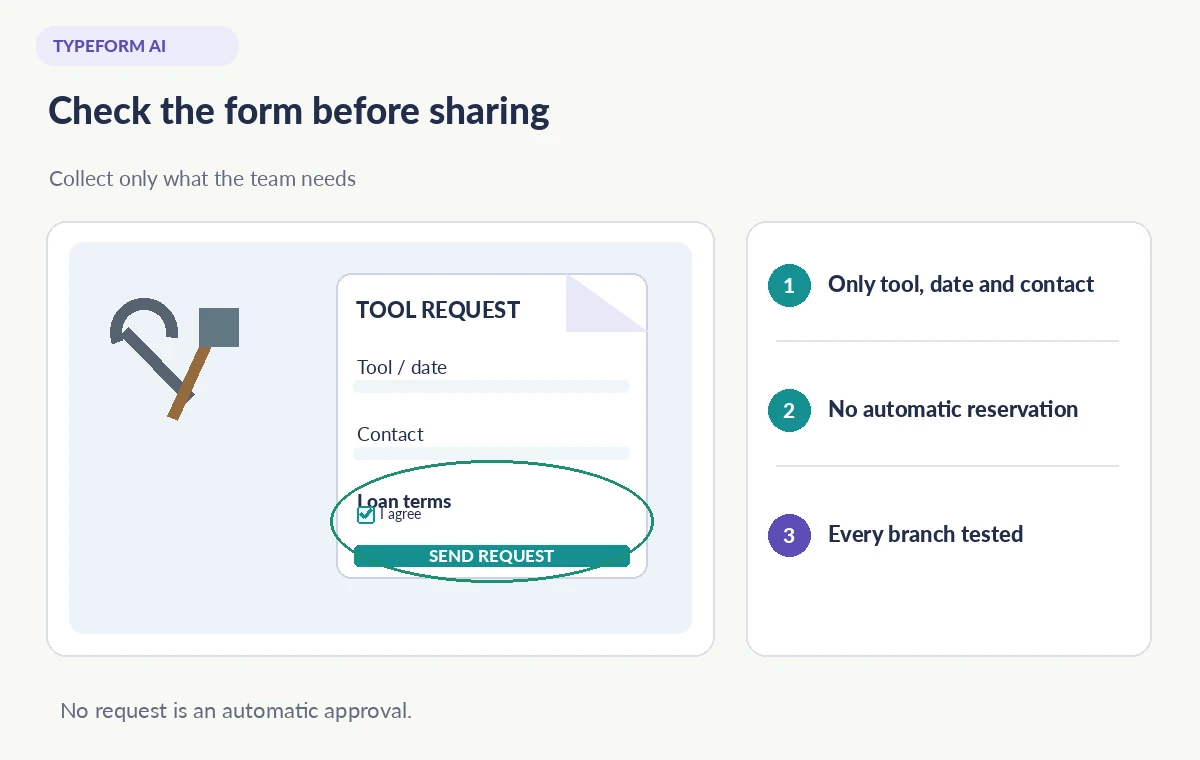
Start a new form in an authorized Typeform workspace and describe its goal in plain language. An effective draft prompt is: “Create a community hand-tool loan request, with tool choice, preferred pickup date, one contact channel, and consent to the published loan terms. Do not request birth date, full address, or payment details. Submitting is not approval.” The wording gives the assistant both a functional scope and a concrete exclusion list.
Typeform’s help center describes prompt-based creation and later editing in the builder. Treat generated descriptions, placeholders, and optional fields as proposals, not a deployed policy. If the assistant offers a generic waiver, do not accept it as legal advice; insert only the exact conditions the workshop has approved. Write a short form-introduction sentence naming the managing organization and the purpose of the data collection.
Inspect each field rather than trusting the preview
Read every question as someone who has never attended the workshop. Is a full legal name essential, or is a first name adequate at the request stage? Does the form label an email address as required even though the applicant can choose phone contact? Are accessibility accommodations offered voluntarily and routed privately rather than appearing in a public response sheet? Replace broad “Tell us everything” prompts with focused options.
Open the question settings and verify required status, formats, help text, and character limits. Check that an empty answer does not silently become “No,” particularly when a question describes a safety concern. If a tool is restricted to trained borrowers, link to the existing policy and ask for the required confirmation only if the workshop already uses that process. Do not invent a substitute training exam.
Make branches humane and predictable
A request for a ladder may require an additional safety-information screen while a request for a small hand trowel may not. Map such branches on paper before configuring conditional logic. Test every selection, including “Other,” no available date, and a person who wants to ask a question before committing. A branching form can look correct in its default path while hiding an essential instruction from one group.
Separate a question about access needs from eligibility decisions. The system should route an accommodation request to the right human, not automatically reject it. Keep the exit path clear when someone cannot find their tool category. If the desired logic cannot be expressed clearly in Typeform’s current builder, use a simpler form instead of building a fragile chain of hidden assumptions.
Keep notifications and integrations out of automatic approval
Review the success screen and email messages as carefully as the questions. Replace “Your tool is reserved” with “Your request was received; staff will confirm availability.” The response should tell applicants how long a typical review takes only if that interval comes from the workshop’s actual published policy. Do not set a fake deadline to make the workflow seem efficient.
If the form sends data to a spreadsheet, inbox, or automation, document where each field goes and whether recipients need access. Avoid copying sensitive notes into broad chat channels or sending complete responses in notification subjects. Use the minimum permissions that support the job. Test any downstream automation in a controlled workspace before making the submission URL public.
Test three realistic submissions with fake data
Create test cases for a standard tool request, a date with no availability, and a request requiring a clarification. Use invented names and contact addresses that will not message real people. Check form completion on both a narrow phone viewport and desktop, and confirm the accessible label for every mandatory question. A form that loads on your laptop can still present an unusable date selector on a small screen.
Inspect the response table rather than looking only at the thank-you screen. Are branches recorded with the right context? Is a skipped field distinguishable from an explicit “No”? Is a withdrawal contact listed and are requesters told that the coordinator, not the AI, confirms loan eligibility? Keep copies of the test submissions separate from live applicants so they cannot contaminate counts.
Review cost, access and operating assumptions
Typeform documents that its AI assistant is accessible in several workspace surfaces and that free accounts have message limits. Those numbers and entitlements may change, so check the current plan page before planning a volunteer-heavy intake process. Generating questions does not itself prove a form has enough response capacity for a particular campaign.
The assistant may suggest additional tools, contacts, or automations. Do not connect a mailing list or third-party system merely because it appears in a suggested workflow. Verify the organization’s subscription, data retention rules, notification recipients, and export requirements. The simplest workable form is often safer than one with the most impressive AI-made logic.
Publish only after a named coordinator signs off
Give the designated coordinator the final question list, branch diagram, retention note, and screenshots of the confirmation screen. Ask them to confirm the tool catalog, permitted contact channels, and inventory approval procedure. Record the version reviewed; if someone changes a field after approval, repeat the relevant branch tests rather than treating the old sign-off as permanent.
When the form is finally shared, describe it publicly as a request, not a reservation or a guarantee of availability. Provide an alternative way to contact the workshop for applicants who cannot use the online form. Keep a clean copy of the approved questions and a documented way to disable or archive the form when the lending season ends.
How We Research
This guide was prepared on November 3, 2026 by comparing the documented workflow with official developer guidance, especially Typeform: Use Typeform AI and Typeform: My first form and Typeform: Create your form using AI. We checked the named feature, entry points, stated limitations and common edge cases against those sources; we did not operate a customer account, upload private data, process example media, measure quality gains or verify plan entitlements in a paid workspace. The practical scene and all diagrams are deliberately hypothetical. Instructions and availability can change; confirm the current help pages and review the actual result before publication.
Frequently Asked Questions
Yes. Typeform documents AI-assisted form generation, but each question, requirement and branch still needs a human review.
Not unless a separate real booking and inventory policy says so. This scenario uses a request-only form with human confirmation.
Only those justified by the workshop’s actual collection policy. This example starts with the tool, preferred date and one contact method.
Typeform describes AI assistance with logic, but test every condition manually, including skipped and unexpected responses.
No blanket unlimited claim is safe. Typeform documents message limits for free accounts; review its current help and plan terms.