
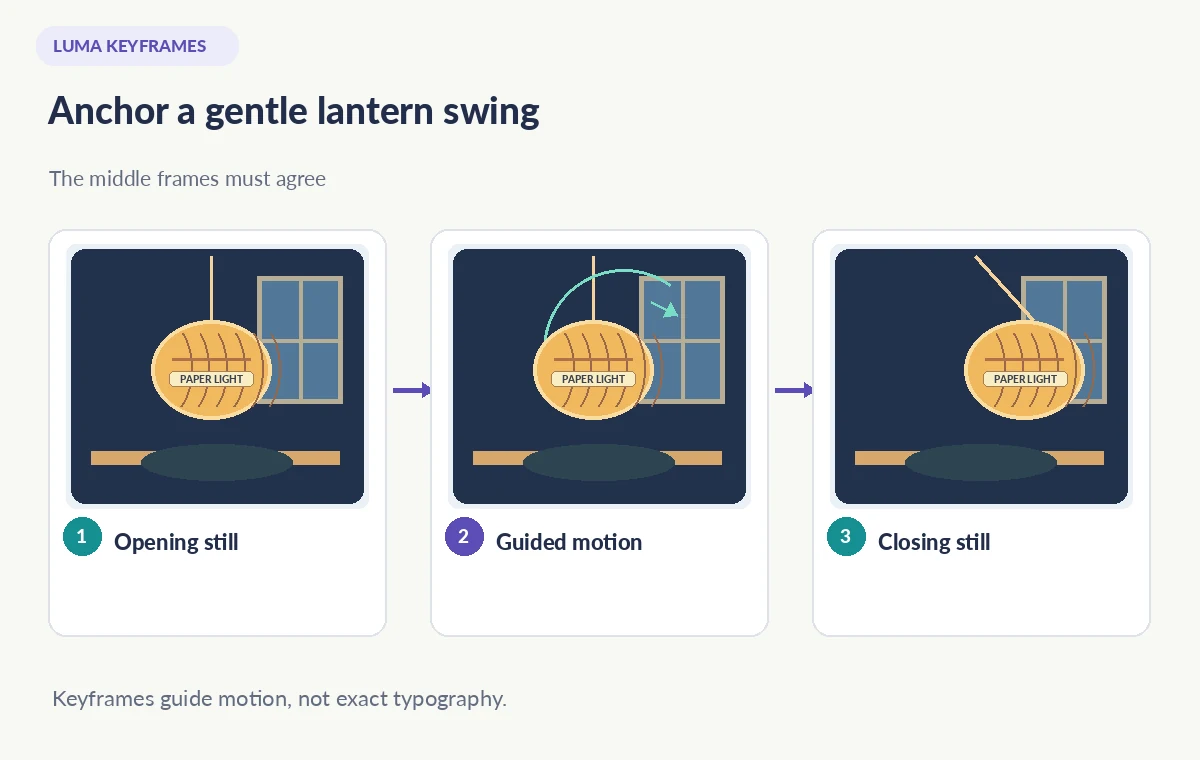
An arts-center designer has two approved illustrations of a paper lantern: one hangs still over a table, and the second shows it gently swung toward a window. A small handwritten label on the lantern identifies a fictional exhibit series. Luma Dream Machine Keyframes can use a start image and an end image to guide a short transition, but an AI-generated middle frame might redraw the lettering, reshape the lantern ribs, or invent a new cord.
Luma’s official keyframe guide explains that creators can provide opening and closing images and add a motion prompt to influence the transition. It does not promise preservation of every object or letter between those anchors. This walkthrough treats the proposed clip as synthetic illustration rather than historical event footage. The art shown alongside the article is an original conceptual demonstration, not a frame captured from the service.
Define what is fixed and what may move
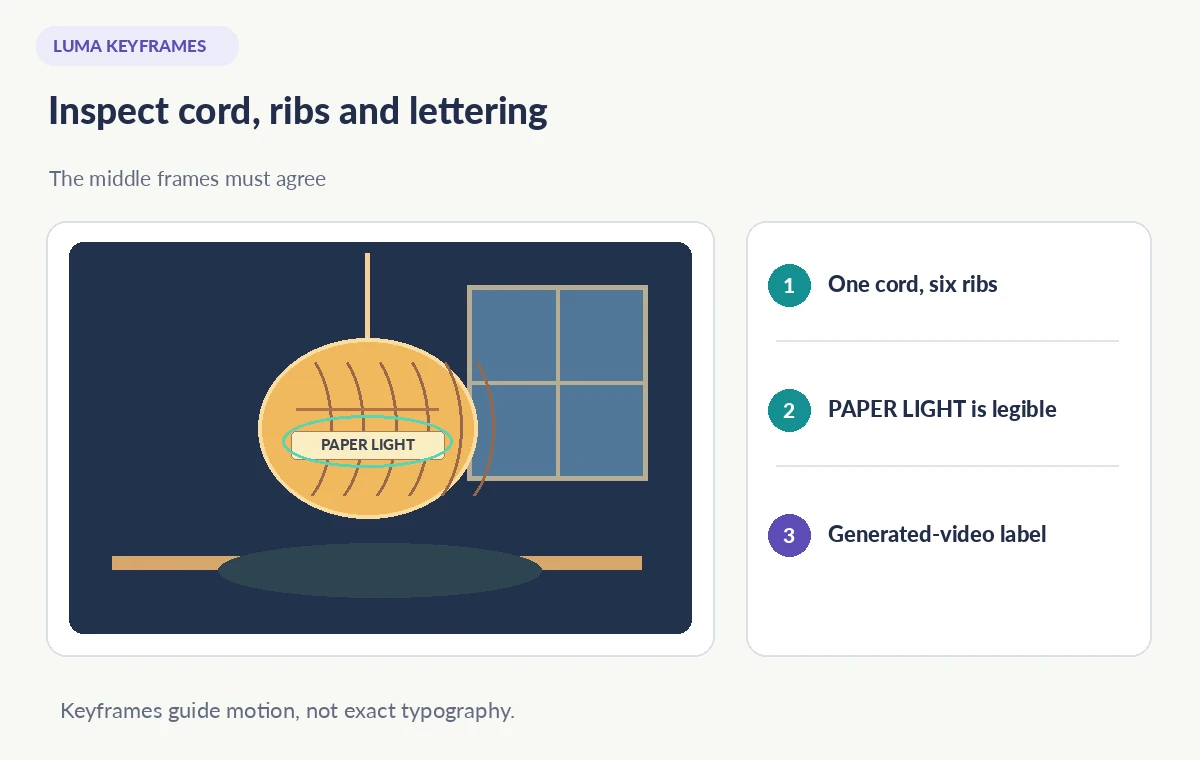
Write a short visual contract: the lantern is pale amber with six visible vertical ribs, a single hanging cord and the unchanged label “PAPER LIGHT.” The allowed motion is a small clockwise swing with slight shifting shadows on the table. The prohibited changes are extra lanterns, duplicated cords, a new window, or altered lettering. These fixed details make review more meaningful than a general request for “cinematic motion.”
Decide why the animation is being made. If it is a promotional illustration, show it clearly as generated imagery. Do not insert it into a documentary sequence as if it depicts a real festival moment. If the label is an official title or sponsor mark, keep a separate design-file layer available for typography after generation rather than relying on a video model to preserve small text.
Prepare two consistent reference images
Use images you own or are authorized to modify. Match dimensions, aspect ratio, composition and illumination between the starting and ending still. Keep the label in approximately the same location and draw the ribs and cord consistently. When the final frame changes both viewpoint and object construction, the model is forced to invent a bridge between incompatible states.
Name the references logically outside the published artwork and archive their design sources. Check the character spacing of “PAPER LIGHT” at full size before uploading. If the text is essential, prepare an alternate copy of each frame with the label deliberately blank so you can add verified lettering later. That compositing choice is safer than pretending a generated intermediate frame was typographically faithful.
Set start and end keyframes in Dream Machine
Luma describes an opening keyframe, a closing keyframe and an optional text prompt. In the available interface, supply the first illustration as the opening image and the matching second illustration as the destination. Do not extrapolate controls from a different model version if they are missing from your account. Preview the source images inside the editor before spending credits or running a longer sequence.
The motion instruction should be modest: “One paper lantern swings gently toward the window; camera holds steady; preserve the six ribs and the single cord; do not add objects.” Prompts guide the system rather than functioning as constraints guaranteed by software. Avoid conflicting commands such as a rapid zoom and no camera movement. Small, specific changes leave fewer opportunities for the model to distort the lantern.
Judge the middle frames, not just the endpoints
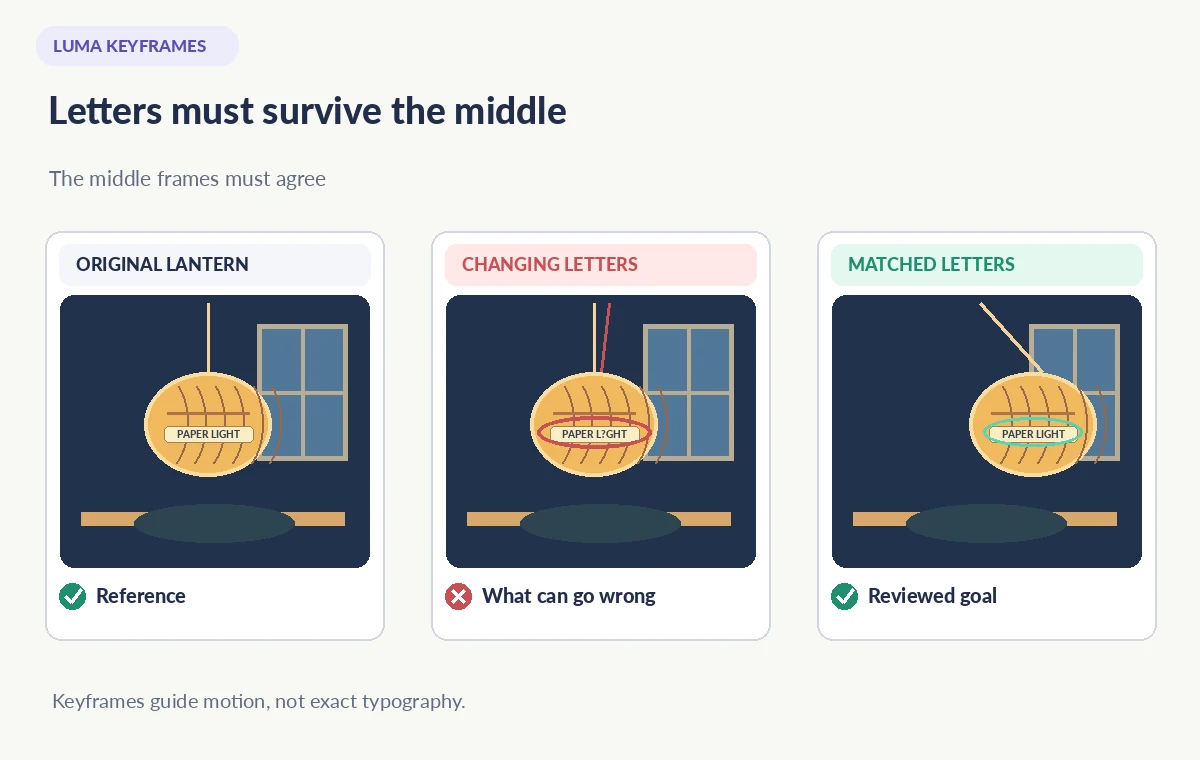
A keyframe animation can look persuasive at the start and finish while failing in between. Sample frames at regular intervals and inspect the cord attachment, number of ribs, rim symmetry and angle of the handle. Watch for the label becoming a string of changing symbols. A text field that appears correct for one frame may drift into illegible marks two frames later.
If the object morphs into a second lantern or the table edge slides independently of the camera, mark the frame numbers and revise the starting art or motion description. The article’s visual comparison explicitly shows a bad middle frame and an approved-style target; it is not evidence of a measured Luma model failure or a completed user test.
Review the lighting and physics as a whole scene
A gently swinging lantern should move relative to a stable ceiling point while the shadows change coherently. Check whether the cord remains taut, whether the shade moves through a plausible arc and whether the table’s shadow belongs to the same light source. A seamless-looking transition is not necessarily a physically correct one. The goal is consistent illustration, not a scientific simulation.
Zoom in on difficult silhouette details at the moment when the lantern passes a window frame. High-contrast boundaries can reveal duplicate edges, sudden texture changes and a brief extra cord. If an element is not stable, simplify the shot to a smaller swing or use conventional 2D keyframe animation. A more sophisticated model is not always the better solution for a precise branded object.
Make typography an editable finishing layer
Treat the label as a design asset with exact approved spelling, font and placement. If generated frames distort it, export the clean animation without text and add the title as a stable overlay in a video editor. Align the overlay with the lantern only if tracking is reliable; alternatively place the text in a fixed title card outside the moving object.
Do not claim the model can guarantee exact letters merely because the two uploaded stills were correct. If the object itself contains printed safety directions or an identifying registration number, a generated animation may be unsuitable for factual instruction. Use a filmed object, motion graphics or a still frame where exact typography is central to the message.
Check availability, rights and disclosure
Luma’s learning material documents the keyframe concept, but model offerings, plan credits, queue priority and supported image sizes can evolve. Verify the current Dream Machine product pages before promising a deliverable or preparing a client quote. The prompt and source art may also be subject to the platform’s usage terms, so review authorization and distribution rights before uploading.
Keep a written asset trail: original illustrations, generation date, prompt summary, selected candidate, rejected artifact frames and any compositing changes. If the lantern is designed to look like a record of a specific cultural ceremony, label it prominently as an illustration. Avoid depicting an actual event, community or tradition in a way that implies documentary authenticity without independent evidence.
Export a concise clip with manual frame review
Check the final encoded video, not merely the interactive preview. Play at normal speed and then pause at several times across the swing. Make sure the last frame does not jump, the label remains accurate or has been replaced with a clean overlay, and the lantern finishes at the intended pose. Inspect crop boundaries on portrait and landscape variants separately.
Deliver the approved clip with an accessible text description. Keep the keyframe stills and the rejected output for project history, but do not publish the defective examples as real user results. A precise two-frame story with an honest synthetic-media label is more useful than a longer animation that quietly redesigns the object.
How We Research
This guide was prepared on November 3, 2026 by comparing the documented workflow with official developer guidance, especially Luma: How to use Keyframes and Luma: Dream Machine. We checked the named feature, entry points, stated limitations and common edge cases against those sources; we did not operate a customer account, upload private data, process example media, measure quality gains or verify plan entitlements in a paid workspace. The practical scene and all diagrams are deliberately hypothetical. Instructions and availability can change; confirm the current help pages and review the actual result before publication.
Frequently Asked Questions
They provide a starting image and an ending image to guide a generated transition; a prompt can further direct motion.
Not reliably. Inspect all intermediate frames or add exact text as a separate finishing layer.
Consistency in camera angle, lighting and object construction reduces avoidable contradictions between the references.
No. The resulting video is generated; disclose synthetic visuals where viewers might otherwise mistake them for footage.
No. Review edge, motion, typography and shadow continuity, and simplify or use manual animation if needed.